
This module provides a simple yet powerful mechanism to resize images using Seam Carving Algorithm.

Project description
## Content Aware Image Resizing
-------------------------------
### Todo:
---------
- [x] Implement Seam Algorithm
- [x] Generate energy maps and color maps for image
- [x] Display Vertical Seams
- [x] Display Horizontal Seams
- [x] Crop Columns
- [x] Crop Rows
- [x] Use argparse for Command Line Application
- [x] Store subsamples in different directories for crop and seam respectively
- [x] Generate video/gif from sub-samples
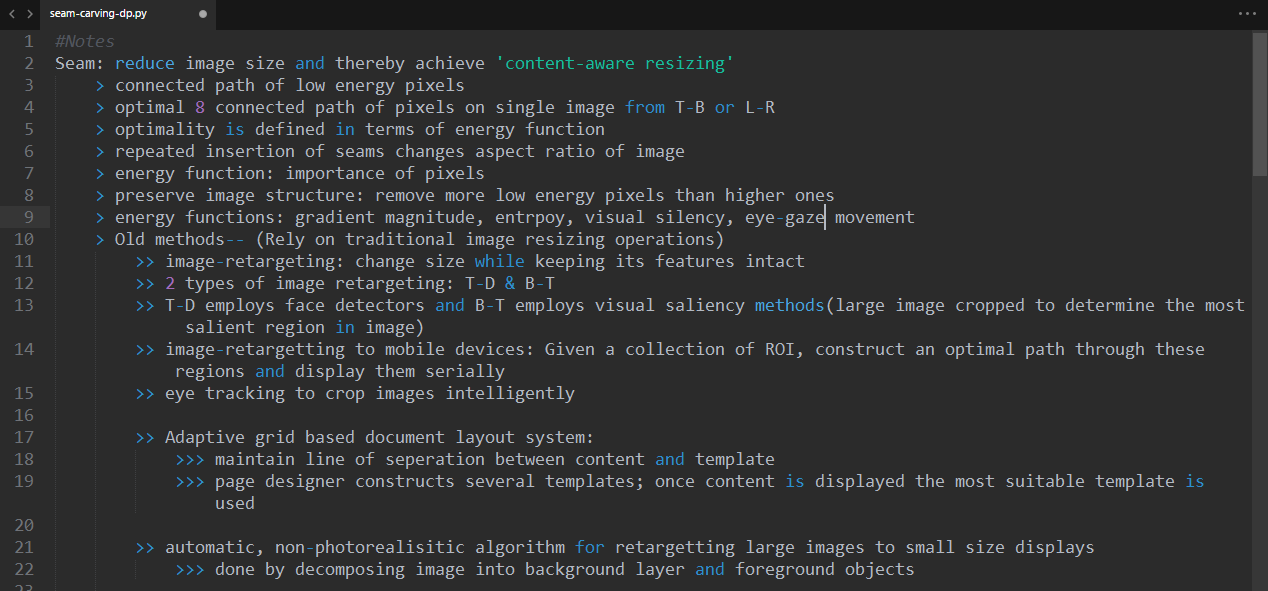
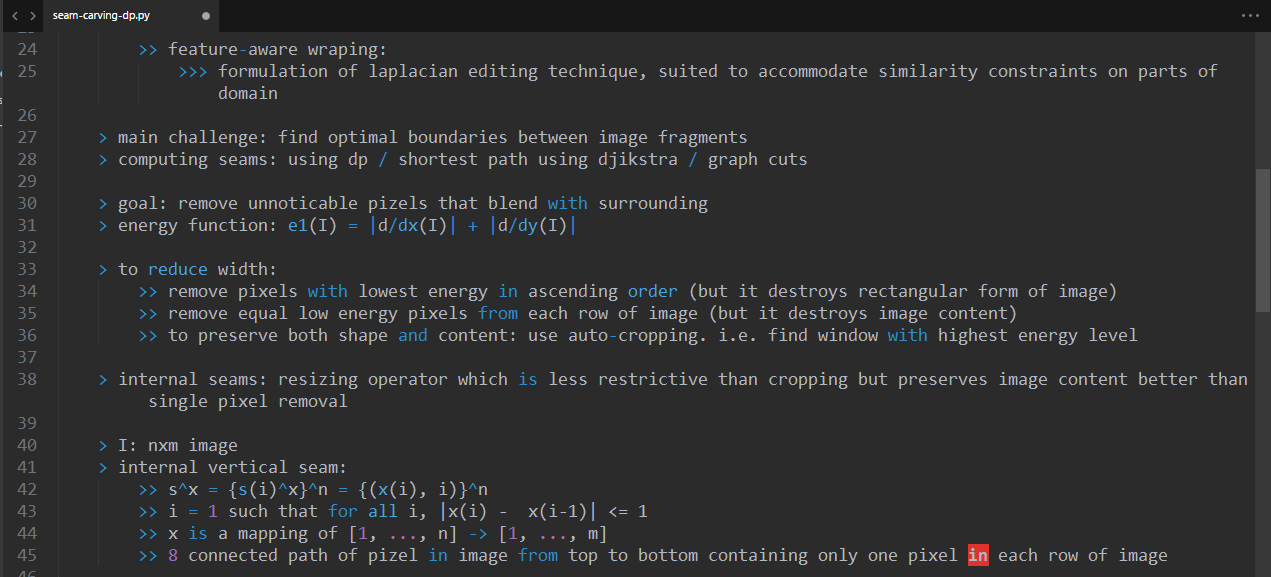
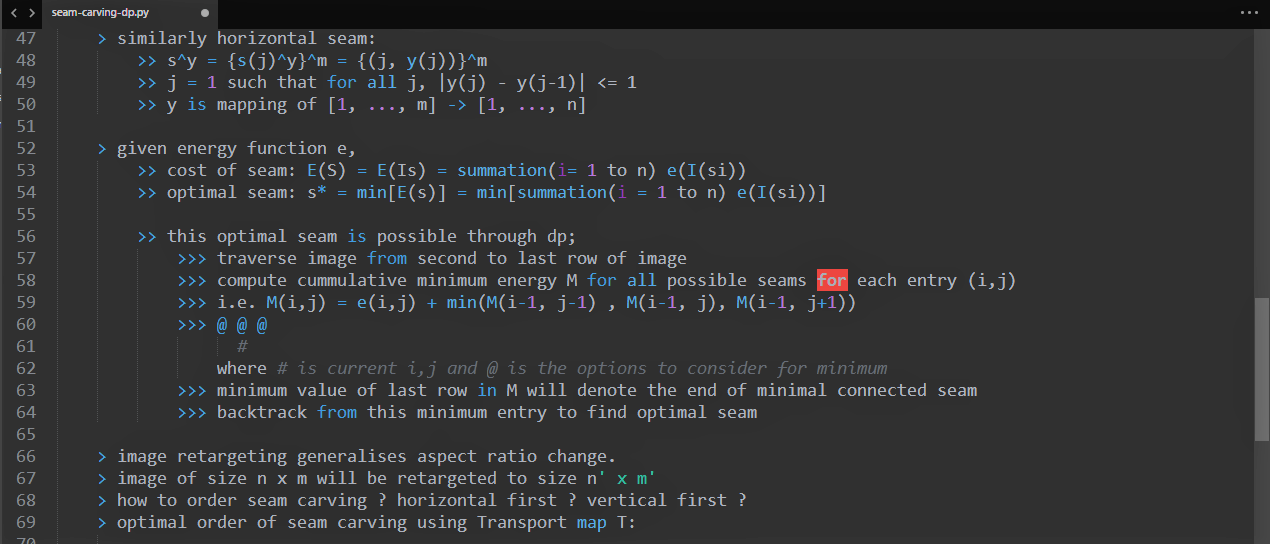
### Notes:
---------
## 
## 
## 
## 
### Explanation:
---------------
**File:** [notdoneyet.py](https://github.com/avidLearnerInProgress/pyCAIR/blob/master/notdoneyet.py)
* ***Implemented Seam Carving Algorithm***
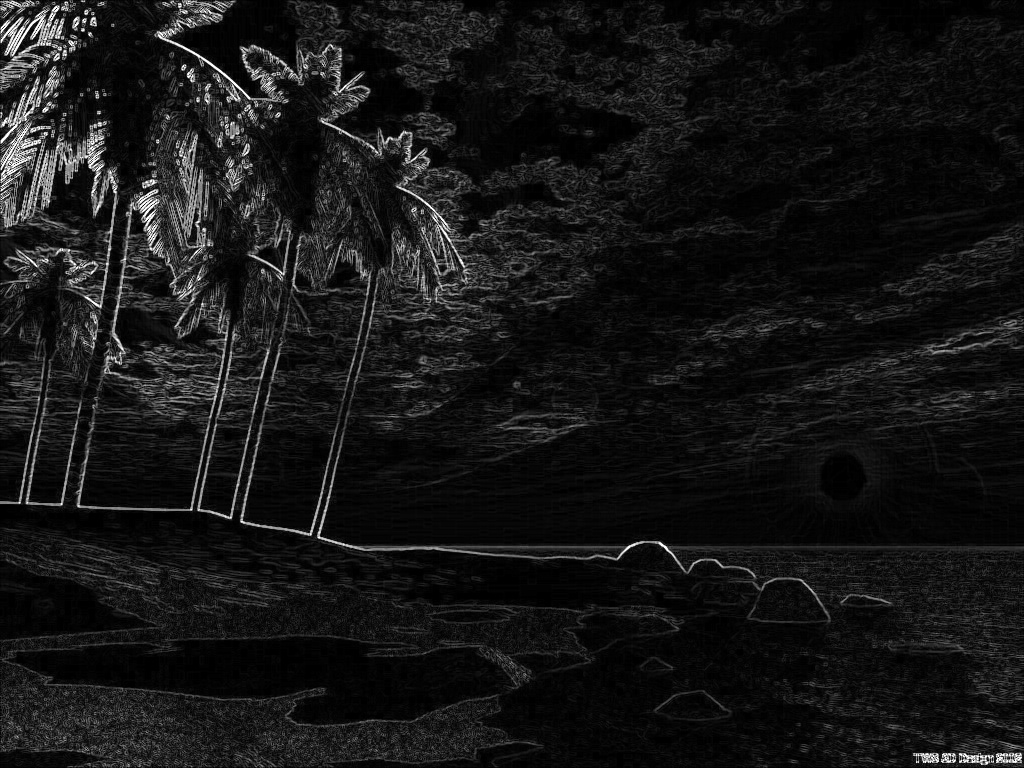
* **getEnergy()** \- generated energy map using sobel operators and convolve function.
* **getMaps()** \- implemented the function to get seams using Dynamic Programming. Also, stored results of minimum seam in seperate list for backtracking.
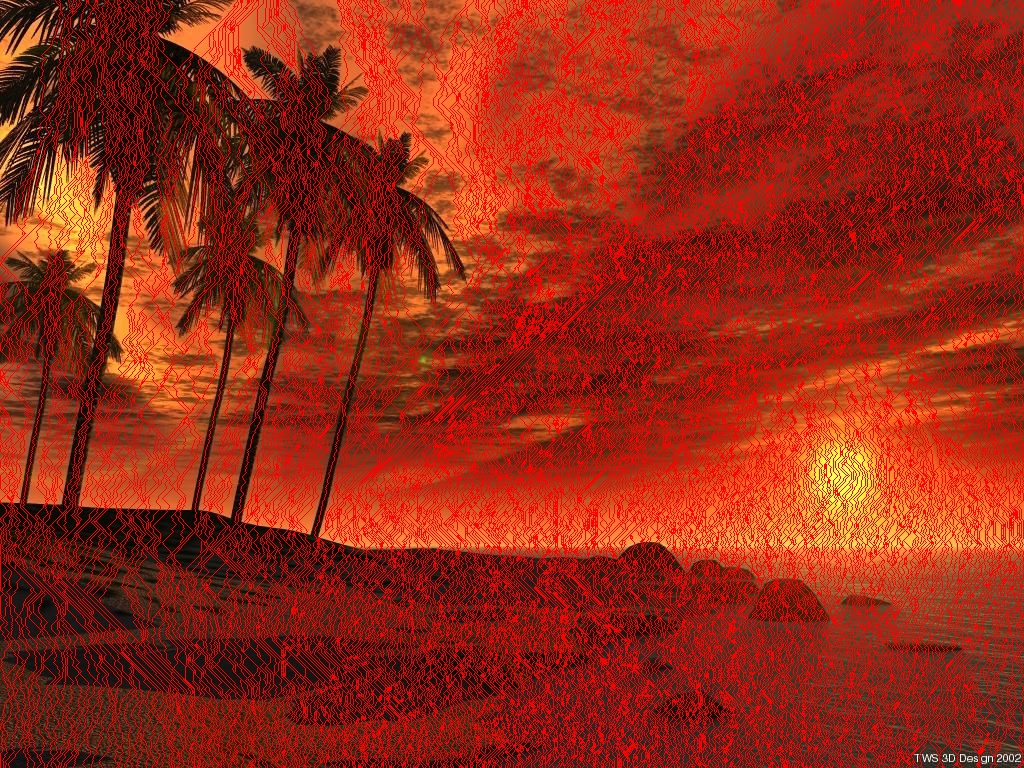
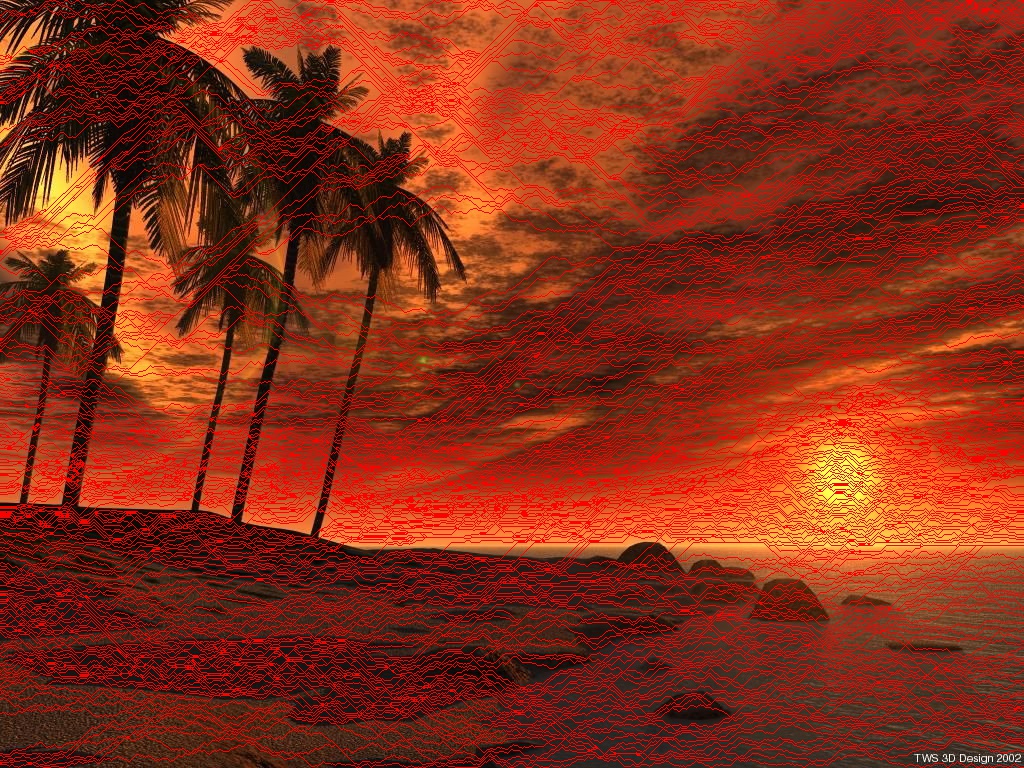
* **drawSeam()** \- Plot seams(vertical and horizontal) using red color on image.
* **carve()** \- reshape and crop image.
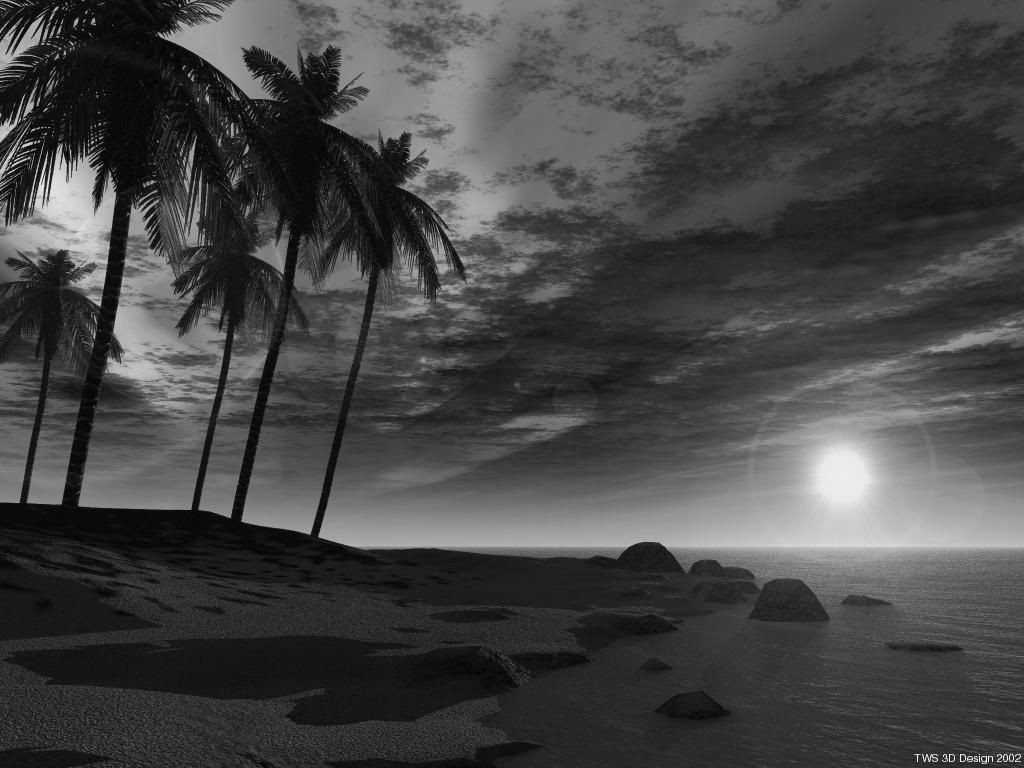
* ***Generated grayscale and energy maps using OpenCV.***
* **generateEnergyMap()** \- utilised OpenCV inbuilt functions for obtaining energies and converting image to grayscale.
* **generateColorMap() -** utilised OpenCV inbuilt functions to superimpose heatmaps on the given image.
* ***Crop Columns***
* **cropByColumn()** \- Implements cropping on both axes, i.e. vertical and horizontal.
* **cropByRow()** \- Rotate image to ignore repeated computations and provide the rotated image as an input to *cropByColumn* function.
* ***Argparse library for user input***
* **Parameters:**
* Alignment: Specify on which axis the resizing operation has to be performed.
* Scale Ratio: Floating point operation between 0 and 1 to scale the output image.
* Display Seam: If this option isn't selected, the image is only seamed in background. No output for seams is visible.
* Input Image
* Generate Sequences: Generate intermediate sequences to form a video after all the operations are performed.
* ***Helpers***
* **writeImage()** \- stores the images in results directory.
* **writeImageG()** \- stores intermediate generated sequence of images in sequences directory.
* **createFolder() -** self explanatory
* **getFileExtension() -** self explanatory
**File:** [imgtovideos.py](https://github.com/avidLearnerInProgress/pyCAIR/blob/master/imgtovideos.py)
* ***Generate Video***
* **\_vid()** \- writes each input image to video buffer for creating a complete video
* **generateVideo()** \- pass each image path to *\_vid()* for video generation
* ***Helpers***
* **getProcessPaths()** \- returns list of all sub-directories within a base path with certain conditions.
* **createFolder()** \- self explanatory
**Remaining todos:**
1. Implement Object Oriented paradigms
2. Optimize code: Many operations are bruteforce, if there are more better optimized methods; I would love to implement them
3. Implement multithreading wherever possible to improve the computation speed.
### In Action:
--------------
[](https://youtube.com/watch?v=PXYryvF7moE)
[](https://www.youtube.com/watch?v=fH21N4MBN3k)
- [Playlist](https://www.youtube.com/playlist?list=PL7k5xCepzh7o2kF_FMh4P9tZgALoAx48N)
### Screenshots:
----------------
#### Results for Image 1:
| 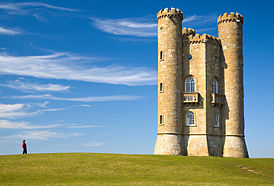 | 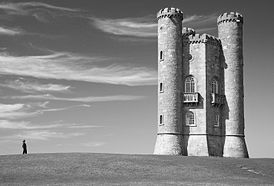 | 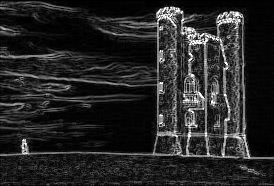 |
|:---:|:---:|:---:|
| Original Image | Grayscale | Energy Map |
| 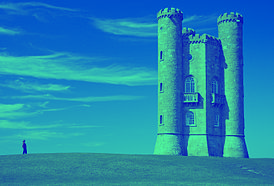 | 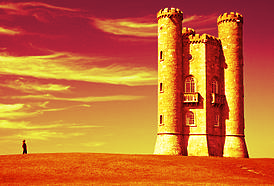 |
|:---:|:---:|
| Color Map Winter | Color Map Hot |
| 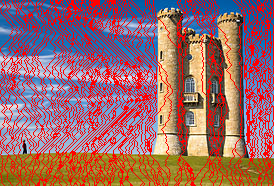 | 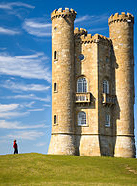 |
|:---:|:---:|
| Seams for Columns | Columns Cropped |
| 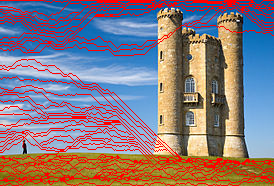 | 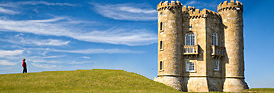 |
|:---:|:---:|
| Seams for Rows | Rows Cropped |
#### Results for Image 2:
|  |  |  |
|:---:|:---:|:---:|
| Original Image | Grayscale | Energy Map |
|  |  |
|:---:|:---:|
| Color Map Winter | Color Map Hot |
|  | |
|:---:|:---:|
| Seams for Columns | Columns Cropped |
|  | 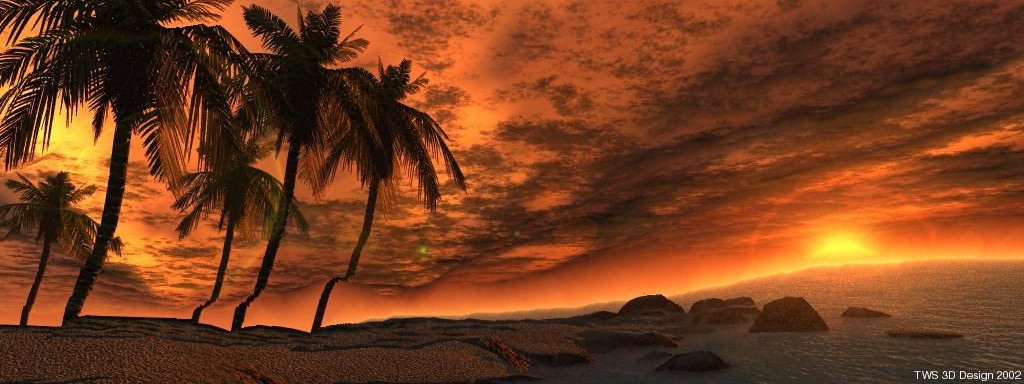 |
|:---:|:---:|
| Seams for Rows | Rows Cropped |
### License:
------------
This software is licensed under the [GNU General Public License v3.0](https://github.com/avidLearnerInProgress/pyCAIR/blob/master/LICENSE) license
-------------------------------
### Todo:
---------
- [x] Implement Seam Algorithm
- [x] Generate energy maps and color maps for image
- [x] Display Vertical Seams
- [x] Display Horizontal Seams
- [x] Crop Columns
- [x] Crop Rows
- [x] Use argparse for Command Line Application
- [x] Store subsamples in different directories for crop and seam respectively
- [x] Generate video/gif from sub-samples
### Notes:
---------
## 
## 
## 
## 
### Explanation:
---------------
**File:** [notdoneyet.py](https://github.com/avidLearnerInProgress/pyCAIR/blob/master/notdoneyet.py)
* ***Implemented Seam Carving Algorithm***
* **getEnergy()** \- generated energy map using sobel operators and convolve function.
* **getMaps()** \- implemented the function to get seams using Dynamic Programming. Also, stored results of minimum seam in seperate list for backtracking.
* **drawSeam()** \- Plot seams(vertical and horizontal) using red color on image.
* **carve()** \- reshape and crop image.
* ***Generated grayscale and energy maps using OpenCV.***
* **generateEnergyMap()** \- utilised OpenCV inbuilt functions for obtaining energies and converting image to grayscale.
* **generateColorMap() -** utilised OpenCV inbuilt functions to superimpose heatmaps on the given image.
* ***Crop Columns***
* **cropByColumn()** \- Implements cropping on both axes, i.e. vertical and horizontal.
* **cropByRow()** \- Rotate image to ignore repeated computations and provide the rotated image as an input to *cropByColumn* function.
* ***Argparse library for user input***
* **Parameters:**
* Alignment: Specify on which axis the resizing operation has to be performed.
* Scale Ratio: Floating point operation between 0 and 1 to scale the output image.
* Display Seam: If this option isn't selected, the image is only seamed in background. No output for seams is visible.
* Input Image
* Generate Sequences: Generate intermediate sequences to form a video after all the operations are performed.
* ***Helpers***
* **writeImage()** \- stores the images in results directory.
* **writeImageG()** \- stores intermediate generated sequence of images in sequences directory.
* **createFolder() -** self explanatory
* **getFileExtension() -** self explanatory
**File:** [imgtovideos.py](https://github.com/avidLearnerInProgress/pyCAIR/blob/master/imgtovideos.py)
* ***Generate Video***
* **\_vid()** \- writes each input image to video buffer for creating a complete video
* **generateVideo()** \- pass each image path to *\_vid()* for video generation
* ***Helpers***
* **getProcessPaths()** \- returns list of all sub-directories within a base path with certain conditions.
* **createFolder()** \- self explanatory
**Remaining todos:**
1. Implement Object Oriented paradigms
2. Optimize code: Many operations are bruteforce, if there are more better optimized methods; I would love to implement them
3. Implement multithreading wherever possible to improve the computation speed.
### In Action:
--------------
[](https://youtube.com/watch?v=PXYryvF7moE)
[](https://www.youtube.com/watch?v=fH21N4MBN3k)
- [Playlist](https://www.youtube.com/playlist?list=PL7k5xCepzh7o2kF_FMh4P9tZgALoAx48N)
### Screenshots:
----------------
#### Results for Image 1:
|  |  |  |
|:---:|:---:|:---:|
| Original Image | Grayscale | Energy Map |
|  |  |
|:---:|:---:|
| Color Map Winter | Color Map Hot |
|  |  |
|:---:|:---:|
| Seams for Columns | Columns Cropped |
|  |  |
|:---:|:---:|
| Seams for Rows | Rows Cropped |
#### Results for Image 2:
|  |  |  |
|:---:|:---:|:---:|
| Original Image | Grayscale | Energy Map |
|  |  |
|:---:|:---:|
| Color Map Winter | Color Map Hot |
|  | |
|:---:|:---:|
| Seams for Columns | Columns Cropped |
|  |  |
|:---:|:---:|
| Seams for Rows | Rows Cropped |
### License:
------------
This software is licensed under the [GNU General Public License v3.0](https://github.com/avidLearnerInProgress/pyCAIR/blob/master/LICENSE) license
Release history Release notifications | RSS feed


Download files
Download the file for your platform. If you're not sure which to choose, learn more about installing packages.
Source Distribution
pyCAIR-0.1.12.tar.gz
(6.8 kB
view details)
Built Distribution
Filter files by name, interpreter, ABI, and platform.
If you're not sure about the file name format, learn more about wheel file names.
Copy a direct link to the current filters
pyCAIR-0.1.12-py3-none-any.whl
(10.5 kB
view details)
File details
Details for the file pyCAIR-0.1.12.tar.gz.
File metadata
- Download URL: pyCAIR-0.1.12.tar.gz
- Upload date:
- Size: 6.8 kB
- Tags: Source
- Uploaded using Trusted Publishing? No
File hashes
| Algorithm | Hash digest | |
|---|---|---|
| SHA256 |
709ed30817860a5d9267b7d5e614601453e8627a5d1912c5057f25f84d176805
|
|
| MD5 |
929ca580b581de73bd3b9fdd773a908d
|
|
| BLAKE2b-256 |
753a4238f0c9e80742563672879a417005eee21a0b863726f5a8e0098b5274e3
|
File details
Details for the file pyCAIR-0.1.12-py3-none-any.whl.
File metadata
- Download URL: pyCAIR-0.1.12-py3-none-any.whl
- Upload date:
- Size: 10.5 kB
- Tags: Python 3
- Uploaded using Trusted Publishing? No
File hashes
| Algorithm | Hash digest | |
|---|---|---|
| SHA256 |
46880fe41fd71821106bb10c20a7236829512e01234cc6e9c98fdf080c3c46a8
|
|
| MD5 |
e358996f8fd76d57edbdfd1513c69f91
|
|
| BLAKE2b-256 |
199107cdc813c0b7fbb41e4f7a7641e49e6d7a5354bffe22ad20ae8f7dfb272f
|






