
pyansistring
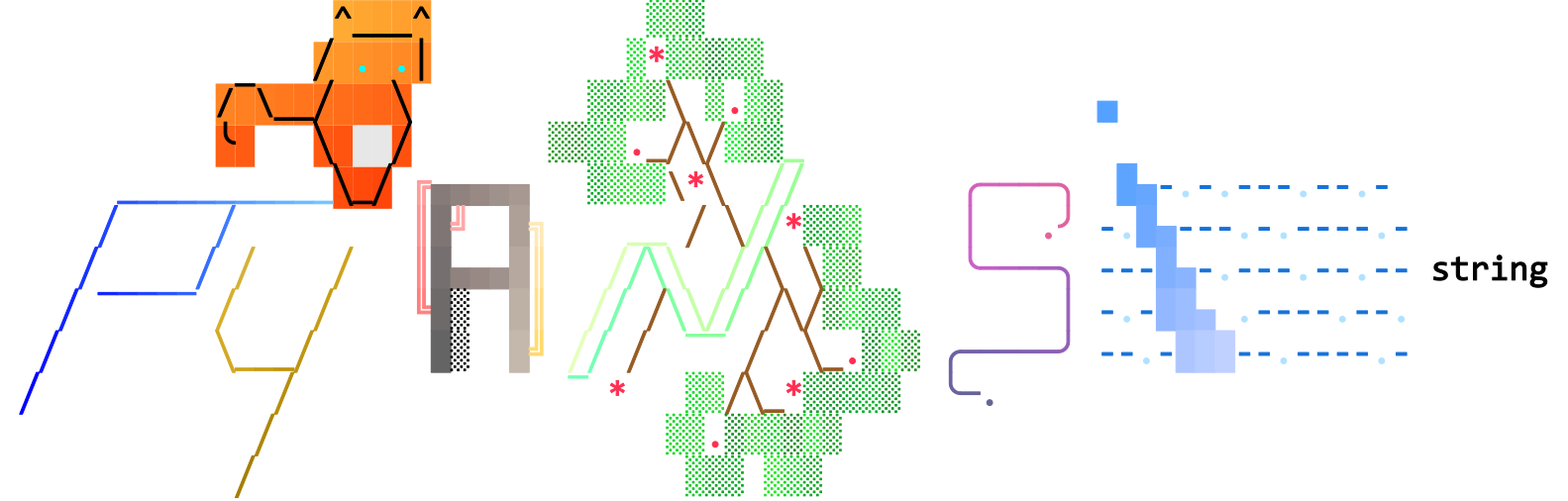







pyansistring gives you a string type that keeps styling securely attached while you use familiar, native Python string operations. Whether you are building a simple CLI tool, visualizing data in a complex terminal dashboard, or exporting styled output to the web, pyansistring handles the math and formatting for you.
Features
- ANSIString class that subclasses Python
str. - Style-preserving operations for concatenation, slicing, splitting, joining, replacing, stripping, case transforms, and formatting (f-strings,
.format()). - SGR styling and attributes: bold, dim, italic, underline, strikethrough, invert, and advanced underline modes (single, double, curly, dotted, dashed).
- Color channels: 4-bit ANSI, 8-bit palette, and 24-bit RGB for foreground, background, and underlines.
- Targeting modes: apply to full strings, slice ranges, or word matches (case-sensitive or insensitive).
- Gradient engine: RGB or HSL interpolation, coordinate-based gradients for multiline text, and out-of-bounds handling.
- SVG export: render text or path modes with per-character coloring and optional custom fonts.
- ANSI parsing: convert raw ANSI-encoded strings back into
ANSIStringinstances with styles intact. - Large constants base: extensive predefined color constants and palettes, plus SGR/regex helpers for easy access.
- Smart color detection: automatic detection of the maximal color support level for the current terminal environment.
- Automated downsampling: intelligent reduction of TrueColor (24-bit) down to 8-bit or 4-bit when unsupported by the host terminal.
- Flexible configuration: easily override default behavior for color support, downsampling, SGR separators, and terminal themes via the config object.
Requirements
- Python 3.11+
Installation
Install the base package:
pip install pyansistring
Install extras when needed:
pip install pyansistring[svg]            # For SVG export
pip install pyansistring[all]            # Install all optional dependencies
Quick Start
from pyansistring import ANSIString, Foreground, Background, SGR

text = (
    ANSIString("Hello, World!")
    .fg(Foreground.YELLOW)
    .bg(Background.BLUE)
    .style(SGR.BOLD)
)

print(text)
Usage Examples
The examples below are generated by examples/generate_usage_svg.py.
Unstyled text
from pyansistring import ANSIString

print(ANSIString("Hello, World!"))

Whole string styling
from pyansistring import ANSIString, Foreground, Background, SGR

print(
    ANSIString("Hello, World!")
    .fg(Foreground.YELLOW)
    .bg(Background.BLUE)
    .style(SGR.BOLD)
)

Target Selectors: Slices
from pyansistring import ANSIString, Foreground, Background, SGR

print(
    ANSIString("Hello, World!")
    .fg(Foreground.YELLOW, (0, 5), (7, 12))
    .bg(Background.BLUE, (7, 12))
    .style(SGR.BOLD, (7, 12))
)

Target Selectors: Words
from pyansistring import ANSIString, Foreground, Background, SGR, Words

print(
    ANSIString("Hello, World!")
    .fg(Foreground.YELLOW, Words(("Hello", "World")))
    .bg(Background.BLUE, Words(("World",)))
    .style(SGR.BOLD, Words(("Hello", "World")))
)

Target Selectors: Chars
from pyansistring import ANSIString, Chars

print(
    ANSIString("Hello, World!")
    .bg((200, 50, 50), Chars(skip_whitespace=True))
    .fg(0)
)

Target Selectors: Regex Patterns
from pyansistring import ANSIString, NamedColors, Pattern, SGR

print(
    ANSIString("Error 404: Not Found!")
    .fg(NamedColors.RED, Pattern(r"\d+"))
    .style(SGR.BOLD, Pattern(r"\d+"))
)

Target Selectors: Coords
from pyansistring import ANSIString, Foreground, Background, Coords

print(
    ANSIString("Hello,\nWorld!")
    .fg(Foreground.BLUE, Coords(
            (
                (0, 0), (1, 0), (2, 0), # Hel
                (0, 1), (1, 1), (2, 1)  # Wor
            ),
        )
    )
    .fg(Foreground.YELLOW, Coords(
            (
                (3, 0), (4, 0), (5, 0), # lo,
                (3, 1), (4, 1), (5, 1)  # ld!
            ),
        )
    )
)

Advanced Regex (Log Parsing)
from pyansistring import ANSIString, Foreground, Pattern, SGR

print(
    ANSIString("Login: [WARN] User 'admin' failed from 192.168.1.50")
    .fg(Foreground.YELLOW, Pattern(r"\[WARN\]"))
    .fg(Foreground.CYAN, Pattern(r"'.*?'"))
    .style(SGR.UNDERLINE, Pattern(r"\b\d{1,3}(?:\.\d{1,3}){3}\b"))
)

SGR attributes
from pyansistring import ANSIString, SGR

print(ANSIString("Hello, World!").style(SGR.BOLD).style(SGR.UNDERLINE))

4-bit, 8-bit, and 24-bit colors
from pyansistring import ANSIString, Foreground, Background, NamedColors

# 4-bit (Enums)
print(ANSIString("Hello, World!").fg(Foreground.YELLOW).bg(Background.BLUE))
# 8-bit (Integers)
print(ANSIString("Hello, World!").fg(11).bg(4).ul(74))
# 24-bit (Tuples)
print(ANSIString("Hello, World!").fg((255, 255, 0)).bg((0, 0, 238)).ul((135, 175, 215)))
# Web Colors (Named Colors Namespace)
print(ANSIString("Hello, World!").fg(NamedColors.GOLD).bg(NamedColors.MIDNIGHT_BLUE))




Underline modes
from pyansistring import ANSIString, UnderlineMode

print(
    ANSIString("Hello, World!")
    .bg((255, 255, 255))
    .ul((255, 0, 0))
    .style(UnderlineMode.DOUBLE)
)

Rainbow Effect
from pyansistring import ANSIString

print(ANSIString("Hello, World! This is rainbow text!").rainbow())

Gradient APIs
from pyansistring import ANSIString, Words, Coords

print(
    ANSIString("Hello, World! This is gradient text!")
    .gradient([(84, 161, 255), (233, 200, 216)])
)

print(
    ANSIString("Hello, colorful gradient world!")
    .gradient([(255, 99, 71), (255, 215, 0)], Words(("Hello", "world"), ignore_case=True))
)

print(
    ANSIString("HELLO\nworld")
    .gradient(
        [(255, 0, 120), (0, 200, 255)],
        Coords(((1, 1), (2, 1), (3, 1), (4, 1), (5, 1)), index_base=1)
    )
)



Data-Driven Colormaps
from pyansistring import ANSIString, Pattern, NamedColors, Channel
from pyansistring.color import SegmentedColorMap, ColorMap, ColorScale

ramp_text = "".join(f"{n:<5}" for n in range(0, 101, 10))

# Segmented Map (Threshold Snapping)
cmap_seg = SegmentedColorMap({
    0: NamedColors.LIME,
    60: NamedColors.YELLOW,
    90: NamedColors.RED
})

print(ANSIString(ramp_text).colormap(cmap_seg, Pattern(r"\d+\s*"), channel=Channel.BG).fg(0))

# Continuous Map (Smooth Interpolation)
scale = ColorScale([(0, 255, 255), (255, 255, 0), (255, 0, 0)], space="hsl")
cmap_cont = ColorMap(scale, vmin=0, vmax=100)

print(ANSIString(ramp_text).colormap(cmap_cont, Pattern(r"\d+\s*"), channel=Channel.BG).fg(0))


Parse ANSI text back into ANSIString
from pyansistring import ANSIString

raw = "\x1b[31mError\x1b[0m: file not found"
parsed = ANSIString.from_ansi(raw)

print(parsed.plain_text)
print(parsed)
Export ANSIString to SVG
from fontTools.ttLib import TTFont
from pyansistring import ANSIString, SGR

font = TTFont("path/to/font.ttf")
styled = ANSIString("SVG output").style(SGR.BOLD).fg((90, 170, 255))

svg_code = styled.to_svg(
    font=font,
    font_size_px=16,
    convert_text_to_path=False,
)
For a complete terminal tour, run examples/showcase.py.
Configurations
General
You can customize pyansistring behavior globally via the config object or through environment variables. Changes made via the config object take effect immediately. If your environment variables change during a session (e.g., in a long-running dashboard), simply call config.refresh() to reload the settings.
from pyansistring.config import config

config.separator = ":"
config.color_support = ColorSupportLevel.BIT24
config.downsample = True
config.theme = "vga" # or 'vscode', or...
Precedence
When multiple configuration sources are provided, pyansistring resolves them in the following order of priority (highest to lowest):
| Priority | Source | Examples |
|---|---|---|
| 1 (Highest) | Library-Specific Env Vars | PYANSISTRING_COLOR_SUPPORT, PYANSISTRING_THEME |
| 2 | Command-Line Flags | --color=16m, --no-color |
| 3 | Standard Environment Variables | FORCE_COLOR, NO_COLOR, CLICOLOR |
| 4 (Lowest) | Auto-detection | Host OS, TERM, CI environment variables |
Environment variables
[!IMPORTANT] Environment Variable Changes
Have you changed any environment variables that impact color? If so, it is crucial to either call
config.refresh()to pick up the changes automatically or set the desired settings manually.
The following environment variables impact the color output of pyansistring:
Custom
PYANSISTRING_SEPARATORPYANSISTRING_COLOR_SUPPORTPYANSISTRING_DOWNSAMPLEPYANSISTRING_THEME
Color and terminal capability
FORCE_COLOR: Used to override auto-detection and force specific color levels.NO_COLOR: Standard variable to disable all color output.CLICOLOR: Used to disable color when set to "0".CLICOLOR_FORCE: Used to force 4-bit color support.COLORTERM: Checked for "truecolor" capabilities.TERM: Used to check for "dumb" terminals, 256-color support, or specific terminal emulators (e.g.,xterm,vt100).TERM_PROGRAM: Used to identify specific terminal applications likeiTerm.apporApple_Terminal.TERM_PROGRAM_VERSION: Used to check versioning for specific terminal capabilities (e.g., iTerm v3+).WT_SESSION: Used to detect Windows Terminal sessions.SHELL: Used alongsideTERMto detect PowerShell environments on Windows.
Continuous Integration (CI) environment
CI: General flag to indicate the code is running in a CI environment.GITHUB_ACTIONS,GITEA_ACTIONS,CIRCLECI: Used to enable 24-bit color support.TRAVIS,APPVEYOR,GITLAB_CI,BUILDKITE,DRONE,CI_NAME: Used to detect specific CI environments that typically support at least 4-bit color.TEAMCITY_VERSION: Used to detect TeamCity build environments.
Sniffed command-line flags
The library also inspects sys.argv for the following flags:
Color Disabling
no-color,no-colors,color=false,color=never.
Color Enabling
color,colors,color=true,color=always: Defaults to 4-bit color support.color=16m,color=full,color=truecolor: Forces 24-bit (TrueColor) support.color=256: Forces 8-bit color support.
Contributing
Contributions are what make the open source community such an amazing place to learn, inspire, and create. Any contributions you make are greatly appreciated.
- Fork the Project
- Create your Feature Branch (
git checkout -b feat/amazing-feature) - Commit your Changes (
git commit -m 'feat: ✨ add some amazing-feature') - Push to the Branch (
git push origin feat/amazing-feature) - Open a Pull Request
[!IMPORTANT] If linting or tests fail, make sure to fix those and push the changes.
License
Distributed under the MIT License. See LICENSE for more information.
1 maintainer

Download files
Download the file for your platform. If you're not sure which to choose, learn more about installing packages.
Source Distribution
Built Distribution
Filter files by name, interpreter, ABI, and platform.
If you're not sure about the file name format, learn more about wheel file names.
Copy a direct link to the current filters
File details
Details for the file pyansistring-0.6.0.tar.gz.
File metadata
- Download URL: pyansistring-0.6.0.tar.gz
- Upload date:
- Size: 5.6 MB
- Tags: Source
- Uploaded using Trusted Publishing? Yes
- Uploaded via:
twine/6.1.0 CPython/3.13.12
File hashes
| Algorithm | Hash digest | |
|---|---|---|
| SHA256 |
99cdd690990394910ee1a105b28e35d1e9248af3a08285d1ed758953593c0dd9
|
|
| MD5 |
72e51348984a2cd088cfc47acdbbad4b
|
|
| BLAKE2b-256 |
b8091426b1e112f421a1ad19ac441ef87982587e712524fca4fe061f824e37e0
|
Provenance
The following attestation bundles were made for pyansistring-0.6.0.tar.gz:
Publisher:
ci-cd.yml on l1asis/pyansistring
-
Statement:
-
Statement type:
https://in-toto.io/Statement/v1 -
Predicate type:
https://docs.pypi.org/attestations/publish/v1 -
Subject name:
pyansistring-0.6.0.tar.gz -
Subject digest:
99cdd690990394910ee1a105b28e35d1e9248af3a08285d1ed758953593c0dd9 - Sigstore transparency entry: 2151916184
- Sigstore integration time:
-
Permalink:
l1asis/pyansistring@59885881d7f9663b9d158d3ee7814dc8d40c65a4 -
Branch / Tag:
refs/heads/main - Owner: https://github.com/l1asis
-
Access:
public
-
Token Issuer:
https://token.actions.githubusercontent.com -
Runner Environment:
github-hosted -
Publication workflow:
ci-cd.yml@59885881d7f9663b9d158d3ee7814dc8d40c65a4 -
Trigger Event:
push
-
Statement type:
File details
Details for the file pyansistring-0.6.0-py3-none-any.whl.
File metadata
- Download URL: pyansistring-0.6.0-py3-none-any.whl
- Upload date:
- Size: 74.3 kB
- Tags: Python 3
- Uploaded using Trusted Publishing? Yes
- Uploaded via:
twine/6.1.0 CPython/3.13.12
File hashes
| Algorithm | Hash digest | |
|---|---|---|
| SHA256 |
2bf7d0f7737a735cbede6c866107c01e0d0c94f89ca1dd832aa92de76b0b4449
|
|
| MD5 |
2d4fdd7d3322610cea23686a229dc0a4
|
|
| BLAKE2b-256 |
8e99eb76c9c39e47b15832b489f7e67cf32bd3040cf4cab8fccb5eb82be28d42
|
Provenance
The following attestation bundles were made for pyansistring-0.6.0-py3-none-any.whl:
Publisher:
ci-cd.yml on l1asis/pyansistring
-
Statement:
-
Statement type:
https://in-toto.io/Statement/v1 -
Predicate type:
https://docs.pypi.org/attestations/publish/v1 -
Subject name:
pyansistring-0.6.0-py3-none-any.whl -
Subject digest:
2bf7d0f7737a735cbede6c866107c01e0d0c94f89ca1dd832aa92de76b0b4449 - Sigstore transparency entry: 2151916217
- Sigstore integration time:
-
Permalink:
l1asis/pyansistring@59885881d7f9663b9d158d3ee7814dc8d40c65a4 -
Branch / Tag:
refs/heads/main - Owner: https://github.com/l1asis
-
Access:
public
-
Token Issuer:
https://token.actions.githubusercontent.com -
Runner Environment:
github-hosted -
Publication workflow:
ci-cd.yml@59885881d7f9663b9d158d3ee7814dc8d40c65a4 -
Trigger Event:
push
-
Statement type:














