
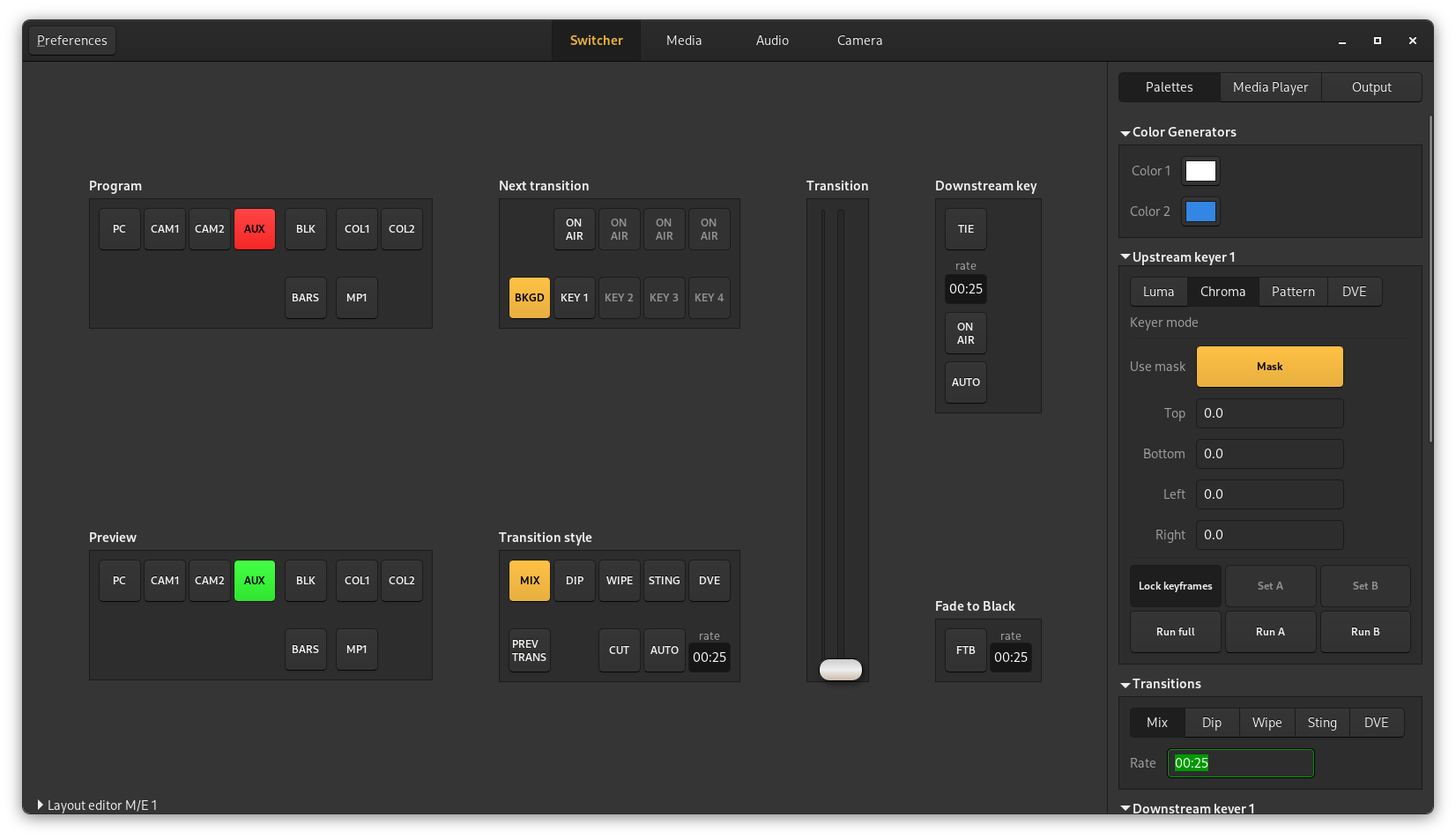
Library implementing the ATEM video switcher protocol and a GTK3.0 application
Installation
Install the pyatem protocol module:
setup.py build
sudo setup.py install
Build and install the gtk application and proxy:
meson build
meson compile -C build
sudo meson install -C build
Run the application:
switcher-control
There is also the openswitcher-install.sh script which will install the library, proxy and gtk application in /usr/local for a quick installation of all components.
External dependencies
The only external dependency for pyatem is pyusb for the USB protocol support. It contains a native compiled module so it also requires a toolchain and python-dev headers at build time.
OpenSwitcher depends on the python bindings from gtk3.
OpenSwitcher-proxy only depends on pyatem for the core functionality but it might need more dependencies when loading specific frontends or backends:
MQTT Frontend: paho-mqtt
Developing
To work on the pyatem library the quickest way to get up and running is using the openswitcher-develop.sh script that will install the pyatem library in devel mode where the files are symlinked to the git repository. It will also install the proxy and gtk application in /usr/local which will use the symlinked library.
Development happens on matrix on #openatem:brixit.nl
Proxy
There is also the openswitcher_proxy python module in this repository. It will run an API wrapper around one or more ATEM switchers. There is currently a single api supported which is a HTTP REST api for sending commands and reading the mixer state.
It can be run by starting the module:
python3 -m openswitcher_proxy --config /etc/myconfigfile.toml
Or if the software installed it can be started using the launcher script:
openswitcher-proxy --config /etc/myconfigfile.toml
The default config location is /etc/openswitcher/proxy.toml if not specified. Here’s an example config:
[[hardware]] id = “mini” label = “Atem Mini” address = “192.168.2.84”
[[hardware]] id = “mini2” label = “Local switcher” address = “usb”
[[frontend]] type = “http-api” bind = “:8080” auth = true username = “bob” password = “hunter2” hardware = “mini,mini2”
[[frontend]] type = “status” bind = “127.0.0.1:8082” auth = false
The status frontend provides a simple html page with the state of the connected switchers and a list of the enabled frontends.
The http-api frontend provides a HTTP server that can return any of the supported fields as json and trigger commands by sending a HTTP POST request with formfields or json
Translations
The main language for the software is english, the translation for the project happens on https://hosted.weblate.org/projects/openswitcher
1 maintainer

Metadata
1 maintainer
Release files for pyatem 0.10.0
For a detailed explanation of source distributions (sdists) and built distributions (wheels), please see the package formats documentation.
Source distribution (sdist)
| File | Size | Uploaded | Provenance | Actions |
|---|---|---|---|---|
| pyatem-0.10.0.tar.gz | 4.0 MB | Without provenance | Details for pyatem-0.10.0.tar.gz |
Release files / pyatem-0.10.0.tar.gz
| Download URL | pyatem-0.10.0.tar.gz |
|---|---|
| Size | 4.0 MB |
| Tags | Source |
|
SHA-256 checksum How to use checksums |
5b3fcc736af0401041373c896547519b27b9b2ed1d290310922ef69fa20468b4
|
|
BLAKE2b-256 checksum How to use checksums |
dca6020358a54d725f28c7f0d5c0d60f17300f7563f01384a4c07ffa1557af8e
|
| Upload date | |
|
Uploaded using Trusted Publishing? What is trusted publishing? |
No |
| Uploaded via |
twine/4.0.2 CPython/3.11.6
|
Security for pyatem 0.10.0
Provenance
Provenance describes where a file came from. On PyPI, provenance is shared via attestations, which provide a verifiable record of the build or publishing details. View details, limitations and caveats.
No provenance found
None of the files in this release were uploaded with provenance metadata.
A note on package security
PyPI is a repository for distributing packages, not a service for auditing them. While third-party security researchers and our staff do their best to detect and remove malicious packages, PyPI cannot guarantee the quality, security or suitability of any given package.
To learn more about protecting yourself from malicious actors, visit our package security documentation.















