
Beautifier
Install this package : pip install pybeautify
Open the python console and type : import beautify
Beautifier is a windows application for arranging the files within a folder.
Everybody want their files to be arranged in an organized way within a folder.
So let's see an application that does this for us.
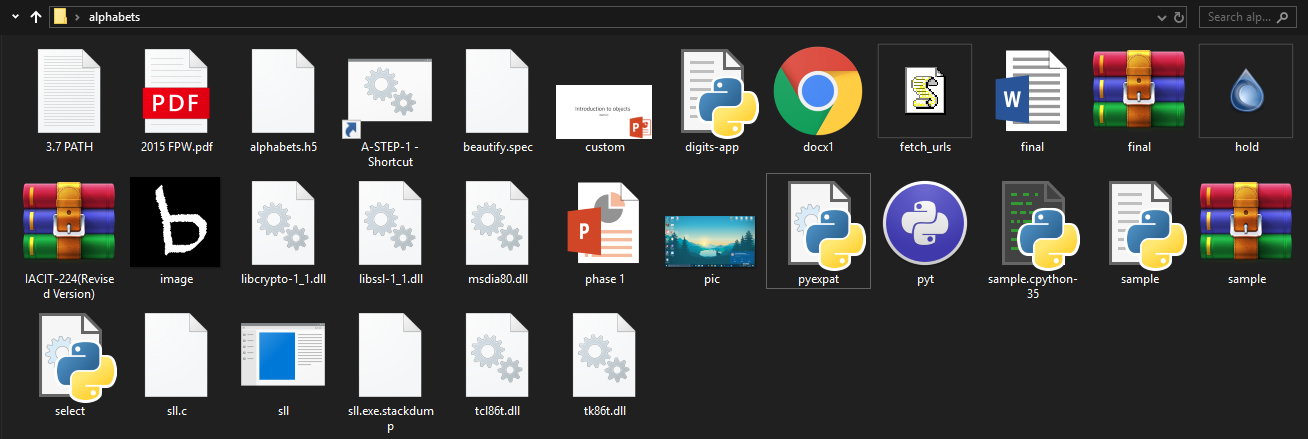
Let's have a look at the folder in which the files are not well organized 🤢.
Before running the application.
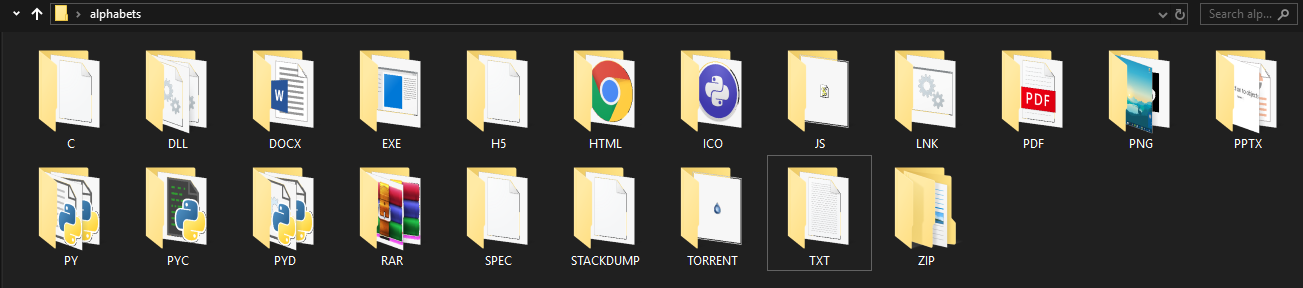
Now let's see the same folder when the files within the folder are properly organized (Beautified)😍.
After running the application.
So how to run the application 🤔.
You can either clone this repository or download only the installer
For better user experience try the installer.
Once after downloading the installer / cloning the repository.
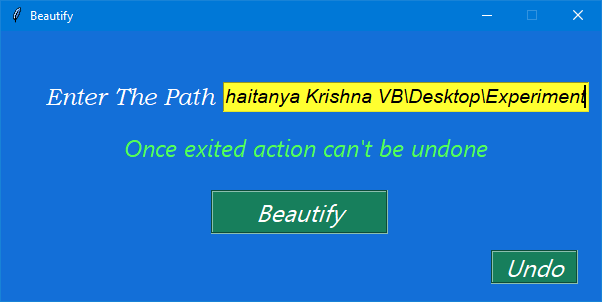
Run the application.
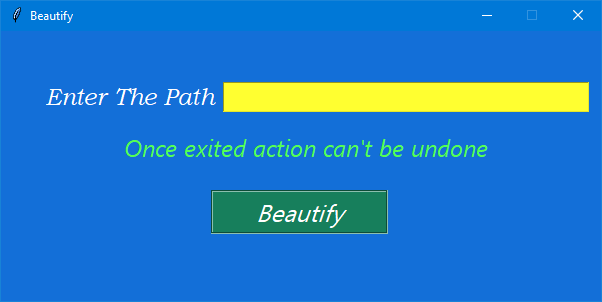
Copy the path of your target folder.

Paste the path in your application.
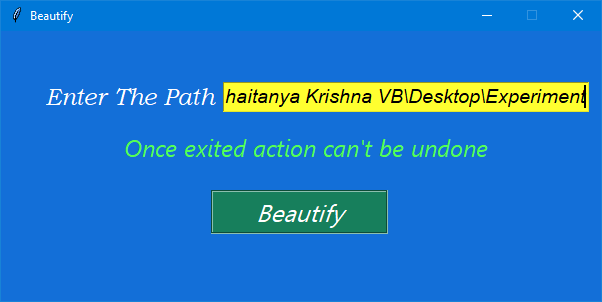
Click the Beautify button and see the magic happen.
In case if you need to undo the changes click the Undo Button and the changes will be reverted.
Files back to their initial state.
1 maintainer

Release files for pybeautify 2.0
For a detailed explanation of source distributions (sdists) and built distributions (wheels), please see the package formats documentation.
Source distribution (sdist)
| File | Size | Uploaded | |
|---|---|---|---|
| pybeautify-2.0.tar.gz | 3.2 kB | Details |
Built distribution (wheel)
| File | Interpreter | ABI | Platform | Reset |
|---|---|---|---|---|
| pybeautify-2.0-py3-none-any.whl | Python 3 | none | any | Details |
Total release size: 7.4 kB
Release files / pybeautify-2.0.tar.gz
| Download URL | pybeautify-2.0.tar.gz |
|---|---|
| Size | 3.2 kB |
| Tags | Source |
|
SHA-256 checksum How to use checksums |
f8c9bdef2dea100f6bce2a8d1220ecead482885aec6a0a3f7b1e32beb3c54691
|
|
BLAKE2b-256 checksum How to use checksums |
4d58972fdb50f75977ebbb7c2c1554718b0e0c0f32e7f6192121bce062dff806
|
| Upload date | |
|
Uploaded using Trusted Publishing? What is trusted publishing? |
No |
| Uploaded via |
twine/1.15.0 pkginfo/1.5.0.1 requests/2.23.0 setuptools/45.2.0 requests-toolbelt/0.9.1 tqdm/4.42.0 CPython/3.5.4
|
Release files / pybeautify-2.0-py3-none-any.whl
| Download URL | pybeautify-2.0-py3-none-any.whl |
|---|---|
| Size | 4.2 kB |
| Tags | Python 3 |
|
SHA-256 checksum How to use checksums |
62fe46e2e24e8fcc028c892730aec7c6b394084fbed1d428dc8cd90458c083d8
|
|
BLAKE2b-256 checksum How to use checksums |
1554367a3bc88c5d342e400e9e573c6d0e6d21ea102773e30f35637f55f98646
|
| Upload date | |
|
Uploaded using Trusted Publishing? What is trusted publishing? |
No |
| Uploaded via |
twine/1.15.0 pkginfo/1.5.0.1 requests/2.23.0 setuptools/45.2.0 requests-toolbelt/0.9.1 tqdm/4.42.0 CPython/3.5.4
|













