
A Python Package for the Google Chrome Dev Protocol

Project description
# pychrome
[](https://travis-ci.org/fate0/pychrome)
[](https://codecov.io/gh/fate0/pychrome)
[](https://pyup.io/repos/github/fate0/pychrome/)
[](https://pypi.python.org/pypi/pychrome)
[](https://github.com/fate0/pychrome)
A Python Package for the Google Chrome Dev Protocol, [more document](https://fate0.github.io/pychrome/)
## Table of Contents
* [Installation](#installation)
* [Setup Chrome](#setup-chrome)
* [Getting Started](#getting-started)
* [Tab management](#tab-management)
* [Debug](#debug)
* [Examples](#examples)
* [Ref](#ref)
## Installation
To install pychrome, simply:
```
$ pip install -U pychrome
```
or from GitHub:
```
$ pip install -U git+https://github.com/fate0/pychrome.git
```
or from source:
```
$ python setup.py install
```
## Setup Chrome
simply:
```
$ google-chrome --remote-debugging-port=9222
```
or headless mode (chrome version >= 59):
```
$ google-chrome --headless --disable-gpu --remote-debugging-port=9222
```
or use docker:
```
$ docker pull fate0/headless-chrome
$ docker run -it --rm --cap-add=SYS_ADMIN -p9222:9222 fate0/headless-chrome
```
## Getting Started
``` python
# create a browser instance
browser = pychrome.Browser(url="http://127.0.0.1:9222")
# list all tabs (default has a blank tab)
tabs = browser.list_tab()
if not tabs:
tab = browser.new_tab()
else:
tab = tabs[0]
# register callback if you want
def request_will_be_sent(**kwargs):
print("loading: %s" % kwargs.get('request').get('url'))
tab.Network.requestWillBeSent = request_will_be_sent
# start the tab
tab.start()
# call method
tab.Network.enable()
# call method with timeout
tab.Page.navigate(url="https://github.com/fate0/pychrome", _timeout=5)
# wait for loading
tab.wait(5)
# stop the tab (stop handle events and stop recv message from chrome)
tab.stop()
# close tab
browser.close_tab(tab)
```
or (alternate syntax)
``` python
browser = pychrome.Browser(url="http://127.0.0.1:9222")
tabs = browser.list_tab()
if not tabs:
tab = browser.new_tab()
else:
tab = tabs[0]
def request_will_be_sent(**kwargs):
print("loading: %s" % kwargs.get('request').get('url'))
tab.set_listener("Network.requestWillBeSent", request_will_be_sent)
tab.start()
tab.call_method("Network.enable")
tab.call_method("Page.navigate", url="https://github.com/fate0/pychrome", _timeout=5)
tab.wait(5)
tab.stop()
browser.close_tab(tab)
```
more methods or events could be found in
[Chrome DevTools Protocol](https://chromedevtools.github.io/devtools-protocol/tot/)
## Debug
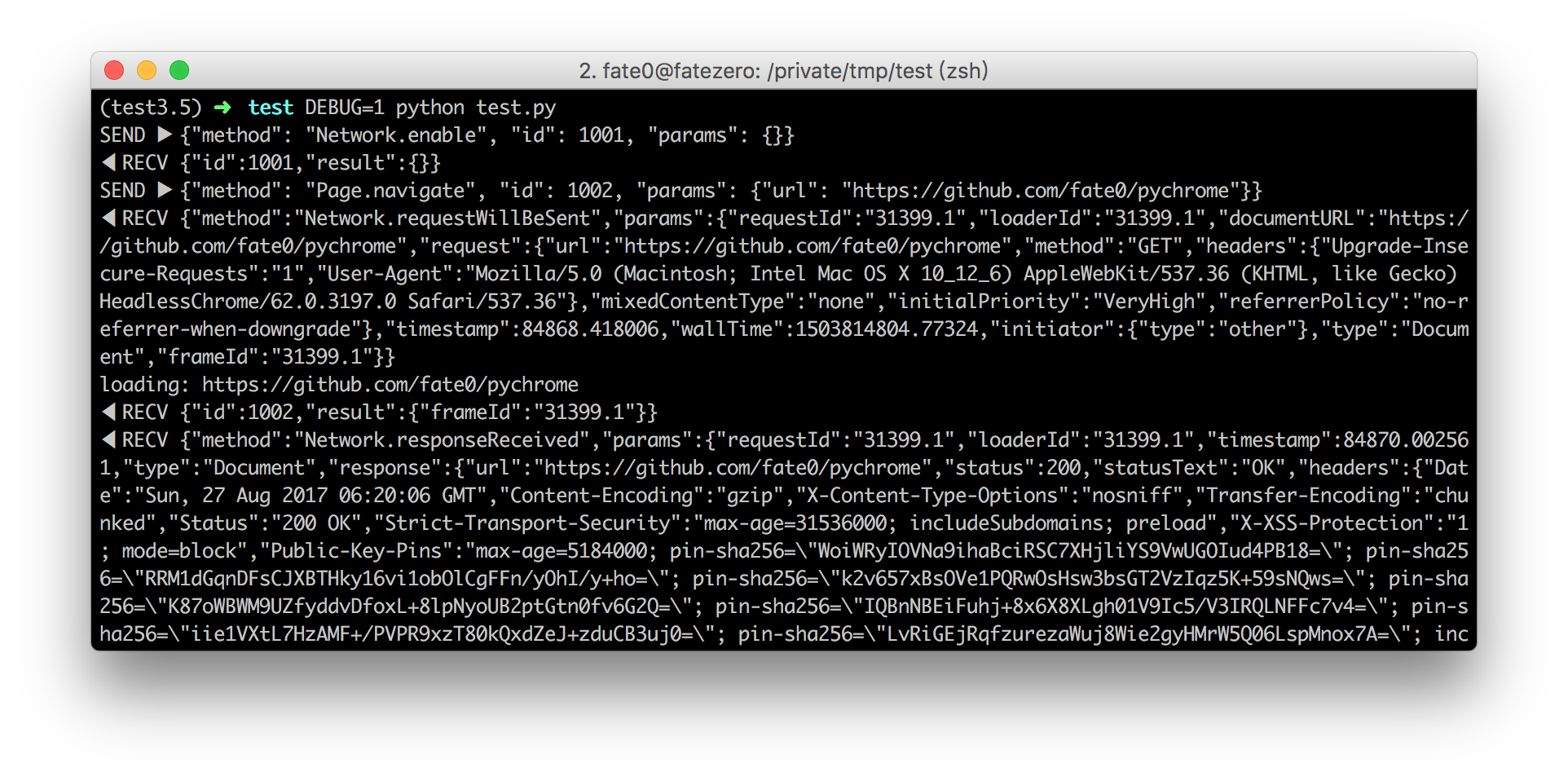
set DEBUG env variable:
## Tab management
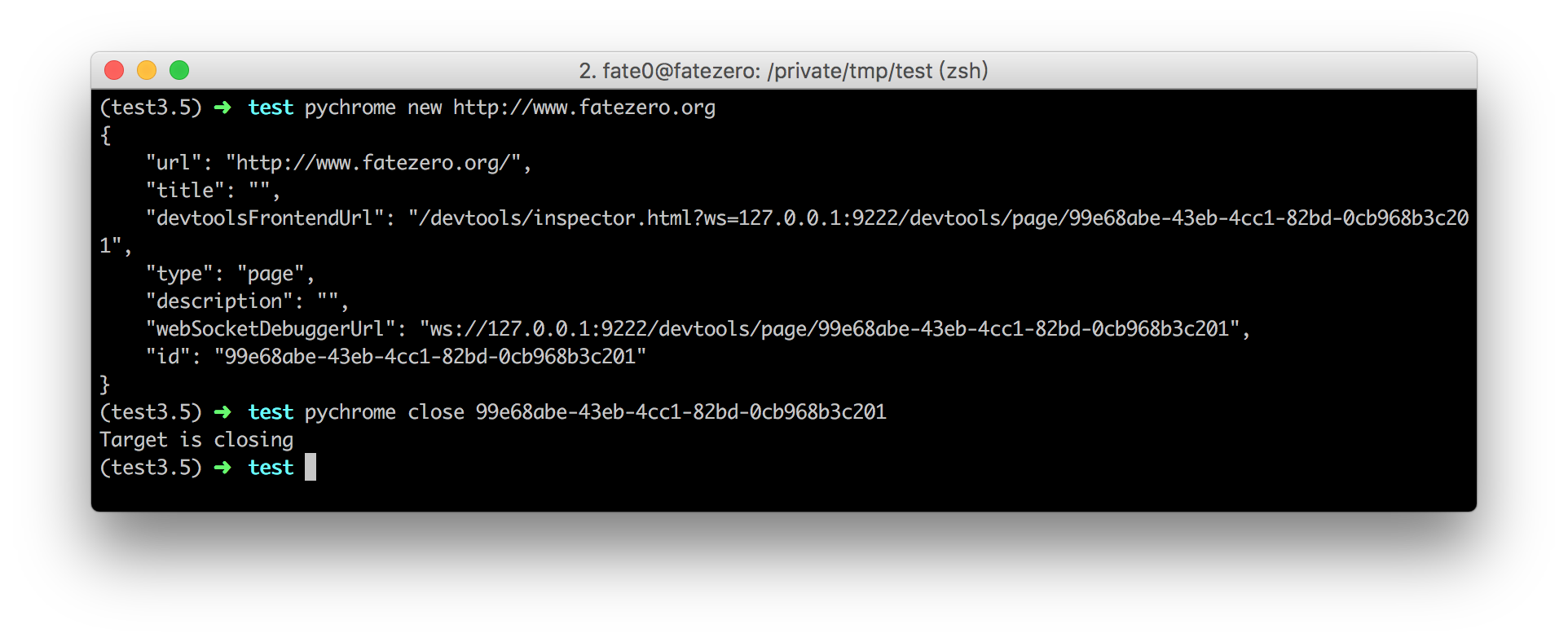
run `pychrome -h` for more info
example:
## Examples
please see the [examples](http://github.com/fate0/pychrome/blob/master/examples) directory for more examples
## Ref
* [chrome-remote-interface](https://github.com/cyrus-and/chrome-remote-interface/)
* [Chrome DevTools Protocol](https://chromedevtools.github.io/devtools-protocol/tot/)
[](https://travis-ci.org/fate0/pychrome)
[](https://codecov.io/gh/fate0/pychrome)
[](https://pyup.io/repos/github/fate0/pychrome/)
[](https://pypi.python.org/pypi/pychrome)
[](https://github.com/fate0/pychrome)
A Python Package for the Google Chrome Dev Protocol, [more document](https://fate0.github.io/pychrome/)
## Table of Contents
* [Installation](#installation)
* [Setup Chrome](#setup-chrome)
* [Getting Started](#getting-started)
* [Tab management](#tab-management)
* [Debug](#debug)
* [Examples](#examples)
* [Ref](#ref)
## Installation
To install pychrome, simply:
```
$ pip install -U pychrome
```
or from GitHub:
```
$ pip install -U git+https://github.com/fate0/pychrome.git
```
or from source:
```
$ python setup.py install
```
## Setup Chrome
simply:
```
$ google-chrome --remote-debugging-port=9222
```
or headless mode (chrome version >= 59):
```
$ google-chrome --headless --disable-gpu --remote-debugging-port=9222
```
or use docker:
```
$ docker pull fate0/headless-chrome
$ docker run -it --rm --cap-add=SYS_ADMIN -p9222:9222 fate0/headless-chrome
```
## Getting Started
``` python
# create a browser instance
browser = pychrome.Browser(url="http://127.0.0.1:9222")
# list all tabs (default has a blank tab)
tabs = browser.list_tab()
if not tabs:
tab = browser.new_tab()
else:
tab = tabs[0]
# register callback if you want
def request_will_be_sent(**kwargs):
print("loading: %s" % kwargs.get('request').get('url'))
tab.Network.requestWillBeSent = request_will_be_sent
# start the tab
tab.start()
# call method
tab.Network.enable()
# call method with timeout
tab.Page.navigate(url="https://github.com/fate0/pychrome", _timeout=5)
# wait for loading
tab.wait(5)
# stop the tab (stop handle events and stop recv message from chrome)
tab.stop()
# close tab
browser.close_tab(tab)
```
or (alternate syntax)
``` python
browser = pychrome.Browser(url="http://127.0.0.1:9222")
tabs = browser.list_tab()
if not tabs:
tab = browser.new_tab()
else:
tab = tabs[0]
def request_will_be_sent(**kwargs):
print("loading: %s" % kwargs.get('request').get('url'))
tab.set_listener("Network.requestWillBeSent", request_will_be_sent)
tab.start()
tab.call_method("Network.enable")
tab.call_method("Page.navigate", url="https://github.com/fate0/pychrome", _timeout=5)
tab.wait(5)
tab.stop()
browser.close_tab(tab)
```
more methods or events could be found in
[Chrome DevTools Protocol](https://chromedevtools.github.io/devtools-protocol/tot/)
## Debug
set DEBUG env variable:

## Tab management
run `pychrome -h` for more info
example:

## Examples
please see the [examples](http://github.com/fate0/pychrome/blob/master/examples) directory for more examples
## Ref
* [chrome-remote-interface](https://github.com/cyrus-and/chrome-remote-interface/)
* [Chrome DevTools Protocol](https://chromedevtools.github.io/devtools-protocol/tot/)


Download files
Download the file for your platform. If you're not sure which to choose, learn more about installing packages.
Source Distribution
pychrome-0.2.0.tar.gz
(9.8 kB
view details)
Built Distribution
Filter files by name, interpreter, ABI, and platform.
If you're not sure about the file name format, learn more about wheel file names.
Copy a direct link to the current filters
File details
Details for the file pychrome-0.2.0.tar.gz.
File metadata
- Download URL: pychrome-0.2.0.tar.gz
- Upload date:
- Size: 9.8 kB
- Tags: Source
- Uploaded using Trusted Publishing? No
File hashes
| Algorithm | Hash digest | |
|---|---|---|
| SHA256 |
4e1c6d24583f6e2987f3323873ea8c30102f5d53939056bd92a14f96347e5eb7
|
|
| MD5 |
aada8cf42bc16ff176e5414b3775796e
|
|
| BLAKE2b-256 |
f581c6eb8165c2d1aeb127861fd8f6aa1533fddc32b32c8bd33a7a2397009a00
|
File details
Details for the file pychrome-0.2.0-py2.py3-none-any.whl.
File metadata
- Download URL: pychrome-0.2.0-py2.py3-none-any.whl
- Upload date:
- Size: 9.5 kB
- Tags: Python 2, Python 3
- Uploaded using Trusted Publishing? No
File hashes
| Algorithm | Hash digest | |
|---|---|---|
| SHA256 |
c9120c46778dcb57bc7253414c70c506a82dd77b68ad9f229b9d9e8d9475ee9e
|
|
| MD5 |
1c0ecfbe7aa0db75c1743ec44ad6769b
|
|
| BLAKE2b-256 |
526e67fc70a9907bef3d6339a3ab333f2436b9e0a34711df4bcc4023429aa4f4
|






