
A PyQt5-based GUI for the processing and analysis of active near-surface seismic data

Project description





PyCKSTER is an open-source PyQt5-based GUI for processing and analysis of active near-surface seismic data, with a focus on traveltime picking and surface wave dispersion analysis.
Core Features:
- File I/O: Read and write seismic files in SEG2, SEGY, and Seismic Unix (SU) formats
- Data Editing: Edit headers information (source and trace coordinates, topography integration, delay, ffid) and traces (move, swap, mute, delete)
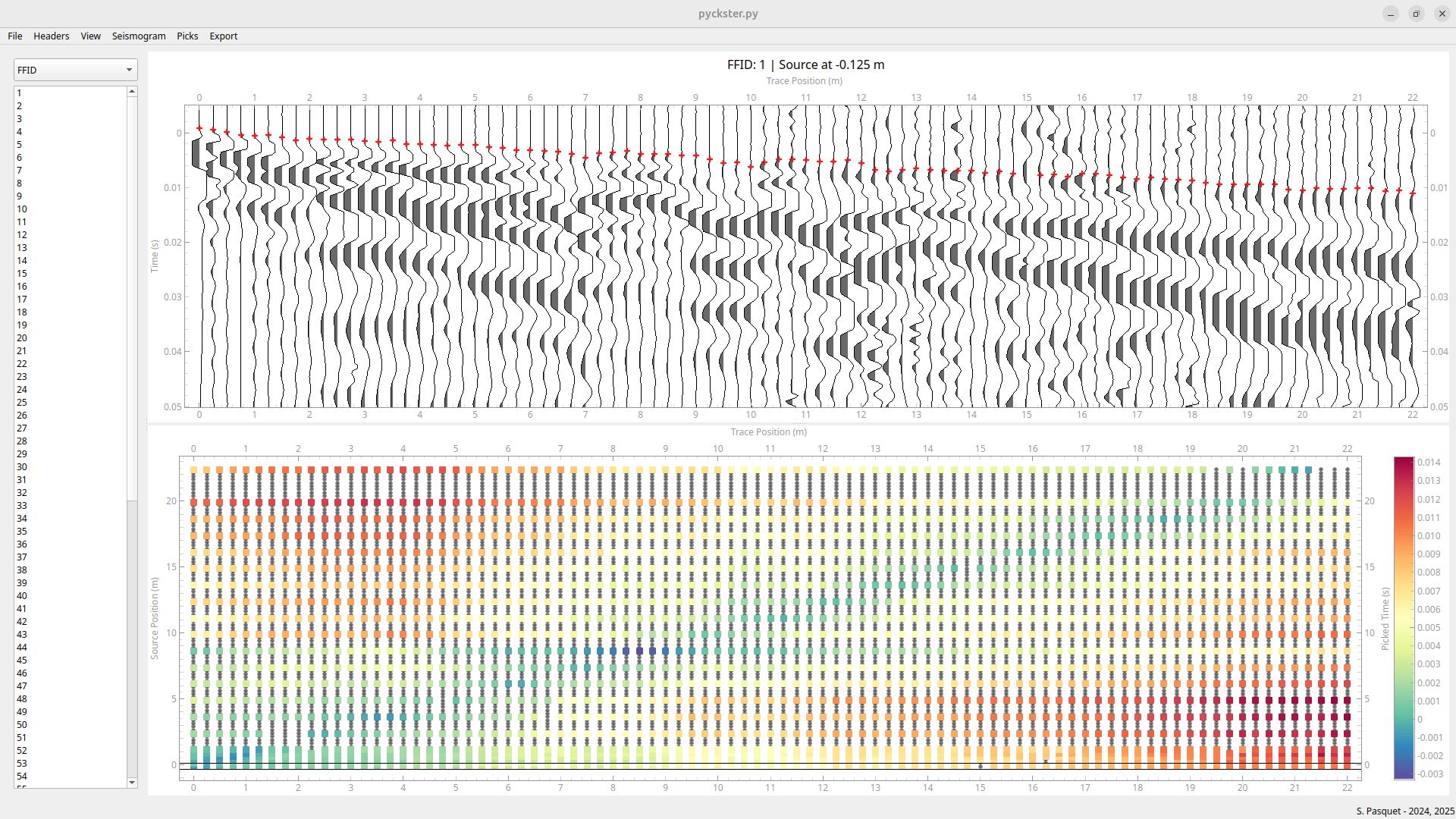
- Traveltime Analysis: Interactive picking with multiple visualization options (source/geophone diagrams, hodochrones) and direct inversion using pyGIMLi
- Surface Wave Analysis: Compute dispersion images using phase-shift transform, simple windowing with interactive picking capabilities, and import dispersion curves picked with MATLAB package SWIP
Coming Soon: Advanced dispersion windowing and stacking, surface wave dispersion inversion
Picked traveltimes are saved in pyGIMLi's unified format for seamless subsurface velocity model reconstruction.
Installation
PyCKSTER has now a built-in inversion module based on pyGIMLi. So far it seems to work better if pyGIMLi is installed first:
conda create -n pyckster -c gimli -c conda-forge "pygimli>=1.5.0" "suitesparse=5"
Then you can simply download the package from PyPi:
pip install pyckster
To update PyCKSTER, run the following command:
pip install pyckster --upgrade
Troubleshooting
If numpy > 2 is installed in your environment, you might not be able to run pygimli. If so you can downgrade numpy with the following command :
pip install numpy==1.26.4 --upgrade
Running PyCKSTER
Open a terminal and run:
pyckster
How to use PyCKSTER
Mouse Controls
- Left click: Add a single pick at cursor position
- Left drag: Pan the plot
- Ctrl + Left drag: Draw freehand picks along multiple traces
- Middle click: Remove a single pick
- Middle drag: Pan the plot
- Ctrl + Middle drag: Select and remove multiple picks in a rectangle
- Right click: Context menu with plot options
- Right drag: Zoom along axes (horizontal or vertical)
- Ctrl + Right drag: Rectangle zoom (zoom to selected area)
Here is an example of PyCKSTER in action:
More detailed instructions coming soon...
Author
PyCKSTER is currently developped by Sylvain Pasquet
sylvain.pasquet@sorbonne-universite.fr
CNRS, Sorbonne Université
UAR 3455 OSU OMA TERRA
UMR 7619 METIS
Any feedback or help is welcome.
Licence
PyCKSTER is distributed under the terms of the GPLv3 license. Details on the license agreement can be found here.
Release history Release notifications | RSS feed


Download files
Download the file for your platform. If you're not sure which to choose, learn more about installing packages.
Source Distribution
Built Distribution
Filter files by name, interpreter, ABI, and platform.
If you're not sure about the file name format, learn more about wheel file names.
Copy a direct link to the current filters
File details
Details for the file pyckster-26.1.4.tar.gz.
File metadata
- Download URL: pyckster-26.1.4.tar.gz
- Upload date:
- Size: 357.5 kB
- Tags: Source
- Uploaded using Trusted Publishing? No
- Uploaded via: twine/6.2.0 CPython/3.14.2
File hashes
| Algorithm | Hash digest | |
|---|---|---|
| SHA256 |
b82603dc549452944426f8704ac0f4003b1e29f908b18457373777915c15d6bb
|
|
| MD5 |
72896904569a2fa9c31855d4bf020af2
|
|
| BLAKE2b-256 |
60f433c5304633076013126ac9bc12cdf0fd9fca275f24ddce028266fd291719
|
File details
Details for the file pyckster-26.1.4-py3-none-any.whl.
File metadata
- Download URL: pyckster-26.1.4-py3-none-any.whl
- Upload date:
- Size: 367.7 kB
- Tags: Python 3
- Uploaded using Trusted Publishing? No
- Uploaded via: twine/6.2.0 CPython/3.14.2
File hashes
| Algorithm | Hash digest | |
|---|---|---|
| SHA256 |
d4febab1dac7f089b514e9c3d78d618a1343e29c6e7c9c7183b3a233328e98ca
|
|
| MD5 |
96ccab9e652dc7340d6522d76f188ddc
|
|
| BLAKE2b-256 |
cdd7dafb6c682d44dc5b0590207f676982c3e98662e464892a33fa4646611d5e
|






