
Generates site percolation data and illustrations.

Project description
pycolate ☕
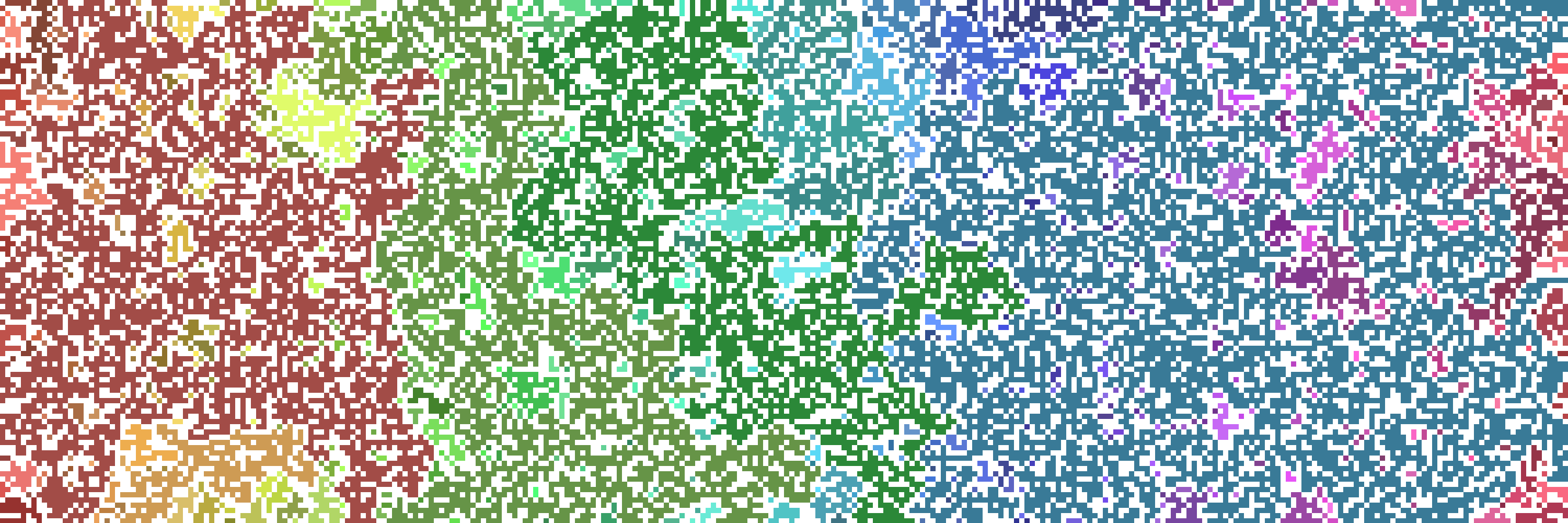
A python implementation of site percolation, generates datasets and illustrations.
Aims.
This project primarily generates datasets and illustrations from square lattice site percolation. There is an auxillary program which carries out critical probability estimation using coarse graining with possible interactions.
Installation.
- Install the latest version of pycolate:
pip install pycolate
2.Import pycolate into your python file:
import pycolate
Creating illustrations.
The pycolate.Percolation class is used for creating a single instance of percolation. It takes the following arguments:
Perc = Percolation(width, height, occupation probability)
We find the clusters by running:
Perc.cluster_find()
We display the illustration in a window as so:
...
Perc.pretty_clusters() #OR Perc.simple_clusters() or Perc.only_percolating_cluster()
Perc.display()
To save the illsutration we run:
...
Perc.save()
So to generate an illustration of a 50x50 grid where each square has a 0.6 chance of being occupied:
import pycolate

perc = pycolate.Percolation(50,50,0.6)
perc.cluster_find()
perc.pretty_clusters()
perc.display()
perc.save('PATH')
The default size for a square is 10 by 10 pixels. To adjust this one can change the Percolation.site_size prior to running any methods.
If we were running a large simulation we may want the sites to only be 1 pixel each, so we would run the following:
import pycolate

perc = pycolate.Percolation(1000,1000,0.6)

perc.site_site = 1
perc.cluster_find()
perc.pretty_clusters()
perc.display()
perc.save('PATH')
To only display the percolating cluster in the illustration one can use only_percolating_cluster('your_color') instead of pretty_clusters() to create an illustration of the percolating cluster in the color 'your_color' (Must be a valid PIL color).
To display all the clusters in the same colour one can use simple_clusters() instead of pretty_clusters().
By default both of these methods use 'hotpink' as the default color if no color argument is given.
Running experiments.
One may not be interested in illustrations and just want numeric data. We can compute many different properties by running the Percolation.cluster_find() method. Once this has been run there are many properties one can ask for:
Properties of the Percolation class.
| Property | Explanation |
|---|---|
| mean_cluster_size | The mean cluster size, excluding the percolating cluster. |
| sizes | A list of all the cluster sizes, excluding the percolating cluster. |
| percolated_size | The size of the percolating cluster. |
| percolated | A boolean. True if a percolating cluster formed. False if not |


Download files
Download the file for your platform. If you're not sure which to choose, learn more about installing packages.
Source Distributions
Built Distribution
Filter files by name, interpreter, ABI, and platform.
If you're not sure about the file name format, learn more about wheel file names.
Copy a direct link to the current filters
File details
Details for the file pycolate-0.0.42-py3-none-any.whl.
File metadata
- Download URL: pycolate-0.0.42-py3-none-any.whl
- Upload date:
- Size: 7.7 kB
- Tags: Python 3
- Uploaded using Trusted Publishing? No
- Uploaded via: twine/3.4.1 importlib_metadata/3.10.0 pkginfo/1.7.0 requests/2.25.1 requests-toolbelt/0.9.1 tqdm/4.59.0 CPython/3.9.2
File hashes
| Algorithm | Hash digest | |
|---|---|---|
| SHA256 |
c8d095bb211e73440b7ee5a256794e2a88aa1807845ea59eeb5f43de1662dc5a
|
|
| MD5 |
aa8ca05c3275bf88850233e174e82954
|
|
| BLAKE2b-256 |
0b893a85e4d09523e49338b36efc2a42945dd85e40158f0b5a0853d4c4f2ebf7
|






