
pycortex





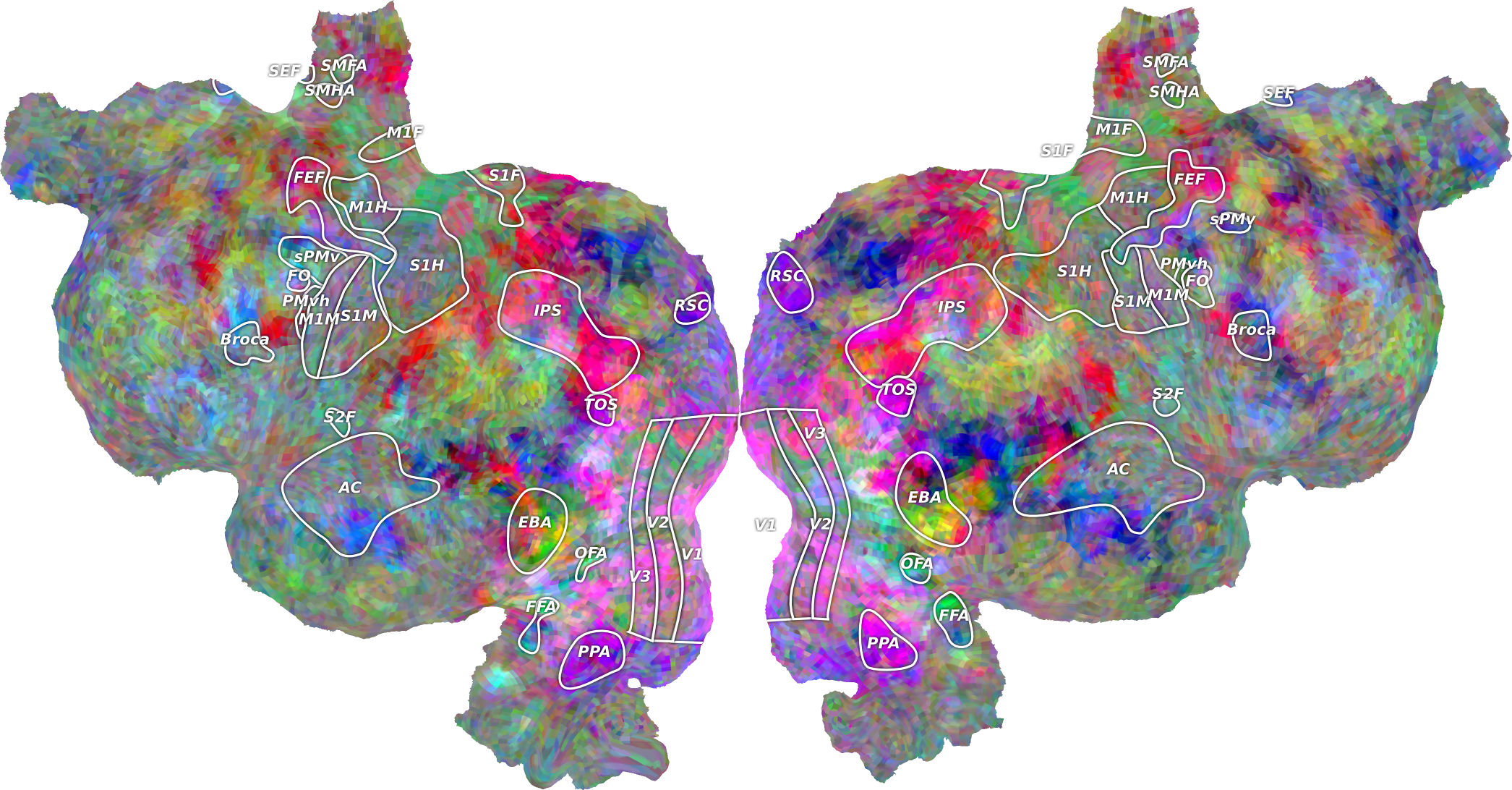
Pycortex is a software library that allows you to visualize fMRI or other volumetric neuroimaging data on cortical surfaces.
Installation
[!NOTE] Pycortex cannot be currently installed in Windows, only Linux and macOS are supported.
To install the stable release version of pycortex, do the following:
# First, install some required dependencies (if not already installed)
pip install -U setuptools wheel numpy cython
# Install the latest release of pycortex from pip
pip install -U pycortex
# or, with headless rendering support:
pip install -U 'pycortex[headless]'
If you wish to install the development version of pycortex, you can install it directly from Github.
To do so, replace the second install line above with the following:
# Install development version of pycortex from github
pip install -U git+https://github.com/gallantlab/pycortex.git  --no-build-isolation
Documentation
Pycortex documentation is available at https://gallantlab.github.io/pycortex.
You can find many examples of pycortex features in the pycortex example gallery.
To build the documentation locally:
# Install required dependencies for the documentation
pip install sphinx_gallery numpydoc
# Move into the docs folder (assuming already in pycortex directory)
cd docs
# Build a local version of the documentation site
make html
After you run the above, you can open docs/_build/html/index.html in a web browser to view the locally built documentation.
Demo
Pycortex is best used with IPython.
If you do not already have IPython, you can install it by running:
pip install ipython
To run the pycortex demo, using IPython, run:
$ ipython
In [1]: import cortex
In [2]: cortex.webshow(cortex.Volume.random("S1", "fullhead"))
Citation
If you use pycortex in published work, please cite the pycortex paper:
Gao JS, Huth AG, Lescroart MD and Gallant JL (2015) Pycortex: an interactive surface visualizer for fMRI. Front. Neuroinform. 9:23. doi: 10.3389/fninf.2015.00023


Release files for pycortex 1.3.2
For a detailed explanation of source distributions (sdists) and built distributions (wheels), please see the package formats documentation.
Source distribution (sdist)
| File | Size | Uploaded | |
|---|---|---|---|
| pycortex-1.3.2.tar.gz | 64.8 MB | Details |
Release files / pycortex-1.3.2.tar.gz
| Download URL | pycortex-1.3.2.tar.gz |
|---|---|
| Size | 64.8 MB |
| Tags | Source |
|
SHA-256 checksum How to use checksums |
b1f9fb9419aa9a745eb22a60579b0bb00bcbd7aa1f6162bfe52f5630b28c89d0
|
|
BLAKE2b-256 checksum How to use checksums |
fdbaa3b247571a6b912cf6fdc0fcaac8990b4ad45e31f0598b6361bb6ec16b73
|
| Upload date | |
|
Uploaded using Trusted Publishing? What is trusted publishing? |
Yes |
| Uploaded via |
twine/6.1.0 CPython/3.13.12
|
Provenance
Provenance describes where a file came from. On PyPI, provenance is shared via attestations, which provide a verifiable record of the build or publishing details. View details, limitations and caveats.


PyPI Publish Attestation
PyPI verified that this artifact, at this checksum, originated from the publisher listed below.
Signed by GitHub Actions, verified by PyPI on May 11, 2026.
Transparency log













