
pyCrusher



Crusher (Wikipedia):
Crushers may be used to reduce the size, or change the form, of waste materials so they can be more easily disposed of or recycled..."
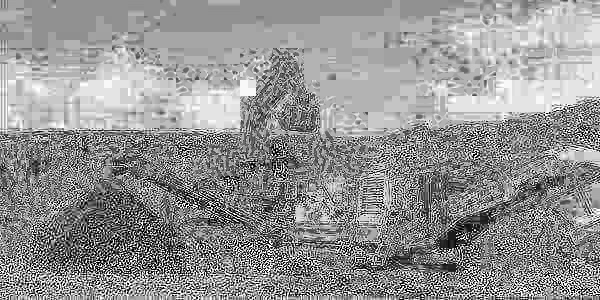
Much like an actual crusher, pyCrusher copies your precious little images and turns them into absolute trash (for fun!)
Install instructions
Pipx
pipx install pycrusher
Uv
uv tool install pycrusher
Pip
pip install pycrusher
Download manually (Linux/MacOS)
git clone https://github.com/jonesmartins/pycrusher
cd pycrusher
python setup.py install
Usage
Type in the command line:
pycrusher <image_file> <flags and parameters>
As default, the program saves your output in a special directory called 'compressions' located at path/to/somewhere, so if you use pyCrusher multiple times in path/to/somewhere, you can check your compressed images without mixing it up between your other files.
Every time you save a new file in 'compressions', your output file will be saved with your input name followed by the compression settings. You can still use the -o/--output flag and name it however you want.
Default name: compression/<image-name>_i<iterations>e<extra><r><p><c>[colors].<extension>
Options
usage: pycrusher [-h] [-i ITERATIONS] [-e EXTRA] [-c [COLORS ...]] [-o OUTPUT] [-r] [-p] file

positional arguments:
  file                  Name of image to compress

options:
  -h, --help            show this help message and exit
  -i ITERATIONS, --iterations ITERATIONS
                        Number of compression iterations
  -e EXTRA, --extra EXTRA
                        Number of nested iterations
  -c [COLORS ...], --colors [COLORS ...]
                        Color changes
  -o OUTPUT, --output OUTPUT
                        Name of output file.
  -r, --reverse         Reverses compression iterations.
  -p, --preprocess      Adds color enhancement BEFORE compression.
Examples
Original image: crusher.png
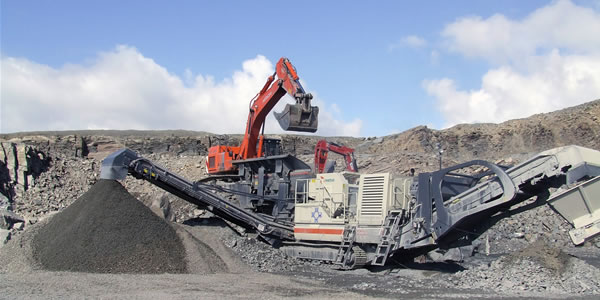
pycrusher crusher.png
Default output filename: compressions/crusher_i50e1.png

pycrusher crusher.png -i 10
Default output filename: compressions/crusher_i10e1.png
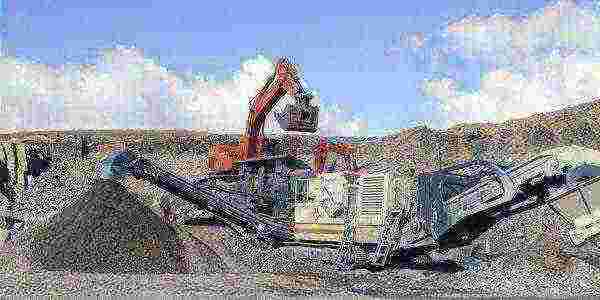
pycrusher crusher.png -i 10 -e 5
Default output filename: compressions/crusher_i10e5.png

pycrusher crusher.png -i 20 -c 4
Default output filename: compressions/crusher_i20e1c[4.0].png

pycrusher crusher.png -i 20 -c 4 -r
Default output filename: compressions/crusher_i20e1rc[4.0].png
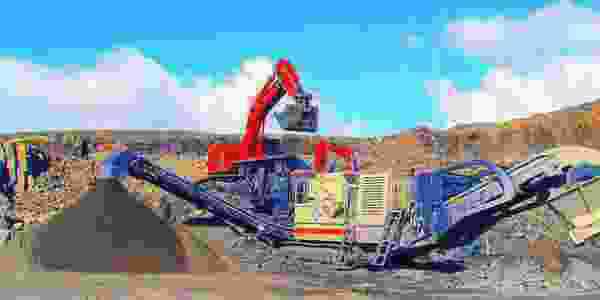
pycrusher crusher.png -i 20 -c 4 0
Default output filename: compressions/crusher_i20e1c[4.0,0.0].png
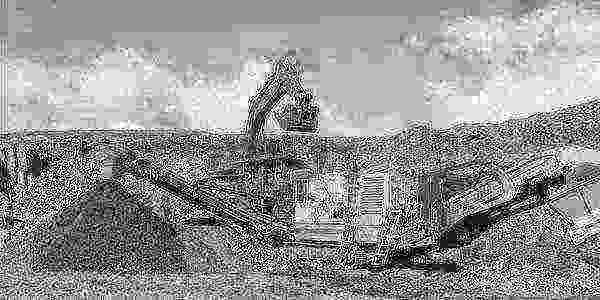
pycrusher crusher.png -i 20 -c 4 0 -p
Default output filename: compressions/crusher_i20e1pc[4.0,0.0].png
License
Apache License 2.0
1 maintainer

Metadata
1 maintainer
Release files for pycrusher 0.3.11
For a detailed explanation of source distributions (sdists) and built distributions (wheels), please see the package formats documentation.
Source distribution (sdist)
| File | Size | Uploaded | |
|---|---|---|---|
| pycrusher-0.3.11.tar.gz | 12.2 kB | Details |
Built distribution (wheel)
| File | Interpreter | ABI | Platform | Reset |
|---|---|---|---|---|
| pycrusher-0.3.11-py3-none-any.whl | Python 3 | none | any | Details |
Total release size: 22.7 kB
Release files / pycrusher-0.3.11.tar.gz
| Download URL | pycrusher-0.3.11.tar.gz |
|---|---|
| Size | 12.2 kB |
| Tags | Source |
|
SHA-256 checksum How to use checksums |
a4da28f04ab162a028cd009564950e48886746a4de536c702b86bd03ea37f78b
|
|
BLAKE2b-256 checksum How to use checksums |
551eb3f87da594bd04e44ab986a70a8d32045796ed513f5cfbd1b676b50f1780
|
| Upload date | |
|
Uploaded using Trusted Publishing? What is trusted publishing? |
No |
| Uploaded via |
uv/0.4.20
|
Release files / pycrusher-0.3.11-py3-none-any.whl
| Download URL | pycrusher-0.3.11-py3-none-any.whl |
|---|---|
| Size | 10.4 kB |
| Tags | Python 3 |
|
SHA-256 checksum How to use checksums |
ea01b22067bf6ae54bed11a85bf14362efc48b4fd54b46ecd44060de7e6b1e4b
|
|
BLAKE2b-256 checksum How to use checksums |
6e81aceac44be120cd9622bf4160c30b6aebc4d54878a8baca28c2e4d42f5b66
|
| Upload date | |
|
Uploaded using Trusted Publishing? What is trusted publishing? |
No |
| Uploaded via |
uv/0.4.20
|














