



pydeck: Large-scale interactive data visualization in Python
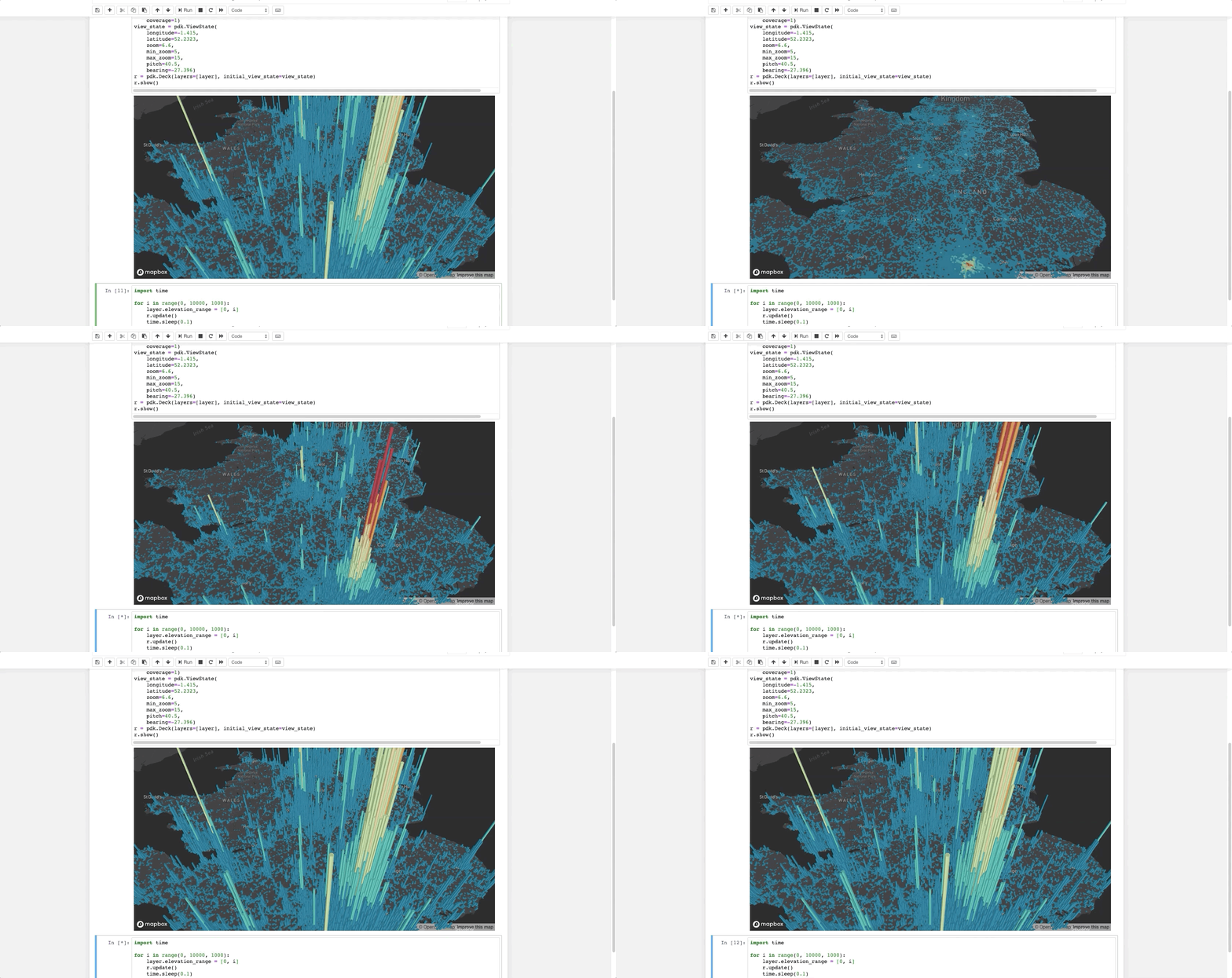
The pydeck library is a set of Python bindings for making spatial visualizations with deck.gl, optimized for a Jupyter Notebook environment.
For interactive demos, click the binder logo below:

See further documentation here.
Installation
pip install pydeck
The library is available via conda as well:
conda install -c conda-forge pydeck
To install pydeck for Jupyter Notebook, run the following commands on your Jupyter server:
jupyter nbextension install --sys-prefix --symlink --overwrite --py pydeck
jupyter nbextension enable --sys-prefix --py pydeck
To install pydeck for JupyterLab, run the following:
jupyter labextension install @jupyter-widgets/jupyterlab-manager
jupyter labextension install @deck.gl/jupyter-widget
Mapbox API token
Like deck.gl, the pydeck library takes its basemap tiles from Mapbox. Register with Mapbox, and you can find your Mapbox access token here. The service is free until a certain level of traffic is exceeded.
You will need to inform pydeck about your key by setting an environment variable. In your terminal, run export MAPBOX_API_KEY=<mapbox-key-here>, which pydeck will read to use Mapbox basemaps. You can also refer to the pydeck docs to see how to pass the key as a variable.
Getting started
The following code renders a visualization similar to the one above in a Jupyter notebook:
import pydeck as pdk

# 2014 locations of car accidents in the UK
UK_ACCIDENTS_DATA = ('https://raw.githubusercontent.com/uber-common/'
                     'deck.gl-data/master/examples/3d-heatmap/heatmap-data.csv')

# Define a layer to display on a map
layer = pdk.Layer(
    'HexagonLayer',
    UK_ACCIDENTS_DATA,
    get_position=['lng', 'lat'],
    auto_highlight=True,
    elevation_scale=50,
    pickable=True,
    elevation_range=[0, 3000],
    extruded=True,
    coverage=1)

# Set the viewport location
view_state = pdk.ViewState(
    longitude=-1.415,
    latitude=52.2323,
    zoom=6,
    min_zoom=5,
    max_zoom=15,
    pitch=40.5,
    bearing=-27.36)

# Render
r = pdk.Deck(layers=[layer], initial_view_state=view_state)
r.to_html('demo.html')
If you're doing this outside a Jupyter environment, you can run:
r.to_html('demo.html', notebook_display=False)
For more, check out the docs and Binder examples above.
Debugging note
Currently, some errors in pydeck will only appear in your browser's developer console. If a visualization fails to render, open the developer console. Error handling will be expanded in future versions of pydeck.
Issues
If you encounter an issue, file it in the deck.gl issues page and include your browser's console output, if any.
Installation from source
# Clone the deck.gl repo
git clone https://github.com/uber/deck.gl/

# Navigate to the pydeck module
cd deck.gl/bindings/pydeck

# Create a virtual environment
python3 -m venv env3
. env3/bin/activate
Development
From the directory of this README, set up the developer environment for pydeck:
make init
Development inside a virtual environment is preferred.
JupyterLab is the recommended environment for development testing with pydeck.
The jupyter lab --watch command can be used to provide hot reloading for development.
Tests
Tests are handled by pytest. In the top-level pydeck directory, you can type:
pytest
4 maintainers


Metadata
4 maintainers
Release files for pydeck 0.3.1
For a detailed explanation of source distributions (sdists) and built distributions (wheels), please see the package formats documentation.
Source distribution (sdist)
| File | Size | Uploaded | Provenance | Actions |
|---|---|---|---|---|
| pydeck-0.3.1.tar.gz | 2.6 MB | Without provenance | Details for pydeck-0.3.1.tar.gz |
Built distribution (wheel)
| File | Interpreter | ABI | Platform | Actions Reset |
|---|---|---|---|---|
| pydeck-0.3.1-py2.py3-none-any.whl | Python 2, Python 3 | none | any | Details for pydeck-0.3.1-py2.py3-none-any.whl |
Total release size: 7.9 MB
Release files / pydeck-0.3.1.tar.gz
| Download URL | pydeck-0.3.1.tar.gz |
|---|---|
| Size | 2.6 MB |
| Tags | Source |
|
SHA-256 checksum How to use checksums |
7a3f1616665bb3a6bf69392488c51ec192d7443f080464aded2045e2e7711f8a
|
|
BLAKE2b-256 checksum How to use checksums |
4a51438ccf9c5df5796fc341fe0f22c216b4856122fccd13b1078a6aa8355f29
|
| Upload date | |
|
Uploaded using Trusted Publishing? What is trusted publishing? |
No |
| Uploaded via |
twine/3.1.1 pkginfo/1.5.0.1 requests/2.23.0 setuptools/41.2.0 requests-toolbelt/0.9.1 tqdm/4.45.0 CPython/3.7.7
|
Release files / pydeck-0.3.1-py2.py3-none-any.whl
| Download URL | pydeck-0.3.1-py2.py3-none-any.whl |
|---|---|
| Size | 5.3 MB |
| Tags | Python 2 Python 3 |
|
SHA-256 checksum How to use checksums |
d88ccba2bd8f933a77cb8e68fc569156ca6bf958eb20a9f4ab0359e045f15eb3
|
|
BLAKE2b-256 checksum How to use checksums |
b6e63b5b96eaabbc949b44f9f106fe50302b33aff6246336297a7106601f0993
|
| Upload date | |
|
Uploaded using Trusted Publishing? What is trusted publishing? |
No |
| Uploaded via |
twine/3.1.1 pkginfo/1.5.0.1 requests/2.23.0 setuptools/41.2.0 requests-toolbelt/0.9.1 tqdm/4.45.0 CPython/3.7.7
|
Security for pydeck 0.3.1
Provenance
Provenance describes where a file came from. On PyPI, provenance is shared via attestations, which provide a verifiable record of the build or publishing details. View details, limitations and caveats.
No provenance found
None of the files in this release were uploaded with provenance metadata.
A note on package security
PyPI is a repository for distributing packages, not a service for auditing them. While third-party security researchers and our staff do their best to detect and remove malicious packages, PyPI cannot guarantee the quality, security or suitability of any given package.
To learn more about protecting yourself from malicious actors, visit our package security documentation.














