
pydjantic






Use Pydantic Settings in your Django application.
Introduction
If you are tired of the mess in your Django Settings - I feel your pain:
- Ridiculously long
settings.pyfile, with ASCII-art separation from common import *Python anti-patterntry: <import> except: ImportErrorPython anti-patternbase.py,production.py,local.py,domain.py- bunch of unrelated modules that override each other- django-environ library, that do even worse...
On the other hand we have Pydantic Settings, which is de-facto standard for all non-django projects.
If you love Pydantic settings management approach, Pydjantic is a right tool for you.
Pydjantic allows you to define your settings in familiar way - just inherit from BaseSettings:
from typing import List

from pydantic import BaseSettings, Field
from pydantic.fields import Undefined
from pydjantic import to_django

class GeneralSettings(BaseSettings):
    SECRET_KEY: str = Field(default=Undefined, env='DJANGO_SECRET_KEY')
    DEBUG: bool = Field(default=False, env='DEBUG')
    INSTALLED_APPS: List[str] = [
        'django.contrib.admin',
        'django.contrib.auth',
    ]
    LANGUAGE_CODE: str = 'en-us'
    USE_TZ: bool = True


class StaticSettings(BaseSettings):
    STATIC_URL: str = '/static/'
    STATIC_ROOT: str = 'staticfiles'


class SentrySettings(BaseSettings):
    SENTRY_DSN: str = Field(default=Undefined, env='SENTRY_DSN')


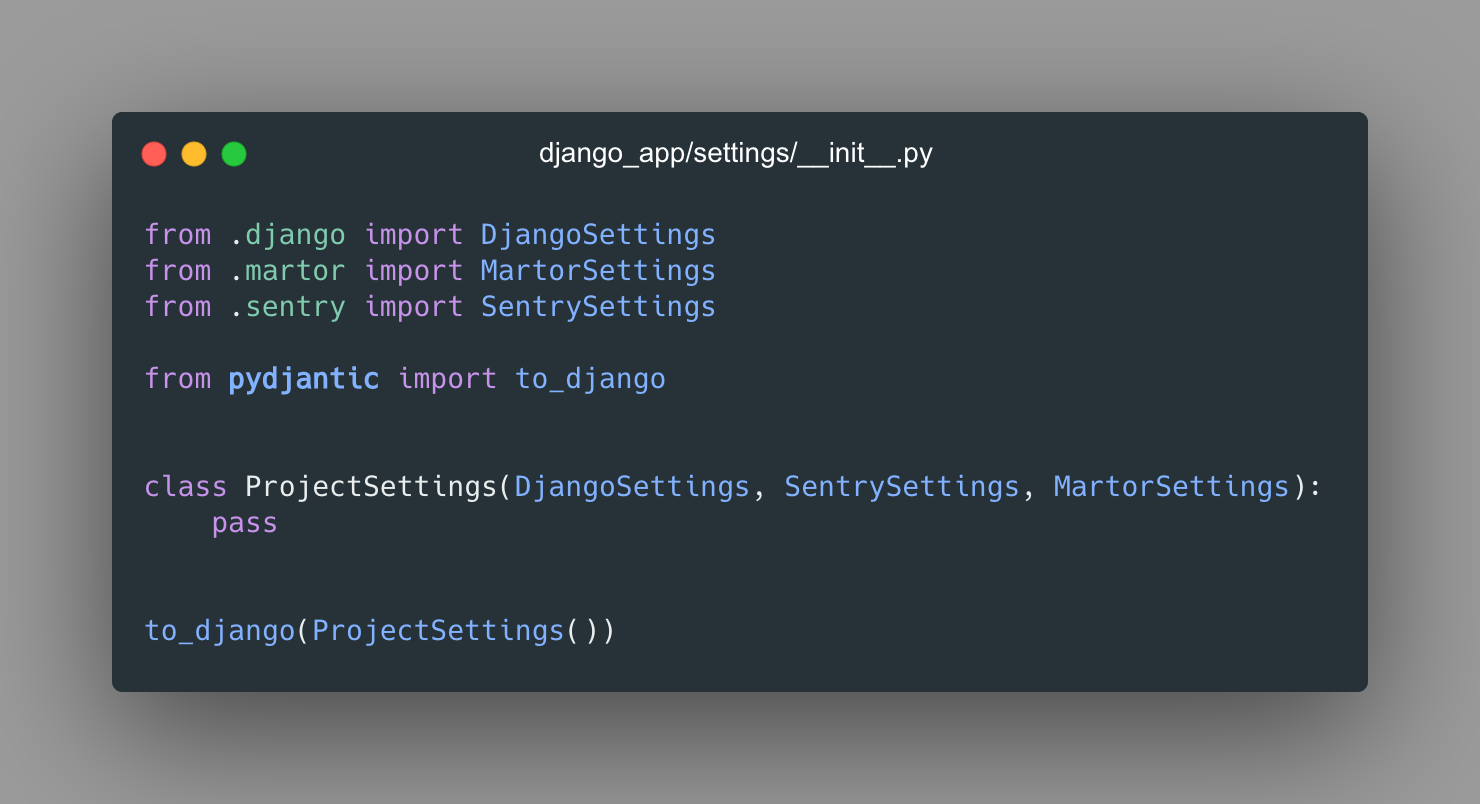
class ProjectSettings(GeneralSettings, StaticSettings, SentrySettings):
    pass


to_django(ProjectSettings())
You can create as many classes/modules as you want, to achieve perfect settings' management.
Divide your settings by domains, and then create final ProjectSettings class, that inherits from these domains.
Provide the instance of ProjectSettings to to_django function.
That's all, your django settings will work as expected.
Installation
Install using pip install -U pydjantic or poetry add pydjantic.
Example
In the /demo directory you can find a working Django app with pydjantic settings.
Database configuration
Pydjantic comes with a special helper for managing DB configs - BaseDBConfig. See example below:
from pydantic import Field, PostgresDsn
from pydjantic import BaseDBConfig


class DatabaseConfig(BaseDBConfig):
    default: PostgresDsn = Field(default="postgres://user:password@hostname:5432/dbname", env="DATABASE_URL")

db_settings = DatabaseConfig()
assert db_settings.default == {
    'CONN_MAX_AGE': 0,
    'ENGINE': 'django.db.backends.postgresql_psycopg2',
    'HOST': 'hostname',
    'NAME': 'dbname',
    'PASSWORD': 'password',
    'PORT': 5432,
    'USER': 'user',
}
Also, you can define database configurations directly:
from pydantic import BaseSettings, Field

class PostgresDB(BaseSettings):
    ENGINE: str = 'django.db.backends.postgresql_psycopg2'
    HOST: str = Field(default='localhost', env='DATABASE_HOST')
    NAME: str = Field(default='dbname', env='DATABASE_NAME')
    PASSWORD: str = Field(default='password', env='DATABASE_PASSWORD')
    PORT: int = Field(default=5432, env='DATABASE_PORT')
    USER: str = Field(default='user', env='DATABASE_USER')
    OPTIONS: dict = Field(default={}, env='DATABASE_OPTIONS')
    CONN_MAX_AGE: int = Field(default=0, env='DATABASE_CONN_MAX_AGE')

class DatabaseConfig(BaseSettings):
    default = PostgresDB()
Or mix these approaches:
class DatabaseConfig(BaseDBConfig):
    default = Field(default="postgres://user:password@hostname:5432/dbname")
    replica = PostgresDB()
For more examples see tests.
Transformation from dsn to django format is done by dj-database-url library.
1 maintainer

Metadata
1 maintainer
Release files for pydjantic 1.1.5
For a detailed explanation of source distributions (sdists) and built distributions (wheels), please see the package formats documentation.
Source distribution (sdist)
| File | Size | Uploaded | |
|---|---|---|---|
| pydjantic-1.1.5.tar.gz | 4.6 kB | Details |
Built distribution (wheel)
| File | Interpreter | ABI | Platform | Reset |
|---|---|---|---|---|
| pydjantic-1.1.5-py3-none-any.whl | Python 3 | none | any | Details |
Total release size: 10.7 kB
Release files / pydjantic-1.1.5.tar.gz
| Download URL | pydjantic-1.1.5.tar.gz |
|---|---|
| Size | 4.6 kB |
| Tags | Source |
|
SHA-256 checksum How to use checksums |
28cfb365d48426cb911061fc8fb8b0dee69c1aa410a72c8d6ff8051d19ad0b2c
|
|
BLAKE2b-256 checksum How to use checksums |
754802dee566b03d11c650a1d7332d29f72f992ee3d8f0221802c535ad8e070e
|
| Upload date | |
|
Uploaded using Trusted Publishing? What is trusted publishing? |
No |
| Uploaded via |
poetry/1.8.3 CPython/3.11.0 Linux/6.5.0-1021-azure
|
Release files / pydjantic-1.1.5-py3-none-any.whl
| Download URL | pydjantic-1.1.5-py3-none-any.whl |
|---|---|
| Size | 6.0 kB |
| Tags | Python 3 |
|
SHA-256 checksum How to use checksums |
1a9aea29442dff1a203d53deec560fe24e26ed2162988b6fc5f21cb849e8a16d
|
|
BLAKE2b-256 checksum How to use checksums |
d8686389063f3d61284603882a62f0fe8c92f007d18845cb3b6c2ed2a45465bc
|
| Upload date | |
|
Uploaded using Trusted Publishing? What is trusted publishing? |
No |
| Uploaded via |
poetry/1.8.3 CPython/3.11.0 Linux/6.5.0-1021-azure
|














