
PyDrive4: Modern Python library for Google Drive API v3 - Easy file upload, download, folder management with OAuth2, service account & ADC authentication. Simplified wrapper for google-api-python-client
Verified details
These details have been verified by PyPIProject links
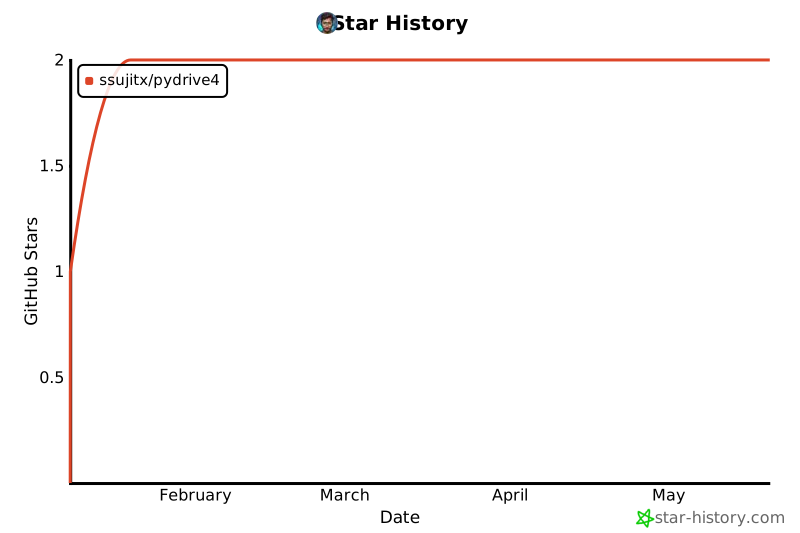
GitHub Statistics
Maintainers

Project description



PyDrive4
PyDrive4 is a wrapper library of google-api-python-client that simplifies many common Google Drive API V3 tasks.
A modern, actively maintained Python library for Google Drive. Inspired by PyDrive and PyDrive2, rebuilt from scratch for Google Drive API V3 with simplified authentication and cleaner API.
PyDrive4 makes it easy to interact with Google Drive from Python. It wraps the google-api-python-client to provide a clean, intuitive API for common file and folder operations.
Table of Contents
- Features
- Installation
- Quick Start
- Authentication Methods
- API Reference
- Usage Examples
- Advanced: GoogleAuth
- Error Handling
- Requirements
Features
- 🔐 Multiple Auth Methods - ADC, OAuth2, Service Account with auto-detection
- 📁 File Management - Upload, download, list, search files
- 📂 Folder Operations - Create, list, search folders
- 🔄 Folder Upload - Upload entire directories recursively
- 🗑️ Delete Operations - Trash or permanently delete items
- 📄 Google Drive API v3 - Uses the latest API version
- ✨ Clean Error Messages - User-friendly one-line errors
Installation
pip install pydrive4
Or with UV (recommended):
uv add pydrive4
Quick Start
from pydrive4 import GoogleDrive

# Auto-authenticate (uses best available method)
client = GoogleDrive()

# List files
files = client.list_files()
print(f"Found {files['count']} files")
Authentication Methods
PyDrive4 supports multiple authentication methods, ordered by recommendation:
| Method | Best For | Setup Required |
|---|---|---|
| 1. Application Default Credentials | Local dev, Google Cloud | gcloud CLI |
| 2. Service Account | Servers, automation, bots | JSON key file |
| 3. OAuth2 Client | Personal scripts, desktop apps | JSON + browser auth |
Method 1: Application Default Credentials (Recommended)
The easiest method for local development. No JSON files to manage!
Setup (One-time)
-
Install Google Cloud SDK
-
Login with your Google account:
gcloud auth application-default login
- That's it! Now just use:
from pydrive4 import GoogleDrive

client = GoogleDrive()  # Works automatically!
files = client.list_files()
How it Works
ADC (Application Default Credentials) checks these locations in order:
GOOGLE_APPLICATION_CREDENTIALSenvironment variablegcloud auth application-default logincredentials- Google Cloud metadata service (on GCE, Cloud Run, etc.)
Method 2: Service Account (For Automation)
Best for servers, bots, and CI/CD pipelines. No user interaction needed.
Step-by-Step Setup
Step 1: Create a Google Cloud Project
- Go to Google Cloud Console
- Click the project dropdown at the top → New Project
- Enter a project name (e.g., "My Drive App") → Create
- Wait for the project to be created, then select it
Step 2: Enable Google Drive API
- Go to APIs & Services → Library (or click here)
- Search for "Google Drive API"
- Click on it → Click Enable
Step 3: Create Service Account
- Go to IAM & Admin → Service Accounts (or click here)
- Click + Create Service Account
- Enter a name (e.g., "drive-bot") → Click Create and Continue
- Skip the optional steps → Click Done
Step 4: Create JSON Key
- Click on the service account you just created
- Go to the Keys tab
- Click Add Key → Create new key
- Select JSON → Click Create
- A JSON file downloads automatically
- Rename it to
service_account.jsonand move to your project folder
Troubleshooting: Organization Policy Error
If you see this error:
An organisation policy that blocks service accounts key creation has been enforced
Policy: iam.disableServiceAccountKeyCreation
This means your organization has disabled service account key creation for security.
Solutions:
- Use OAuth2 instead (Method 3 below) - Recommended for personal use
- Use Application Default Credentials (Method 1) - Run
gcloud auth application-default login - Contact your admin to request an exception for the
iam.disableServiceAccountKeyCreationpolicy
Usage
from pydrive4 import GoogleDrive

# Auto-detect (if file is named service_account.json in current dir)
drive = GoogleDrive()

# Or explicit
drive = GoogleDrive(
    credentials_name="service_account.json",
    service_account=True
)
What is service_account=True?
| Aspect | OAuth2 | Service Account |
|---|---|---|
| Browser needed | Yes (first time) | No |
| Whose Drive? | Your personal Drive | Service account's own Drive |
| Best for | Personal scripts | Servers, automation |
| Access | All your files | Only files shared with it |
Important: Service accounts have their own empty Drive. To access your files, share folders with the service account email (e.g.,
my-bot@my-project.iam.gserviceaccount.com).
Method 3: OAuth2 Client Credentials (Recommended for Personal Use)
For desktop apps where you want to access your own Google Drive files. Opens browser once for authorization.
Step-by-Step Setup
Step 1: Create a Google Cloud Project
- Go to Google Cloud Console
- Click the project dropdown at the top → New Project
- Enter a project name → Create
- Wait for the project to be created, then select it
Step 2: Enable Google Drive API
- Go to APIs & Services → Library
- Search for "Google Drive API"
- Click on it → Click Enable
Step 3: Configure OAuth Consent Screen
- Go to APIs & Services → OAuth consent screen
- Select External (or Internal if using Google Workspace) → Create
- Fill in required fields:
- App name: Your app name
- User support email: Your email
- Developer contact: Your email
- Click Save and Continue
- On Scopes page → Click Save and Continue
- On Test users page → Click Add Users → Add your email → Save and Continue
- Click Back to Dashboard
Step 4: Create OAuth Client ID
- Go to APIs & Services → Credentials
- Click + Create Credentials → OAuth client ID
- Application type: Desktop app
- Name: Any name (e.g., "PyDrive4")
- Click Create
- Click Download JSON (or the download icon)
- Rename to
client_secrets.jsonand move to your project folder
Usage
from pydrive4 import GoogleDrive

# Auto-detect (if file is in current directory)
drive = GoogleDrive()

# Or explicit
drive = GoogleDrive(credentials_name="client_secrets.json")
First run: A browser window opens asking you to authorize the app. After authorizing, tokens are saved to token.json for future use (no browser needed again).
Environment Variable
You can also set GOOGLE_APPLICATION_CREDENTIALS:
# Linux/macOS
export GOOGLE_APPLICATION_CREDENTIALS="/path/to/credentials.json"

# Windows PowerShell
$env:GOOGLE_APPLICATION_CREDENTIALS="C:\path\to\credentials.json"

# Windows CMD
set GOOGLE_APPLICATION_CREDENTIALS=C:\path\to\credentials.json
Then:
client = GoogleDrive() # Automatically uses the env variable
Auto-Detection Priority
When you call GoogleDrive() without arguments, it tries:
- Application Default Credentials (gcloud login or env variable)
- Service account files in current directory:
service_account.jsonservice_account_key.json
- OAuth2 files in current directory:
client_secrets.jsoncredentials.json
API Reference
GoogleDrive
GoogleDrive(
    credentials_name: str = None,      # Path to credentials JSON
    service_account: bool = None,      # True/False/None (auto-detect)
    token_file: str = "token.json",    # Where to cache OAuth tokens
    readonly: bool = False             # Request read-only access
)
Methods
| Method | Description | Returns |
|---|---|---|
list_files(folder_id, trashed) |
List files in a folder | {"success": bool, "files": list, "count": int} |
list_folders(parent_id, trashed) |
List folders | {"success": bool, "folders": list, "count": int} |
search_files(query, folder_id) |
Search files by name | {"success": bool, "files": list, "count": int} |
search_folders(query, parent_id) |
Search folders by name | {"success": bool, "folders": list, "count": int} |
get_folder(name, parent_id) |
Get folder by exact name | {"success": bool, "folder": dict, "found": bool} |
create_folder(name, parent_id, public) |
Create a folder | {"success": bool, "id": str, "link": str} |
upload_file(path, folder_id, overwrite, public) |
Upload a file | {"success": bool, "id": str, "link": str} |
download_file(file_id, output_path) |
Download a file | {"success": bool, "path": str, "size": int} |
upload_folder(path, parent_id) |
Upload folder recursively | {"success": bool, "files_uploaded": int} |
share(file_id, public, email, role) |
Share file/folder | {"success": bool, "link": str} |
unshare(file_id, email, remove_public) |
Remove sharing | {"success": bool, "removed_count": int} |
list_permissions(file_id) |
List who has access | {"success": bool, "permissions": list} |
get_share_link(file_id) |
Get shareable link | {"success": bool, "link": str, "is_public": bool} |
delete_file(file_id, permanently) |
Delete/trash a file | {"success": bool} |
delete_folder(folder_id, permanently) |
Delete/trash a folder | {"success": bool} |
Usage Examples
List Files and Folders
from pydrive4 import GoogleDrive

client = GoogleDrive()

# List files in root
files = client.list_files()
for f in files["files"]:
    print(f"📄 {f['name']}")

# List folders
folders = client.list_folders()

# List in specific folder
files = client.list_files(folder_id="folder_id_here")
Search
# Search files by name
results = client.search_files("report")
print(f"Found {results['count']} files")

# Search folders
folders = client.search_folders("Projects")
Create Folders
# Create in root
folder = client.create_folder("My Folder")
print(f"Created: {folder['id']}")

# Create nested
parent = client.create_folder("Parent")
child = client.create_folder("Child", parent_id=parent["id"])
Upload Files
# Upload to root
result = client.upload_file("document.pdf")

# Upload to folder
result = client.upload_file("report.pdf", folder_id="folder_id")

# Overwrite existing
result = client.upload_file("report.pdf", folder_id="folder_id", overwrite=True)
Download Files
# Download with custom path
result = client.download_file("file_id", "local.pdf")

# Download with original name
result = client.download_file("file_id")
Upload Folder
result = client.upload_folder("./my_project")
print(f"Uploaded {result['files_uploaded']} files")
Delete
# Delete a file (move to trash)
drive.delete_file("file_id")

# Delete a file permanently
drive.delete_file("file_id", permanently=True)

# Delete a folder (move to trash)
drive.delete_folder("folder_id")

# Delete a folder permanently (deletes all contents!)
drive.delete_folder("folder_id", permanently=True)
Sharing
from pydrive4 import GoogleDrive

drive = GoogleDrive()

# Upload and make public in one call
result = drive.upload_file("document.pdf", public=True)
print(f"Share link: {result['link']}")

# Create a public folder
folder = drive.create_folder("Shared Files", public=True)
print(f"Folder link: {folder['link']}")

# Share with specific person
drive.share("file_id", email="colleague@example.com", role="writer")

# Make an existing file public
drive.share("file_id", public=True)

# Remove public access
drive.unshare("file_id", remove_public=True)

# Remove specific person's access
drive.unshare("file_id", email="colleague@example.com")

# Check who has access
perms = drive.list_permissions("file_id")
for p in perms["permissions"]:
    print(f"{p.get('emailAddress', 'anyone')}: {p['role']}")

# Get shareable link
link_info = drive.get_share_link("file_id")
print(f"Link: {link_info['link']}, Public: {link_info['is_public']}")
Advanced: GoogleAuth
Do I Need GoogleAuth?
Most users don't need it! GoogleDrive() auto-authenticates for you.
| Approach | When to use |
|---|---|
drive = GoogleDrive() |
✅ Recommended - handles everything automatically |
auth = GoogleAuth() + GoogleDrive(auth=auth) |
Only for advanced control |
When to Use GoogleAuth Separately
Use GoogleAuth directly when you need to:
- Check authentication status before operations
- Switch between multiple accounts
- Revoke tokens programmatically
- Get the raw Drive API service
GoogleAuth Examples
from pydrive4 import GoogleAuth, GoogleDrive

# Create auth with specific credentials
auth = GoogleAuth(credentials_file="client_secrets.json")
auth.authenticate()

# Check status
print(f"Authenticated: {auth.is_authenticated}")
print(f"Using ADC: {auth.is_adc}")
print(f"Using Service Account: {auth.is_service_account}")

# Pass to drive client
drive = GoogleDrive(auth=auth)
Revoke Tokens
auth = GoogleAuth()
auth.authenticate()

# Later, revoke access and delete cached token
auth.revoke()
Get Raw Drive API Service
For direct API access without the PyDrive4 wrapper:
from pydrive4 import GoogleAuth

auth = GoogleAuth()
auth.authenticate()

# Get the raw googleapiclient service
service = auth.get_drive_service()

# Use raw API
results = service.files().list(pageSize=10).execute()
Error Handling
All methods return a dict with success key:
result = client.upload_file("document.pdf")

if result["success"]:
    print(f"Uploaded: {result['id']}")
else:
    print(f"Error: {result['error']}")
Clean error messages:
❌ InvalidCredentialsError: No credentials available. Options:
  1. Run: gcloud auth application-default login
  2. Place 'client_secrets.json' in current directory
  3. Set GOOGLE_APPLICATION_CREDENTIALS environment variable
Requirements
- Python 3.10+
- google-api-python-client >= 2.100.0
- google-auth >= 2.15.0
- google-auth-oauthlib >= 1.0.0
- google-auth-httplib2 >= 0.2.0
License
MIT License
Contributing
Contributions are welcome! Please submit a Pull Request.
Acknowledgments
Inspired by PyDrive2, updated for Google Drive API v3.

Project details
Verified details
These details have been verified by PyPIProject links
GitHub Statistics
Maintainers
Release history Release notifications | RSS feed


Download files
Download the file for your platform. If you're not sure which to choose, learn more about installing packages.
Source Distribution
Built Distribution
Filter files by name, interpreter, ABI, and platform.
If you're not sure about the file name format, learn more about wheel file names.
Copy a direct link to the current filters
File details
Details for the file pydrive4-0.0.3.tar.gz.
File metadata
- Download URL: pydrive4-0.0.3.tar.gz
- Upload date:
- Size: 38.3 kB
- Tags: Source
- Uploaded using Trusted Publishing? Yes
- Uploaded via: twine/6.1.0 CPython/3.13.7
File hashes
| Algorithm | Hash digest | |
|---|---|---|
| SHA256 |
e065c15c22a26eaddedce30f2cc226250f0705f7a6ef8b4e498ef50418053c1d
|
|
| MD5 |
d008ef8be7a58cd7fd86e70ba5304e98
|
|
| BLAKE2b-256 |
d65dd570abc53733c93dffc696c583cffff82d15669f6b38ccb7c9b9b1612e2a
|
Provenance
The following attestation bundles were made for pydrive4-0.0.3.tar.gz:
Publisher:
pypi-publish.yml on SSujitX/PyDrive4
-
Statement:
-
Statement type:
https://in-toto.io/Statement/v1 -
Predicate type:
https://docs.pypi.org/attestations/publish/v1 -
Subject name:
pydrive4-0.0.3.tar.gz -
Subject digest:
e065c15c22a26eaddedce30f2cc226250f0705f7a6ef8b4e498ef50418053c1d - Sigstore transparency entry: 805154224
- Sigstore integration time:
-
Permalink:
SSujitX/PyDrive4@8de51415f33b610ac331ed680066a1bf9812c53d -
Branch / Tag:
refs/tags/v0.0.3 - Owner: https://github.com/SSujitX
-
Access:
public
-
Token Issuer:
https://token.actions.githubusercontent.com -
Runner Environment:
github-hosted -
Publication workflow:
pypi-publish.yml@8de51415f33b610ac331ed680066a1bf9812c53d -
Trigger Event:
push
-
Statement type:
File details
Details for the file pydrive4-0.0.3-py3-none-any.whl.
File metadata
- Download URL: pydrive4-0.0.3-py3-none-any.whl
- Upload date:
- Size: 28.8 kB
- Tags: Python 3
- Uploaded using Trusted Publishing? Yes
- Uploaded via: twine/6.1.0 CPython/3.13.7
File hashes
| Algorithm | Hash digest | |
|---|---|---|
| SHA256 |
4032b28e6a30059d0108ebc70538884b9316d1ee95f61a6de64fc8365f061a03
|
|
| MD5 |
feac8c7769666957aed3edb8d3c9e58e
|
|
| BLAKE2b-256 |
fce7fef65386d20fcb1ba1604484d8a7daca7440b17abc1094f2d5e186cf577d
|
Provenance
The following attestation bundles were made for pydrive4-0.0.3-py3-none-any.whl:
Publisher:
pypi-publish.yml on SSujitX/PyDrive4
-
Statement:
-
Statement type:
https://in-toto.io/Statement/v1 -
Predicate type:
https://docs.pypi.org/attestations/publish/v1 -
Subject name:
pydrive4-0.0.3-py3-none-any.whl -
Subject digest:
4032b28e6a30059d0108ebc70538884b9316d1ee95f61a6de64fc8365f061a03 - Sigstore transparency entry: 805154225
- Sigstore integration time:
-
Permalink:
SSujitX/PyDrive4@8de51415f33b610ac331ed680066a1bf9812c53d -
Branch / Tag:
refs/tags/v0.0.3 - Owner: https://github.com/SSujitX
-
Access:
public
-
Token Issuer:
https://token.actions.githubusercontent.com -
Runner Environment:
github-hosted -
Publication workflow:
pypi-publish.yml@8de51415f33b610ac331ed680066a1bf9812c53d -
Trigger Event:
push
-
Statement type:






