
A GUI viewer for high-dimensional image visualization in Python

Project description
pyeyes
Pyeyes is an n-dimensional data visualization tool for comparing images, especially designed for MRI and built on Holoviews, Bokeh, and Panel for interactive plotting.





Table of Contents
Features
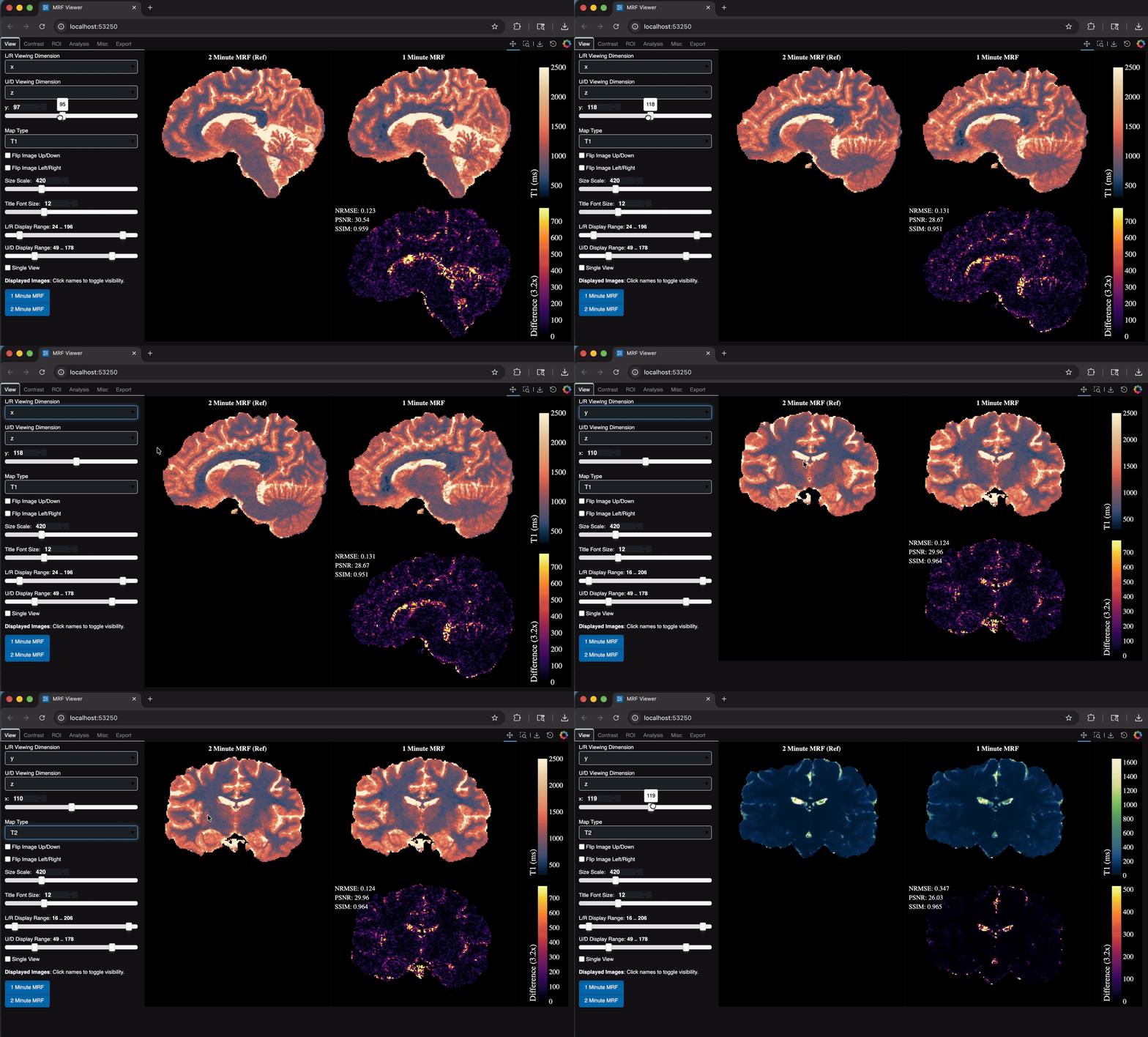
Interactive Slicing: Seamlessly navigate through MRI volumes of arbitrary dimensionality.
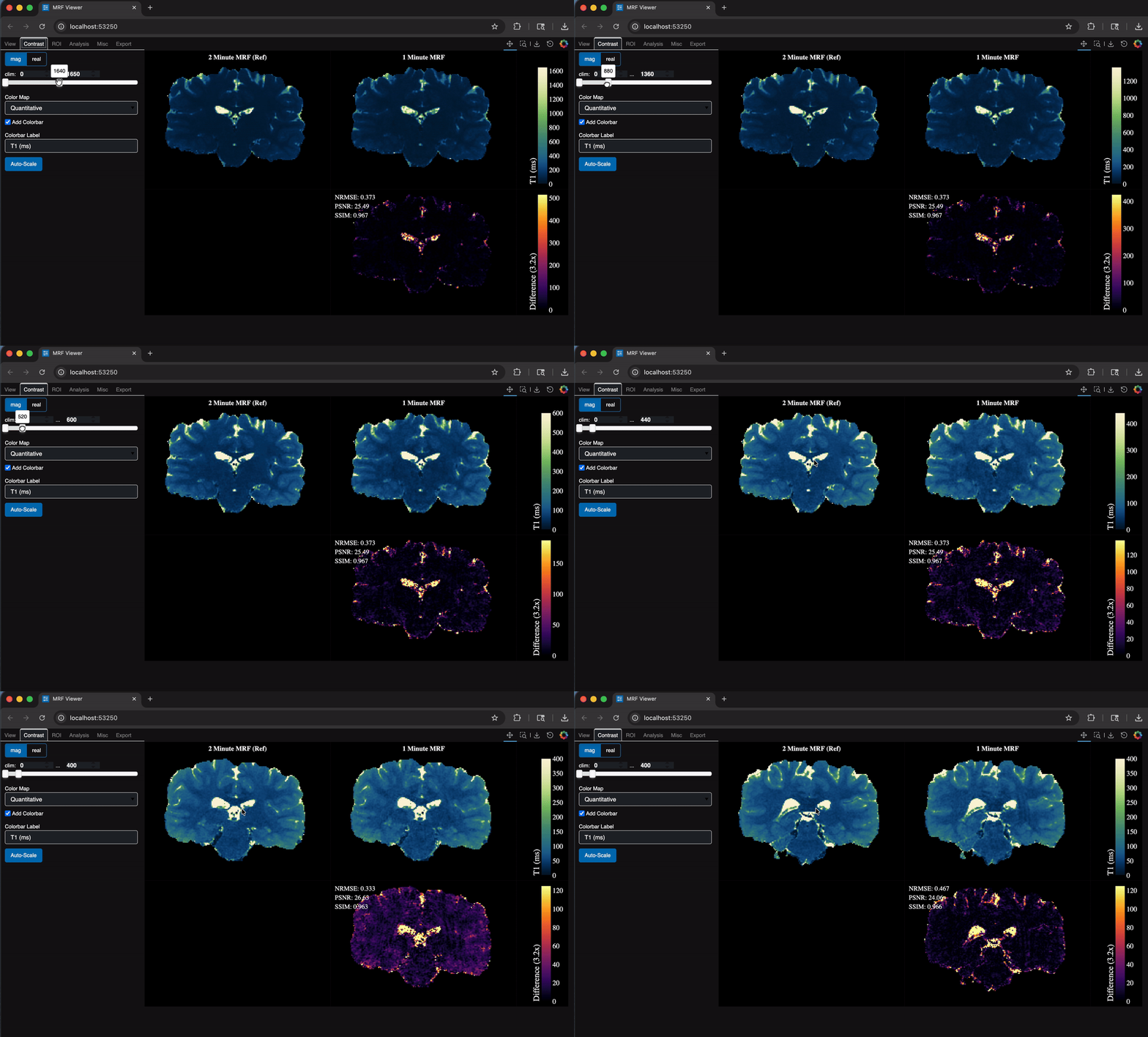
Dynamic Contrast Adjustment: Toggle color maps, color limits, and more on the fly.
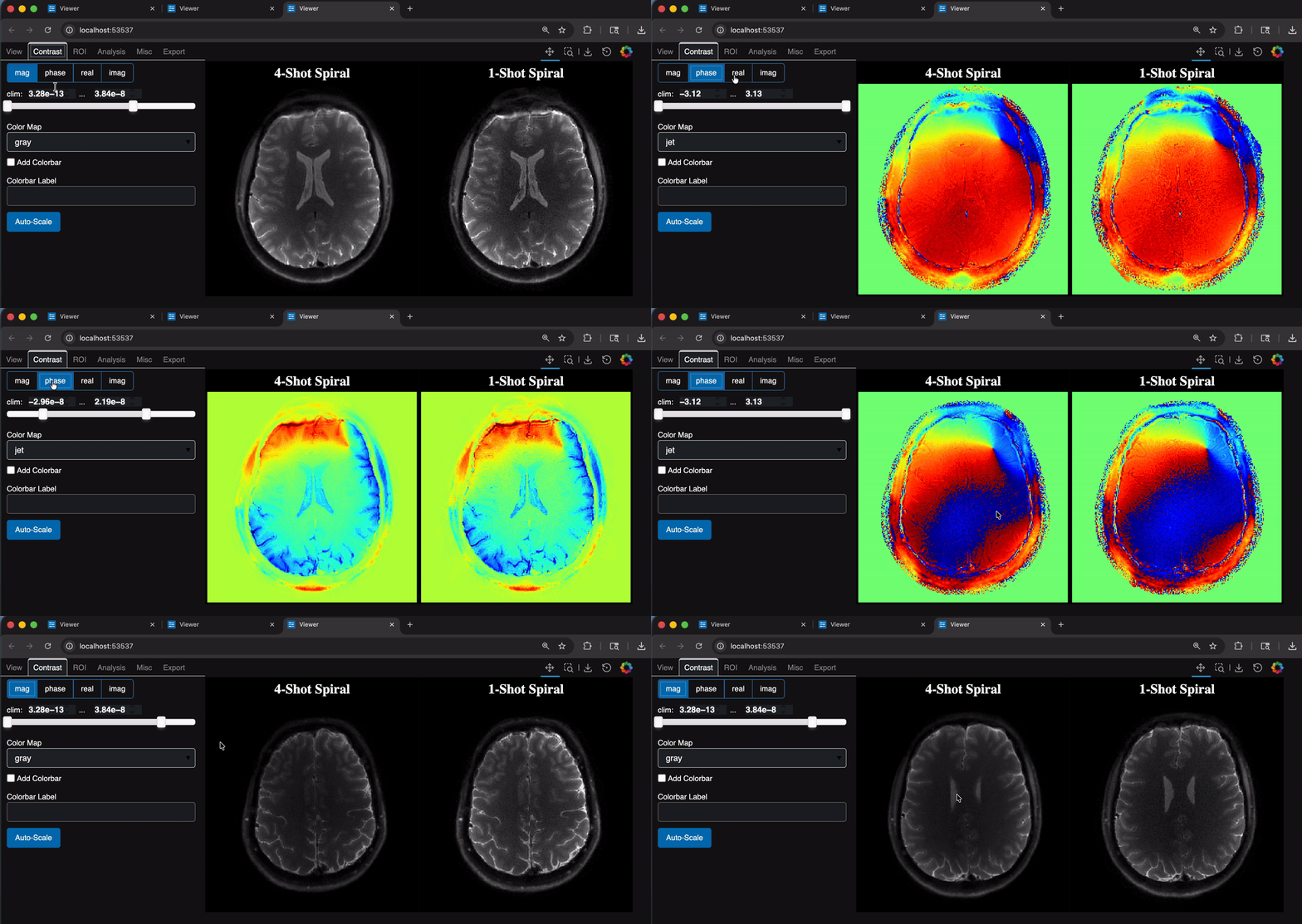
Complex Data: Navigate different views of complex-valued datasets.
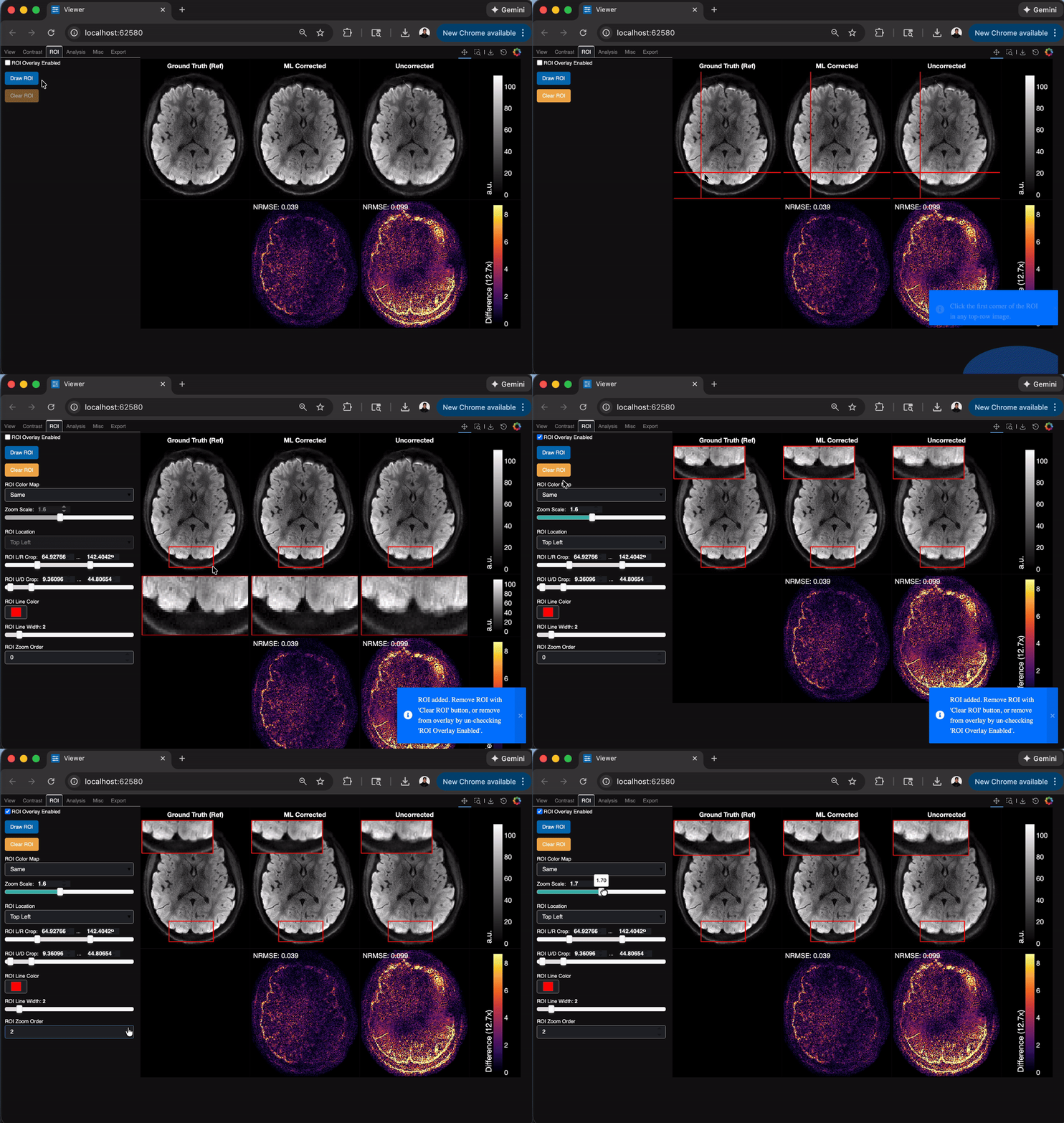
ROI Tools: Add "Region of Interest" to plot views.
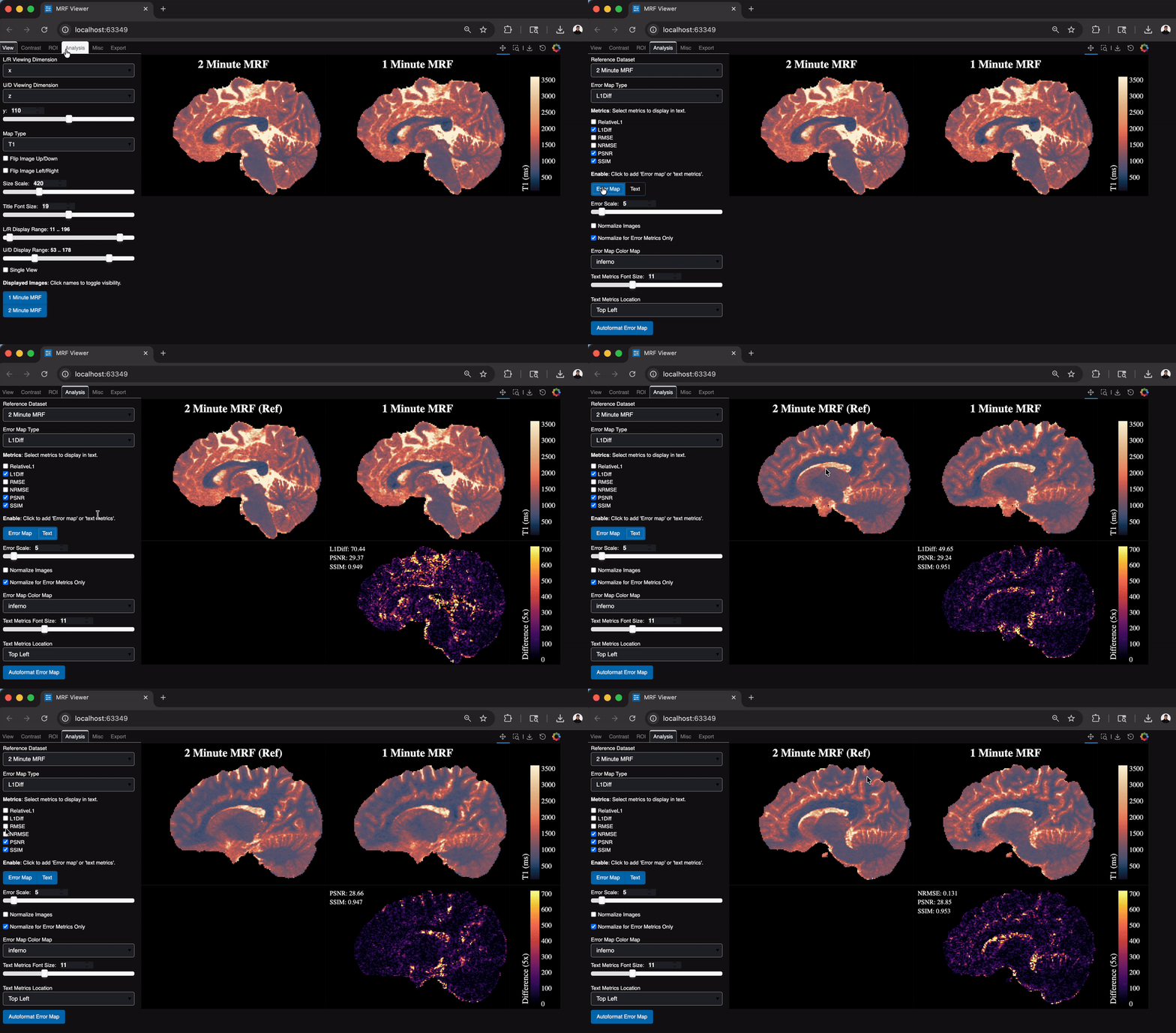
Comparative Metrics: Get quick looks at standard image-processing metrics against your gold-standard datasets.
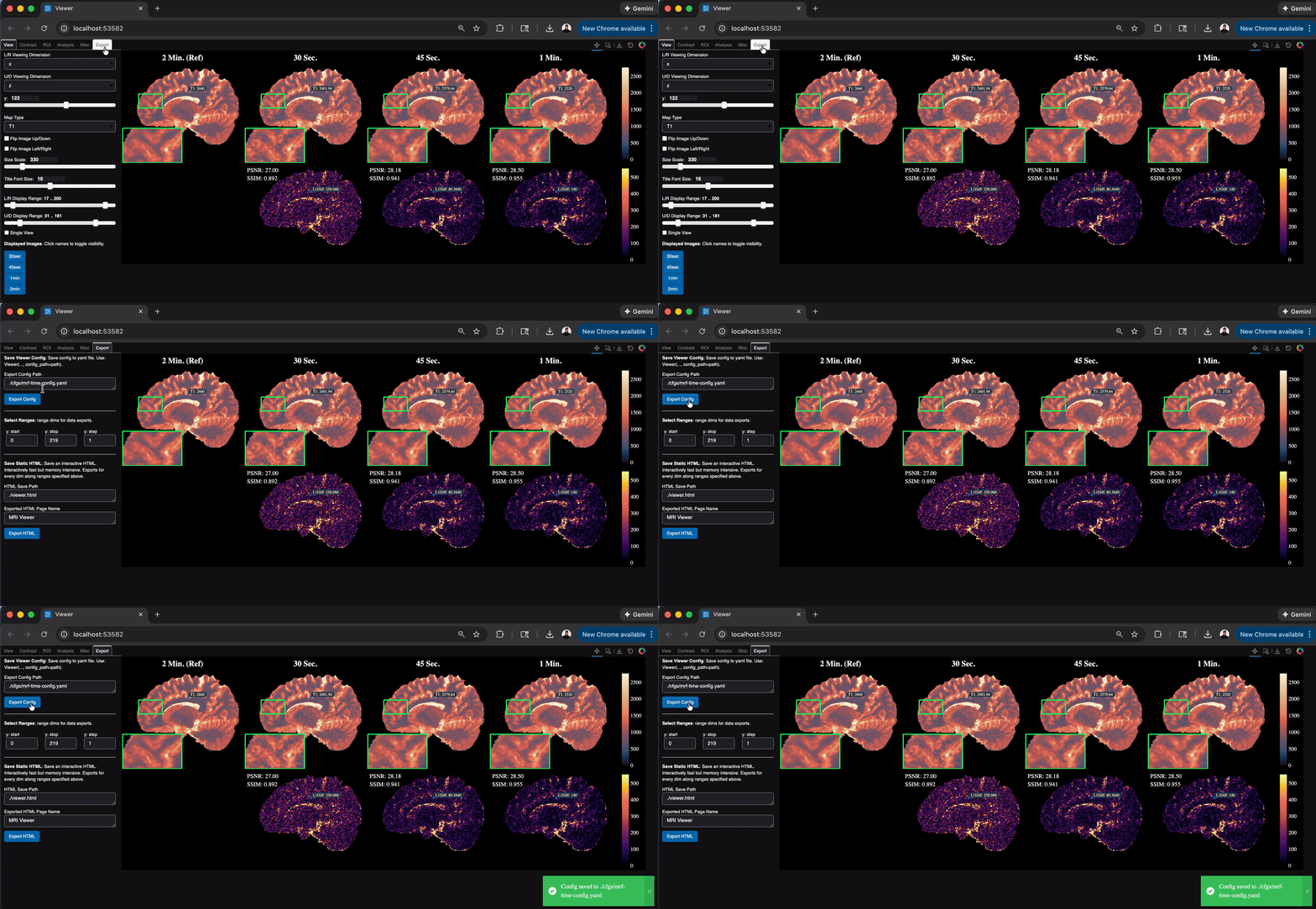
Repeatability: Save viewer configurations you like and export static figures with ease.
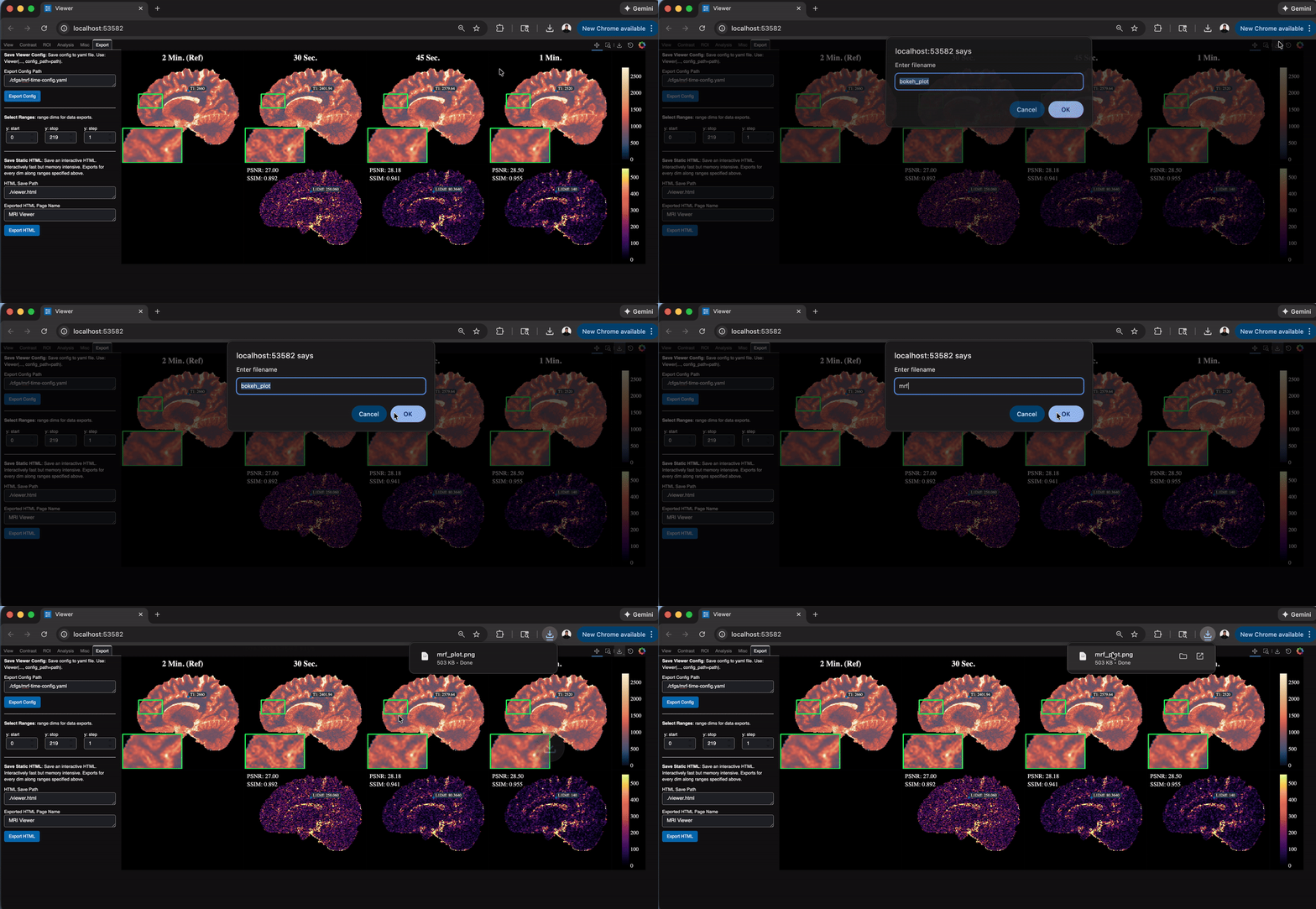
Export: Save figures with built-in Bokeh toolbar.
Installation
Using PyPI
Install the package and all dependences from pip manager:
pip install pyeyes
Development
Alternatively, for contributing, create the relevant dev environment using mamba:
mamba env create -n pyeyes --file env.yml
Activate the installed environment:
mamba activate pyeyes
For more details, see Contributing.
Examples
Recommended Usage
Pyeyes viewer takes basic specifications on the shape of the data, all of which are optional, but helpful for navigating your data.
import numpy as np
from pyeyes import ComparativeViewer, set_theme

# Optional - Choose from 'dark', 'light', and 'soft_dark'.
# Default theme is 'dark'
set_theme('dark')

# Form Dictionary of Datasets to view
img_dict = {
    "Dataset 1": np.random.randn(3, 100, 100, 100, 12),
    "Dataset 2": np.random.randn(3, 100, 100, 100, 12),
}

# Describe the dimensionality of the data
named_dims = ["Contrast", "x", "y", "z", "Vol"]

# Decide which dimensions to view upon launch
view_dims = ["y", "z"]

# Allow categorial dimensions to be specified.
cat_dims = {"Contrast": ["SE", "MPRAGE", "FLAIR"]}

# Save config from the Export tab; load it here to repeat the same view
config_path = "./config.json"

# Initialize
Viewer = ComparativeViewer(
    data=img_dict,
    named_dims=named_dims,
    view_dims=view_dims,
    config_path=config_path,
)

# Launch viewer in web browser!
Viewer.launch()
Minimal Usage
The ComparativeViewer can also be run with no added description of data. This is useful for quick debugging.
import numpy as np
from pyeyes import ComparativeViewer

# Your data
data = np.random.randn(3, 100, 100, 100, 12)

# Launch viewer in web browser
ComparativeViewer(data).launch()
Use with Quantitative Maps
pyeyes supports the Quantitative relaxometry colormaps standardized by CIG-Utrecht. To use,
specify Quantitative maps as a categorial dimension as shown below.
import numpy as np
from pyeyes import ComparativeViewer

# Basic dataset parameters
img_dict = {"MRF": np.random.randn(3, 200, 200, 200)}
named_dims = ["Map Type", "x", "y", "z"]
view_dims = ["x", "y"]

"""
Automatic colormap selection is based on the string name for each category:
- "T1" or "R1" will use the Lipari colormap
- "T2", "T2*", "T2s", or any of the "R2" variants will use the Navia colormap
- Any other categories supplied will default to "grey" colormaps
"""
cat_dims = {"Map Type": ["PD", "T1", "T2"]}

# Launch
ComparativeViewer(
    data=img_dict,
    named_dims=named_dims,
    view_dims=view_dims,
    cat_dims=cat_dims,
).launch()
Release history Release notifications | RSS feed


Download files
Download the file for your platform. If you're not sure which to choose, learn more about installing packages.
Source Distribution
Built Distribution
Filter files by name, interpreter, ABI, and platform.
If you're not sure about the file name format, learn more about wheel file names.
Copy a direct link to the current filters
File details
Details for the file pyeyes-0.4.2.tar.gz.
File metadata
- Download URL: pyeyes-0.4.2.tar.gz
- Upload date:
- Size: 41.5 MB
- Tags: Source
- Uploaded using Trusted Publishing? No
- Uploaded via: twine/6.2.0 CPython/3.10.12
File hashes
| Algorithm | Hash digest | |
|---|---|---|
| SHA256 |
e453f116e423135758271ace26d89d849be05d1d92a12be79a21f75a92e472a5
|
|
| MD5 |
e48f240450703a96b41a34257bf7e9cc
|
|
| BLAKE2b-256 |
870e29b1199b8b25518d7a9fd21107e7a744e37bcab905bd14b233bc19bd3415
|
File details
Details for the file pyeyes-0.4.2-py3-none-any.whl.
File metadata
- Download URL: pyeyes-0.4.2-py3-none-any.whl
- Upload date:
- Size: 75.7 kB
- Tags: Python 3
- Uploaded using Trusted Publishing? No
- Uploaded via: twine/6.2.0 CPython/3.10.12
File hashes
| Algorithm | Hash digest | |
|---|---|---|
| SHA256 |
d87f741c248cf25cf8a30e87b020c75e675a7f3773021a79a294841df802ad33
|
|
| MD5 |
78cafaa48d5d912a4378db39fb4ac439
|
|
| BLAKE2b-256 |
93fb4ca1ecafac3e303c559d82cc4d94f72f5485cc94d54a4b9794495abedc9b
|






