
Digital filter design and visualization toolkit

Project description
PyFilterLab
A simple Python toolkit for designing, visualizing, and applying digital FIR/IIR filters.
Features
- FIR/IIR filter design
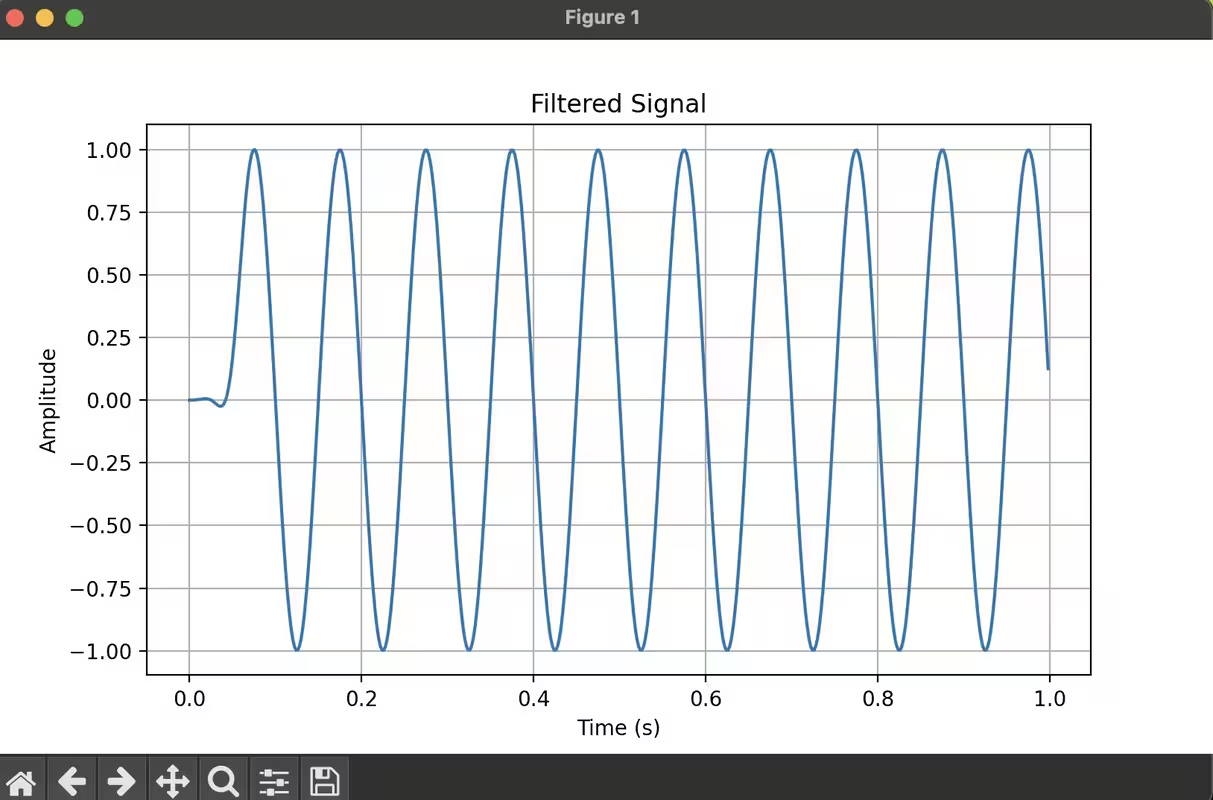
- Signal filtering
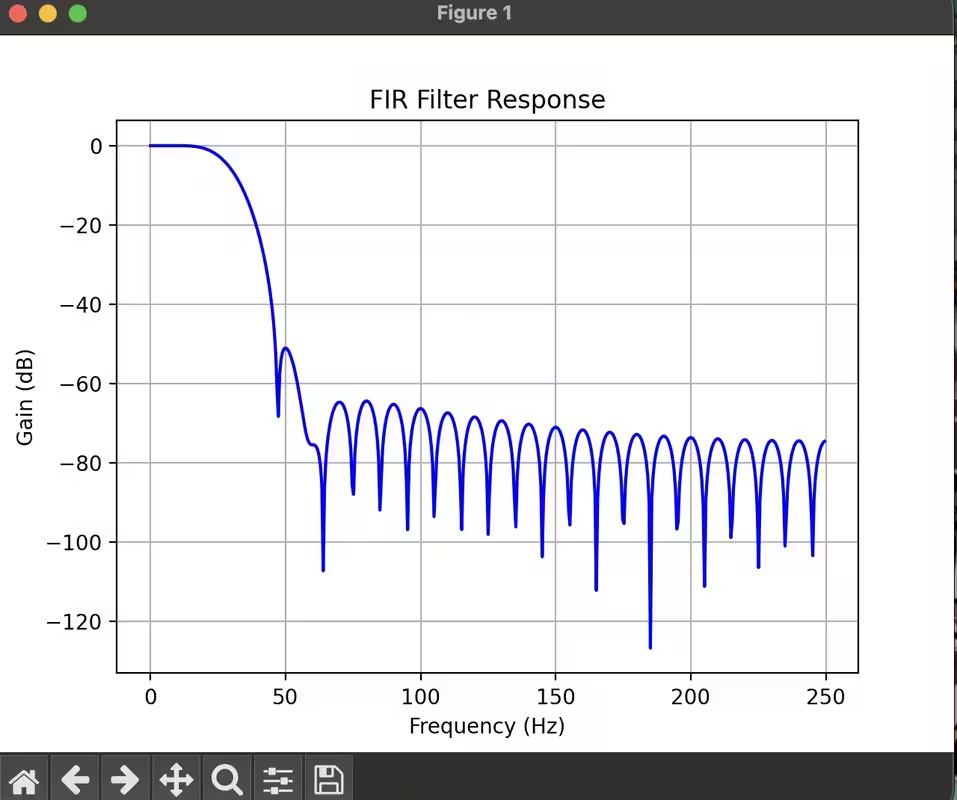
- Frequency response visualization
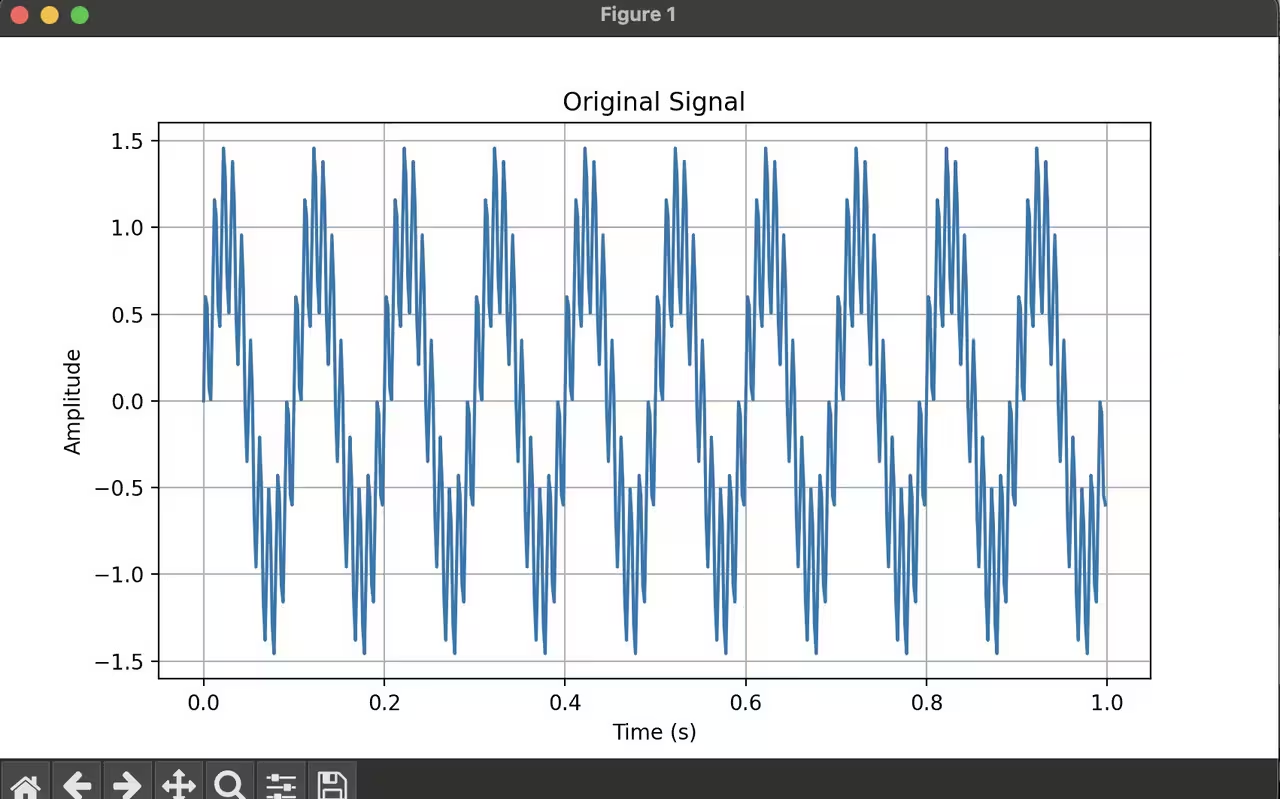
- Time-domain signal plotting
Install
pip install pyfilterlab
Usage
from pyfilterlab import design_fir, apply_filter, plot_response, plot_signal
Ouput:-
 ---
---
📘 Use Reference
| Function | Description | Parameters | Returns |
|---|---|---|---|
design_fir(num_taps, cutoff, fs, window='hamming') |
Designs a FIR low-pass filter using the window method. |
|
numpy.ndarray: FIR filter coefficients |
design_iir(order, cutoff, fs, ftype='butter') |
Designs an IIR low-pass filter. |
|
Tuple (b, a): Numerator and denominator coefficients |
apply_filter(b, a, signal) |
Applies a filter to a signal using the filter coefficients. |
|
numpy.ndarray: Filtered signal |
plot_response(b, a=1, fs=1.0, title='Frequency Response') |
Plots the frequency response (gain vs frequency) of the filter. |
|
Displays a Matplotlib plot |
plot_signal(signal, fs=1.0, title='Signal') |
Plots a time-domain signal. |
|
Displays a Matplotlib plot |
Release history Release notifications | RSS feed


Download files
Download the file for your platform. If you're not sure which to choose, learn more about installing packages.
Source Distribution
pyfilterlab-0.1.1.tar.gz
(3.7 kB
view details)
Built Distribution
Filter files by name, interpreter, ABI, and platform.
If you're not sure about the file name format, learn more about wheel file names.
Copy a direct link to the current filters
File details
Details for the file pyfilterlab-0.1.1.tar.gz.
File metadata
- Download URL: pyfilterlab-0.1.1.tar.gz
- Upload date:
- Size: 3.7 kB
- Tags: Source
- Uploaded using Trusted Publishing? No
- Uploaded via: twine/6.1.0 CPython/3.10.6
File hashes
| Algorithm | Hash digest | |
|---|---|---|
| SHA256 |
2a3bcefed3655d9785a1a66c48ad7625b644bfd4f403a7d00a83377c1257b161
|
|
| MD5 |
b75f43255c1918fc492dbe4367b9493e
|
|
| BLAKE2b-256 |
dd14035ef9141e89a815be214837555b418ba70a4e0f281689d07046040af5e7
|
File details
Details for the file pyfilterlab-0.1.1-py3-none-any.whl.
File metadata
- Download URL: pyfilterlab-0.1.1-py3-none-any.whl
- Upload date:
- Size: 4.0 kB
- Tags: Python 3
- Uploaded using Trusted Publishing? No
- Uploaded via: twine/6.1.0 CPython/3.10.6
File hashes
| Algorithm | Hash digest | |
|---|---|---|
| SHA256 |
768aca6119cce57f865ff19c68aac906f57fd2a8bf55a4a07c00446c0ce4da6c
|
|
| MD5 |
ce0e216e57681d161c79aabd6f0147a9
|
|
| BLAKE2b-256 |
714f006d18e000f7039bd724dff6c1192f8023796a43e499a62ae2ad4e380bb1
|






