






Report Bug · Request Feature · Ask Question · Report security bug
Table of Contents
Requirements
Here's a breakdown of the packages needed and their versions:
- rich (version 13.7.0)
[!NOTE] The software has been developed and tested using Python
3.12.1. The minimum required version to run the software is Python 3.6. Although the software may work with previous versions, it is not guaranteed.
Installation
From PyPI
findr can be installed easily as a PyPI package. Just run the following command:
pip3 install pyfindr
[!IMPORTANT] For best practices and to avoid potential conflicts with your global Python environment, it is strongly recommended to install this program within a virtual environment. Avoid using the --user option for global installations. We highly recommend using pipx for a safe and isolated installation experience. Therefore, the appropriate command to install
findrwould be:pipx install pyfindr
The program can now be ran from a terminal with the findr command.
Manual installation
If you prefer to install the program manually, follow these steps:
[!WARNING] This will install the version from the latest commit, not the latest release.
-
Download the latest version of findr from this repository:
git clone https://github.com/YisusChrist/findr
cd findr
-
Install the package:
poetry install -
Run the program:
poetry run findr
Uninstall
If you installed it from PyPI, you can use the following command:
pipx uninstall pyfindr
Usage
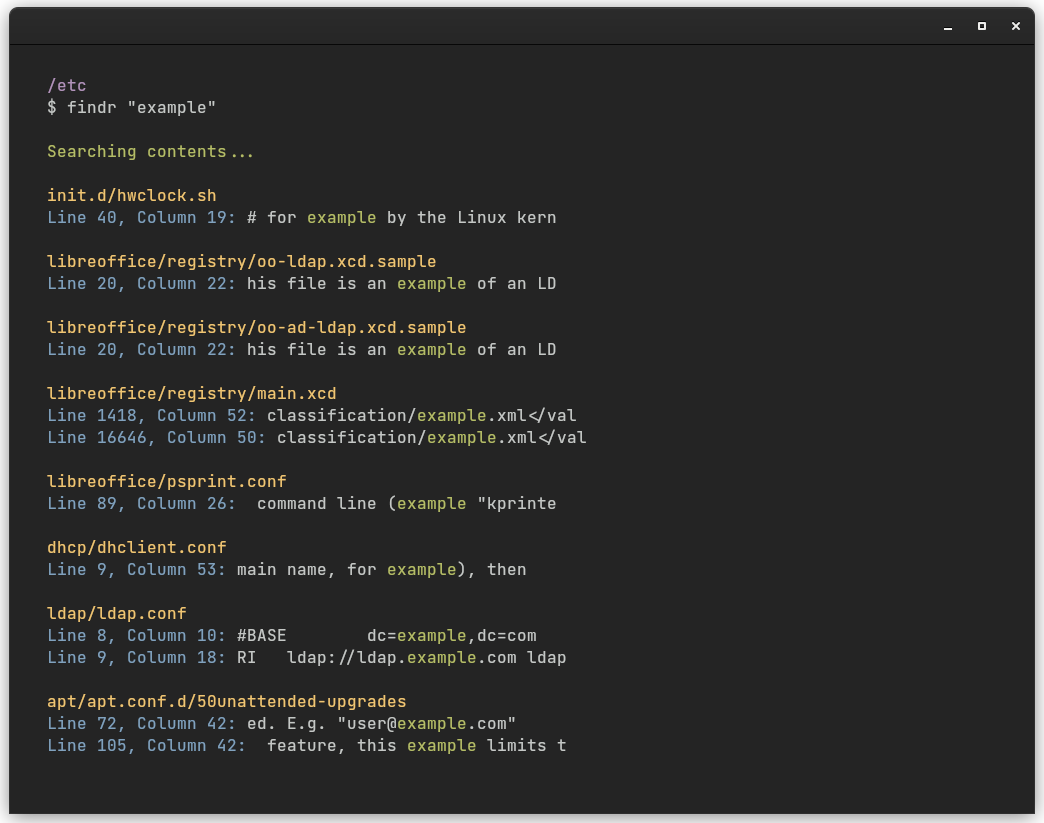
Search for a match in file contents.
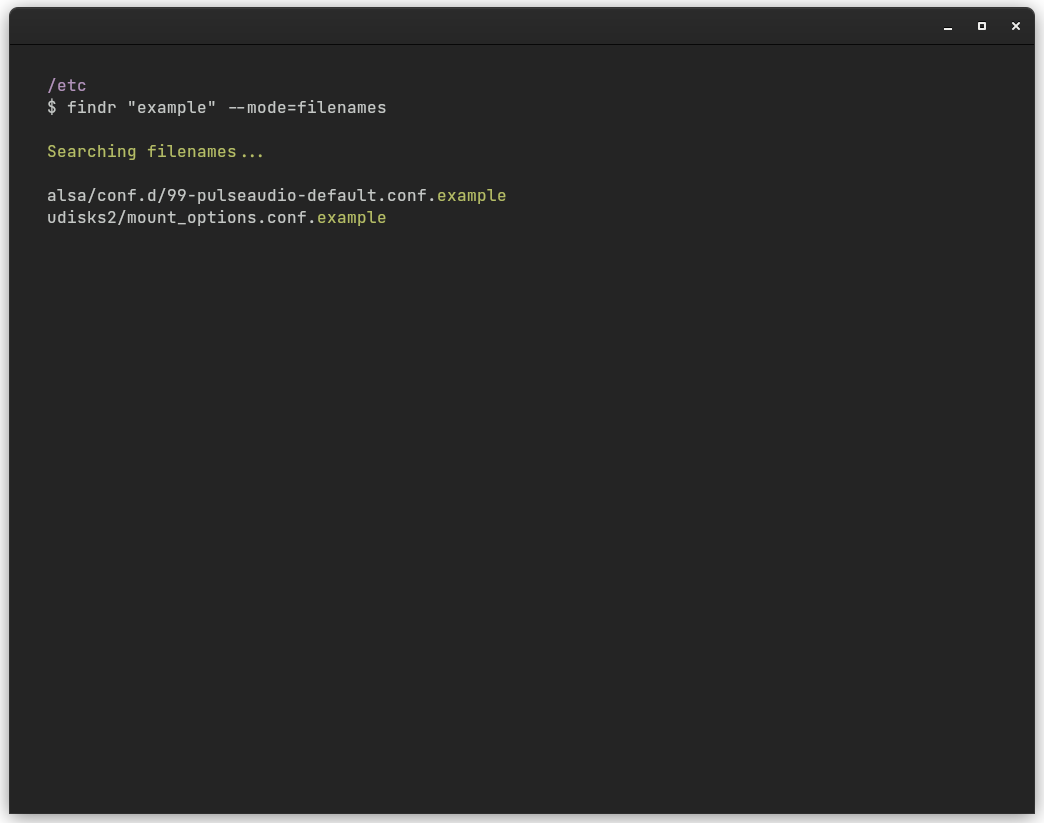
Search for a match in filenames.
usage: findr key
             [--path PATH]
             [--mode {contents,filenames}]
             [--max-depth MAX_DEPTH]
             [--skip-dotfiles]
             [-h] [-v] [-d] [-V]

Recursively search files

Main Options:
  key                   The string to search for.
  --path PATH           the path to search under (default: D:\Documents\development\findr)
  --mode {contents,filenames}
                        The search mode. Default is 'contents'.
  --max-depth MAX_DEPTH
                        maximum depth for recursive search
  --skip-dotfiles       skip dotfiles

Miscellaneous Options:
  -h, --help            Show this help message and exit.
  -v, --verbose         Show log messages on screen. Default is False.
  -d, --debug           Activate debug logs. Default is False.
  -V, --version         Show version number and exit.
Contributors

How do I contribute to findr?
Before you participate in our delightful community, please read the code of conduct.
I'm far from being an expert and suspect there are many ways to improve – if you have ideas on how to make the configuration easier to maintain (and faster), don't hesitate to fork and send pull requests!
We also need people to test out pull requests. So take a look through the open issues and help where you can.
See Contributing for more details.
License
findr is released under the GPL-2.0 license.
Credits
[!NOTE] Credits to Julynx for creating the original project. I only make improvements in his code based on my preferences to customize it. All the ideas and the base of the script are his.
1 maintainer

Metadata
1 maintainer
Release files for pyfindr 1.0.2
For a detailed explanation of source distributions (sdists) and built distributions (wheels), please see the package formats documentation.
Source distribution (sdist)
| File | Size | Uploaded | |
|---|---|---|---|
| pyfindr-1.0.2.tar.gz | 13.3 kB | Details |
Built distribution (wheel)
| File | Interpreter | ABI | Platform | Reset |
|---|---|---|---|---|
| pyfindr-1.0.2-py3-none-any.whl | Python 3 | none | any | Details |
Total release size: 28.2 kB
Release files / pyfindr-1.0.2.tar.gz
| Download URL | pyfindr-1.0.2.tar.gz |
|---|---|
| Size | 13.3 kB |
| Tags | Source |
|
SHA-256 checksum How to use checksums |
0bef720fb7a02eeecc8e9415af8160bd3c9c894d7cd8c0802113e9a5fc4309e9
|
|
BLAKE2b-256 checksum How to use checksums |
6e1f27d884a92d4abd02feb2aeef473de296ce4859ad6670cda7211496385c67
|
| Upload date | |
|
Uploaded using Trusted Publishing? What is trusted publishing? |
No |
| Uploaded via |
poetry/1.8.3 CPython/3.12.1 Windows/11
|
Release files / pyfindr-1.0.2-py3-none-any.whl
| Download URL | pyfindr-1.0.2-py3-none-any.whl |
|---|---|
| Size | 14.9 kB |
| Tags | Python 3 |
|
SHA-256 checksum How to use checksums |
17d7ee2d95dd43bbc7ea5e9053153002ba070238647d46246e18926dde5da032
|
|
BLAKE2b-256 checksum How to use checksums |
2dfc0a02864bf2dc1428fcca4e7da37dd754c0a66f7581b0663f8cbcad420210
|
| Upload date | |
|
Uploaded using Trusted Publishing? What is trusted publishing? |
No |
| Uploaded via |
poetry/1.8.3 CPython/3.12.1 Windows/11
|














