
This release is a pre-release and may not be stable for production use.







🚧 Under Development
This project is still in an alpha stage. Expect rapid changes, incomplete features, and possible breaking updates between releases.
- The API may evolve as we stabilize core functionality.
- Documentation and examples are incomplete.
- Feedback and bug reports are especially valuable at this stage.
 PyFlowReg
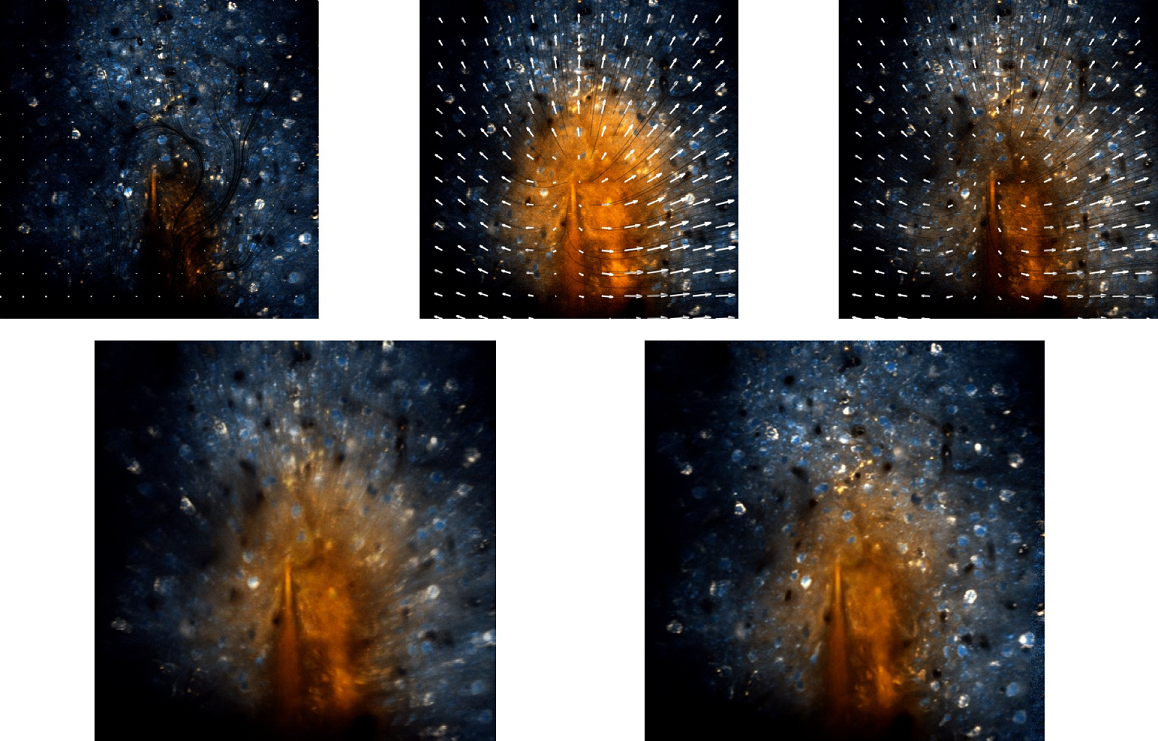
Python bindings for Flow-Registration - variational optical-flow motion correction for 2-photon (2P) microscopy videos and volumetric 3D scans.
Derived from the Flow-Registration toolbox for compensation and stabilization of multichannel microscopy videos. The original implementation spans MATLAB, Java (ImageJ/Fiji plugin), and C++. See the publication and the project website for method details and video results.
Related projects
- Original Flow-Registration repo: https://github.com/FlowRegSuite/flow_registration
- ImageJ/Fiji plugin: https://github.com/FlowRegSuite/flow_registration_IJ
- Napari plugin: https://github.com/FlowRegSuite/napari-flowreg
Requirements
This code requires python 3.10 or higher.
Initialize the environment with
mamba create --name pyflowreg python=3.10
mamba activate pyflowreg
pip install -r requirements.txt
or on windows
pip install -r requirements_win.txt
to enable Sutter MDF file support.
Installation via pip and mamba
mamba create --name pyflowreg python=3.10
pip install pyflowreg
To install the project with full visualization support, you can install it with the vis extra:
pip install pyflowreg[vis]
Getting started
This repository contains demo scripts under experiments and
demo notebooks under notebooks. The demos with the jupiter sequence should run out of the box.
The plugin supports most of the commonly used file types such as HDF5, tiff stacks and matlab mat files. To run the motion compensation, the options need to be defined into a OF_options object.
The python version of Flow-Registration aims at full MATLAB compatibility, any missing functionality should be reported as an issue. The API is designed to be similar to the original MATLAB code, with some adjustments for Python conventions.
Development
Code Quality & Pre-commit Hooks
We use pre-commit for automated code quality checks before each commit. Our hooks are centralized in FlowRegSuite/flowreg-hooks for consistency across all FlowRegSuite projects.
What's checked:
- Ruff linting and formatting (Python code style)
- NumPy docstring validation (documentation standards)
- README image URLs (PyPI compatibility) are checked and automatically replaced
- YAML/TOML validation and general file hygiene
Setup:
# Install pre-commit
pip install pre-commit

# Install the git hook scripts
pre-commit install

# Run on all files to check current status
pre-commit run --all-files
Alternative installations (without pip):
If you're using pipx (isolated tool installation):
# Install pipx if not available
python -m pip install --user pipx
python -m pipx ensurepath

# Install pre-commit via pipx
pipx install pre-commit

# For uv support (optional, if using uv as package installer)
pipx inject pre-commit pre-commit-uv

# Then install hooks as usual
pre-commit install
Or using uv's tool management directly:
# Install uv if not available
pip install uv

# Install pre-commit as an isolated tool
uv tool install pre-commit

# Then install hooks as usual
pre-commit install
Daily usage:
Simply commit as usual - checks run automatically. Failed hooks show what needs fixing, and many issues are auto-corrected.
# Manual run when needed
pre-commit run --all-files

# Skip hooks in emergency (use sparingly)
git commit -m "message" --no-verify
Troubleshooting (Windows/Anaconda):
If you encounter registry or path errors on Windows, try:
# Clear pre-commit cache
pre-commit clean

# Set environment variable (if needed)
$env:PROGRAMDATA = "C:\ProgramData"

# Try again
pre-commit run --all-files
Updating hooks (maintainers only):
pre-commit autoupdate
git add .pre-commit-config.yaml
git commit -m "chore: update pre-commit hooks"
Docstring Standards
We follow NumPy-style docstrings for compatibility with Sphinx documentation. The numpydoc-validation hook ensures consistency. See the NumPy docstring guide for examples.
Dataset
The dataset which we used for our evaluations is available as 2-Photon Movies with Motion Artifacts.
Citation
Details on the original method and video results can be found here.
If you use parts of this code or the plugin for your work, please cite
“Pyflowreg,” (in preparation), 2025.
and for Flow-Registration
P. Flotho, S. Nomura, B. Kuhn and D. J. Strauss, “Software for Non-Parametric Image Registration of 2-Photon Imaging Data,” J Biophotonics, 2022. doi:https://doi.org/10.1002/jbio.202100330
BibTeX entry
@article{flotea2022a,
    author = {Flotho, P. and Nomura, S. and Kuhn, B. and Strauss, D. J.},
    title = {Software for Non-Parametric Image Registration of 2-Photon Imaging Data},
    year = {2022},
  journal = {J Biophotonics},
  doi = {https://doi.org/10.1002/jbio.202100330}
}
1 maintainer

Metadata
1 maintainer
Release files for pyflowreg 0.1.0a9
For a detailed explanation of source distributions (sdists) and built distributions (wheels), please see the package formats documentation.
Source distribution (sdist)
| File | Size | Uploaded | |
|---|---|---|---|
| pyflowreg-0.1.0a9.tar.gz | 4.2 MB | Details |
Built distribution (wheel)
| File | Interpreter | ABI | Platform | Reset |
|---|---|---|---|---|
| pyflowreg-0.1.0a9-py3-none-any.whl | Python 3 | none | any | Details |
Total release size: 4.4 MB
Release files / pyflowreg-0.1.0a9.tar.gz
| Download URL | pyflowreg-0.1.0a9.tar.gz |
|---|---|
| Size | 4.2 MB |
| Tags | Source |
|
SHA-256 checksum How to use checksums |
07c5490e9bbb9e64bd5ac45ea61d5f9dfaa95a9dff9c66d11aebd81654d43cf8
|
|
BLAKE2b-256 checksum How to use checksums |
afa15348d246bc1a43affdd5bbd291dea85cdd6acf90db5648a81883d958b041
|
| Upload date | |
|
Uploaded using Trusted Publishing? What is trusted publishing? |
Yes |
| Uploaded via |
twine/6.1.0 CPython/3.13.7
|
Provenance
Provenance describes where a file came from. On PyPI, provenance is shared via attestations, which provide a verifiable record of the build or publishing details. View details, limitations and caveats.


PyPI Publish Attestation
PyPI verified that this artifact, at this checksum, originated from the publisher listed below.
Signed by GitHub Actions, verified by PyPI on Feb 19, 2026.
Transparency logRelease files / pyflowreg-0.1.0a9-py3-none-any.whl
| Download URL | pyflowreg-0.1.0a9-py3-none-any.whl |
|---|---|
| Size | 151.0 kB |
| Tags | Python 3 |
|
SHA-256 checksum How to use checksums |
59c29f0c4a116280e229c0e93e8da8c99ad8167fd3597b121629c368ed4545dc
|
|
BLAKE2b-256 checksum How to use checksums |
cdcb33e236d53eb16f3c02982c2890cec5514b49624dffbb5b62dadd0c2b8ada
|
| Upload date | |
|
Uploaded using Trusted Publishing? What is trusted publishing? |
Yes |
| Uploaded via |
twine/6.1.0 CPython/3.13.7
|
Provenance
Provenance describes where a file came from. On PyPI, provenance is shared via attestations, which provide a verifiable record of the build or publishing details. View details, limitations and caveats.
PyPI Publish Attestation
PyPI verified that this artifact, at this checksum, originated from the publisher listed below.
Signed by GitHub Actions, verified by PyPI on Feb 19, 2026.
Transparency log













