

rosie
Learn mobile robotics by reading the robot







Quick start · What you can learn · Documentation · Development
rosie is a complete robot stack (localization, planning, control, drives) for two-wheeled robots, written as short Python modules you can read, change and run on a simulated robot or a real one. It estimates where the robot is from its wheel encoders, plans routes around walls and furniture and trajectories along them, tracks them with feedback controllers, and lets you drive by hand from a browser or from Python.
It's made for learning and teaching robotics, from the control equations to the web page that drives the robot.
Quick start
rosie runs next to the robot, or next to a simulated one, and takes orders over a web API. There are several ways to use it: from a browser, from Python, from plain HTTP, or by changing rosie itself. Each one below starts with the simulated robot, so no hardware is needed.
In the browser
docker run -p 8080:8080 ghcr.io/pyforce/rosie
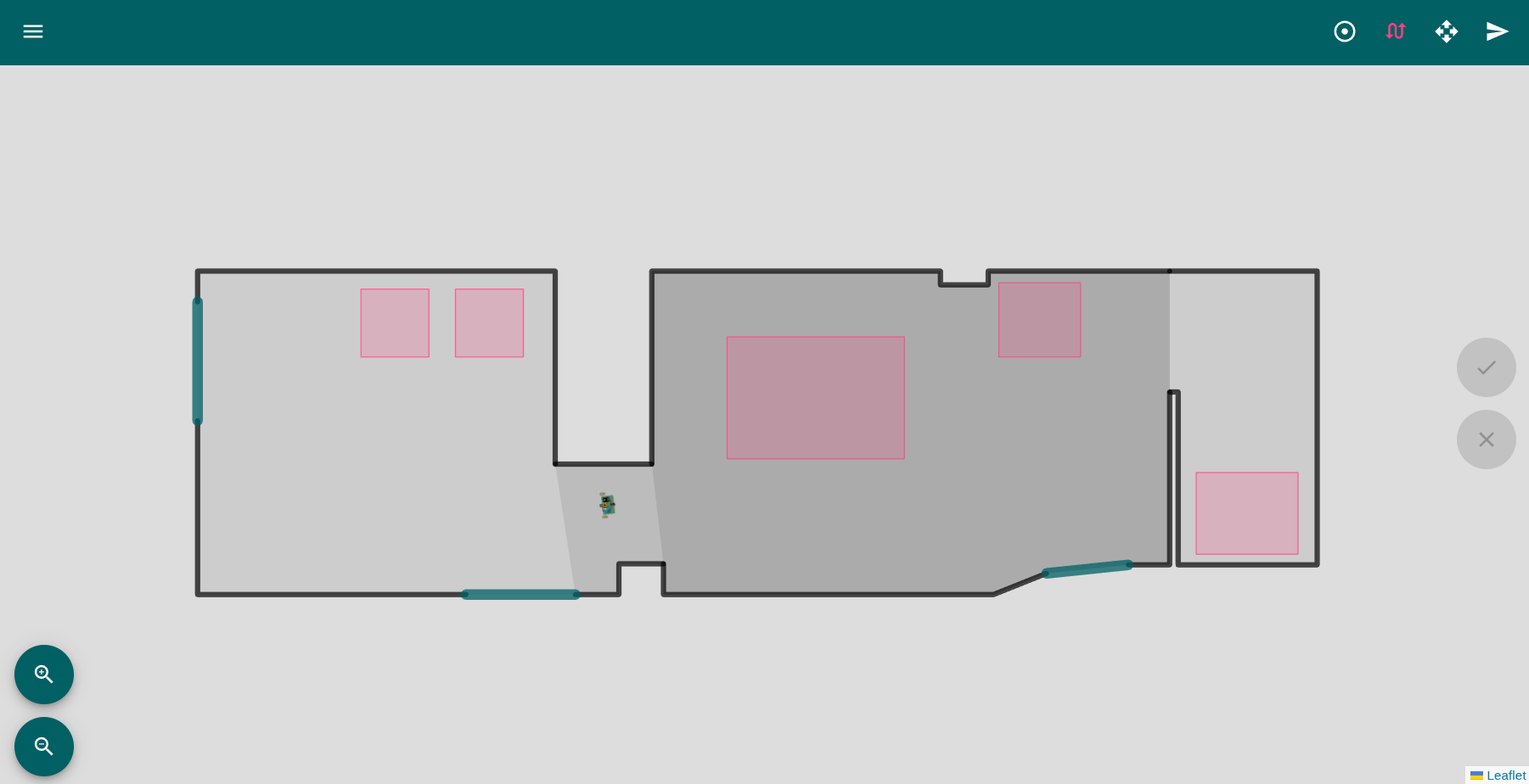
Open http://localhost:8080: WebRosie, with a simulated robot in a house. Click the map to send it somewhere, or drive it with the keyboard.
As a Python package
pip install "pyforce-rosie[robot]"
rosie start
This runs rosie's web API on port 5000, without the web interface. Flags or ROSIE_* environment
variables pick another robot, map or port.
From a Python script or notebook
With rosie running (either way above), on the same computer or any other:
import time

from rosie.client import RosieClient  # pip install pyforce-rosie

robot = RosieClient("http://localhost:8080")  # 5000 with rosie start
print(robot.odometry())  # Position(x=0.0, y=0.0, theta=0.0)
robot.goto(1, 0.5, 0.3)  # to (1 m, 0.5 m) at 0.3 m/s
time.sleep(5)
print(robot.odometry())  # about Position(x=1.0, y=0.5, theta=0.46)
Over HTTP
The web API is plain HTTP and JSON, so any language or tool can drive the robot:
curl -X POST localhost:8080/goto -d '{"target": [1, 0.5], "speed": 0.3}'
curl localhost:8080/odometry
From the source
To change rosie itself, for example to try your own controller:
git clone https://github.com/PyForce/rosie
cd rosie
uv sync
uv run rosie start
Getting started covers each of these in more detail, plus configuration.
What you can learn
| Topic | In rosie |
|---|---|
| Wheel odometry | second-order Runge-Kutta, from encoder counts |
| Trajectory generation | straight lines, or cubic polynomials that round the corners |
| Trajectory tracking | input-output linearization; plug in your own controller as one class |
| Reaching a point | a polar go-to-point controller |
| Wheel speed control | an incremental PID |
| Route planning | free space, a visibility graph, A* |
| Hardware | serial and I2C motor drives, an ultrasound sensor board |
| Integration | a REST + WebSocket API, a web interface, a Python client |
The simulated robot runs on a clock you control, so a script can simulate a 10-second movement in milliseconds, the same every time. Every planned movement can be recorded to CSV, one row per control step, ready for pandas.
Documentation
- Getting started: running, driving and configuring rosie.
- How rosie works: the control loop, and where everything lives.
- Motion control and Navigation: the algorithms, with their equations.
- Teaching with rosie: lab ideas.
- Robots and hardware, Web API and extensions, Python client.
Development
Setup, QA, docs and releases: DEVELOPMENT.md.
Contributing
Issues and pull requests are welcome; make qa must pass.
License
MIT: see LICENSE. rosie is a PyForce project, started in 2015: authors.
🚀 Project starter provided by Cookie Pyrate v1.1.0
1 maintainer

Metadata
1 maintainer
Release files for pyforce-rosie 2.0.0
For a detailed explanation of source distributions (sdists) and built distributions (wheels), please see the package formats documentation.
Source distribution (sdist)
| File | Size | Uploaded | Provenance | Actions |
|---|---|---|---|---|
| pyforce_rosie-2.0.0.tar.gz | 1.1 MB | Without provenance | Details for pyforce_rosie-2.0.0.tar.gz |
Built distribution (wheel)
| File | Interpreter | ABI | Platform | Actions Reset |
|---|---|---|---|---|
| pyforce_rosie-2.0.0-py3-none-any.whl | Python 3 | none | any | Details for pyforce_rosie-2.0.0-py3-none-any.whl |
Total release size: 2.0 MB
Release files / pyforce_rosie-2.0.0.tar.gz
| Download URL | pyforce_rosie-2.0.0.tar.gz |
|---|---|
| Size | 1.1 MB |
| Tags | Source |
|
SHA-256 checksum How to use checksums |
5da526973565fce82a50814adcccc2fac036590fb9dba34120c845335aa49da1
|
|
BLAKE2b-256 checksum How to use checksums |
df20ed8c76c0a2712dc5e631fa43432da9a6e8cb8a0b84829170cc31d72e0550
|
| Upload date | |
|
Uploaded using Trusted Publishing? What is trusted publishing? |
Yes |
| Uploaded via |
uv/0.13.5 {"installer":{"name":"uv","version":"0.13.5","subcommand":["publish"]},"python":null,"implementation":{"name":null,"version":null},"distro":{"name":"Ubuntu","version":"26.04","id":"resolute","libc":null},"system":{"name":null,"release":null},"cpu":null,"openssl_version":null,"setuptools_version":null,"rustc_version":null,"ci":true}
|
Release files / pyforce_rosie-2.0.0-py3-none-any.whl
| Download URL | pyforce_rosie-2.0.0-py3-none-any.whl |
|---|---|
| Size | 895.5 kB |
| Tags | Python 3 |
|
SHA-256 checksum How to use checksums |
db932cbec5023e45e2b85707cf39c16a86801e32414bb3846b9f7cb407d0795f
|
|
BLAKE2b-256 checksum How to use checksums |
dabf0cc745c307f475ebcee69da3c21954ce3046bb72cb1c66ecad68210bf4b2
|
| Upload date | |
|
Uploaded using Trusted Publishing? What is trusted publishing? |
Yes |
| Uploaded via |
uv/0.13.5 {"installer":{"name":"uv","version":"0.13.5","subcommand":["publish"]},"python":null,"implementation":{"name":null,"version":null},"distro":{"name":"Ubuntu","version":"26.04","id":"resolute","libc":null},"system":{"name":null,"release":null},"cpu":null,"openssl_version":null,"setuptools_version":null,"rustc_version":null,"ci":true}
|
Security for pyforce-rosie 2.0.0
Provenance
Provenance describes where a file came from. On PyPI, provenance is shared via attestations, which provide a verifiable record of the build or publishing details. View details, limitations and caveats.
No provenance found
None of the files in this release were uploaded with provenance metadata.
A note on package security
PyPI is a repository for distributing packages, not a service for auditing them. While third-party security researchers and our staff do their best to detect and remove malicious packages, PyPI cannot guarantee the quality, security or suitability of any given package.
To learn more about protecting yourself from malicious actors, visit our package security documentation.














