
Let's create pygame visually!

Project description








Pygame Studio is a visual editor built specifically for pygame-ce, designed to help users create pygame-ce projects visually, making it easier for beginners, students, and hobby developers to get started with pygame development.
Installation
Install Pygame Studio easily via pip (ensure you have Python 3.9 or higher installed):
pip install --upgrade pygamestudio
Note: Since current releases are development versions, please include
--upgradeto ensure pip installs the latest development version instead of an older cached one.
After installation, run the following command in your terminal to launch the editor and verify the installation:
pygamestudio
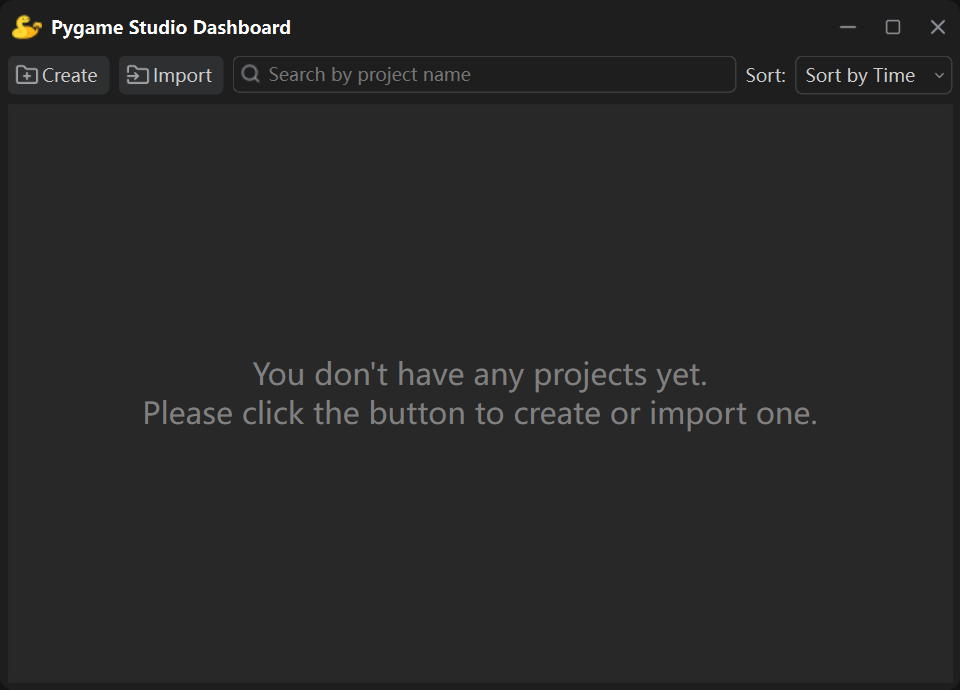
If the Pygame Studio editor launches successfully, the installation is complete.
Dependencies
| Name | Version |
|---|---|
| pygame-ce | >=2.5.6 |
| PySide6 | >=6.10.0 |
| platformdirs | >=3.5.1 |
| numpy | >=1.26.0 |
Quick Start
1. Enter the following command to launch Pygame Studio:
pygamestudio
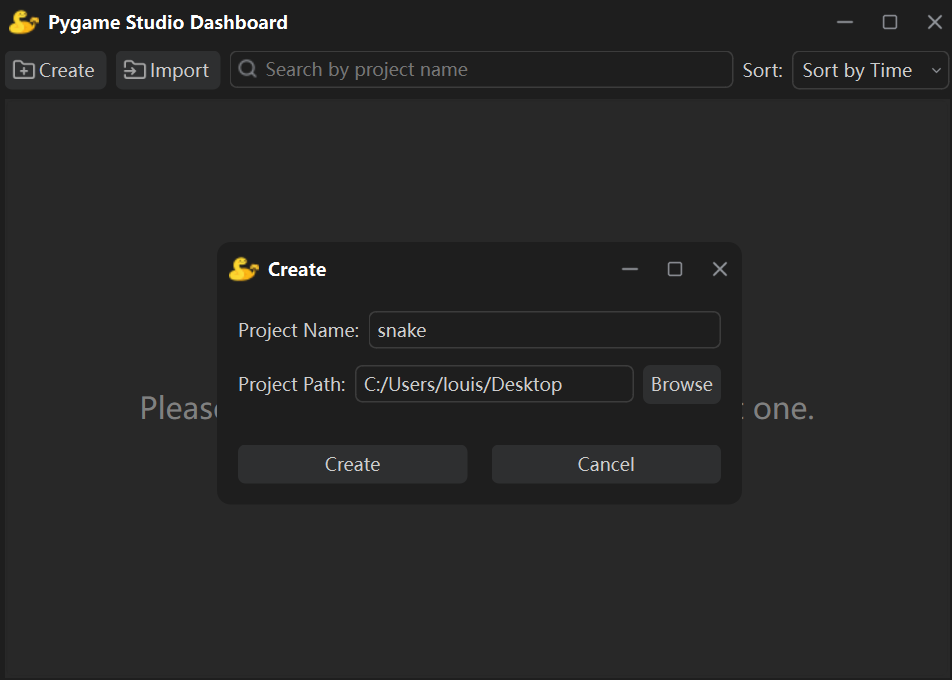
2. Click the "Create" button to create a new project.
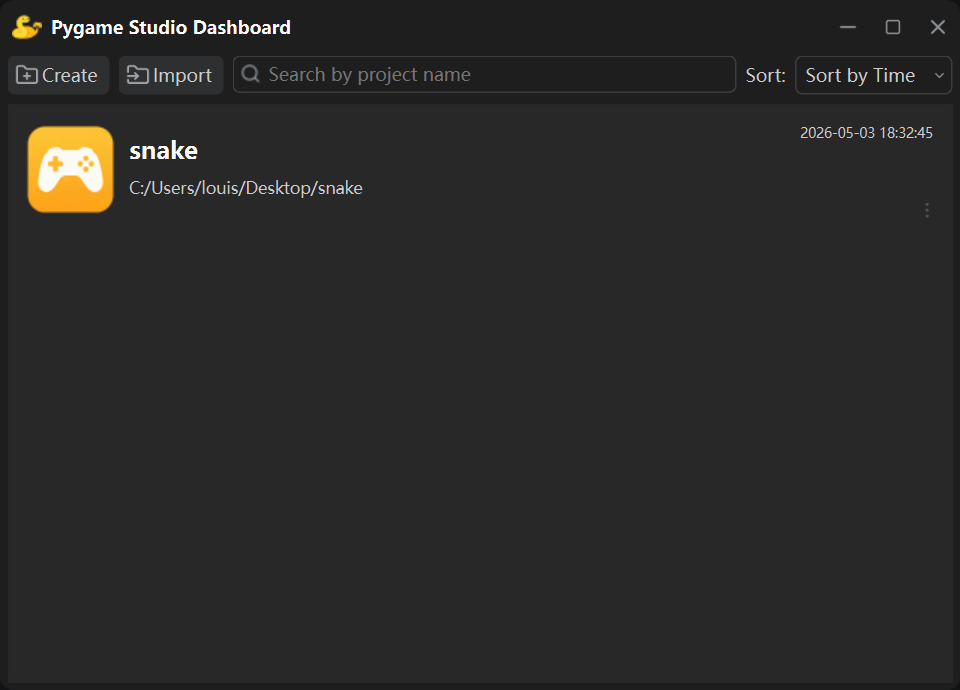
Once created, the game project will be displayed in the Dashboard.
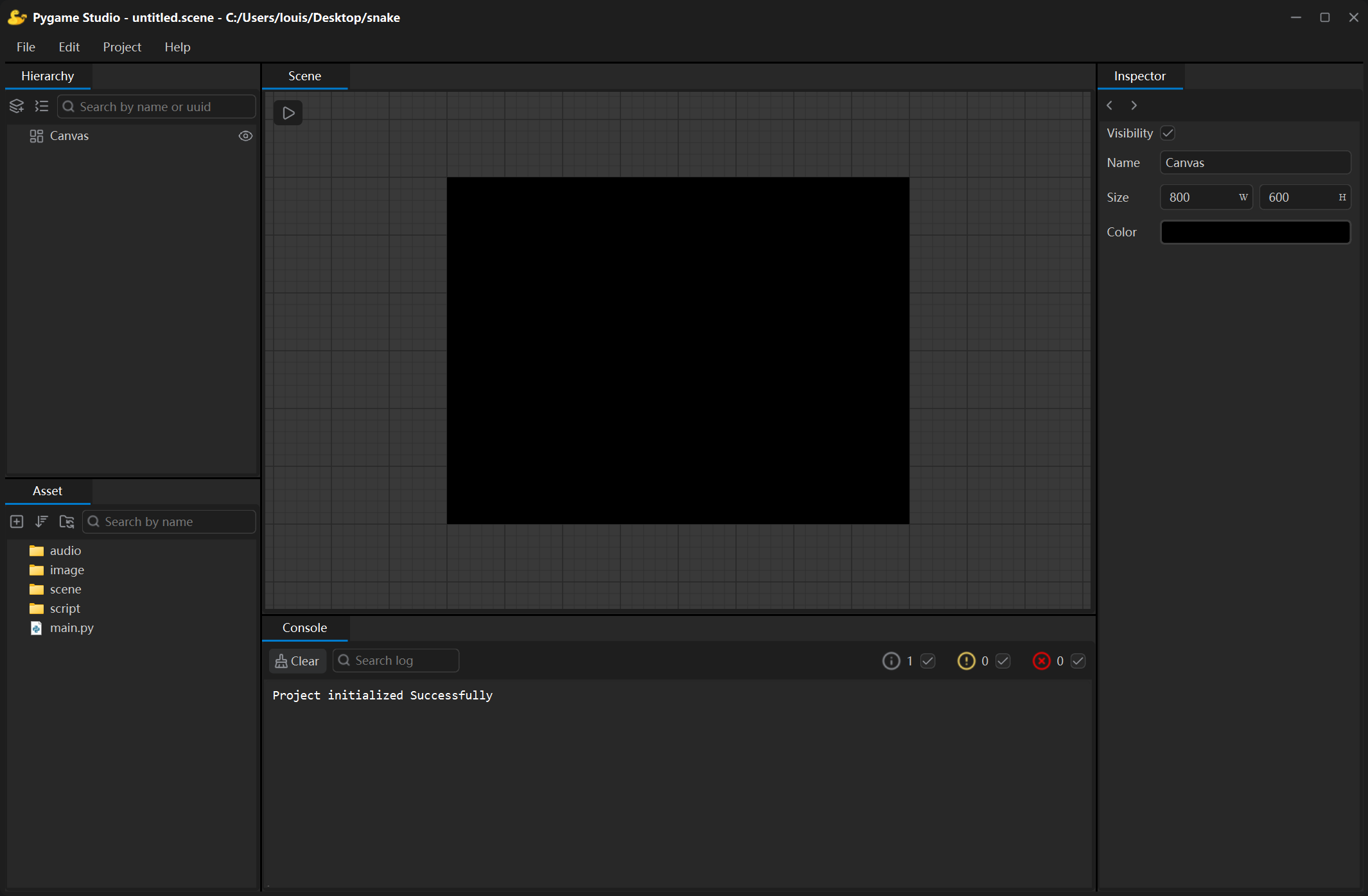
3. Double-click the created project to open the editing window and start your creation.
Documentation
🔗 visit https://pygamestudio.com
Key Features
- Open Source & Free Forever: Released under the MIT LICENSE, free to use and modify for all purposes.
- Easy Installation: Simply run
pip install pygamestudioto install the editor. - Lightweight & Cross-Platform: Fast startup, no bulky engine, and runs smoothly on Windows, macOS, and Linux.
- Visual Drag & Drop Editing: Create pygame-ce projects visually.
- Beginner Friendly: Perfect for Python beginners, students, and hobby developers to learn and create.
LICENSE
Pygame Studio is open source under the MIT LICENSE.
Release history Release notifications | RSS feed


Download files
Download the file for your platform. If you're not sure which to choose, learn more about installing packages.
Source Distribution
Built Distribution
Filter files by name, interpreter, ABI, and platform.
If you're not sure about the file name format, learn more about wheel file names.
Copy a direct link to the current filters
File details
Details for the file pygamestudio-1.0.0.dev1.tar.gz.
File metadata
- Download URL: pygamestudio-1.0.0.dev1.tar.gz
- Upload date:
- Size: 157.7 kB
- Tags: Source
- Uploaded using Trusted Publishing? No
- Uploaded via: twine/6.2.0 CPython/3.9.13
File hashes
| Algorithm | Hash digest | |
|---|---|---|
| SHA256 |
efc38b1cf8983a9cf4b078aae3df8efb97a21f8cf485f8647f17a0b5497fc9d2
|
|
| MD5 |
d8fd07b9e79c5b32dfe6f0856aabc9a8
|
|
| BLAKE2b-256 |
a84824606ddff660a823bb2dd5393b7f0f0b107ed3a9e6ca6b04b00148022b45
|
File details
Details for the file pygamestudio-1.0.0.dev1-py3-none-any.whl.
File metadata
- Download URL: pygamestudio-1.0.0.dev1-py3-none-any.whl
- Upload date:
- Size: 202.3 kB
- Tags: Python 3
- Uploaded using Trusted Publishing? No
- Uploaded via: twine/6.2.0 CPython/3.9.13
File hashes
| Algorithm | Hash digest | |
|---|---|---|
| SHA256 |
1ab9ddd09df666a3738996ac5e51e4e61d3e2e21f3b10b1dd345e13a207b1961
|
|
| MD5 |
33998f5ce4634541dc63ae95b1241b83
|
|
| BLAKE2b-256 |
52718633e9d6b9a86e483d5306525238d4c8ada420a50df00c19a4dc1e980d6a
|






