






PyGMTSAR (Python InSAR): Powerful and Accessible Satellite Interferometry
PyGMTSAR (Python InSAR) is designed to meet the needs of both occasional users and experts in Sentinel-1 Satellite Interferometry. It offers a wide range of features, including SBAS, PSI, PSI-SBAS, and more. In addition to the examples provided below, I also share Jupyter notebook examples on Patreon and provide updates on its progress through my LinkedIn profile.
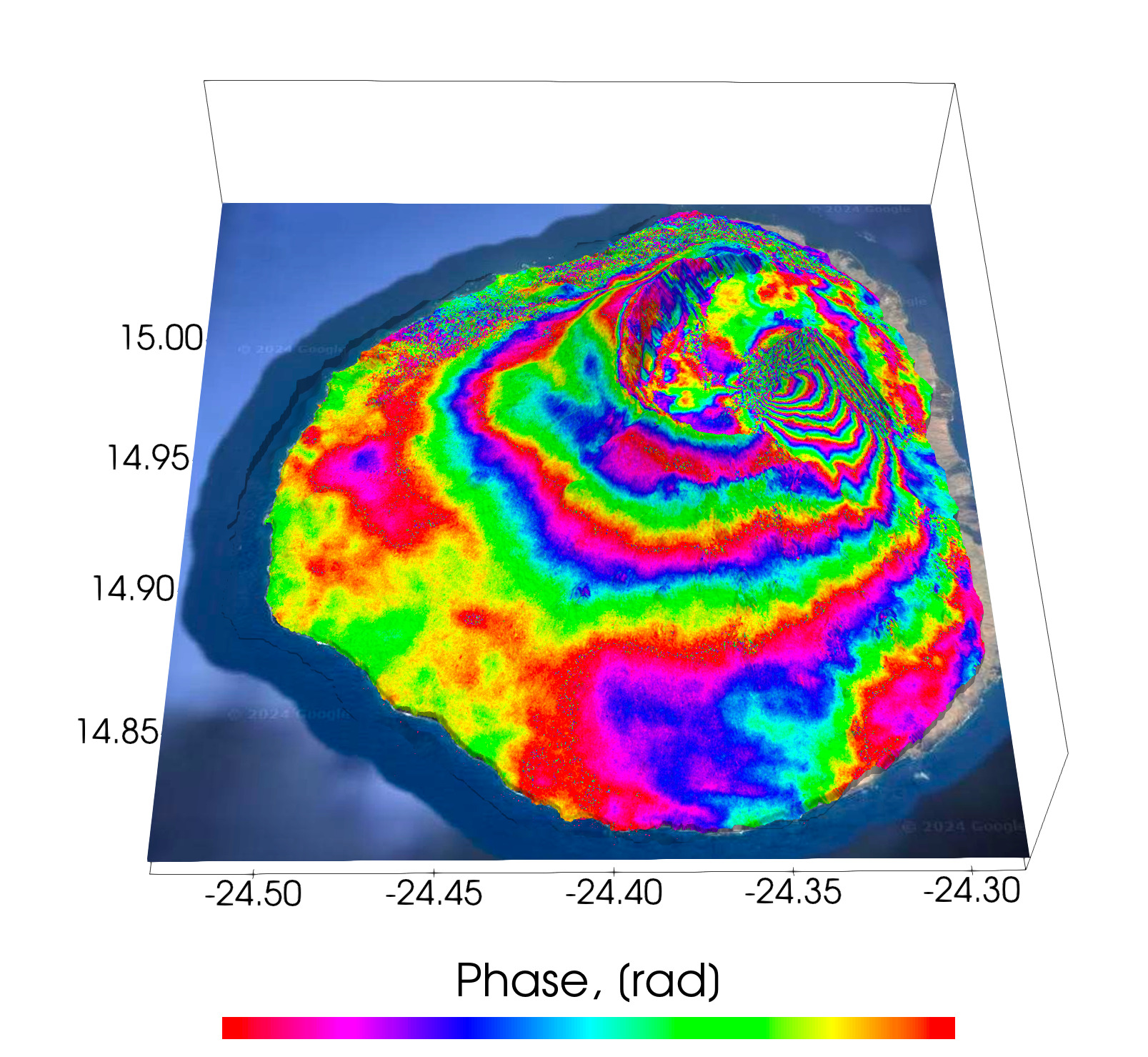
About PyGMTSAR
PyGMTSAR provides accessible, reproducible, and powerful Sentinel-1 interferometry that is available to everyone, regardless of their location. It encompasses a variety of interferometry approaches, including SBAS, PSI, PSI-SBAS, and time series and trend analysis, all integrated into a single Python package. Whether you're utilizing Google Colab, DockerHub, or any other platform, PyGMTSAR is ready to meet your needs.
One of the most in-demand features in PyGMTSAR (Python InSAR) is the combined analysis of Persistent Scatterers (PS or PSI) and the Small Baseline Subset (SBAS). Each method has its own unique advantages and drawbacks — SBAS typically performs better in rural areas, while PS is more suited to urban environments. My vision is to merge the benefits of both methods while mitigating their shortcomings through a unified PS-SBAS process. Additionally, PyGMTSAR offers weighted interferogram processing using an amplitude stability matrix, which emphasizes stable pixels. This approach enhances phase and coherence, improving the accuracy of results by maintaining high coherence, even in rural areas.
PyGMTSAR Live Examples on Google Colab
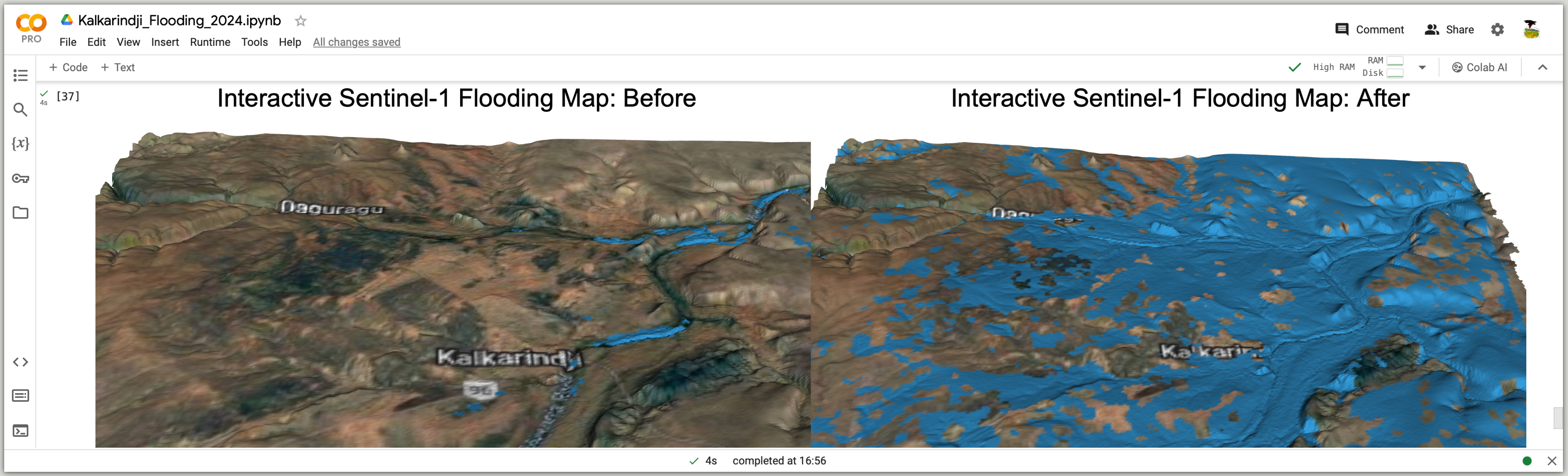
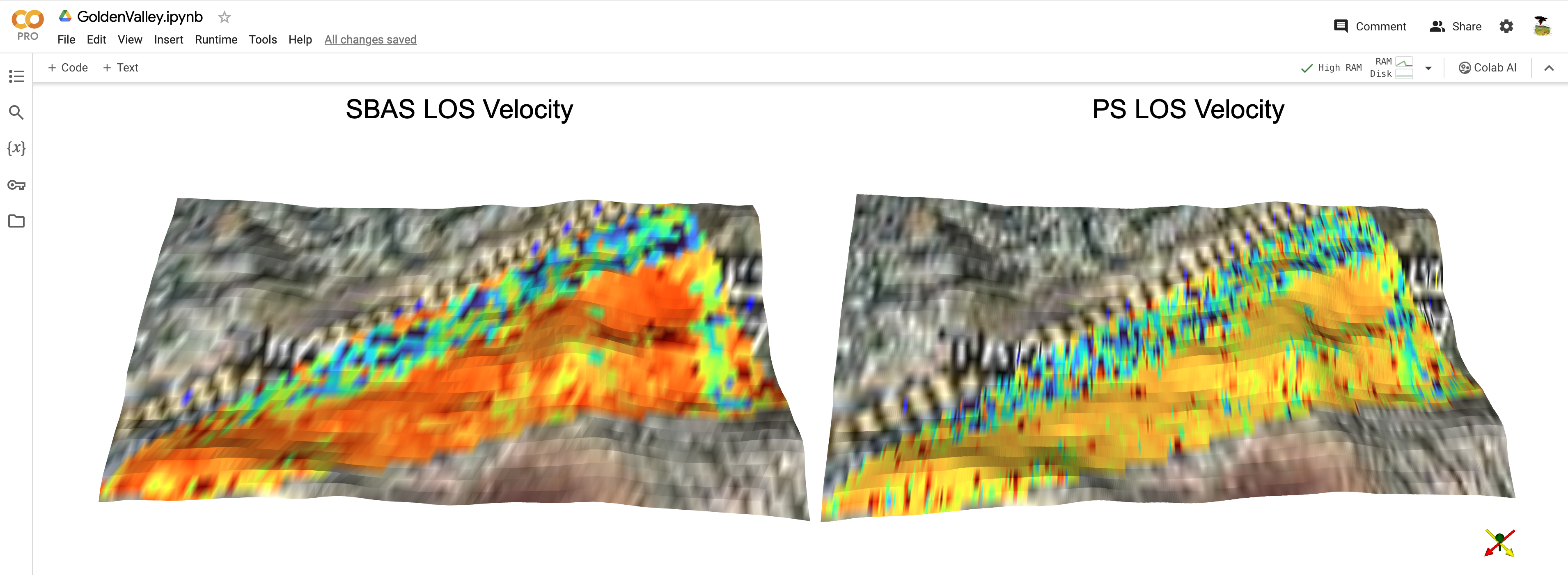
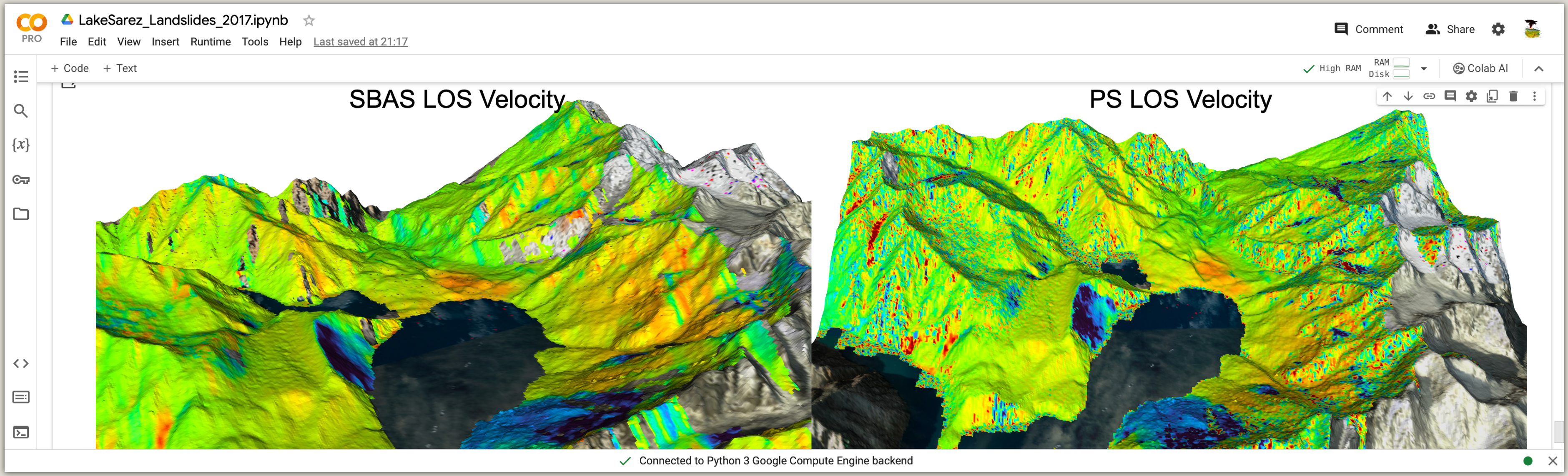
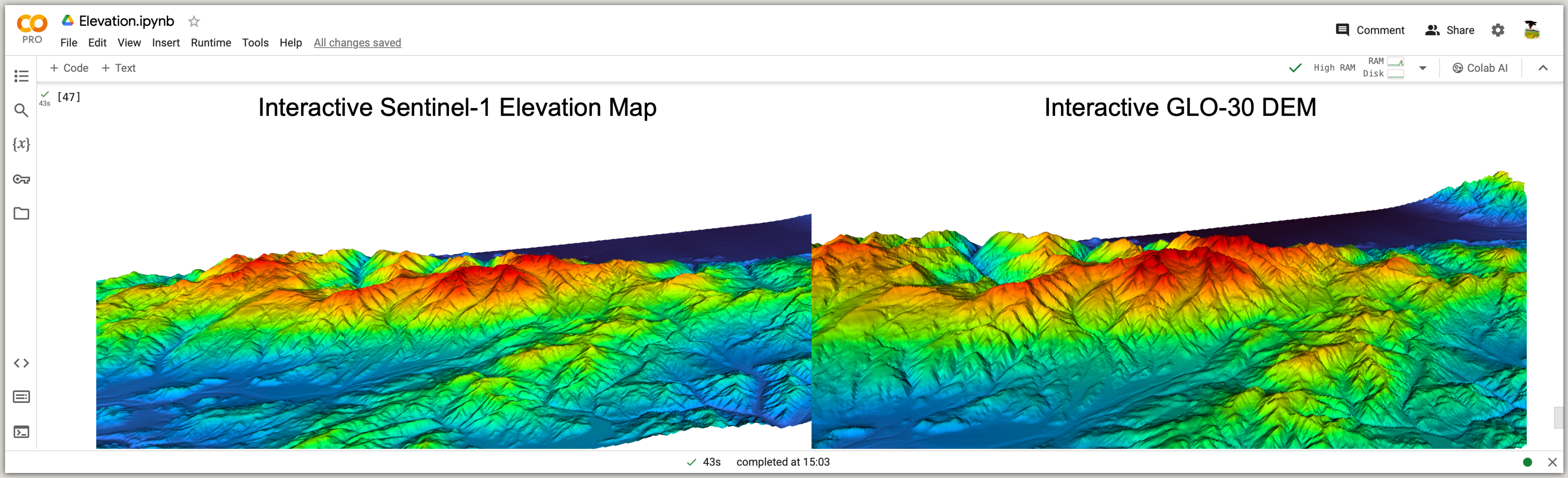
Google Colab is a free service offering interactive notebooks that are accessible directly in your web browser and available to everyone. These notebooks provide live examples of InSAR processing using PyGMTSAR. You don't need a powerful computer, extensive disk space, a fast internet connection, or any special software installations. Almost any internet-connected device, including desktops, laptops, smartphones, or even smart TVs, can effectively handle InSAR processing with PyGMTSAR. Furthermore, you can save the results and the processing Jupyter notebook on your local computer or server to run it locally or in the cloud.
All steps in these notebooks are automated. This includes the software installation on Google Colab's cloud host (Linux Ubuntu 22, Python 3.10), downloading Sentinel-1 SLC and orbit files from the Alaska Satellite Facility (ASF) datastore, obtaining SRTM DEM data and converting it to ellipsoidal heights using the EGM96 model, downloading a land mask for masking low-coherence water surfaces, and of course, carrying out complete interferometry processing and result mapping. You can also customize the notebooks by replacing the scene names to process specific areas of your interest. Additionally, all notebooks are accompanied by interactive 3D maps that are available instantly.

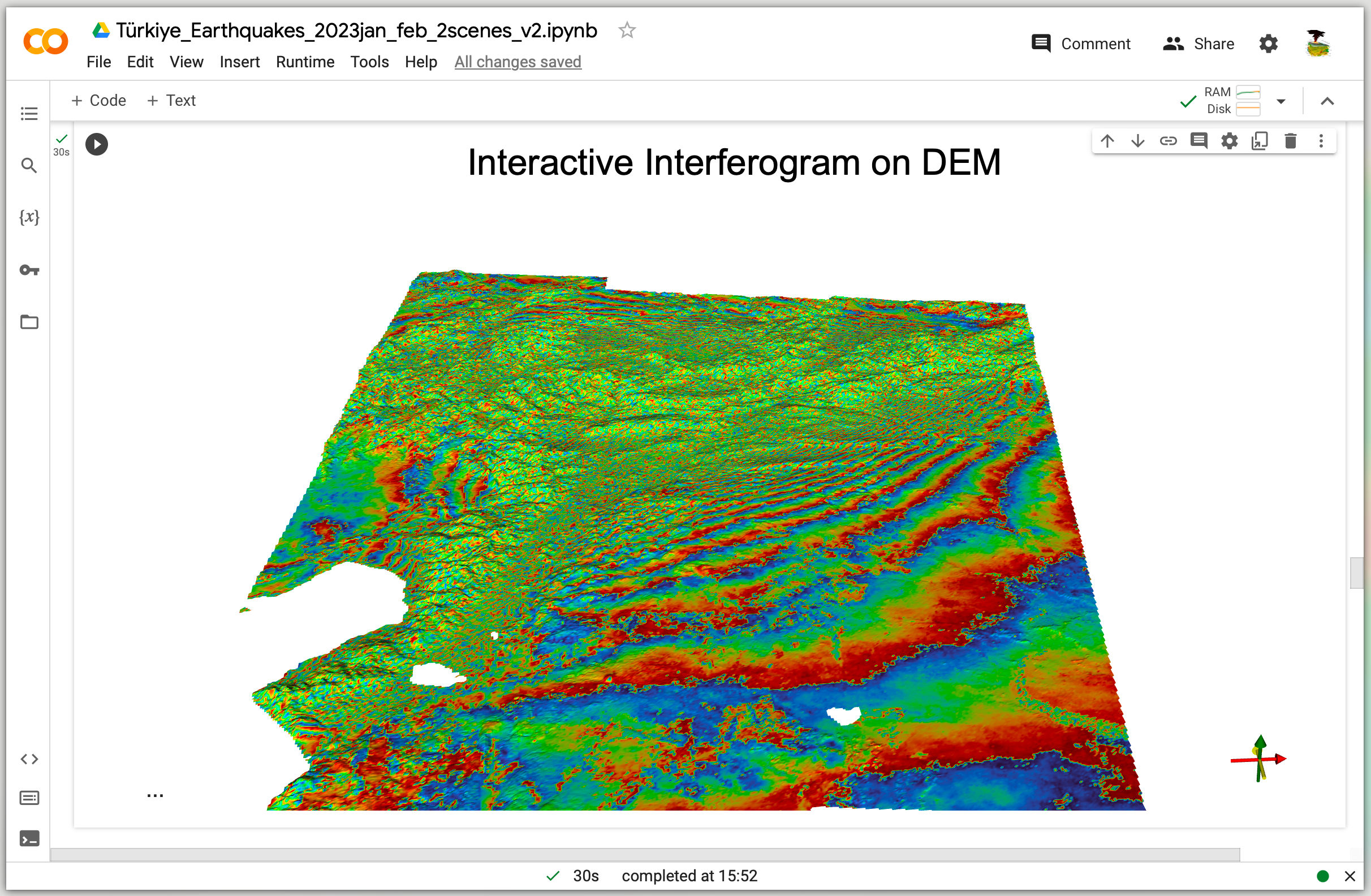
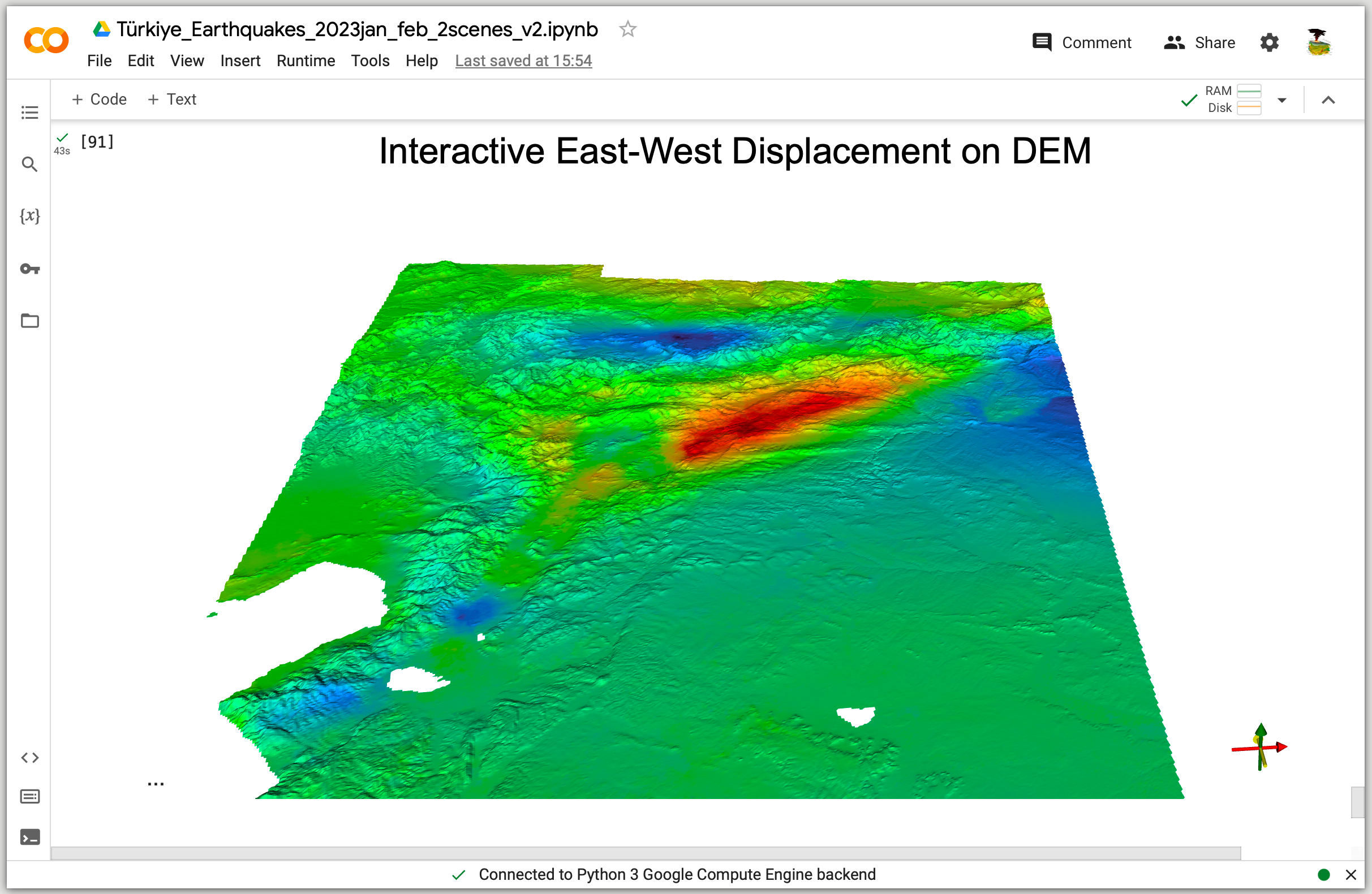


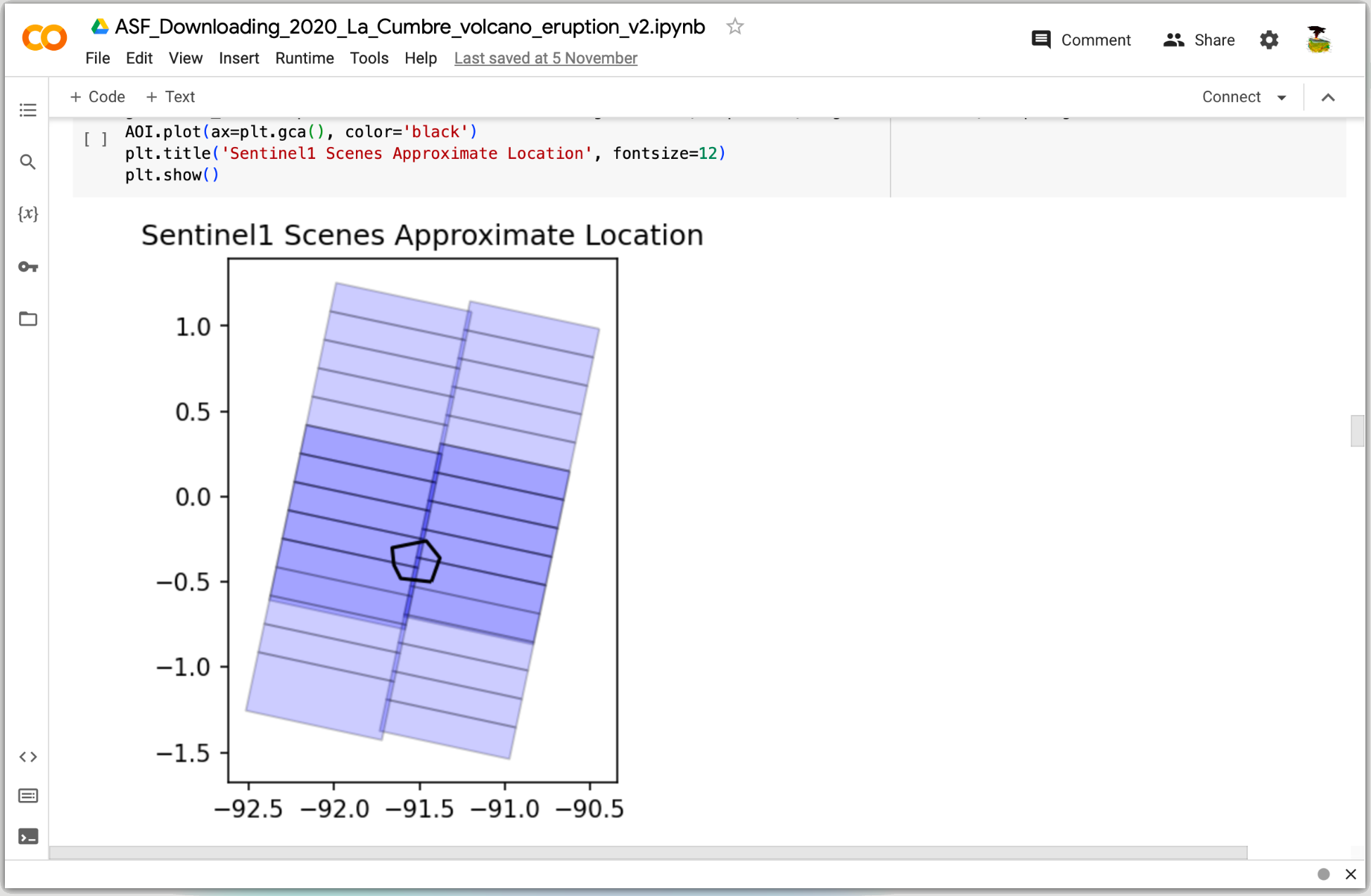
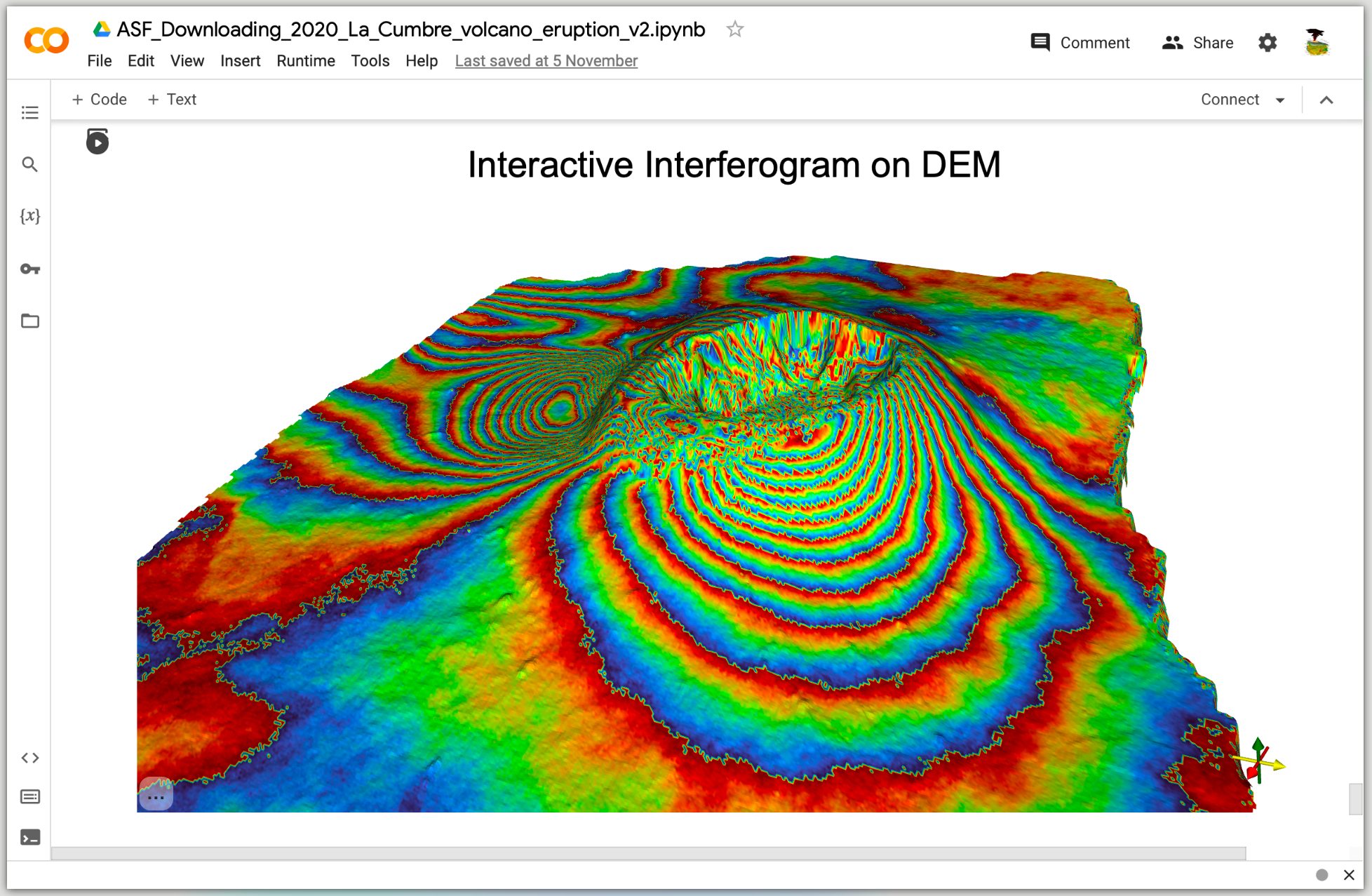
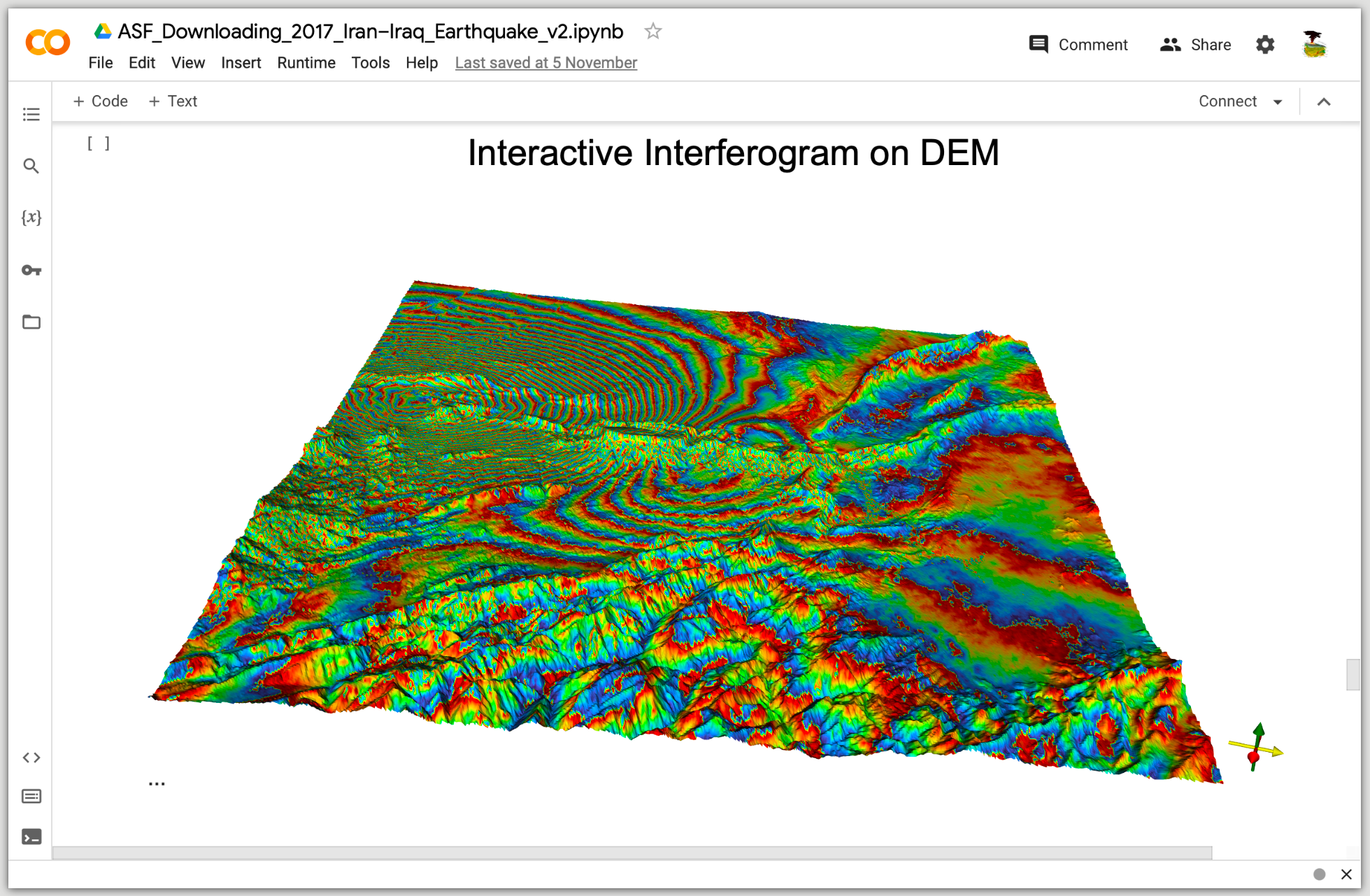

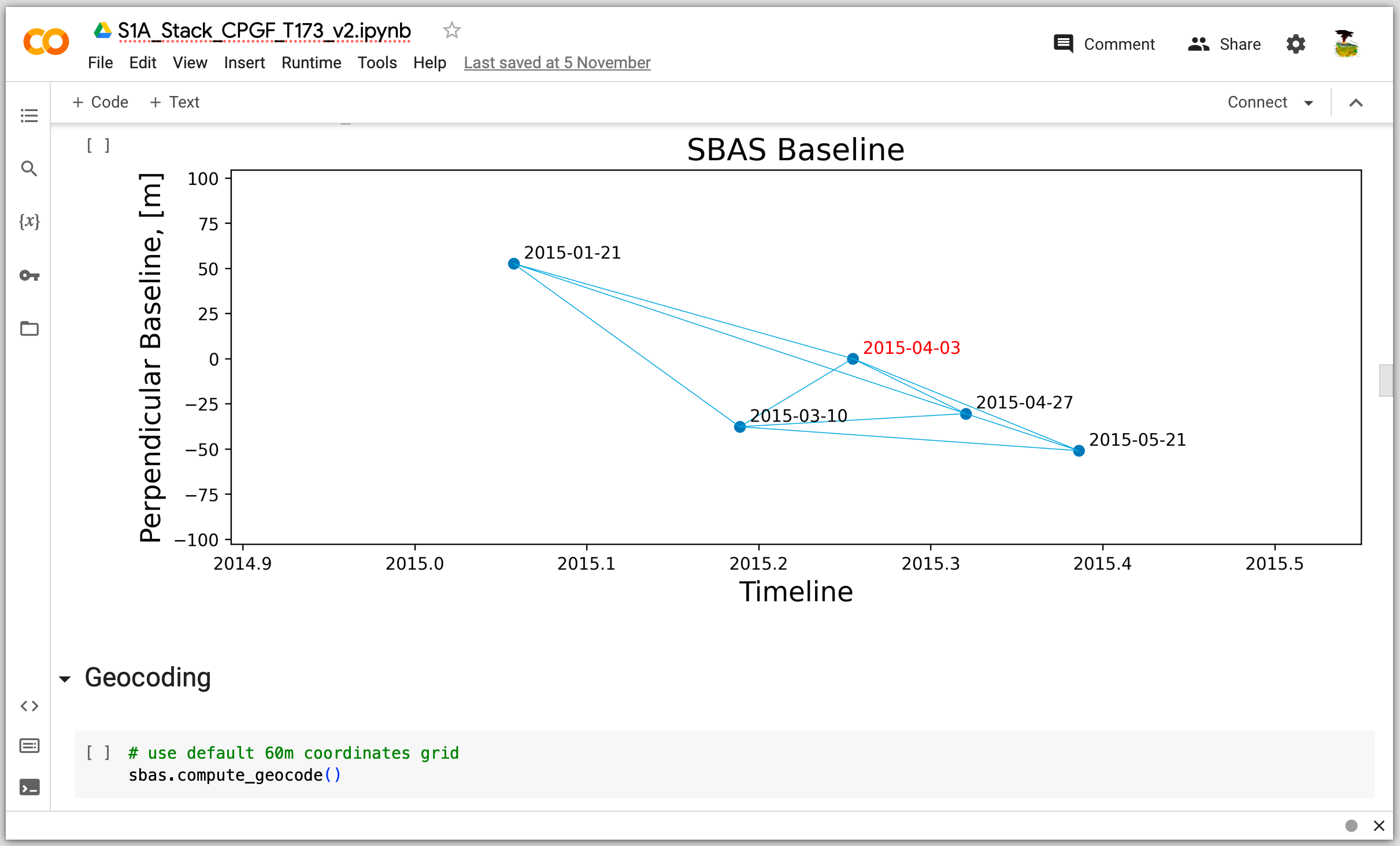
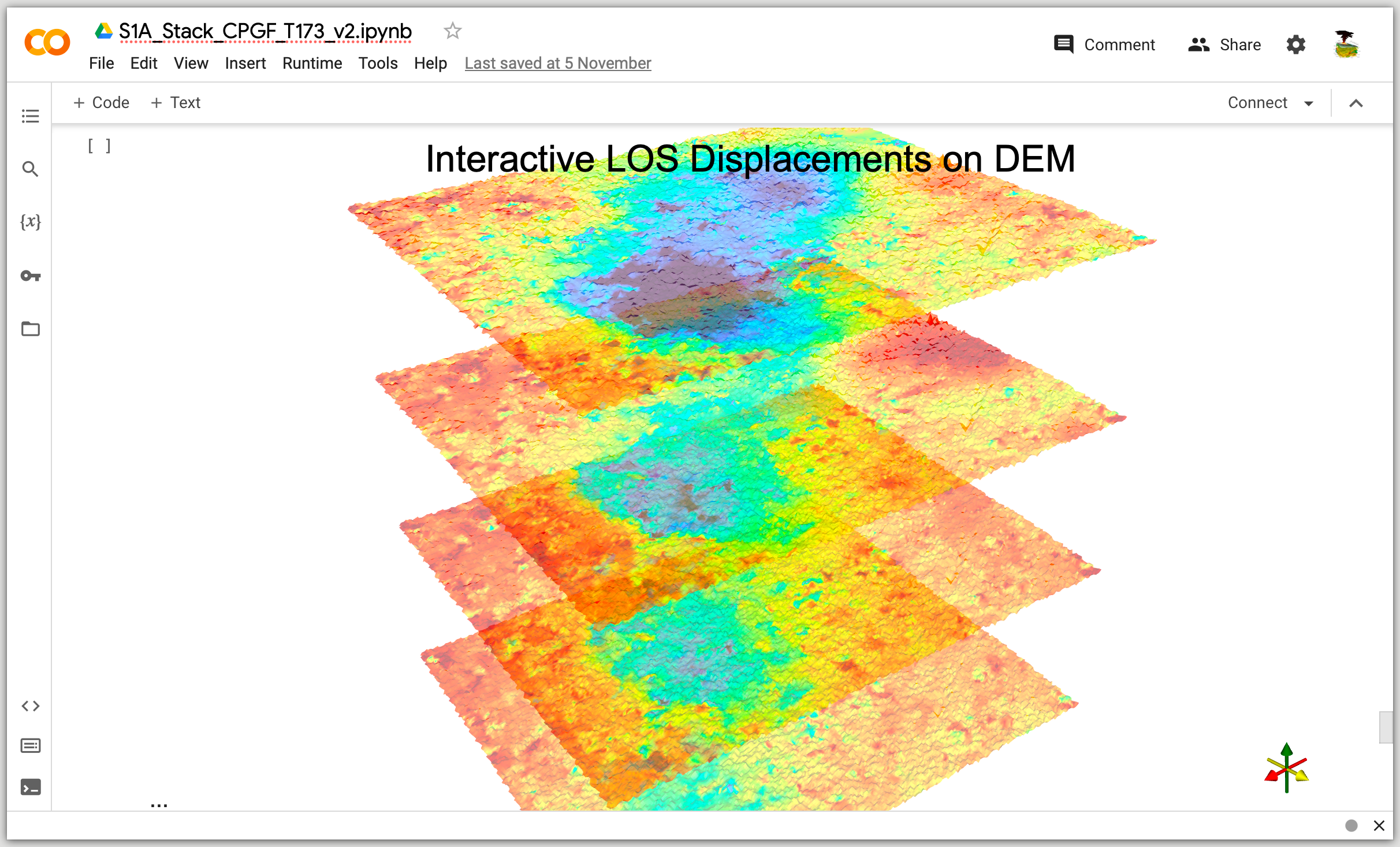
PyGMTSAR Live Examples on Google Colab Pro
For subscribers, I share more complex SBAS and PSI use cases on Google Colab Pro through my Patreon page. These use cases are suitable for InSAR learners, researchers, and industry specialists working on their challenging projects. Large areas and big stacks for thousands of interferograms, low-coherence territories, and extensive atmospheric phase delays - all these tasks can be addressed with PyGMTSAR. These examples can still be run online on the Google Colab Pro platform, which is cost-effective ($10/month) and provides a good balance between very fast data transfer speeds for downloading dozens of Sentinel-1 SLC scenes, available disk space to store the datasets and process them (approximately 220GB vs. 110GB for the free version of Google Colab), processing speed (8 vCPUs vs. 2 for the free version of Google Colab), and accessible memory (54GB vs. 12GB for the free version of Google Colab). I frequently utilize Google Colab Pro myself to manage up to five parallel InSAR projects, without concerns about disk space, memory, or processing performance limitations. Moreover, all the examples can be executed locally as well as on cloud hosts and remote servers.
Projects and Publications Using PyGMTSAR
Explore the diverse applications of PyGMTSAR in projects and academic research on the dedicated Projects and Publications page.
Announcements
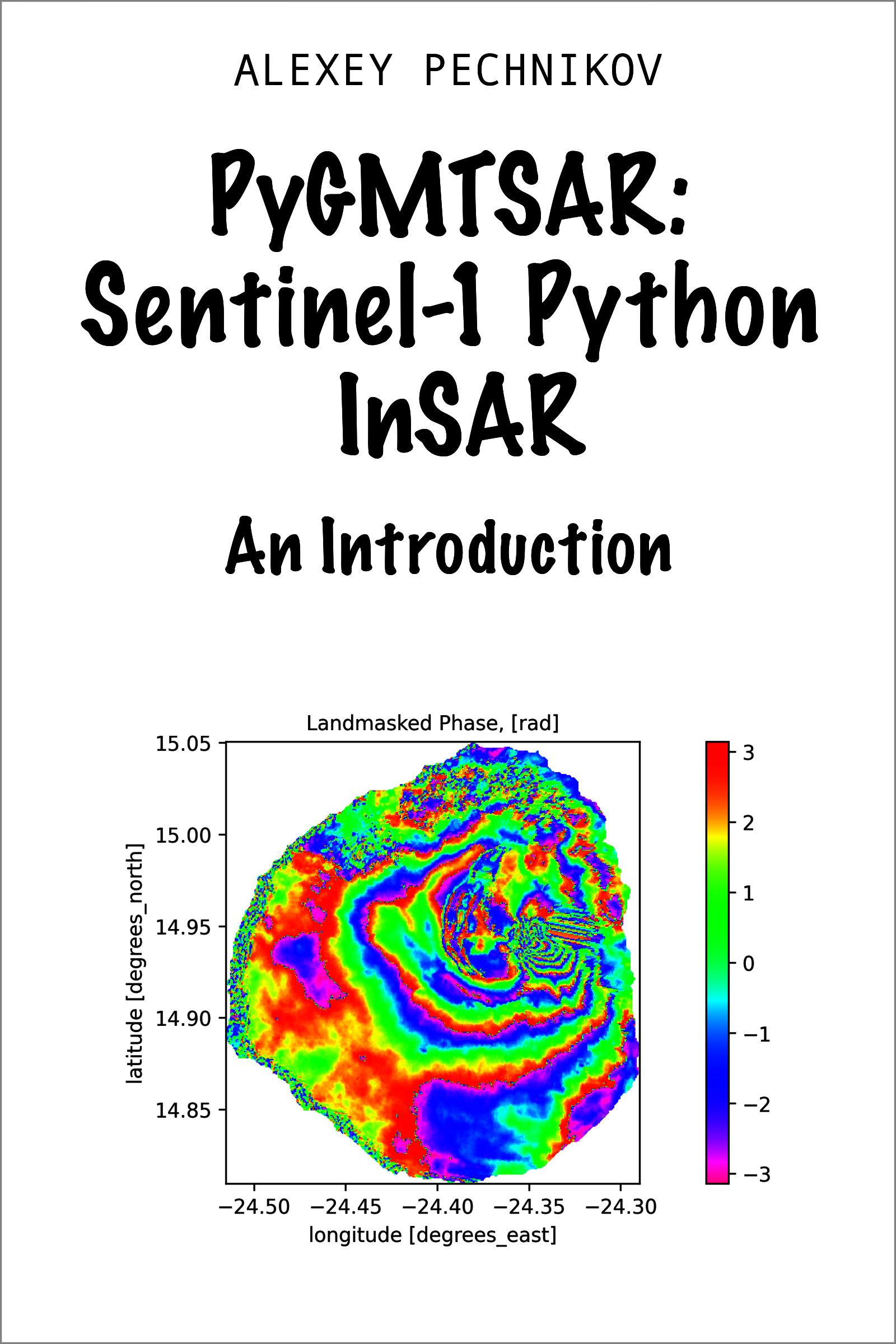
E-Book Release: 'PyGMTSAR: Sentinel-1 Python InSAR: An Introduction' The e-book is now available for the stable PyGMTSAR release across various platforms, including Amazon, Apple, Kobo, and many other bookstores. For a glimpse of the content, check out the PyGMTSAR Introduction Preview in the GitHub repository.
Educational Resources: Video Lessons and Notebooks Find PyGMTSAR (Python InSAR) video lessons and educational notebooks on Patreon and YouTube.
PyGMTSAR AI Assistant The PyGMTSAR AI Assistant, powered by OpenAI GPT-4, is knowledgeable in InSAR processing using PyGMTSAR. It can assist in understanding the theory, finding and explaining InSAR examples, creating an InSAR processing pipeline, and troubleshooting issues in your processing.

The assistant can answer many of your questions, such as:
-
How to start with InSAR?
-
Where can I find interactive InSAR example?
-
Please provide interferogram creation code.
-
Show me online InSAR examples on Google Colab.
-
Explain to me content https:// colab.research.google.com/drive/1673p-BhRwsh8g3VBYhqBYLrL5Lso81mj?usp=sharing
-
Show me open tickets.
-
Find the recent ticket about Docker images and display last message.
-
Create my AOI as GeoJSON text for a line between the points (-24.42, 14.8) and (-24.54, 14.88).
-
Could you explain the global plotting parameters used in https://colab.research.google.com/drive/1dpDWbp3BO-xVWnTcJN4NXTdfZ47oxrM4?usp=sharing
-
What specific lines of code need to be modified to compute the interferogram without multilooking in https://colab.research.google.com/drive/1dpDWbp3BO-xVWnTcJN4NXTdfZ47oxrM4?usp=sharing
Furthermore, you have the option to upload a document or a screenshot for discussion, and you can request explanations, such as 'explain the code to me,' among many other possibilities.
PyGMTSAR Previous Version
The 2023 releases of PyGMTSAR are still available on GitHub, PyPI, DockerHub, and Google Colab. For more information and access to these releases, visit the project's home page at the PyGMTSAR 2023 GitHub Repository. Included is a collection of examples that facilitate the comparison of PyGMTSAR's InSAR processing capabilities with those of other InSAR software.
@ Alexey Pechnikov, 2024
1 maintainer

Metadata
1 maintainer
Release files for pygmtsar 2024.6.3.post10
For a detailed explanation of source distributions (sdists) and built distributions (wheels), please see the package formats documentation.
Source distribution (sdist)
| File | Size | Uploaded | |
|---|---|---|---|
| pygmtsar-2024.6.3.post10.tar.gz | 10.8 MB | Details |
Built distribution (wheel)
| File | Interpreter | ABI | Platform | Reset |
|---|---|---|---|---|
| pygmtsar-2024.6.3.post10-py3-none-any.whl | Python 3 | none | any | Details |
Total release size: 21.6 MB
Release files / pygmtsar-2024.6.3.post10.tar.gz
| Download URL | pygmtsar-2024.6.3.post10.tar.gz |
|---|---|
| Size | 10.8 MB |
| Tags | Source |
|
SHA-256 checksum How to use checksums |
00703d79d7eede06991698e03c433cd1a0094e396c7bd11ef36127a21f532c11
|
|
BLAKE2b-256 checksum How to use checksums |
f74ae9506e349ba42be087f394a5bd699ca5163dfd759025d2e475f8eabe5782
|
| Upload date | |
|
Uploaded using Trusted Publishing? What is trusted publishing? |
No |
| Uploaded via |
twine/5.1.0 CPython/3.11.9
|
Release files / pygmtsar-2024.6.3.post10-py3-none-any.whl
| Download URL | pygmtsar-2024.6.3.post10-py3-none-any.whl |
|---|---|
| Size | 10.8 MB |
| Tags | Python 3 |
|
SHA-256 checksum How to use checksums |
dec66c05131d0b3bb6d077ebec0c4bf766f64229b264e66bb2d7591f031ee7ef
|
|
BLAKE2b-256 checksum How to use checksums |
8f245621380b9c69645dfd81ac80a76b6197af3adb28079dbcc64aeceeaca4c3
|
| Upload date | |
|
Uploaded using Trusted Publishing? What is trusted publishing? |
No |
| Uploaded via |
twine/5.1.0 CPython/3.11.9
|














