
A human action controller running on different platforms

Project description
Human Action Controller (HAC)
Goal
A human action controller running on different platforms.
| Fun | Easy-to-use |
|---|---|
| Accurate | Anywhere |
Fun Examples
Mouse Control
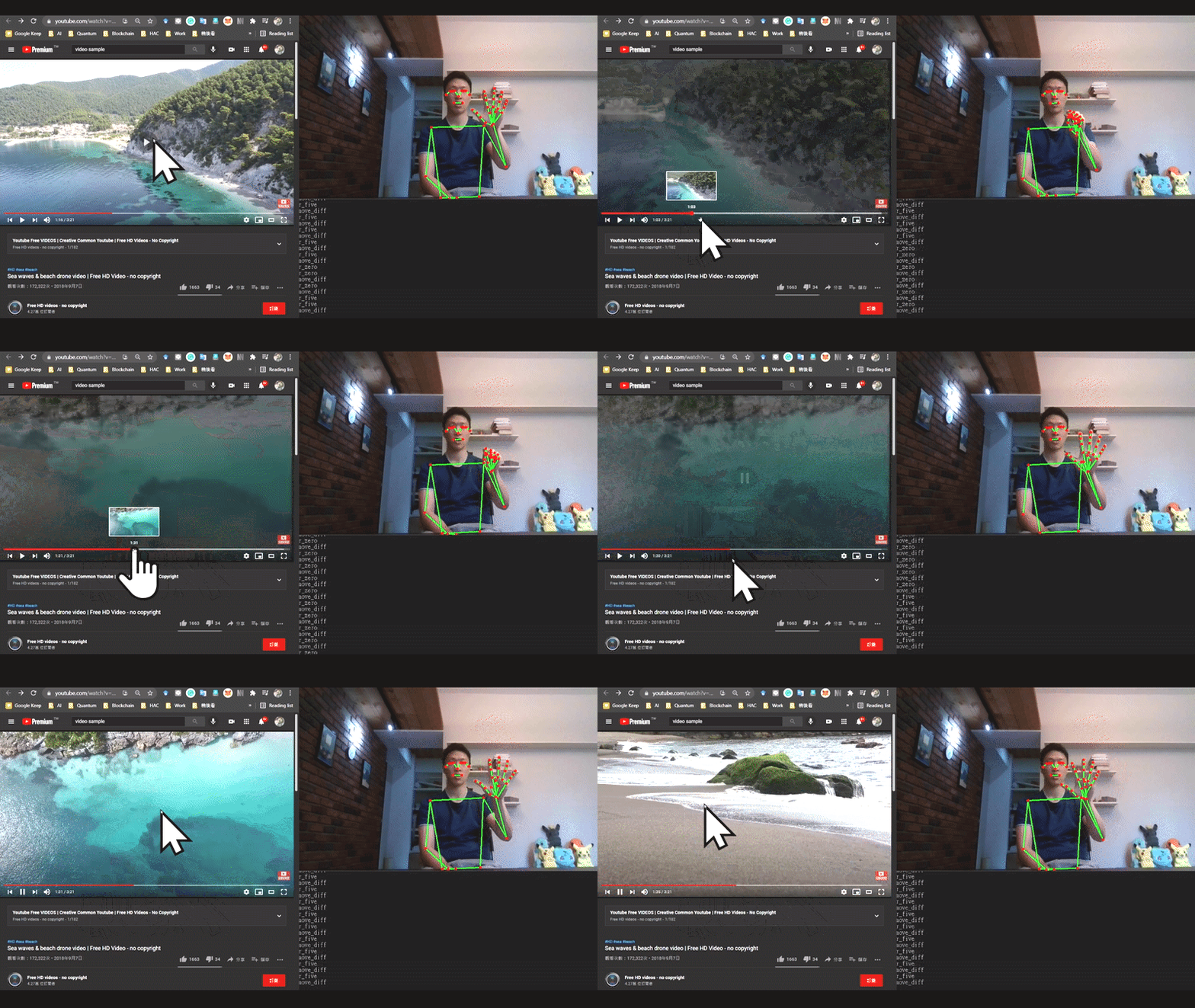
Keyboard Control
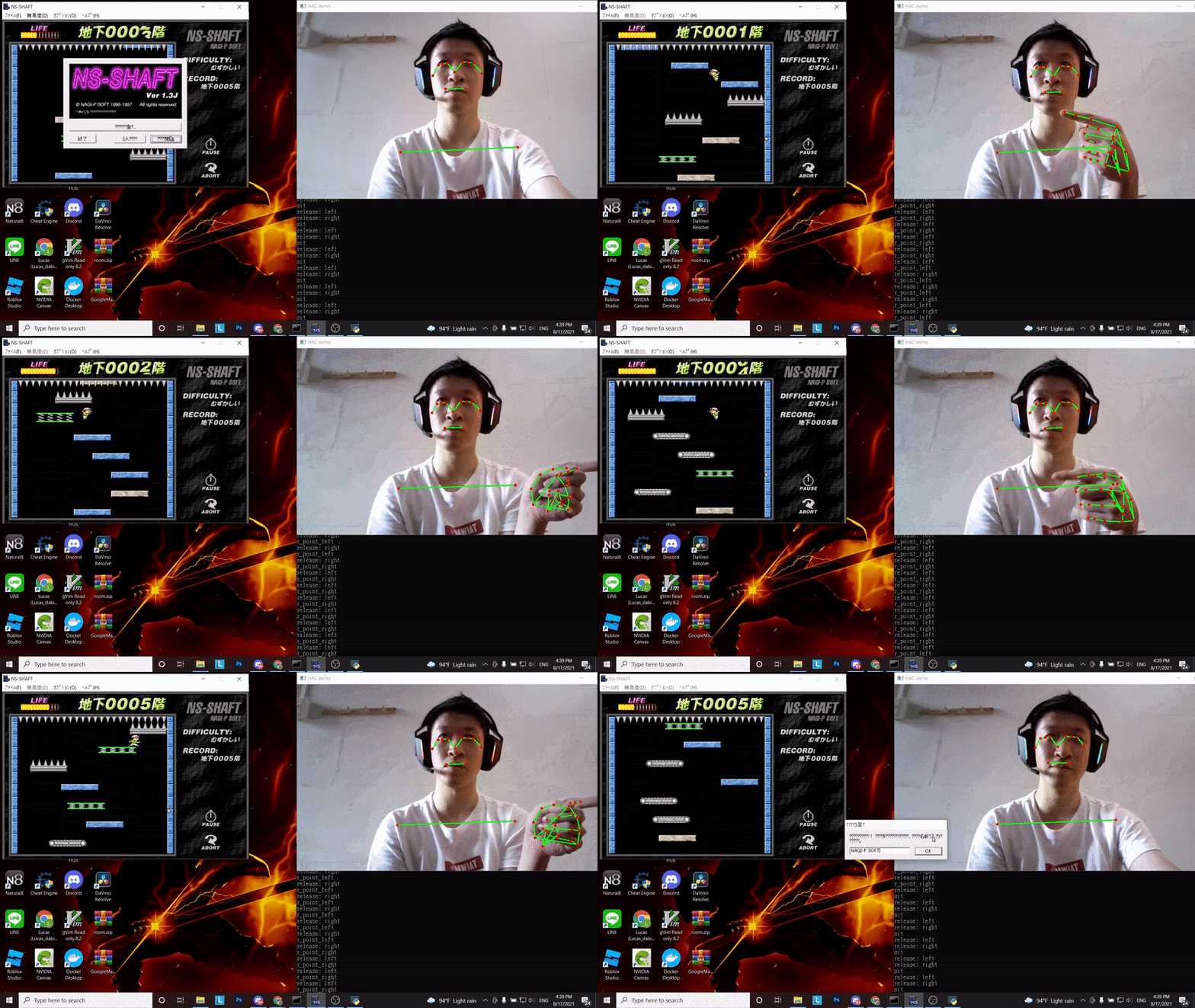
Playing Game
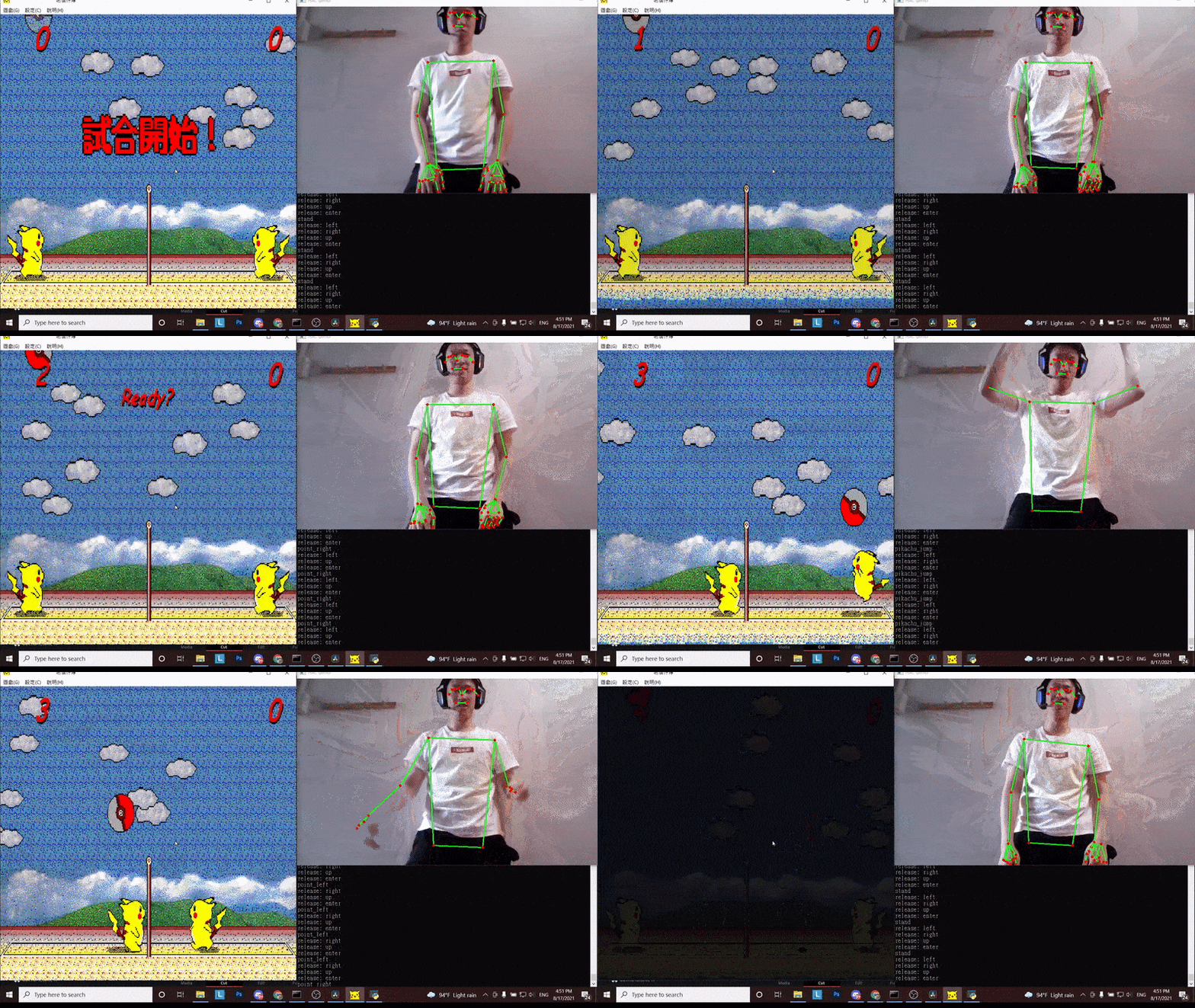
Enhancing interaction
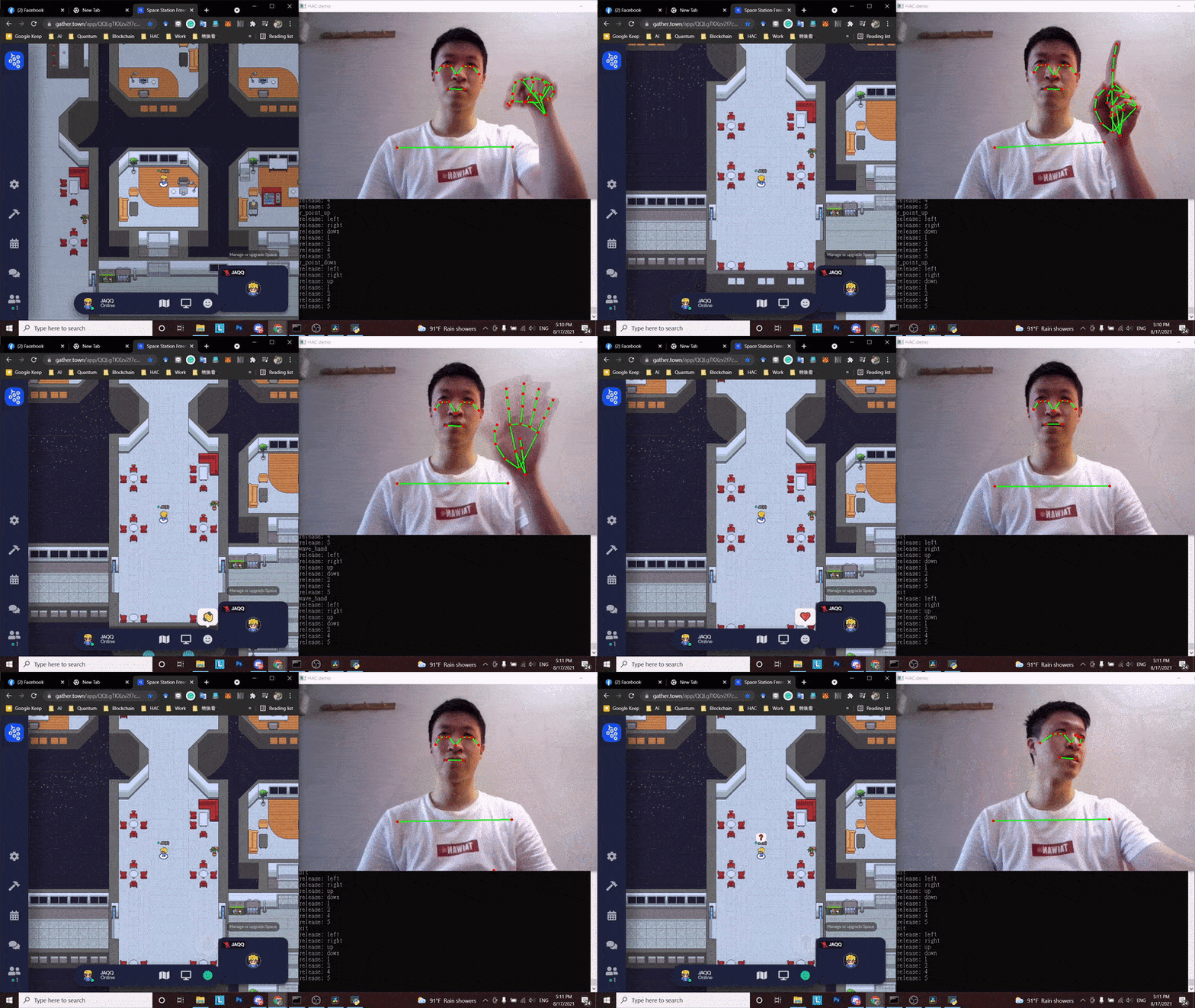
Solutions provided by HAC
| Platform | Module | Progress | Comment |
|---|---|---|---|
| PC / Win10 | Mouse Control | V | |
| PC / Win10 | Keyboard Control | V | |
| PC / Ubuntu | Mouse Control | V | |
| PC / Ubuntu | Keyboard Control | V |
Getting started
Installation
$ pip install pyhac
Run the demo of mouse control
$ git clone https://github.com/dabit-lucas/hac.git
$ cd hac
$ python demo_mouse_control_fast_slow.py
Recording custom actions
$ python recording.py -d {action name} -k True
Press key "r" to start recording, the data will be saved into ./data
Training a custom module
Here is an example of a config file of action set,
{
    "actions": [
        "r_zero",
        "r_one",
        "r_five",
        "l_zero",
        "l_one",
        "l_five",
        "two_index_fingers_up",
        "two_index_fingers_down",
        "55",
        "sit"
    ],
    "type": "gesture_only"
}
These actions form a model by running a training process:
$ python train.py --conf {path_of_action} --model_name {name_of_model}
The generated model will become a module. Take mouse control module as an exmaple, it can create mappings among actions and controls by the following code:
# add predefined modules
mouse_module = hac.add_module("mouse_control_fast_slow")
hac.set_init_module(mouse_module)

# create mapping between controls and actions
mouse_module.add_mouse_mapping("mouse_left_down", ["r_one", "r_zero"])
mouse_module.add_mouse_mapping("mouse_left_up", "r_one")
mouse_module.add_mouse_mapping("mouse_left_down", ["r_five", "r_zero"])
mouse_module.add_mouse_mapping("mouse_left_up", "r_five")

mouse_module.add_mouse_mapping("mouse_right_down", ["l_one", "l_zero"])
mouse_module.add_mouse_mapping("mouse_right_up", "l_one")
mouse_module.add_mouse_mapping("mouse_right_down", ["l_five", "l_zero"])
mouse_module.add_mouse_mapping("mouse_right_up", "l_five")

mouse_module.add_mouse_mapping("right_move_diff", ["r_zero", "r_zero"], sensitivity_factor=2.0)
mouse_module.add_mouse_mapping("right_move_diff", ["r_one", "r_one"], sensitivity_factor=4.0)
mouse_module.add_mouse_mapping("right_move_diff", ["r_five", "r_five"], sensitivity_factor=1.0)

mouse_module.add_mouse_mapping("left_move_diff", ["l_zero", "l_zero"], sensitivity_factor=2.0)
mouse_module.add_mouse_mapping("left_move_diff", ["l_one", "l_one"], sensitivity_factor=4.0)
mouse_module.add_mouse_mapping("left_move_diff", ["l_five", "l_five"], sensitivity_factor=1.0)

mouse_module.add_mouse_mapping("roll_up", "two_index_fingers_up")
mouse_module.add_mouse_mapping("roll_down", "two_index_fingers_down")
If the five gesture with a right hand shows in consecutive two frames ["r_five", "r_five"], then do control right_move_diff, which means moving the mouse cursor. The above description can be represented by the following code:
mouse_module.add_mouse_mapping("right_move_diff", ["r_five", "r_five"])
Development guideline
Community
Welcome to ask any question in issues.
Contributing
Any contribution is welcomed. Please fork this repo and summit a pull request.


Download files
Download the file for your platform. If you're not sure which to choose, learn more about installing packages.
Source Distribution
Built Distribution
Filter files by name, interpreter, ABI, and platform.
If you're not sure about the file name format, learn more about wheel file names.
Copy a direct link to the current filters
File details
Details for the file pyhac-0.0.8.tar.gz.
File metadata
- Download URL: pyhac-0.0.8.tar.gz
- Upload date:
- Size: 725.4 kB
- Tags: Source
- Uploaded using Trusted Publishing? No
- Uploaded via: twine/3.4.2 importlib_metadata/4.6.0 pkginfo/1.7.1 requests/2.23.0 requests-toolbelt/0.9.1 tqdm/4.61.2 CPython/3.7.7
File hashes
| Algorithm | Hash digest | |
|---|---|---|
| SHA256 |
93a6277a6ee9b3375d616ac9f5b4e0ba0e095273c0c960a88ea8de1f9169fb29
|
|
| MD5 |
275144a0824b56ff541e437b2870f430
|
|
| BLAKE2b-256 |
760f52af63fa85875cc76a2351aa39a87cd56ea23a1d8b16a1681a177c48b618
|
File details
Details for the file pyhac-0.0.8-py2.py3-none-any.whl.
File metadata
- Download URL: pyhac-0.0.8-py2.py3-none-any.whl
- Upload date:
- Size: 737.5 kB
- Tags: Python 2, Python 3
- Uploaded using Trusted Publishing? No
- Uploaded via: twine/3.4.2 importlib_metadata/4.6.0 pkginfo/1.7.1 requests/2.23.0 requests-toolbelt/0.9.1 tqdm/4.61.2 CPython/3.7.7
File hashes
| Algorithm | Hash digest | |
|---|---|---|
| SHA256 |
b454eed6457fa466d2da19957127fc6969a6fd6cd8fa31243702e806b369ab3a
|
|
| MD5 |
6b8598cfb7a83ea876b63fbceb3c829a
|
|
| BLAKE2b-256 |
9ca6b5b280aa3783f4fba5dea231f22b3a97a336f38a6ed442ad43e710bdbaa1
|






