
headspace-cli

Command line script to download headspace packs, singles or everyday meditation.
👶 Dependencies
🛠️ Installation
pip install --upgrade pyheadspace
- If installing using
pip install --user, you must add the user-level bin directory to your PATH environment variable in order to use pyheadspace. If you are using a Unix derivative (FreeBSD, GNU / Linux, OS X), you can achieve this by usingexport PATH="$HOME/.local/bin:$PATH"command.
OR install with pipx
pipx install pyheadspace
This tool is only meant for personal use. Do not use this for piracy!
⚙️ Setup
Run and enter login credentials.
headspace login
If you use other form of authentication like google(do not have username and password), you could follow these steps
🚀 Usage
Download all packs at once
# Download all packs with each session of duration 15 minutes
headspace pack --all --duration 15

# Download all packs with session duration of 10 & 20 minutes
headspace pack --all --duration 10 --duration 15
Exclude specific packs from downloading:
To exclude specific packs from downloading use --exclude option.
It expects location of text file for links of packs to exclude downloading. Every link should be on separate line.
links.txt:
https://my.headspace.com/modes/meditate/content/154
https://my.headspace.com/modes/meditate/content/150
command
headspace packs --all --exclude links.txt
This would download all packs except the ones in links.txt file
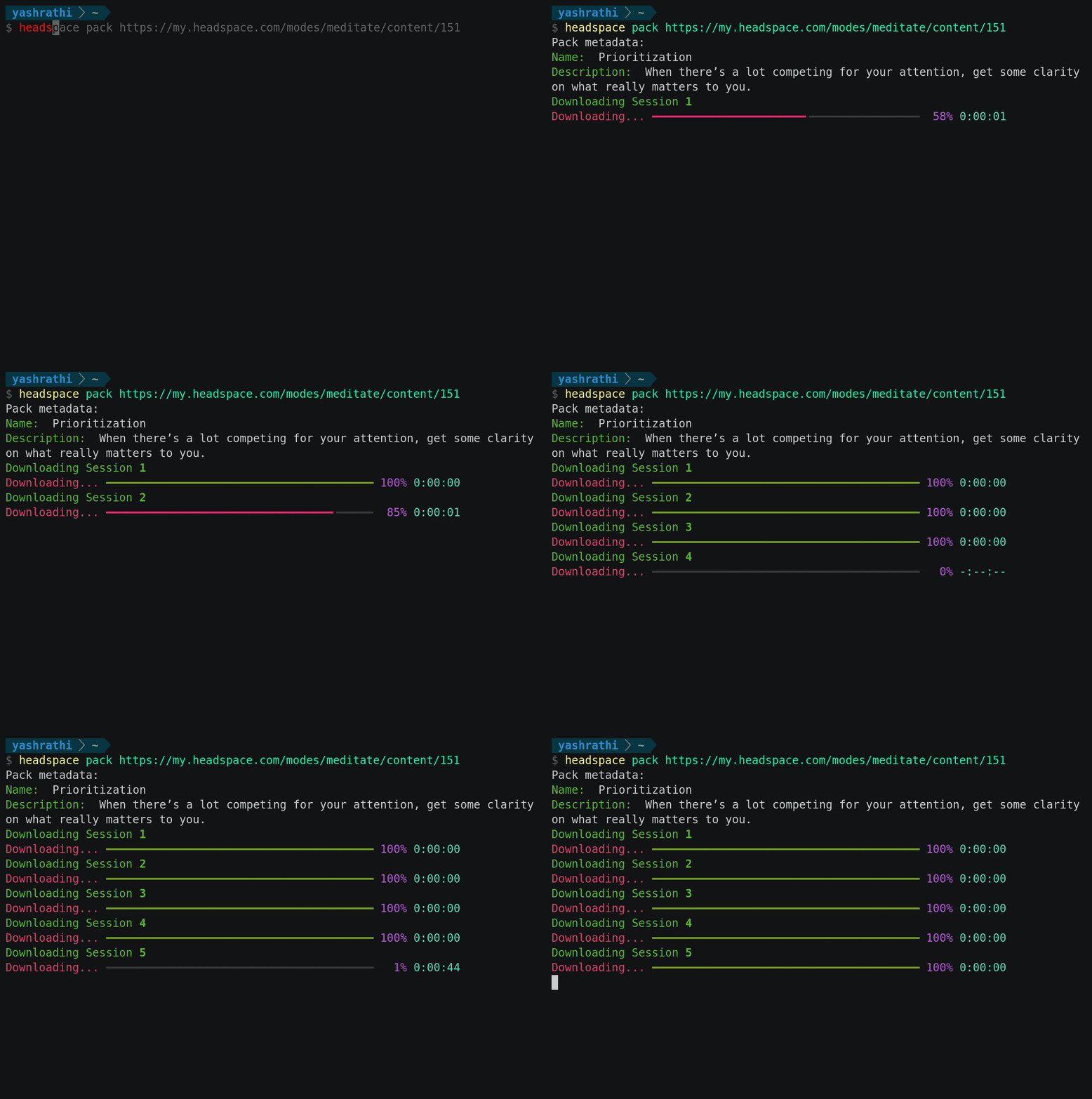
Downloading specific pack
headspace pack <PACK_URL> [Options]
BASIC USAGE
# Download with all session of duration 15 minutes
headspace pack https://my.headspace.com/modes/meditate/content/151 --duration 15

# Download sessions of multiple duration
headspace pack https://my.headspace.com/modes/meditate/content/151 -d 20 -d 15
Options:
--id INTEGER         ID of video.
-d, --duration TEXT  Duration or list of duration
--no_meditation      Only download meditation session without techniques
                    videos.
--no_techniques      Only download techniques and not meditation sessions.
--out TEXT           Download directory
--all                Downloads all headspace packs.
-e, --exclude TEXT   Use with `--all` flag. Location of text file with links
                    of packs to exclude downloading. Every link should be
                    on separate line.
--help               Show this message and exit.
Download single session
headspace download <SESSION_URL> [options]
BASIC USAGE
$ headspace download https://my.headspace.com/player/204?authorId=1&contentId=151&contentType=COURSE&mode=meditate&trackingName=Course&startIndex=1 --duration 15
Options:
--out TEXT           Download directory.
--id INTEGER         ID of the video. Not required if URL is provided.
-d, --duration       Duration or list of duration
--help               Show this message and exit.
Download everyday meditations
headspace everyday [OPTIONS]
BASIC USAGE
# Downloads today's meditation
headspace everyday

# Download everyday meditation of specific time period.
# DATE FORMAT: yyyy-mm-dd
headspace everyday --from 2021-03-01 --to 2021-03-20
Options
--from TEXT          Start download from specific date. DATE-FORMAT=>yyyy-
                    mm-dd
--to TEXT            Download till a specific date. DATE-FORMAT=>yyyy-mm-dd
-d, --duration TEXT  Duration or list of duration
--out TEXT           Download directory
--help               Show this message and exit.
Changing Language Preference
By default the language is set to english. You could change to other languages supported by headspace. Other Languages:
- de-DE
- es-ES
- fr-FR
- pt-BR
To change the language modify the environment variable HEADSPACE_LANG and set the value to the langauge code.
- For fish/bash shell
export HEADSPACE_LANG="fr-FR" - Powershell
$env:DESIRED_LANGUAGE="fr-FR"
If you encounter any issue or bug, open a new issue on github
1 maintainer

Metadata
1 maintainer
Release files for pyheadspace 3.1.5
For a detailed explanation of source distributions (sdists) and built distributions (wheels), please see the package formats documentation.
Source distribution (sdist)
| File | Size | Uploaded | |
|---|---|---|---|
| pyheadspace-3.1.5.tar.gz | 11.3 kB | Details |
Built distribution (wheel)
| File | Interpreter | ABI | Platform | Reset |
|---|---|---|---|---|
| pyheadspace-3.1.5-py3-none-any.whl | Python 3 | none | any | Details |
Total release size: 21.5 kB
Release files / pyheadspace-3.1.5.tar.gz
| Download URL | pyheadspace-3.1.5.tar.gz |
|---|---|
| Size | 11.3 kB |
| Tags | Source |
|
SHA-256 checksum How to use checksums |
02a4f37479453b6b66280cf1a6c9b9093fb498ca2d6d927b495136c989208ef7
|
|
BLAKE2b-256 checksum How to use checksums |
9d08362e9fd88084ce214683e42713d0fbb2abc7ba5aac406569b1c7a5525a03
|
| Upload date | |
|
Uploaded using Trusted Publishing? What is trusted publishing? |
No |
| Uploaded via |
poetry/1.1.13 CPython/3.10.4 Linux/5.17.5-arch1-1
|
Release files / pyheadspace-3.1.5-py3-none-any.whl
| Download URL | pyheadspace-3.1.5-py3-none-any.whl |
|---|---|
| Size | 10.2 kB |
| Tags | Python 3 |
|
SHA-256 checksum How to use checksums |
21e500bc5094fe4706987a5503fcae38b627a96ccacb215f40e2015194d8378d
|
|
BLAKE2b-256 checksum How to use checksums |
7bd9142ec9f1eecb51f273cbfa2692bd5a197b162726aa3b7aa2eca5d4840588
|
| Upload date | |
|
Uploaded using Trusted Publishing? What is trusted publishing? |
No |
| Uploaded via |
poetry/1.1.13 CPython/3.10.4 Linux/5.17.5-arch1-1
|














