


            ____          __                 _
           / __ \ __  __ / /_   ___   _____ (_)_   __ ___
          / /_/ // / / // __ \ / _ \ / ___// /| | / // _ \
         / ____// /_/ // / / //  __/(__  )/ / | |/ //  __/
        /_/     \__, //_/ /_/ \___//____//_/  |___/ \___/
               /____/

A lightweight, flexible python package to insert cohesive elements
About The Project
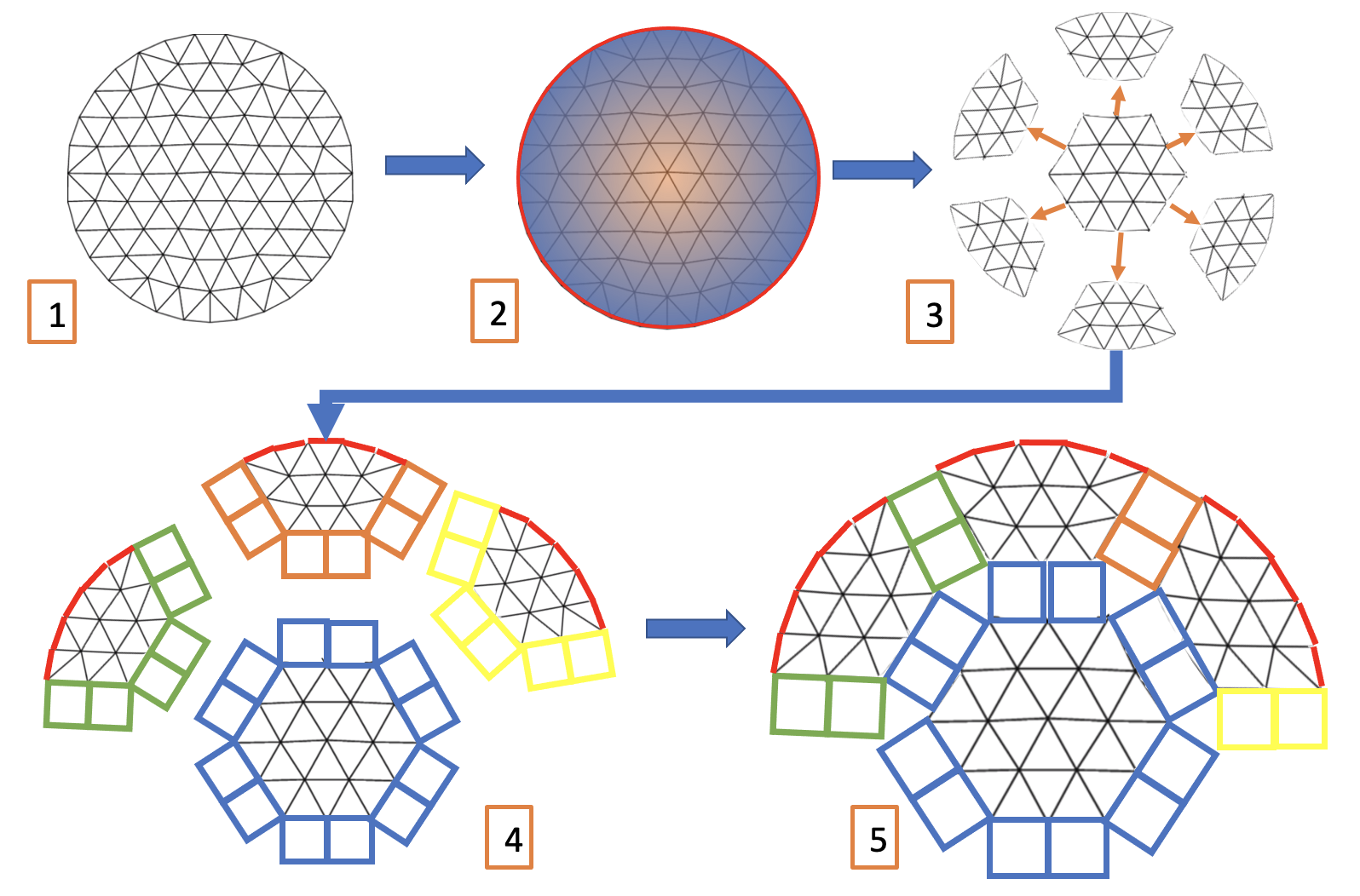
Simple, extensible python library to read a finite element mesh and insert cohesive elements. Meshes are partitioned into sectors using METIS mesh partitioner, and cohesive elements are inserted between partitions. This allows an arbitrary level of insertion (controlled primarily by the number of partitions) without the user needing to specify cumbersome face-sets along which to insert.
Supported Mesh Formats
Abaqus, ANSYS msh, AVS-UCD, CGNS, DOLFIN XML, Exodus, FLAC3D, H5M, Kratos/MDPA, Medit, MED/Salome, Nastran (bulk data), Neuroglancer precomputed format, Gmsh (format versions 2.2, 4.0, and 4.1), OBJ, OFF, PERMAS, PLY, STL, Tecplot .dat, TetGen .node/.ele, SVG (2D only, output only), SU2, UGRID, VTK, VTU, WKT (TIN), XDMF.
Mesh I/O is facilitated by meshio, see meshio documentation for up-to-date list of supported mesh formats.
Built With
Getting Started
To get a local copy up and running follow these simple steps.
Installation
Install via pip
$ python3 -m pip install pyhesive
Or clone the repository and install an editable copy from setup.py
$ git clone https://gitlab.com/Jfaibussowitsch/pyhesive.git
$ cd pyhesive
$ python3 -m pip install -e .
Example Usage
[RECOMMENDED] Command line script
$ pyhesive-insert -i /path/to/mesh/file -b 15
Additional commmand line arguments are listed via
$ pyhesive-insert --help
The tool is also fully functional via Python module import
import pyhesive

# create the mesh from plain old data
pyh = pyhesive.Mesh.from_POD(points,cells)

# create partitions
number_of_partitions = 15 # for example
pyh.partition_mesh(number_of_partitions)

# insert elements between partitions
pyh.insert_elements()

# write to file, for example in abaqus format, '.inp' extension is automatically appended
output_file_name = "~/projects/meshes/cohesive_mesh"
pyh.write_mesh(output_file_name,mesh_format_out="abaqus")

# for convenience, all of the above can also be chained
pyhesive.Mesh.from_POD(points,cells)               \
             .partition_mesh(number_of_partitions) \
             .insert_elements()                    \
             .write_mesh(output_file_name,mesh_format_out="abaqus")
Testing
To run the test suite, make sure you have pytest and vermin installed. Then clone the repository, and run pytest from the project directory. Alternatively one can also run make test to test additional features such as package upload, installation and minimum Python version.
# to run just the correctness tests
$ pytest
# to run all tests
$ make test
Acknowledgments
This project is supported by the Center for Exascale-enabled Scramjet Design (CEESD) at the University of Illinois at Urbana-Champaign.
This material is based in part upon work supported by the Department of Energy, National Nuclear Security Administration, under Award Number DE-NA0003963.
1 maintainer

Metadata
1 maintainer
Release files for pyhesive 1.2
For a detailed explanation of source distributions (sdists) and built distributions (wheels), please see the package formats documentation.
Source distribution (sdist)
| File | Size | Uploaded | |
|---|---|---|---|
| pyhesive-1.2.tar.gz | 17.1 kB | Details |
Built distribution (wheel)
| File | Interpreter | ABI | Platform | Reset |
|---|---|---|---|---|
| pyhesive-1.2-py3-none-any.whl | Python 3 | none | any | Details |
Total release size: 32.3 kB
Release files / pyhesive-1.2.tar.gz
| Download URL | pyhesive-1.2.tar.gz |
|---|---|
| Size | 17.1 kB |
| Tags | Source |
|
SHA-256 checksum How to use checksums |
382bd78a1e1ead2175d03c0c1fa8a782d472c209c763fd768dee81f2591be337
|
|
BLAKE2b-256 checksum How to use checksums |
1631a76ad06d93eca3a5903b6fdf2c2e030d0fc4c07651d247e4971ceb9ea76b
|
| Upload date | |
|
Uploaded using Trusted Publishing? What is trusted publishing? |
No |
| Uploaded via |
twine/4.0.1 CPython/3.9.13
|
Release files / pyhesive-1.2-py3-none-any.whl
| Download URL | pyhesive-1.2-py3-none-any.whl |
|---|---|
| Size | 15.2 kB |
| Tags | Python 3 |
|
SHA-256 checksum How to use checksums |
433aa338bab9893b7b2f2499317b812a042cfb42d2bf62134febd6dbd4a902c8
|
|
BLAKE2b-256 checksum How to use checksums |
1c3b127cc85eaee4b8e9fa8ad2bd8945983a9219039907bad8d15290dc644de5
|
| Upload date | |
|
Uploaded using Trusted Publishing? What is trusted publishing? |
No |
| Uploaded via |
twine/4.0.1 CPython/3.9.13
|














