
Applying some image kernel(s) on an image

Project description
Pyimkernel




With this package, You can apply various image kernels such as Blur, Sobel, Scharr and so forth (The list of image kernels is mentioned below) on a grayscale or color image, and show images using the class ApplyKernels in this package to reach a wide range of effects and enhancements in digital images.
Installation
pip install pyimkernel
Usage
from pyimkernel import ApplyKernels
import mnist
import cv2
import os

# Load data
X_train, X_test, y_train, y_test = mnist.train_images(), mnist.test_images(), mnist.train_labels(), mnist.test_labels()

# Create an instance
imkernel = ApplyKernels(random_seed=0)

# Grayscale
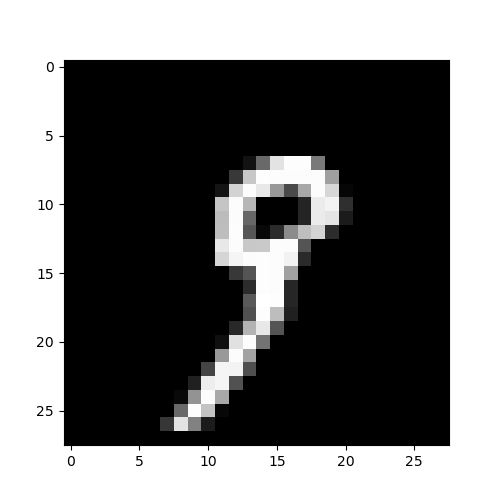
# Show image 9
imkernel.imshow(X_train[19], cmap=plt.cm.gray)

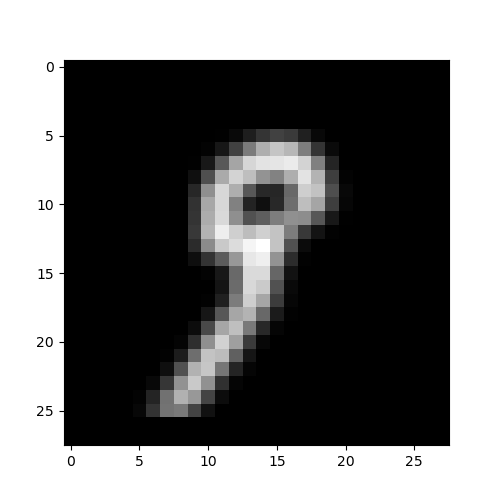
# Apply blur kernel on a grayscale image 9
filtered_image = imkernel.apply_filter_on_gray_img(X_train[19], kernel_name='blur')

# Show the filtered image 9
imkernel.imshow(image=filtered_image, cmap='gray')

# Color Scale
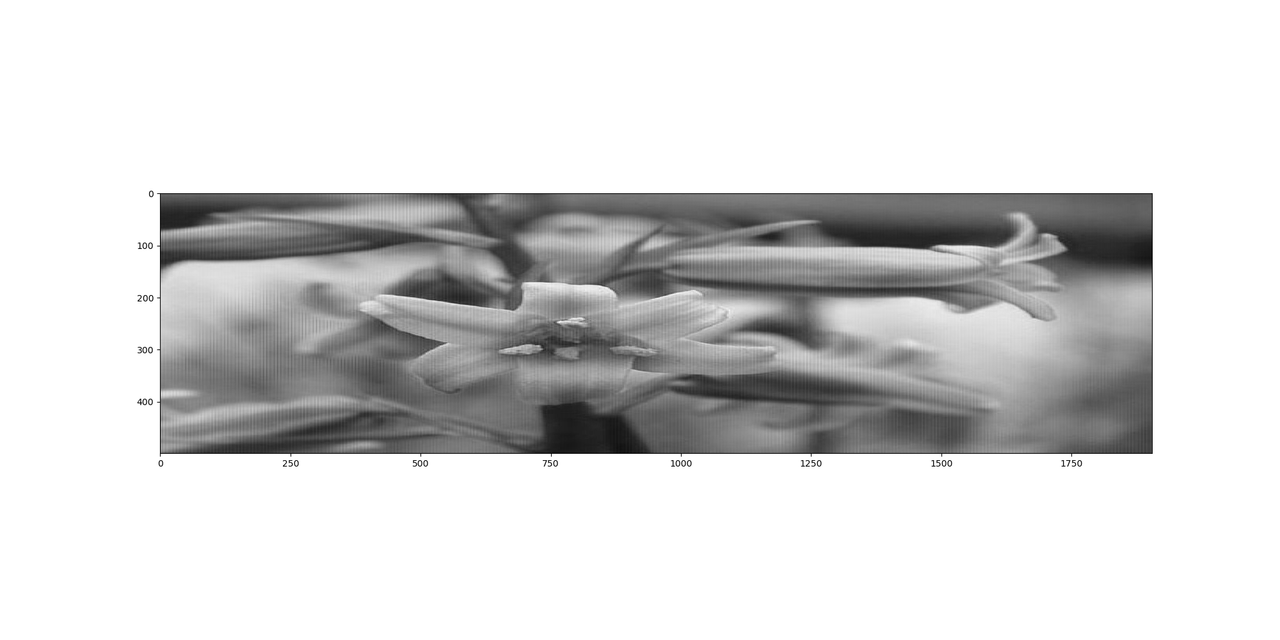
# Read the flower image
image1 = cv2.imread(os.path.join('Images', '1.jpg'))

# Show the flower image
imkernel.imshow(image1.reshape(image1.shape[0], -1), cmap='gray', figsize=(20, 10))

# Show the filtered flower image
imkernel.imshow(image=imkernel.apply_filter_on_color_img(image1, kernel_name='laplacian', with_resize=True),
                figsize=(7, 6), cmap='gray')
Grayscale Output
Before Applying the blur kernel on a grayscale image 9
After Applying the blur kernel on a grayscale image 9
Color Scale Output
Before Applying the laplacian kernel on a color scale flower image
After Applying the laplacian kernel on a color scale flower image and assigning True to the with_resize parameter
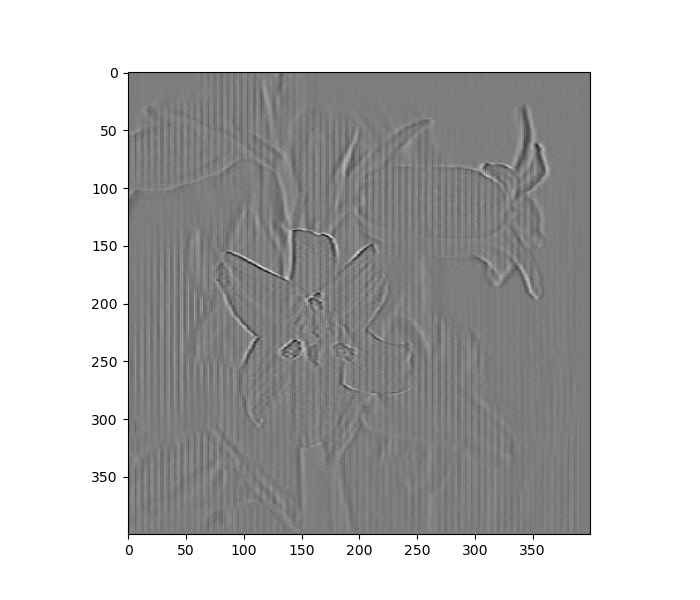
Image kernels
Image kernels are listed below:
- blur
- bottom sobel
- emboss
- identity
- left sobel
- outline
- right sobel
- sharpen
- top sobel
- horizontal edge
- vertical edge
- box blur
- laplacian
- prewitt horizontal edge
- prewitt vertical edge
- high-pass filter
- unsharp masking
- dilate
- soften
- scharr horizontal edge
- scharr vertical edge
Release history Release notifications | RSS feed


Download files
Download the file for your platform. If you're not sure which to choose, learn more about installing packages.
Source Distribution
Built Distribution
Filter files by name, interpreter, ABI, and platform.
If you're not sure about the file name format, learn more about wheel file names.
Copy a direct link to the current filters
File details
Details for the file pyimkernel-0.5.1.tar.gz.
File metadata
- Download URL: pyimkernel-0.5.1.tar.gz
- Upload date:
- Size: 2.1 MB
- Tags: Source
- Uploaded using Trusted Publishing? No
- Uploaded via: twine/4.0.2 CPython/3.10.9
File hashes
| Algorithm | Hash digest | |
|---|---|---|
| SHA256 |
981cf6d5584471f6c62fe1c2a4486d556a9385b1e8656046eb1b9be7c66acbb2
|
|
| MD5 |
2830cea6fcf793e09e4856f24218ba72
|
|
| BLAKE2b-256 |
83745f1b8c34d36afeaab1b00cf476229775e7d4d295e304459895732b90658d
|
File details
Details for the file pyimkernel-0.5.1-py3-none-any.whl.
File metadata
- Download URL: pyimkernel-0.5.1-py3-none-any.whl
- Upload date:
- Size: 6.8 kB
- Tags: Python 3
- Uploaded using Trusted Publishing? No
- Uploaded via: twine/4.0.2 CPython/3.10.9
File hashes
| Algorithm | Hash digest | |
|---|---|---|
| SHA256 |
aef23128e81ddf1e291138b7c56b1cc3c08ba11123726df167d50f1c57bca197
|
|
| MD5 |
9b0e868623c71c9c423bea236e48f95b
|
|
| BLAKE2b-256 |
1346cc6b74d7454eee295557a84dbdc84d818c9bb6acf9c059c52b939c9ecd66
|






