
Python package for Indus Chat API by Sarvam AI

Project description






Installation
pip install pyindus
Or with uv:
uv add pyindus
Quick Start
IndusClient acts as a fully-featured, seamless SDK. It automatically saves, loads, and refreshes sessions for you.
1. Initial Login
Run this once to authenticate. The client will automatically save your session to indus_session.json by default.
from pyindus import IndusClient

# Login with phone number
client = IndusClient()
client.login("+91XXXXXXXXXX")

# Enter the OTP received via SMS
client.verify_otp("123456")

# The session is now authenticated and saved automatically!
2. Immediate Re-use (Like an SDK)
Run this anywhere else in your project. Because the session was saved, the client automatically loads it on __init__. If the token expires, the client will dynamically refresh it in the background.
from pyindus import IndusClient

# Automatically loads the previous session from 'indus_session.json'
client = IndusClient()

# Chat directly! No need to login again.
response = client.chat("What is quantum computing?")
print(response.answer)
Integration Guide: Custom Paths
If you're building a web app or managing multiple users, you can specify individual session files.
from pyindus import IndusClient

# Supply a unique path for the user's session
def handle_user_request(user_id, message):
    session_path = f"sessions/user_{user_id}.json"

    # Auto-loads and manages session in this specific file
    with IndusClient(session_file=session_path) as client:
        return client.chat(message)
Advanced Usage
Working with Specific Models
Indus supports different "Task Graphs" (models like Sarvam Think, Bulbul, etc.). By default, IndusClient selects the first available chat model automatically.
from pyindus import IndusClient

with IndusClient() as client:
    # List available models
    models = client.get_models()
    for model in models:
        print(f"{model.name}: {model.description}")

    # Use a specific model
    response = client.chat("Explain gravity", task_graph_uid=models[-1].uid)
    print(response.answer)
File Attachments
Upload files and attach them to your messages:
from pyindus import IndusClient

with IndusClient() as client:
    # Upload a file
    attachment = client.upload_attachment("./document.pdf")

    # Chat with the attachment
    response = client.chat("Summarize this document", attachments=[attachment])
    print(response.answer)
Session Management
with IndusClient() as client:
    # List all sessions
    sessions = client.list_sessions()
    for s in sessions:
        print(f"{s.title} ({s.uid})")

    # Delete a session
    client.delete_session(session_uid)

    # Start fresh
    client.new_session()
TUI Usage
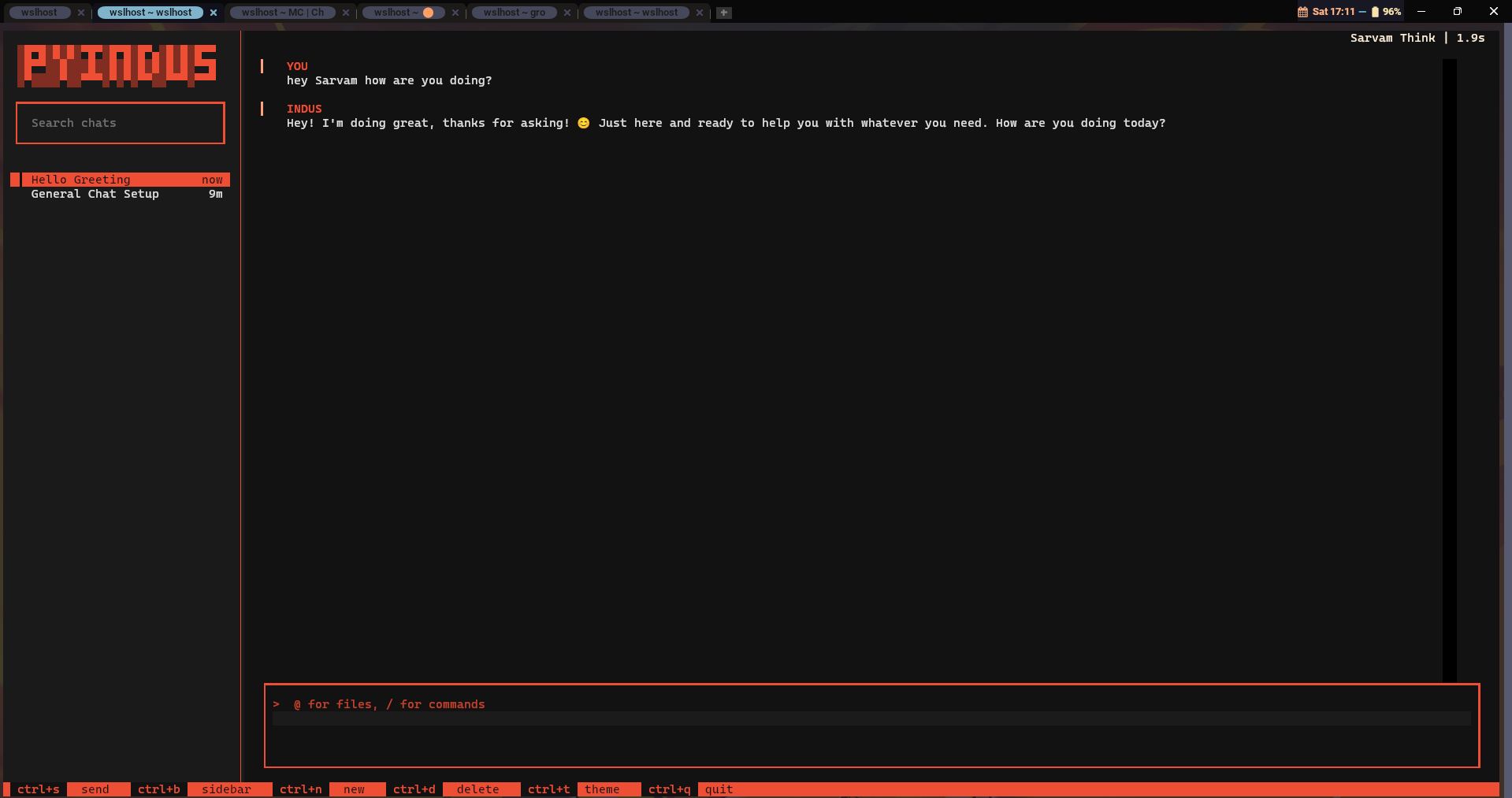
Launch the interactive terminal UI with:
pyindus chat
Features
- Rich terminal interface with styled panels, markdown rendering, and color-coded output
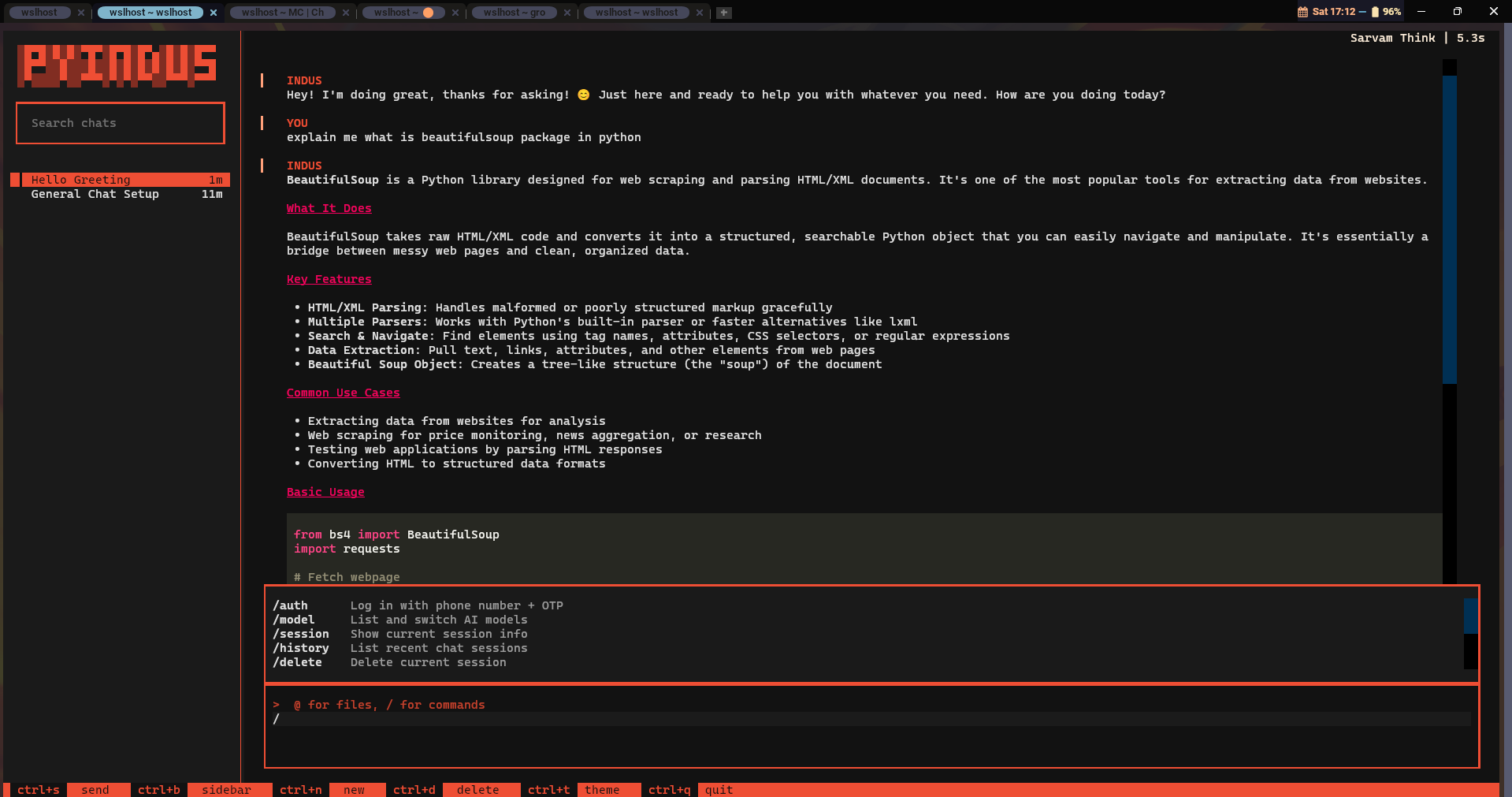
- Slash commands:
/auth,/model,/session,/history,/delete,/attach,/new,/clear,/help,/exit - File attachments: Use
@path/to/filein messages or/attach file.txtto upload files - Session history: Browse and manage past chat sessions
- Model picker: List and switch between available AI models
- Session persistence: Automatically saves and loads sessions
- Tool call display: Shows search queries and tool usage during responses
- Markdown rendering: Code blocks, lists, and formatting in responses
Auth Flow
- Launch with
pyindus chat - Run
/authto start the login flow - Enter your phone number with country code (e.g.,
+918874163264) - Enter the OTP received via SMS
- Start chatting!
File Attachments
Attach files to your messages using the @ prefix:
you (Sarvam Think) > @./report.pdf summarize this document
Or use the /attach command to queue files before sending:
you (Sarvam Think) > /attach screenshot.png
Attached: screenshot.png (45KB) (1 file pending)
you (Sarvam Think) > what's in this image?
Session Management
/history    - List recent chat sessions
/delete     - Delete the current session
/new        - Start a fresh session
/session    - Show current session info
Screenshot
Development
Prerequisites
- Python 3.10+
- uv (recommended) or pip
Setup
# Clone the repository
git clone https://github.com/yourusername/pyindus.git
cd pyindus

# Install with dev dependencies (using uv)
uv sync

# Or with pip
pip install -e ".[dev]"
Project Structure
pyindus/
├── src/pyindus/
│   ├── __init__.py       # Package exports
│   ├── auth.py           # Ory/Kratos authentication flow
│   ├── chat.py           # Chat API operations (prompts, sessions, attachments)
│   ├── client.py         # High-level SDK client
│   ├── cli.py            # CLI entrypoints (pyindus auth/chat)
│   ├── exceptions.py     # Custom exception hierarchy
│   ├── models.py         # Pydantic models for API responses
│   └── tui.py            # Rich terminal UI
├── tests/
│   ├── test_auth.py      # Auth unit tests (mocked)
│   ├── test_chat.py      # Chat API unit tests (mocked)
│   ├── test_client.py    # Client integration tests (mocked)
│   ├── test_live.py      # Live API tests (requires real session)
│   ├── test_models.py    # Pydantic model tests
│   └── test_tui.py       # TUI command and rendering tests
├── pyproject.toml
└── uv.lock
Running Tests
# Run all tests (mocked, no API calls)
uv run pytest tests/ -v

# Run tests excluding live API tests
uv run pytest tests/ -m "not live" -v

# Run only live tests (requires valid indus_session.json)
uv run pytest tests/ -m "live" -v

# Run with coverage
uv run pytest tests/ --cov=pyindus --cov-report=term-missing

# Run a specific test file
uv run pytest tests/test_tui.py -v
Test Categories
- Unit tests (
test_auth.py,test_chat.py,test_client.py,test_models.py,test_tui.py): Userespxto mock HTTP calls. Safe to run offline, no API credentials needed. - Live tests (
test_live.py): Make real API calls. Require a validindus_session.jsonin the project root. Marked with@pytest.mark.live.
Linting & Type Checking
# Install dev tools
uv add --dev ruff mypy

# Format code
uv run ruff format src/ tests/

# Lint
uv run ruff check src/ tests/

# Type check
uv run mypy src/pyindus/
Building the Package
# Install build tool
uv add --dev build

# Build sdist and wheel
uv run python -m build

# Output will be in dist/
ls dist/
# pyindus-0.1.0.tar.gz
# pyindus-0.1.0-py3-none-any.whl
Publishing to PyPI
# Install twine
uv add --dev twine

# Upload to PyPI (requires PyPI account and API token)
uv run twine upload dist/*

# Or upload to Test PyPI first
uv run twine upload --repository testpypi dist/*
PyPI Setup:
- Create an account at pypi.org
- Generate an API token at pypi.org/manage/account/token/
- Configure
~/.pypirc:[pypi] username = __token__ password = pypi-YOUR_API_TOKEN
Using uv for publishing:
# uv can publish directly
uv publish dist/*
Offline Testing
All unit tests run completely offline. The tests use respx to mock all HTTP requests, so no network access or API credentials are needed.
# This runs entirely offline - no API calls made
uv run pytest tests/ -m "not live" -v
To verify tests are truly offline, you can disconnect from the network or use a firewall:
# Block network access for tests (Linux)
uv run pytest tests/ -m "not live" -v  # All 100+ tests pass offline
Version Bumping
Update the version in pyproject.toml:
[project]
version = "0.2.0"  # Update this
Then rebuild and publish:
uv run python -m build
uv run twine upload dist/*
License
MIT
Release history Release notifications | RSS feed


Download files
Download the file for your platform. If you're not sure which to choose, learn more about installing packages.
Source Distribution
Built Distribution
Filter files by name, interpreter, ABI, and platform.
If you're not sure about the file name format, learn more about wheel file names.
Copy a direct link to the current filters
File details
Details for the file pyindus-0.2.1.tar.gz.
File metadata
- Download URL: pyindus-0.2.1.tar.gz
- Upload date:
- Size: 62.0 kB
- Tags: Source
- Uploaded using Trusted Publishing? No
- Uploaded via: twine/6.2.0 CPython/3.10.12
File hashes
| Algorithm | Hash digest | |
|---|---|---|
| SHA256 |
30cd213f214047669d1ba1c789c4c373f6ef9b45a7d100ac6ebcd1a2171b4f46
|
|
| MD5 |
ef27cdc06f526070b2f2693e34673177
|
|
| BLAKE2b-256 |
01118798513727fa27f067915b6b9f5e34f76b57b4fb80e5c7bafcd05a03bcaf
|
File details
Details for the file pyindus-0.2.1-py3-none-any.whl.
File metadata
- Download URL: pyindus-0.2.1-py3-none-any.whl
- Upload date:
- Size: 25.4 kB
- Tags: Python 3
- Uploaded using Trusted Publishing? No
- Uploaded via: twine/6.2.0 CPython/3.10.12
File hashes
| Algorithm | Hash digest | |
|---|---|---|
| SHA256 |
7cad3a9d81fe1817209fc0ae0e5e4c08a07df90d07099cff5bd6c0fc901e28c4
|
|
| MD5 |
db322b575fe2d45a1abc2e4857884bfb
|
|
| BLAKE2b-256 |
cdd4ffba9e0355974f1e7a5034067f79dd8eb4c24736ca0c5e158cdab478b8ee
|






