
Python package for controlling Whisker automatic robots.
Verified details
These details have been verified by PyPIProject links
GitHub Statistics
Maintainers

Project description
pylitterbot








Python package for controlling Whisker connected self-cleaning litter boxes and feeders.
This is an unofficial API for controlling various Whisker automated robots. It currently supports Litter-Robot 3 (with connect), Litter-Robot 4 and Feeder-Robot.
Disclaimer
This API is experimental and was reverse-engineered by monitoring network traffic and decompiling source code from the Whisker app since no public API is currently available at this time. It may cease to work at any time. Use at your own risk.
Installation
Install using pip
pip install pylitterbot
Alternatively, clone the repository and run
uv sync
Usage
import asyncio

from pylitterbot import Account

# Set email and password for initial authentication.
username = "Your username"
password = "Your password"


async def main():
    # Create an account.
    account = Account()

    try:
        # Connect to the API and load robots.
        await account.connect(username=username, password=password, load_robots=True)

        # Print robots associated with account.
        print("Robots:")
        for robot in account.robots:
            print(robot)
    finally:
        # Disconnect from the API.
        await account.disconnect()


if __name__ == "__main__":
    asyncio.run(main())
which will output something like:
Name: Litter-Robot Name, Serial: LR3C012345, id: a0123b4567cd8e
To start a clean cycle
await robot.start_cleaning()
If no exception occurred, your Litter-Robot should now perform a clean cycle.
Currently the following methods are available in the Robot class:
- refresh()
- start_cleaning()
- reset_settings()
- set_panel_lockout()
- set_night_light()
- set_power_status()
- set_sleep_mode()
- set_wait_time()
- set_name()
- get_activity_history()
- get_insight()
Contributing
Thank you for your interest in contributing! Follow these steps to set up your environment and ensure your changes meet the project's standards.
Setup
- Clone this repository:
git clone https://github.com/natekspencer/pylitterbot.git
cd pylitterbot
- Install dependencies and pre-commit hooks:
uv sync
pre-commit install
Guidelines
- Code Formatting: Ensure your code is properly formatted. This project uses
rufffor linting and formatting. - Typing: All code must be fully typed. Use
mypyto check for type issues:mypy . - Testing: Add tests for any new features or changes. Run the test suite with:
pytest
- Commit Messages: Follow conventional commit messages, e.g., feat: add new feature or fix: resolve issue with X
Submitting Changes
- Create a new branch for your feature or fix:
git checkout -b feature/your-feature
- Make your changes and commit them.
- Push to your fork and open a pull request.
I appreciate your contributions! 🚀
TODO
- Validate Litter-Robot EVO model data/endpoints if it differs from Litter-Robot 5
- Add support for Litter-Robot 5 cameras
❤️ Support Me
I maintain this python project in my spare time. If you find it useful, consider supporting development:
- 💜 Sponsor me on GitHub
- ☕ Buy me a coffee / beer
- 💸 PayPal (direct support)
- ⭐ Star this project
- 📦 If you’d like to support in other ways, such as donating hardware for testing, feel free to reach out to me
If you don't already own a Litter-Robot, please consider using my referral link to purchase your own robot and save $50!
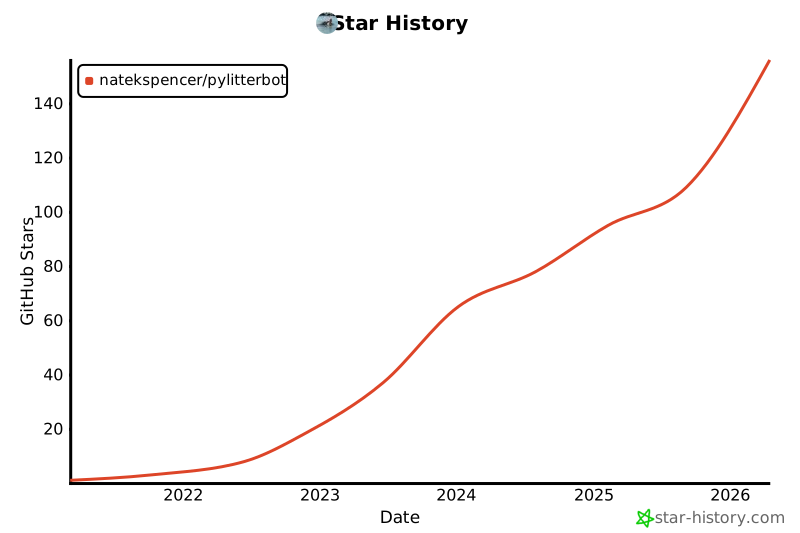
📈 Star History
Project details
Verified details
These details have been verified by PyPIProject links
GitHub Statistics
Maintainers
Release history Release notifications | RSS feed


Download files
Download the file for your platform. If you're not sure which to choose, learn more about installing packages.
Source Distribution
Built Distribution
Filter files by name, interpreter, ABI, and platform.
If you're not sure about the file name format, learn more about wheel file names.
Copy a direct link to the current filters
File details
Details for the file pylitterbot-2025.1.0b1.tar.gz.
File metadata
- Download URL: pylitterbot-2025.1.0b1.tar.gz
- Upload date:
- Size: 41.4 kB
- Tags: Source
- Uploaded using Trusted Publishing? Yes
- Uploaded via: uv/0.10.2 {"installer":{"name":"uv","version":"0.10.2","subcommand":["publish"]},"python":null,"implementation":{"name":null,"version":null},"distro":{"name":"Ubuntu","version":"24.04","id":"noble","libc":null},"system":{"name":null,"release":null},"cpu":null,"openssl_version":null,"setuptools_version":null,"rustc_version":null,"ci":true}
File hashes
| Algorithm | Hash digest | |
|---|---|---|
| SHA256 |
f7853abe2b6278baf64fc298ba3f21e4370c508c91f7a3817e0673c193cce66c
|
|
| MD5 |
1f3e5d27dd98a1be4b561d4a83c208bf
|
|
| BLAKE2b-256 |
6286d8ec0ce175d30793de0d6274e05a5b9af2679e9f7fad713d148f82c0650a
|
File details
Details for the file pylitterbot-2025.1.0b1-py3-none-any.whl.
File metadata
- Download URL: pylitterbot-2025.1.0b1-py3-none-any.whl
- Upload date:
- Size: 51.7 kB
- Tags: Python 3
- Uploaded using Trusted Publishing? Yes
- Uploaded via: uv/0.10.2 {"installer":{"name":"uv","version":"0.10.2","subcommand":["publish"]},"python":null,"implementation":{"name":null,"version":null},"distro":{"name":"Ubuntu","version":"24.04","id":"noble","libc":null},"system":{"name":null,"release":null},"cpu":null,"openssl_version":null,"setuptools_version":null,"rustc_version":null,"ci":true}
File hashes
| Algorithm | Hash digest | |
|---|---|---|
| SHA256 |
3c5111fcbb781e284ea868e695716bdf526f7b2340e1dd56c95e8f08fa0ff23d
|
|
| MD5 |
4be3e55f420d8aea7050559e8a080cb7
|
|
| BLAKE2b-256 |
2e759127e3dea1f02be7fd0063ada7cbe4a5cbb72c79859d455f6483b7cd0560
|






