
pylocalauth
Cross-platform local authentication library for Python applications.



Documentation: README
Source Code: Repository
Add local authentication to your Python applications with ease. pylocalauth provides a simple and secure way to authenticate users using platform-specific methods such as passwords, biometrics, and PINs.
Features
| Feature | Status |
|---|---|
| Cross-platform: Works on Windows, macOS, and Linux. (macOS is still in beta, but it should work reliably) | ✅ |
| Multiple authentication methods: Supports password-based, biometric (Windows Hello, Touch ID, etc.), and PIN-based authentication. | ✅ |
| Easy integration: Simple API for integrating local authentication into your Python applications. | ✅ |
| Secure: Utilizes platform-specific security features to ensure user data is protected. | ✅ |
| Lightweight: Minimal dependencies and easy to install. | ✅ |
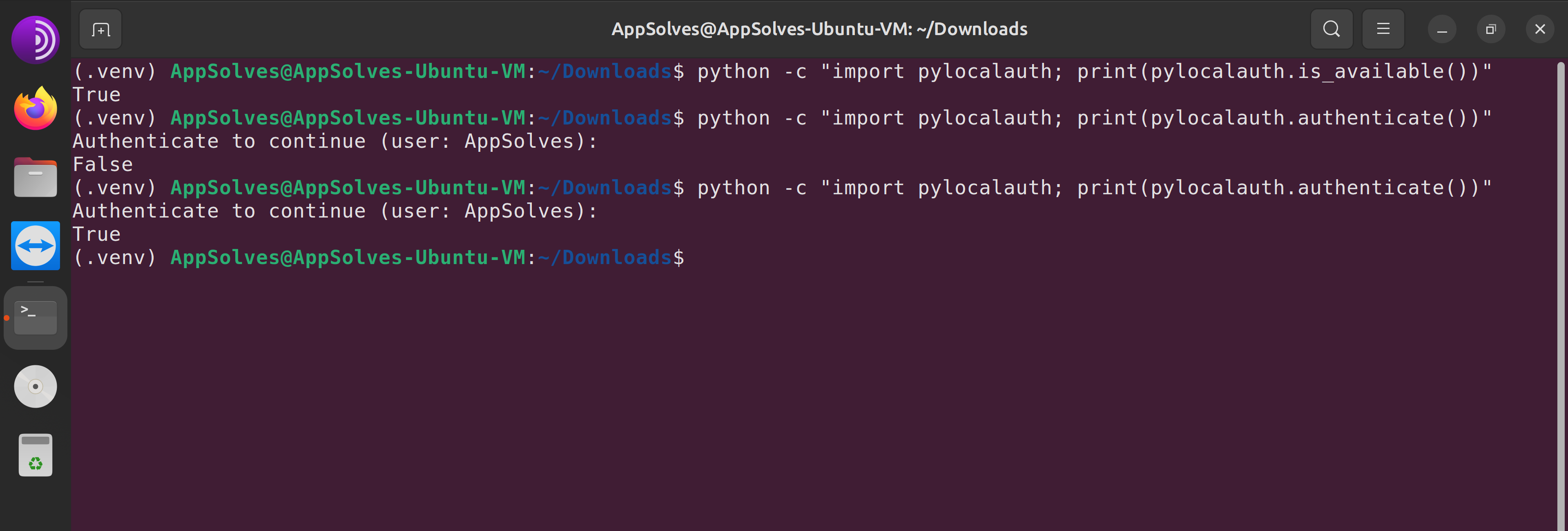
| Windows Example | Linux Example |

|
|
Installation
You can install pylocalauth via pip:
pip install pylocalauth --upgrade
Usage
Here's a very simple example of how to use pylocalauth to authenticate a user:
from pylocalauth import authenticate # Import the authenticate function for your platform
result = authenticate()
if result:
    print("Authentication successful!")
else:
    print("Authentication failed.")
You can also customize the message displayed during authentication:
from pylocalauth import authenticate
result = authenticate(message="Please authenticate to proceed.")
By default, pylocalauth will raise an AuthUnavailableError if authentication is not available on the current platform. You can disable this behavior by setting the check_availability parameter to False (You should only do this if you plan to handle the unavailability yourself):
from pylocalauth import authenticate, is_available
from pylocalauth.exceptions import AuthError, AuthUnavailableError

# Let it handle availability automatically
try:
    result = authenticate(check_availability=True) # default
    print(f"Authentication successful?: {result}")
except AuthUnavailableError:
    print("Authentication is not available on this platform.")
except AuthError as e:
    print(f"An error occurred: {e}")

# Handle availability yourself
try:
    if not is_available():
        print("Authentication is not available on this platform.")
    else:
        result = authenticate(check_availability=False)
        print(f"Authentication successful?: {result}")
except AuthError as e:
    print(f"An error occurred: {e}")
Contributing
We welcome contributions from the community! If you'd like to contribute, please follow the steps explained in the CONTRIBUTORS file.
Contributions Needed
We are especially looking for help with the following:
- macOS support: Testing, bug reports, and improvements for the macOS backend.
- Documentation & Tests: Examples, API docs, tests (using
pytestandpytest-asyncio) and usage guides. - CI/CD: Enhancements to cross-platform test automation.
- New authentication methods: Suggestions or PRs for additional local authentication backends.
- Issue triage: Help us reproduce and resolve open issues.
If you want to help, please see CONTRIBUTORS and open an issue or pull request!
Development
Setup environment
We use Hatch to manage the development environment and production build. Ensure it's installed on your system.
Run unit tests
You can run all the tests with:
hatch run test
Format the code
Execute the following command to apply isort and black formatting:
hatch run lint
License
This project is licensed under the terms of the Apache 2.0 license. See the LICENSE file for more information.
1 maintainer

Download files
Download the file for your platform. If you're not sure which to choose, learn more about installing packages.
Source Distribution
Built Distribution
Filter files by name, interpreter, ABI, and platform.
If you're not sure about the file name format, learn more about wheel file names.
Copy a direct link to the current filters
File details
Details for the file pylocalauth-1.0.1.tar.gz.
File metadata
- Download URL: pylocalauth-1.0.1.tar.gz
- Upload date:
- Size: 529.6 kB
- Tags: Source
- Uploaded using Trusted Publishing? No
- Uploaded via:
python-httpx/0.28.1
File hashes
| Algorithm | Hash digest | |
|---|---|---|
| SHA256 |
c54d5761a3262fad571a57568d16f3fd5f046aa65902e0c5be5a59c031783a81
|
|
| MD5 |
dffe875739910684ee025828bfafdc5e
|
|
| BLAKE2b-256 |
d797761745a106fe75ed47d430198230ea5fdb0bab238f75aeb2a83ebaf4d035
|
File details
Details for the file pylocalauth-1.0.1-py3-none-any.whl.
File metadata
- Download URL: pylocalauth-1.0.1-py3-none-any.whl
- Upload date:
- Size: 13.1 kB
- Tags: Python 3
- Uploaded using Trusted Publishing? No
- Uploaded via:
python-httpx/0.28.1
File hashes
| Algorithm | Hash digest | |
|---|---|---|
| SHA256 |
208b778ed2a264a5a37dc280d461c3726d427e536442ee04499e965b2b516d9f
|
|
| MD5 |
3205bd8ff8bd481a2645990d9256d7a2
|
|
| BLAKE2b-256 |
177418c51cf071ee42c35fc2ef1a07f7356198c06daef58f29739f6363579568
|














