
Pylogfile provides a better method for implementing logging in your Python scripts.
- PyPI: https://pypi.org/project/pylogfile/
- Documentation: https://pylogfile.readthedocs.io/en/latest/
- Source Code: https://github.com/
Core features:
- automatically includes metadata such as timestamps.
- supports optional detail strings to supplement the main log message.
- integrated markdown makes it easy to highlight parts of log messages with color.
- easily read and write logs to binary files for better efficiency, or JSON and TXT for best readability.
- standardized format makes it easy to read previous log files, simplifying sorting and analysis.
- script
lumberjackmakes viewing, sorting and analyzing log files quick and easy.
Pylogfile is designed to be a better option than the Python standard logging module for simple to intermediate-complexity logging tasks. For professional applications in which you want to add custom logging handlers, the standard module is the better choice. However, for the majority of scripts, especially in the scientific, engineering and data analysis domains, pylogfile offers loads of capability and a much faster way of setting up proper logging than the standard module. With pylogfile, your application has access to efficient data management and display through the addition of detailed messages, integrated markdown, and log search functions through the lumberjack script.
Installation
Pylogfile can be installed via pip using
pip install pylogfile
Example usage
In this example, we create a simple program that sends two log messages and saves them to disk. Here we show how to save to both binary and plain text formats. .plflog files are binary (HDF5 under the hood), allowing logs to be saved faster and while using less space on disk. We also show how to save to a JSON file, for those who prefer the simplicity of plain text files; JSON files carry the exact same data (log entries plus log level definitions) as a .plflog file, just in a more verbose, human-readable form.
from pylogfile.base import *

log = LogPile()
log.info("Something happened. Emphasize >this<.")
log.error("Something bad happened!")

log.save_plflog("example.log.plflog")
log.save_json("example.log.json")
With the corresponding output:

Lumberjack
Lumberjack is a command line interface (CLI) script included with pylogfile that allows log files to quickly be viewed, sorted, and analyzed. A log file can be opened in lumberjack with:
lumber example.log.plflog
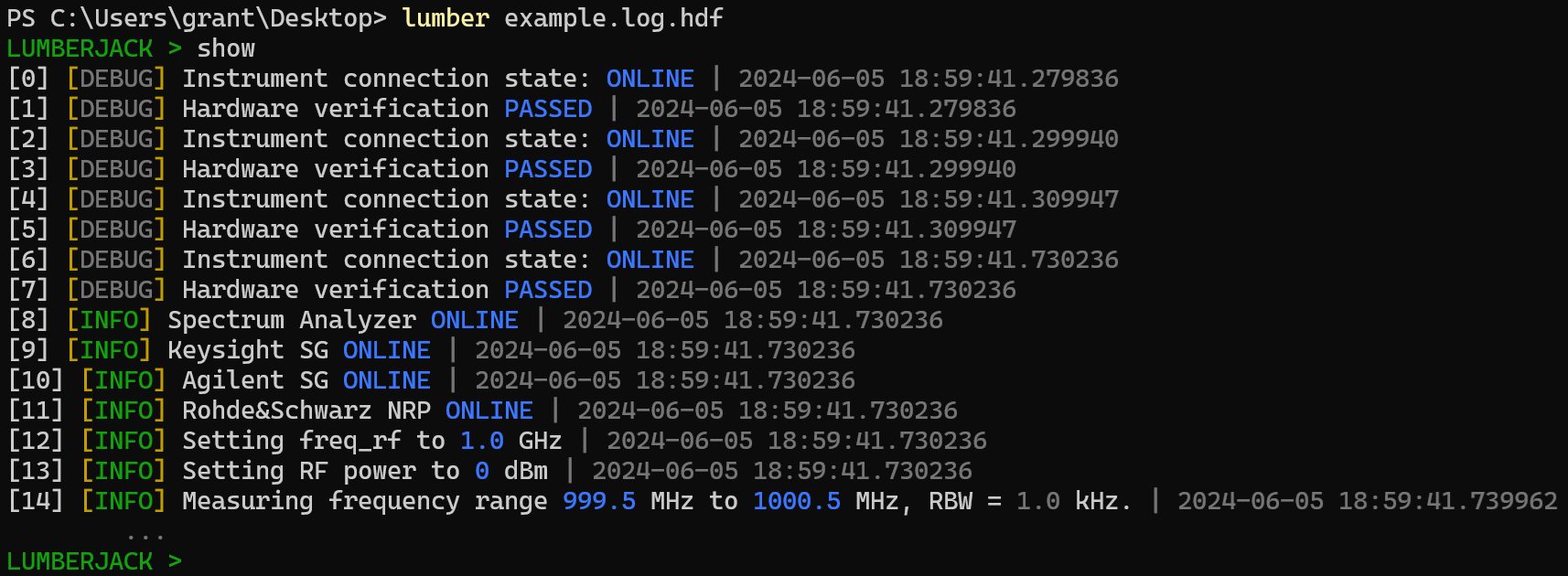
and the first few logs displayed with the SHOW command:
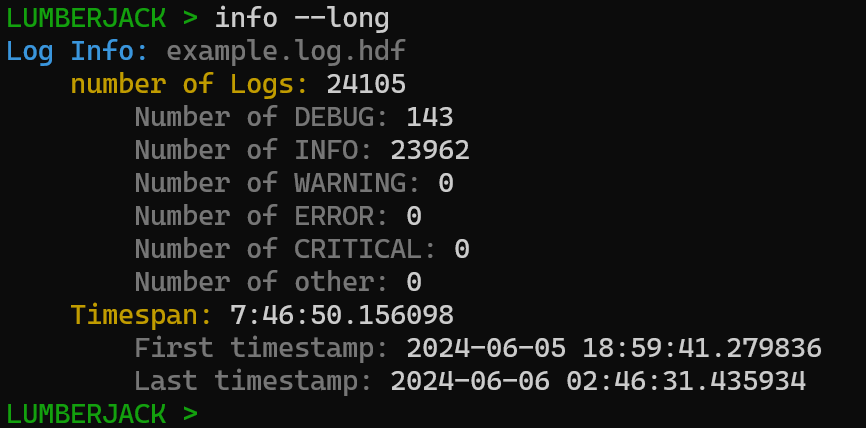
Basic information about the log file can be displayed with the INFO command.
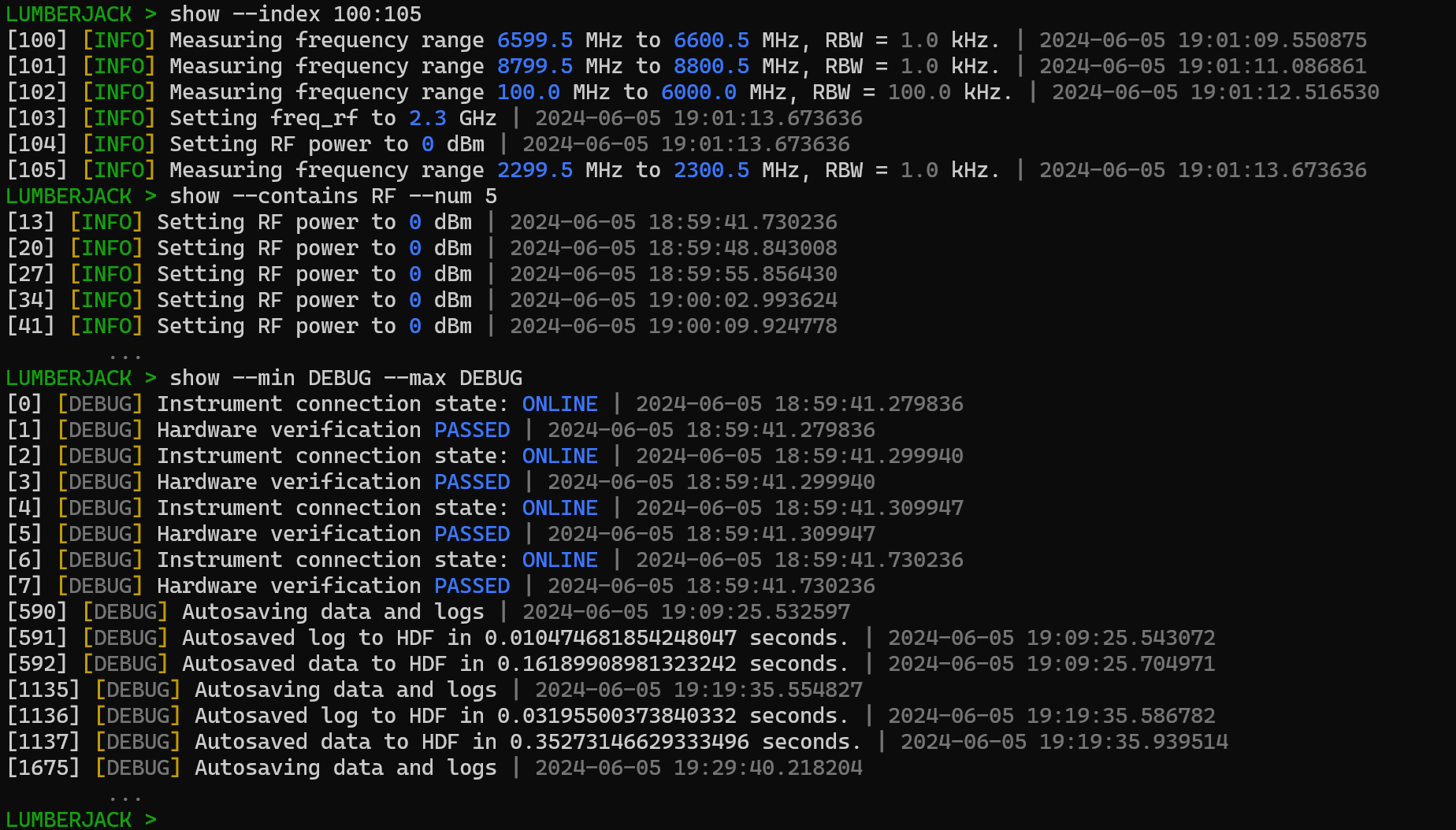
Logs can also be sorted by applying flags to the SHOW command. Here the --index flag is used to search based on the index of the log entry, the --contains flag is used to search for the keyword or phrase 'RF' while specifying a max of 5 logs should be displayed using the --num flag, and the log level is filter by applying the --min and --max flags.
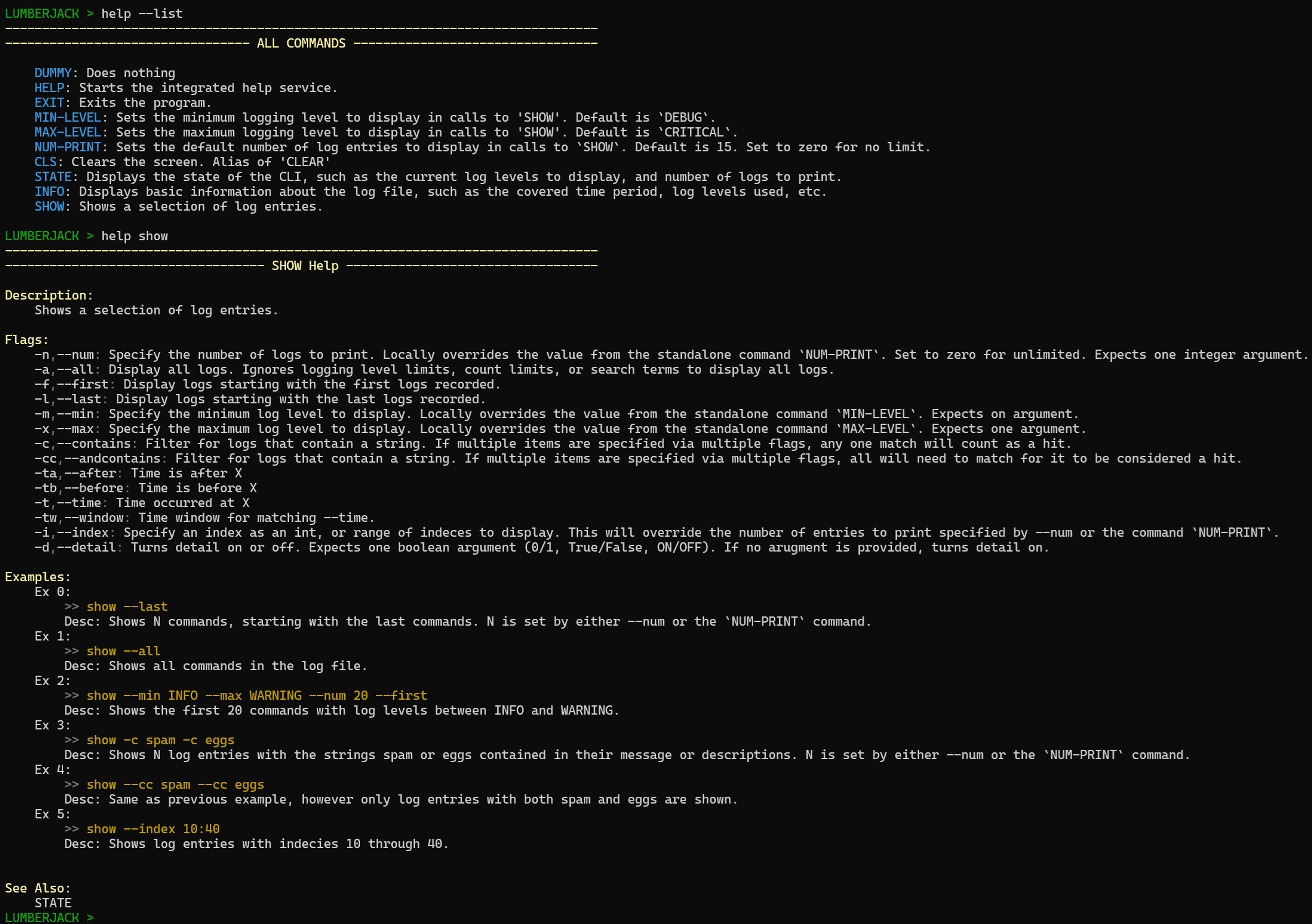
Lumberjack has lots of other search functions, commands, and features. You can learn more about it from its integrated help menu which can list all available commands and provide detailed information on how to use them.
Documentation
Pylogfile's documentation can be found on ReadTheDocs.
Requirements
- Python >= 3.9
- numpy >= 1.21.0
- h5py >= 3.11.0
- colorama >= 0.4.6
- importlib >= 1.0.0
1 maintainer

Metadata
1 maintainer
Release files for pylogfile 0.5.0
For a detailed explanation of source distributions (sdists) and built distributions (wheels), please see the package formats documentation.
Source distribution (sdist)
| File | Size | Uploaded | Provenance | Actions |
|---|---|---|---|---|
| pylogfile-0.5.0.tar.gz | 46.5 kB | Without provenance | Details for pylogfile-0.5.0.tar.gz |
Built distribution (wheel)
| File | Interpreter | ABI | Platform | Actions Reset |
|---|---|---|---|---|
| pylogfile-0.5.0-py3-none-any.whl | Python 3 | none | any | Details for pylogfile-0.5.0-py3-none-any.whl |
Total release size: 74.5 kB
Release files / pylogfile-0.5.0.tar.gz
| Download URL | pylogfile-0.5.0.tar.gz |
|---|---|
| Size | 46.5 kB |
| Tags | Source |
|
SHA-256 checksum How to use checksums |
66624630d48cfd5bda9380bdbd4601e81b66558c34b80e1df824f6fb44ce0ce7
|
|
BLAKE2b-256 checksum How to use checksums |
45c9e5ecd5d344da49c9649cafe6ee59bda57d75e5b2f460d537b2ef96de5f45
|
| Upload date | |
|
Uploaded using Trusted Publishing? What is trusted publishing? |
No |
| Uploaded via |
twine/7.0.0 CPython/3.14.3
|
Release files / pylogfile-0.5.0-py3-none-any.whl
| Download URL | pylogfile-0.5.0-py3-none-any.whl |
|---|---|
| Size | 28.0 kB |
| Tags | Python 3 |
|
SHA-256 checksum How to use checksums |
903fc9e3e5095af79084d64a1f22f09b99458efbab0184d9c1a608007a208074
|
|
BLAKE2b-256 checksum How to use checksums |
36f0603eb93fa7aa0dfb5772dc9e2a1684a6e8cc98847d5b19314ac58a423dd8
|
| Upload date | |
|
Uploaded using Trusted Publishing? What is trusted publishing? |
No |
| Uploaded via |
twine/7.0.0 CPython/3.14.3
|
Security for pylogfile 0.5.0
Provenance
Provenance describes where a file came from. On PyPI, provenance is shared via attestations, which provide a verifiable record of the build or publishing details. View details, limitations and caveats.
No provenance found
None of the files in this release were uploaded with provenance metadata.
A note on package security
PyPI is a repository for distributing packages, not a service for auditing them. While third-party security researchers and our staff do their best to detect and remove malicious packages, PyPI cannot guarantee the quality, security or suitability of any given package.
To learn more about protecting yourself from malicious actors, visit our package security documentation.














