
Universal log files for Python

Project description
Pylogfile provides a better method for implementing logging in your Python scripts.
- PyPI: https://pypi.org/project/pylogfile/
- Documentation: https://pylogfile.readthedocs.io/en/latest/
- Source Code: https://github.com/
Core features:
- automatically includes metadata such as timestamps.
- supports optional detail strings to supplement the main log message.
- integrated markdown makes it easy to highlight parts of log messages with color.
- easily read and write logs to binary files for better efficiency, or JSON and TXT for best readability.
- standardized format makes it easy to read previous log files, simplifying sorting and analysis.
- script
lumberjackmakes viewing, sorting and analyzing log files quick and easy.
Pylogfile is designed to be a better option than the Python standard logging module for simple to intermediate-complexity logging tasks. For professional applications in which you want to add custom logging handlers, the standard module is the better choice. However, for the majority of scripts, especially in the scientific, engineering and data analysis domains, pylogfile offers loads of capability and a much faster way of setting up proper logging than the standard module. With pylogfile, your application has access to efficient data management and display through the addition of detailed messages, integrated markdown, and log search functions through the lumberjack script.
Installation
Pylogfile can be installed via pip using
pip install pylogfile
Example usage
In this example, we create a simple program that sends two log messages and saves them to disk. Here we show how to save to both binary and plain text formats. The HDF file format is binary, allowing logs to be saved faster and while using less space on disk. We also show how to save to a JSON file, for those who prefer the simplicity of plain text files.
from pylogfile.base import *

log = LogPile()
log.info("Something happened. Emphasize >this<.")
log.error("Something bad happened!")

log.save_hdf("example.log.hdf")
log.save_json("example.log.json")
With the corresponding output:

Lumberjack
Lumberjack is a command line interface (CLI) script included with pylogfile that allows log files to quickly be viewed, sorted, and analyzed. A log file can be opened in lumberjack with:
lumber example.log.hdf
and the first few logs displayed with the SHOW command:
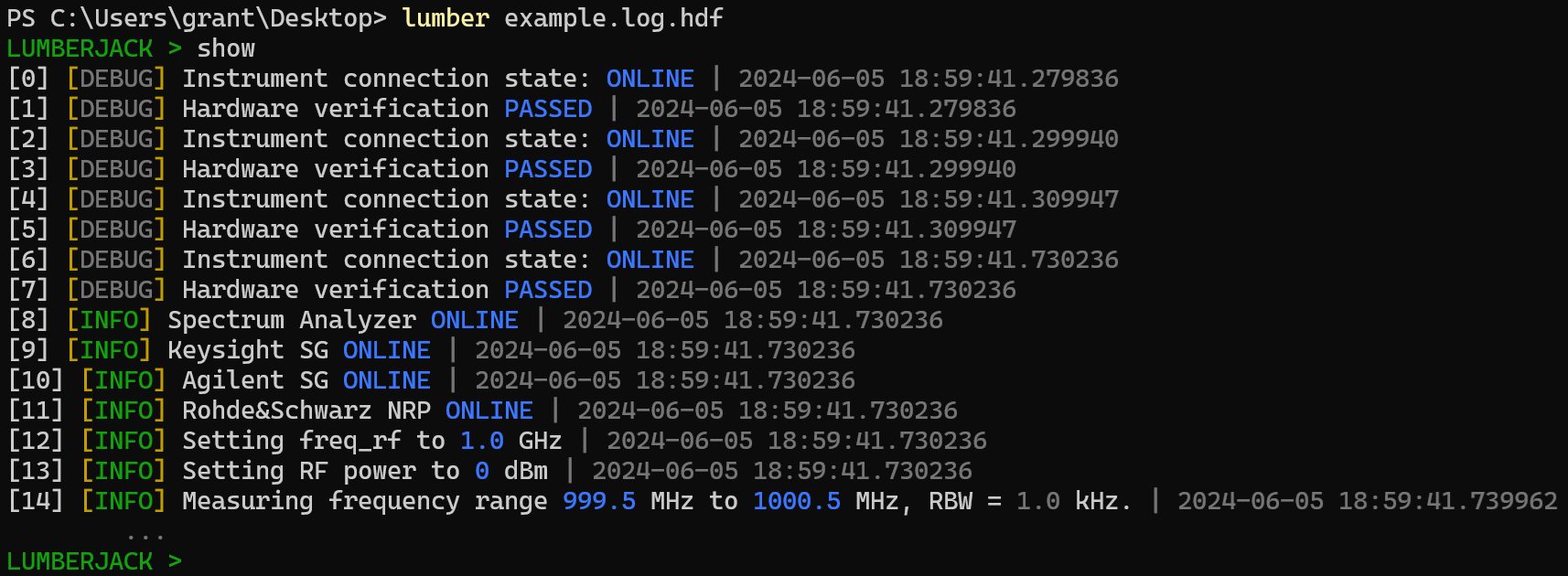
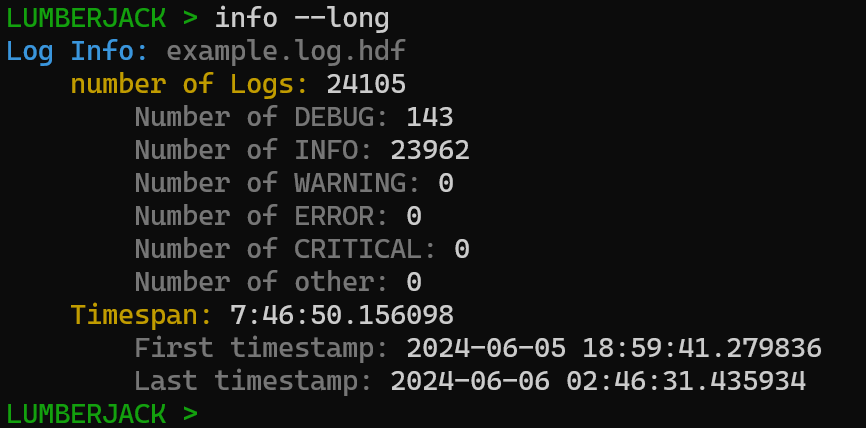
Basic information about the log file can be displayed with the INFO command.
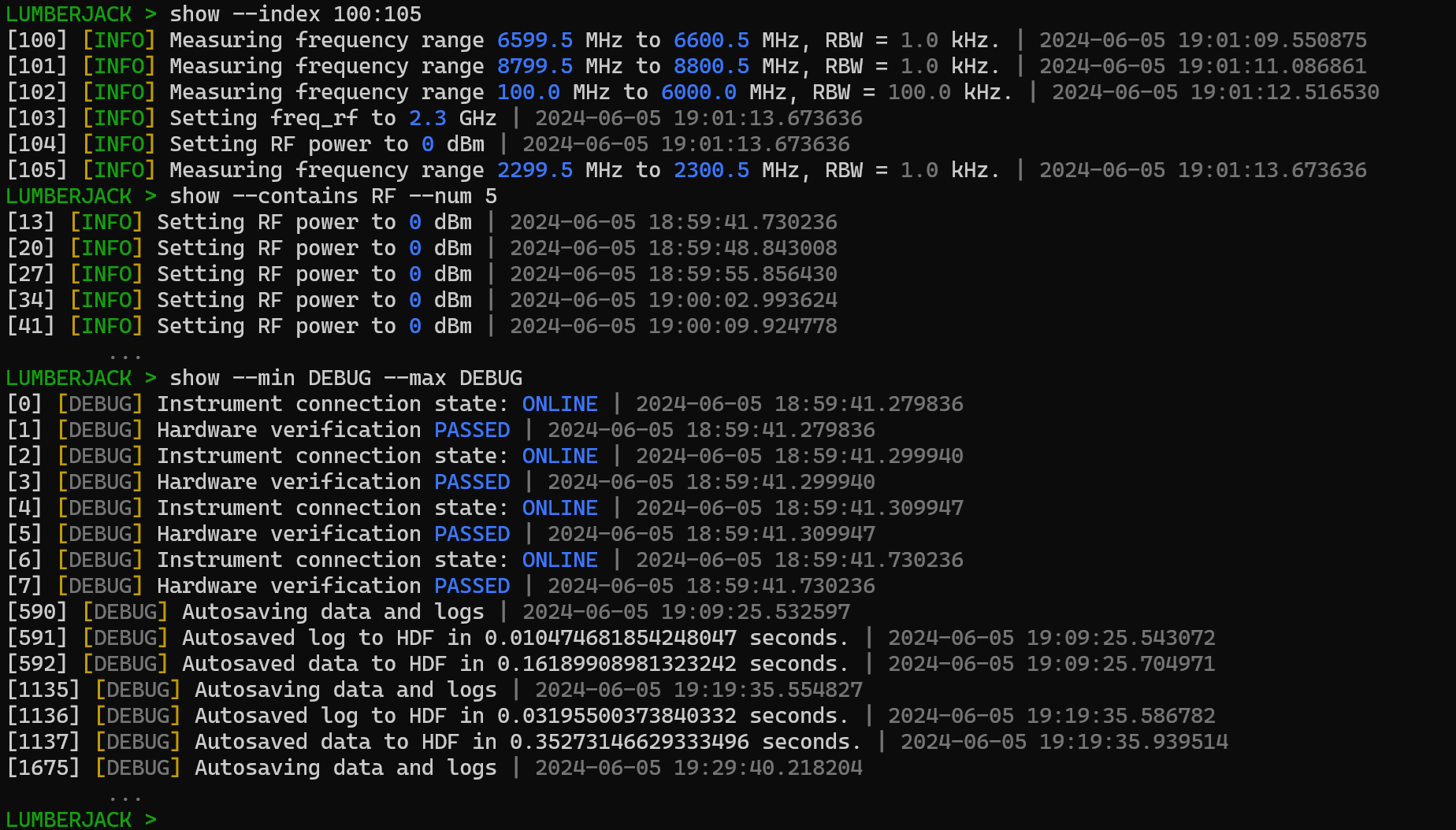
Logs can also be sorted by applying flags to the SHOW command. Here the --index flag is used to search based on the index of the log entry, the --contains flag is used to search for the keyword or phrase 'RF' while specifying a max of 5 logs should be displayed using the --num flag, and the log level is filter by applying the --min and --max flags.
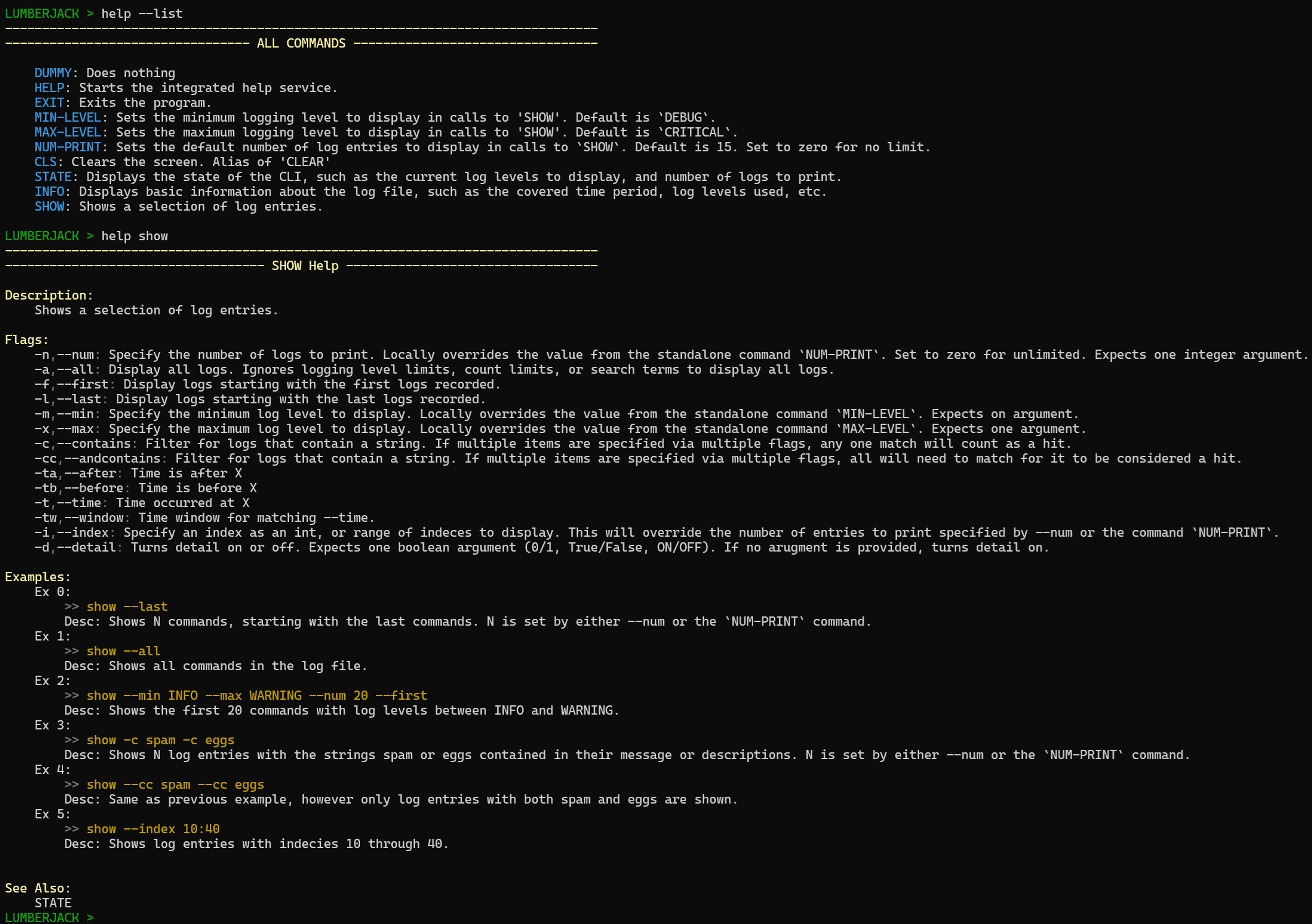
Lumberjack has lots of other search functions, commands, and features. You can learn more about it from its integrated help menu which can list all available commands and provide detailed information on how to use them.
Documentation
Pylogfile's documentation can be found on ReadTheDocs.
Requirements
- Python >= 3.9
- numpy >= 1.0.0
- h5py >= 3.11.0
- colorama >= 0.4.6
- importlib >= 1.0.0
Release history Release notifications | RSS feed


Download files
Download the file for your platform. If you're not sure which to choose, learn more about installing packages.
Source Distribution
Built Distribution
Filter files by name, interpreter, ABI, and platform.
If you're not sure about the file name format, learn more about wheel file names.
Copy a direct link to the current filters
File details
Details for the file pylogfile-0.4.1.tar.gz.
File metadata
- Download URL: pylogfile-0.4.1.tar.gz
- Upload date:
- Size: 19.6 kB
- Tags: Source
- Uploaded using Trusted Publishing? No
- Uploaded via: twine/6.0.1 CPython/3.10.7
File hashes
| Algorithm | Hash digest | |
|---|---|---|
| SHA256 |
b5491b21d096804573ada60414c1acbea30a54d299f6dcd857a7bfab29b2901b
|
|
| MD5 |
e17594a6502dab53d00964b4b4c07ceb
|
|
| BLAKE2b-256 |
6af37cac400df7d8752286b2d2222543e8d2e241ba2f5b9a74f26d565f6da6df
|
File details
Details for the file pylogfile-0.4.1-py3-none-any.whl.
File metadata
- Download URL: pylogfile-0.4.1-py3-none-any.whl
- Upload date:
- Size: 18.6 kB
- Tags: Python 3
- Uploaded using Trusted Publishing? No
- Uploaded via: twine/6.0.1 CPython/3.10.7
File hashes
| Algorithm | Hash digest | |
|---|---|---|
| SHA256 |
cdc65983d4176b2bc0fdddd64bc7b3dd3181011e4ec40d7ecfd74e6f8768a2cb
|
|
| MD5 |
176086b24dbb5759ff37061771281c3c
|
|
| BLAKE2b-256 |
f7df75ed7f1ceb9e5daa891c8f3136f78e6a030da7602924ad05ba1ba476dbfc
|






