
pylogrouter
pylogrouter is a small library for routing log messages into multiple facilities (console, plain text file, HTML log) via a single API.
Why it exists:
- avoid duplicating
print + file write + html writeacross a codebase; - route one message to all outputs or only selected ones;
- get a readable HTML log for browser viewing (with syntax highlighting for
key=value, quotes, numbers); - keep it safe-by-default (escaping, limits, anti-flood, hardened log targets).
Repository: https://github.com/mykolarudenko/pylogrouter
Install from PyPI (pip)
pip install pylogrouter
Quick start
from pylogrouter import LoggerRouter

logger = LoggerRouter(logger_level="DEBUG", logger_color=True)

logger.add_log_file(
    log_handle="file_log",
    log_file_path="logs/app.log",
    rotate_on_start=True,
    rotations_to_keep=2,
)

logger.add_html_log_file(
    log_handle="html_dark",
    log_file_path="logs/app-dark.html",
    title="App Log (Dark)",
    html_theme=LoggerRouter.THEME_DARK,
    html_auto_refresh_enabled=True,
    html_auto_refresh_seconds=3,
    rotate_on_start=True,
    rotations_to_keep=0,
)

logger.info("Hello to all facilities.")
logger.warning("Only console + html", handles=[LoggerRouter.HANDLE_CONSOLE, "html_dark"])
Screenshots
Console output
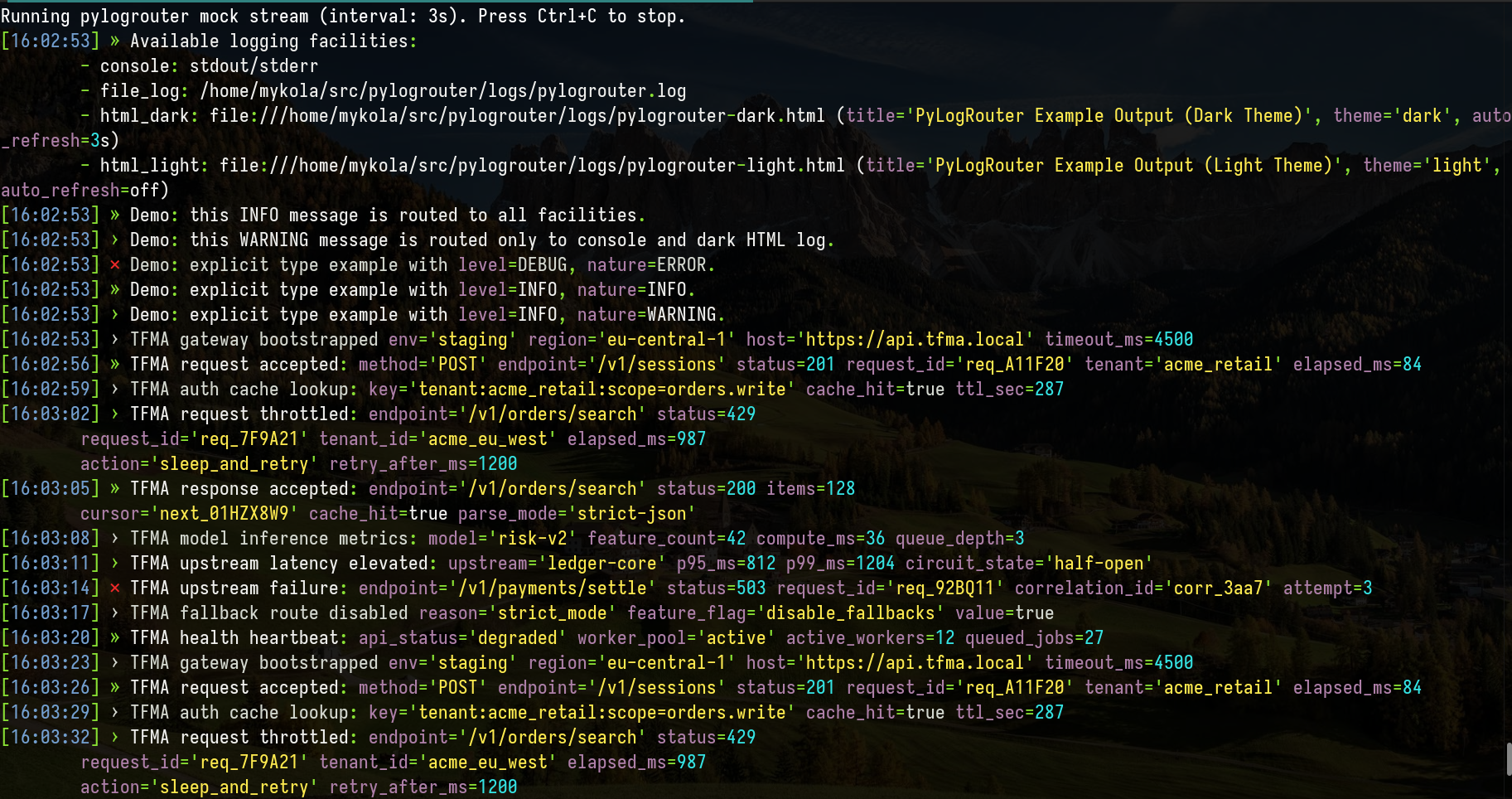
example.py mock stream (logger_color=True).
HTML output (dark theme)
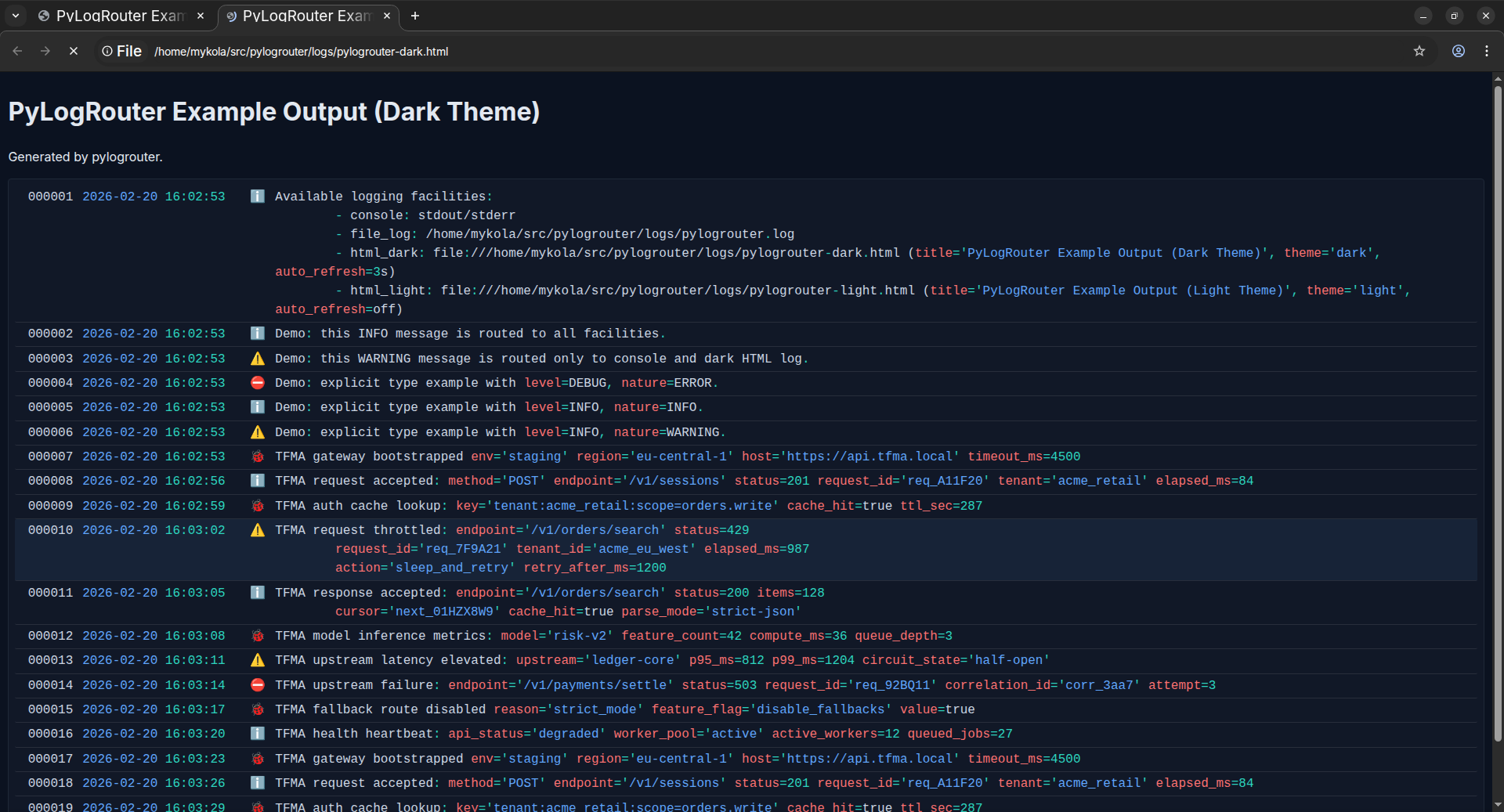
html_theme="dark").
HTML output (light theme)
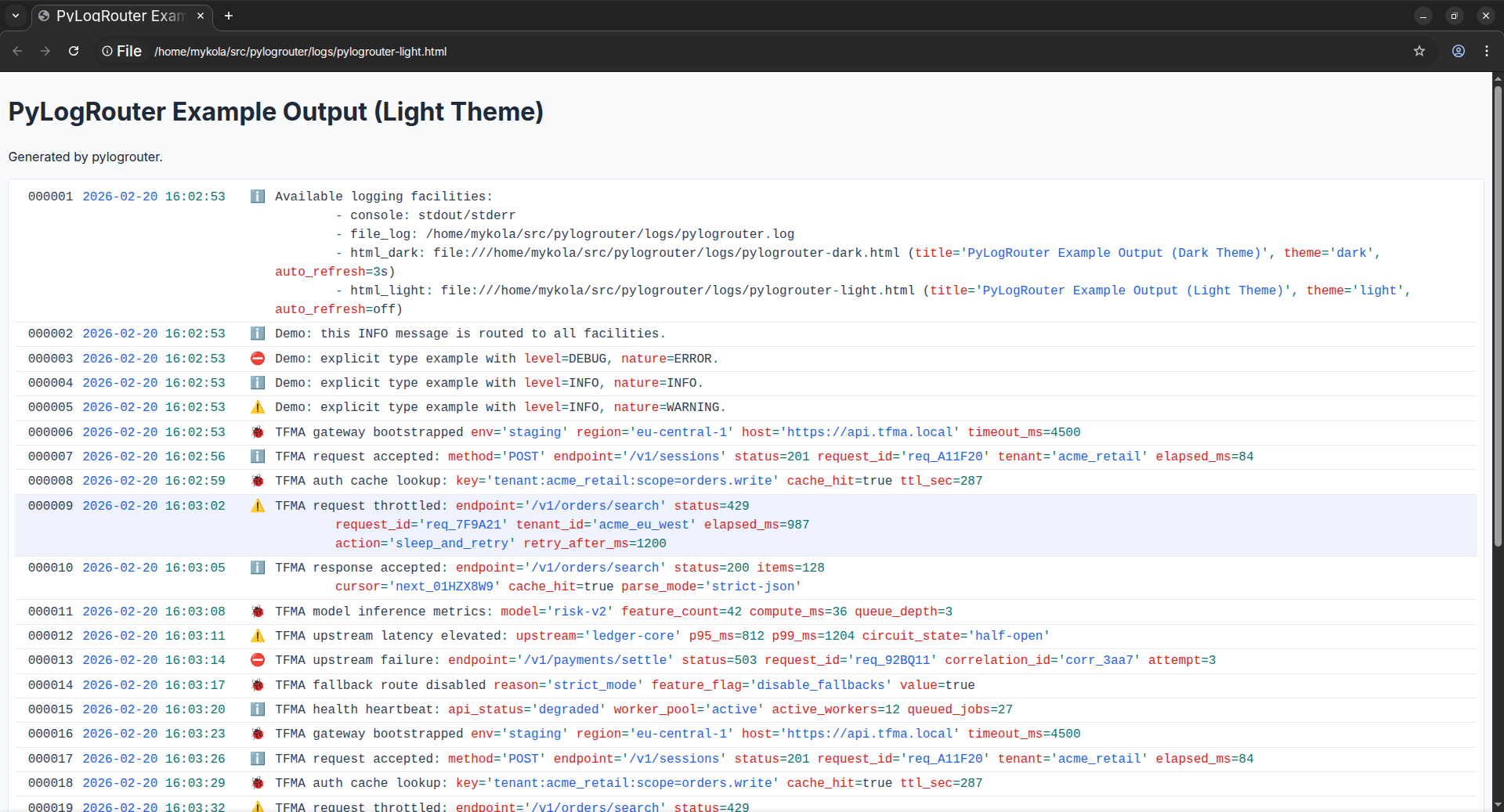
html_theme="light").
Usage / API reference (short)
Singleton model
LoggerRouter is a singleton. Calling the constructor multiple times returns the same instance.
The router is thread-safe for a single process and uses an internal queue + dedicated writer thread.
Facilities and handles
- Each output channel has a string
handle. handles=Noneroutes to all active facilities.handles=["console", "html_dark"]routes only to selected targets.
Levels and “nature”
- Convenience:
logger.debug(...),logger.info(...),logger.warning(...),logger.error(...) - Explicit:
logger.log(message=..., level=..., nature=..., handles=...)
Plain file facility
add_log_file(...)writes to a text file.- Parent directories are created automatically.
- Rotation:
rotate_on_start=Truewithrotations_to_keep=N(startup rotation),- plus size-based rotation: if file exceeds
plain_log_max_file_size_bytes, it rotates usingrotations_to_keep.
HTML facility
add_html_log_file(...)writes a streaming HTML log (open it in a browser).- Options:
html_theme:"dark"or"light"(default:"dark"),html_auto_refresh_enabled: enables<meta http-equiv="refresh">(default:False),html_auto_refresh_seconds: refresh interval when enabled (default:10).
Mock stream
logger.mock_logger_output()emits sample records (useful for previews).
Throttling / anti-flood
If log write rate becomes too high, extra writes in the window are dropped:
max_writes_per_second(default:200)throttle_window_seconds(default:1)
Stats:
stats = logger.get_throttle_stats()
# {"dropped_total": ..., "dropped_by_handle": {...}}
Queue / lifecycle controls
- New constructor options:
queue_maxsize(default10000)enqueue_timeout_ms(default50)
- New methods:
flush(timeout_seconds=5.0) -> boolshutdown(timeout_seconds=5.0) -> boolget_queue_stats() -> {"queued": ..., "dropped": ..., "written": ..., "queue_maxsize": ...}
Security model
-
HTML log:
- strict escaping (
escape_html_strict) for all user-controlled fragments; - strict post-render allowlist validation of the produced HTML fragment.
If validation fails, the row is blocked from being written; the logger reports a security incident to console diagnostics and continues.
- strict escaping (
-
Hardened log targets:
- symlink and special files are rejected for file/html targets.
- shared file ownership across multiple processes is rejected (fail-fast). A single log file is intended to be owned by one process.
-
Console output:
- control characters (C0/C1) are normalized to avoid malicious ANSI/control sequences.
Safety limits (defaults; override in LoggerRouter(...))
max_message_length:32768max_message_lines:500max_line_length:4096max_log_handles_per_call:64colorize_timeout_ms:15(if colorization exceeds budget, message is still published without syntax coloring)max_html_document_bytes:10485760(10 MiB)max_html_title_length:256max_writes_per_second:200throttle_window_seconds:1plain_log_max_file_size_bytes:209715200(200 MiB)queue_maxsize:10000enqueue_timeout_ms:50
Runtime scope
This library is desktop-first and optimized for single-process runtime. For server multi-worker deployments, use separate files per worker or an external log aggregation pipeline.


1 maintainer

Release files for pylogrouter 0.1.7
For a detailed explanation of source distributions (sdists) and built distributions (wheels), please see the package formats documentation.
Source distribution (sdist)
| File | Size | Uploaded | |
|---|---|---|---|
| pylogrouter-0.1.7.tar.gz | 17.6 kB | Details |
Built distribution (wheel)
| File | Interpreter | ABI | Platform | Reset |
|---|---|---|---|---|
| pylogrouter-0.1.7-py3-none-any.whl | Python 3 | none | any | Details |
Total release size: 37.7 kB
Release files / pylogrouter-0.1.7.tar.gz
| Download URL | pylogrouter-0.1.7.tar.gz |
|---|---|
| Size | 17.6 kB |
| Tags | Source |
|
SHA-256 checksum How to use checksums |
8a646d0323234729243eea155d903fcd2bc718b797010da8fc9bb81bb3964c42
|
|
BLAKE2b-256 checksum How to use checksums |
c5aabf3d3759fe9302f6349ee1c025adccfa97213543c20977e3f769e443ccf4
|
| Upload date | |
|
Uploaded using Trusted Publishing? What is trusted publishing? |
Yes |
| Uploaded via |
twine/6.1.0 CPython/3.13.7
|
Provenance
Provenance describes where a file came from. On PyPI, provenance is shared via attestations, which provide a verifiable record of the build or publishing details. View details, limitations and caveats.


PyPI Publish Attestation
PyPI verified that this artifact, at this checksum, originated from the publisher listed below.
Signed by GitHub Actions, verified by PyPI on Feb 22, 2026.
Transparency logRelease files / pylogrouter-0.1.7-py3-none-any.whl
| Download URL | pylogrouter-0.1.7-py3-none-any.whl |
|---|---|
| Size | 20.1 kB |
| Tags | Python 3 |
|
SHA-256 checksum How to use checksums |
0a52af54de76732aef0d4110fad9389015c6a4d697e4e5083add5468ac639f97
|
|
BLAKE2b-256 checksum How to use checksums |
0ec3faff73603fe3075d6ab2e6fb7b7e6055f95275e5373aab4d7299019b9047
|
| Upload date | |
|
Uploaded using Trusted Publishing? What is trusted publishing? |
Yes |
| Uploaded via |
twine/6.1.0 CPython/3.13.7
|
Provenance
Provenance describes where a file came from. On PyPI, provenance is shared via attestations, which provide a verifiable record of the build or publishing details. View details, limitations and caveats.
PyPI Publish Attestation
PyPI verified that this artifact, at this checksum, originated from the publisher listed below.
Signed by GitHub Actions, verified by PyPI on Feb 22, 2026.
Transparency log













