
LuPNT














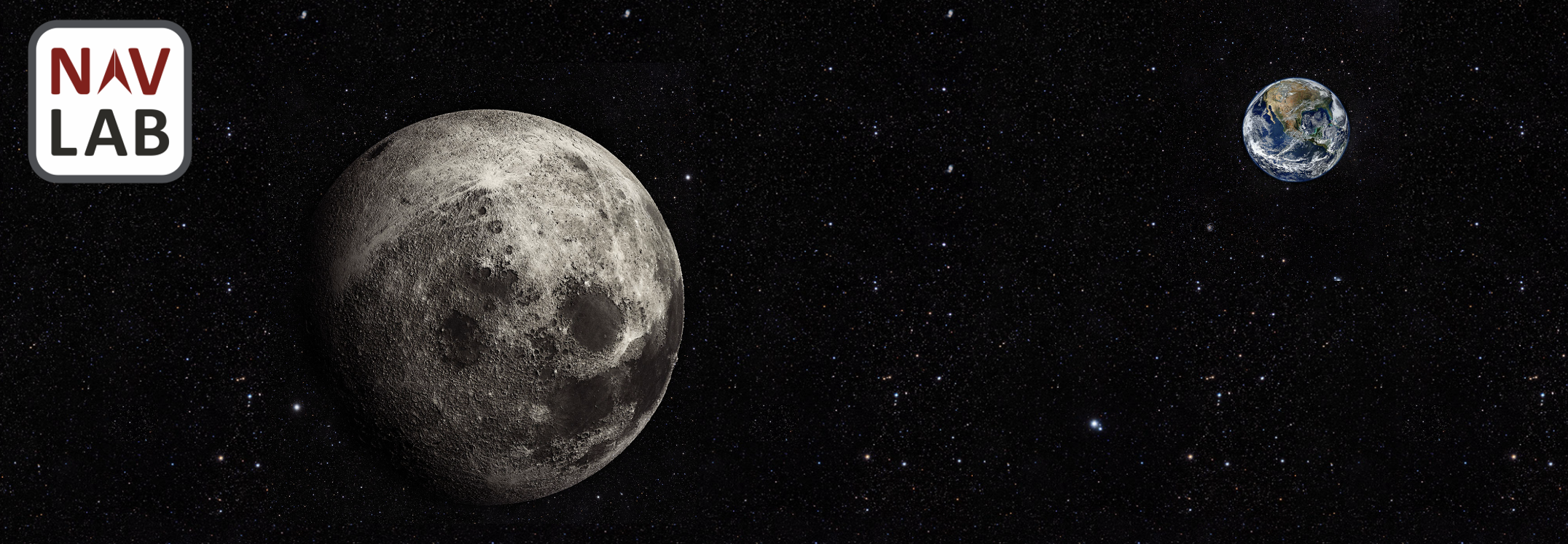
LuPNT is an open-source C++/Python library for Lunar Positioning, Navigation, and Timing (PNT) Research. This project is a product of the Stanford NAV Lab.
If using this project in your own work please cite the following:
@inproceedings{IiyamaCasadesus2023,
  title = {LuPNT: Open-Souce Simulator for Lunar Positioning, Navigation, and Timing},
  author={Iiyama, Keidai and Casadesus Vila, Guillem and Gao, Grace},
  booktitle={Proceedings of the Institute of Navigation Gnss+ conference (ION Gnss+ 2023)},
  institution = {Stanford University},
  year = {2023},
  url = {https://github.com/Stanford-NavLab/LuPNT},
}
Features
- Modern CMake practices
- Clean separation of library and executable code
- Integrated test suite
- Continuous integration via GitHub Actions
- Code coverage via codecov
- Code formatting enforced by clang-format and cmake-format via Format.cmake
- Reproducible dependency management via CPM.cmake
- Installable target with automatic versioning information and header generation via PackageProject.cmake
- Automatic documentation and deployment with Doxygen and GitHub Pages
- Support for sanitizer tools, and more
Usage
To cleanly separate the library and subproject code, the outer CMakeList.txt only defines the library itself while the tests and other subprojects are self-contained in their own directories.
During development it is usually convenient to build all subprojects at once.
Dependencies
LuPNT requires OpenMP library for multiprocessing and a data directory.
The installation scripts for MacOS, Ubuntu, and Windows can be found under scripts.
Note that the data directory can be place anywhere as long as its path is correctly set.
Execute the scripts before building the library.
Build and run the examples
Use the following command to build and run the executable target.
cmake -S examples/cpp -B build/examples
cmake --build build/examples -j4
./build_examples/examples/<example-name> --help
Build and run test suite
Use the following commands from the project's root directory to run the test suite.
cmake -S test -B build/test
cmake --build build/test -j4
CTEST_OUTPUT_ON_FAILURE=1 cmake --build build/test --target test

# or simply call the executable:
./build/test/LuPNTTests
To collect code coverage information, run CMake with the -DENABLE_TEST_COVERAGE=1 option.
Run clang-format
Use the following commands from the project's root directory to check and fix C++ and CMake source style. This requires clang-format, cmake-format and pyyaml to be installed on the current system.
cmake -S test -B build/test

# view changes
cmake --build build/test --target format

# apply changes
cmake --build build/test --target fix-format
See Format.cmake for details. These dependencies can be easily installed using pip.
pip install clang-format==14.0.6 cmake_format==0.6.11 pyyaml
Build the documentation
The documentation is automatically built and published whenever a GitHub Release is created. To manually build documentation, call the following command.
cmake -S documentation -B build/doc
cmake --build build/doc --target GenerateDocs
# view the docs
open build/doc/doxygen/html/index.html
To build the documentation locally, you will need Doxygen, jinja2 and Pygments installed on your system.
Build everything at once
The project also includes an all directory that allows building all targets at the same time.
This is useful during development, as it exposes all subprojects to your IDE and avoids redundant builds of the library.
cmake -S all -B build
cmake --build build -j4

# run tests
./build/test/LuPNTTests
# format code
cmake --build build --target fix-format
# run standalone
./build/standalone/LuPNT --help
# build docs
cmake --build build --target GenerateDocs
Additional tools
The test and standalone subprojects include the tools.cmake file which is used to import additional tools on-demand through CMake configuration arguments. The following are currently supported.
Sanitizers
Sanitizers can be enabled by configuring CMake with -DUSE_SANITIZER=<Address | Memory | MemoryWithOrigins | Undefined | Thread | Leak | 'Address;Undefined'>.
Static Analyzers
Static Analyzers can be enabled by setting -DUSE_STATIC_ANALYZER=<clang-tidy | iwyu | cppcheck>, or a combination of those in quotation marks, separated by semicolons.
By default, analyzers will automatically find configuration files such as .clang-format.
Additional arguments can be passed to the analyzers by setting the CLANG_TIDY_ARGS, IWYU_ARGS or CPPCHECK_ARGS variables.
Ccache
Ccache can be enabled by configuring with -DUSE_CCACHE=<ON | OFF>.
1 maintainer

Metadata
1 maintainer
Release files for pylupnt 0.0.4
For a detailed explanation of source distributions (sdists) and built distributions (wheels), please see the package formats documentation.
Source distribution (sdist)
| File | Size | Uploaded | |
|---|---|---|---|
| pylupnt-0.0.4.tar.gz | 38.8 MB | Details |
Built distributions (wheels)
Total release size: 151.1 MB
Release files / pylupnt-0.0.4.tar.gz
| Download URL | pylupnt-0.0.4.tar.gz |
|---|---|
| Size | 38.8 MB |
| Tags | Source |
|
SHA-256 checksum How to use checksums |
f8ba91dc06be3200413322ac1a91e4fd4bf5bd2af4c4414c1163beffdf545325
|
|
BLAKE2b-256 checksum How to use checksums |
ccd7264cf546be40c7a11d69bbebdfc3d52d32fe3a0f4a37135b9ec7d9174e72
|
| Upload date | |
|
Uploaded using Trusted Publishing? What is trusted publishing? |
Yes |
| Uploaded via |
twine/5.1.1 CPython/3.12.6
|
Release files / pylupnt-0.0.4-pp310-pypy310_pp73-manylinux_2_17_x86_64.manylinux2014_x86_64.whl
| Download URL | pylupnt-0.0.4-pp310-pypy310_pp73-manylinux_2_17_x86_64.manylinux2014_x86_64.whl |
|---|---|
| Size | 14.2 MB |
| Tags | Linux glibc 2.17+ x86-64 PyPy 3.10 PyPy 3.10 7.3 |
|
SHA-256 checksum How to use checksums |
d88a4109cb3fa3ac08fce8cfbcf7a2c313af8fcbf78252d865a780b4e3d8c282
|
|
BLAKE2b-256 checksum How to use checksums |
05a4a4ccd4a1591abcdd923355f25334844badcb2c1fa983220b7ac26312e40c
|
| Upload date | |
|
Uploaded using Trusted Publishing? What is trusted publishing? |
Yes |
| Uploaded via |
twine/5.1.1 CPython/3.12.6
|
Release files / pylupnt-0.0.4-pp310-pypy310_pp73-macosx_14_0_arm64.whl
| Download URL | pylupnt-0.0.4-pp310-pypy310_pp73-macosx_14_0_arm64.whl |
|---|---|
| Size | 13.9 MB |
| Tags | PyPy 3.10 PyPy 3.10 7.3 macOS 14.0+ ARM64 |
|
SHA-256 checksum How to use checksums |
25e9fc0c9b2f3c443546e4db6bcb82736d73bfdf080b10c9c1dc85b327f249c9
|
|
BLAKE2b-256 checksum How to use checksums |
d6e3b7d4751674121fe7d980e7acf7f36b2a3c90b802a538ee7287641f589cf0
|
| Upload date | |
|
Uploaded using Trusted Publishing? What is trusted publishing? |
Yes |
| Uploaded via |
twine/5.1.1 CPython/3.12.6
|
Release files / pylupnt-0.0.4-cp312-cp312-manylinux_2_17_x86_64.manylinux2014_x86_64.whl
| Download URL | pylupnt-0.0.4-cp312-cp312-manylinux_2_17_x86_64.manylinux2014_x86_64.whl |
|---|---|
| Size | 14.2 MB |
| Tags | CPython 3.12 Linux glibc 2.17+ x86-64 |
|
SHA-256 checksum How to use checksums |
a0b16e9a24840430e0c2ebbdeb3a025a360d398c1a378aff848c42a4d1b965e2
|
|
BLAKE2b-256 checksum How to use checksums |
a7300e6be2d977fee0106b036ede25daf3f1d8881765d670a0101a9e3ea46fbd
|
| Upload date | |
|
Uploaded using Trusted Publishing? What is trusted publishing? |
Yes |
| Uploaded via |
twine/5.1.1 CPython/3.12.6
|
Release files / pylupnt-0.0.4-cp312-cp312-macosx_14_0_arm64.whl
| Download URL | pylupnt-0.0.4-cp312-cp312-macosx_14_0_arm64.whl |
|---|---|
| Size | 13.9 MB |
| Tags | CPython 3.12 macOS 14.0+ ARM64 |
|
SHA-256 checksum How to use checksums |
28dc1dbee18c6f983c252e48fa210152de10ee15249f783715944bc0437b88da
|
|
BLAKE2b-256 checksum How to use checksums |
7fda5d01e13f3e2850ac939de6aaa4fc212592b62344c8b1428955733622bb5d
|
| Upload date | |
|
Uploaded using Trusted Publishing? What is trusted publishing? |
Yes |
| Uploaded via |
twine/5.1.1 CPython/3.12.6
|
Release files / pylupnt-0.0.4-cp311-cp311-manylinux_2_17_x86_64.manylinux2014_x86_64.whl
| Download URL | pylupnt-0.0.4-cp311-cp311-manylinux_2_17_x86_64.manylinux2014_x86_64.whl |
|---|---|
| Size | 14.2 MB |
| Tags | CPython 3.11 Linux glibc 2.17+ x86-64 |
|
SHA-256 checksum How to use checksums |
820f04755571f67e49acb50f2e0fc1cf26f730c117bb1f8ada8bac0d9c1d1e07
|
|
BLAKE2b-256 checksum How to use checksums |
526a4ab1b89bb1d0b32f3a930165af594b97d6c2fb487604693321863a015911
|
| Upload date | |
|
Uploaded using Trusted Publishing? What is trusted publishing? |
Yes |
| Uploaded via |
twine/5.1.1 CPython/3.12.6
|
Release files / pylupnt-0.0.4-cp311-cp311-macosx_14_0_arm64.whl
| Download URL | pylupnt-0.0.4-cp311-cp311-macosx_14_0_arm64.whl |
|---|---|
| Size | 13.9 MB |
| Tags | CPython 3.11 macOS 14.0+ ARM64 |
|
SHA-256 checksum How to use checksums |
395bccb486ac8034a8d19e2741de4602727de7eb3a5d0ab179da078b2a73dbe5
|
|
BLAKE2b-256 checksum How to use checksums |
b7c26521ecdb0b863f18cc587a9e467f19bd858fe0fc7809eaadcb2b012c09d7
|
| Upload date | |
|
Uploaded using Trusted Publishing? What is trusted publishing? |
Yes |
| Uploaded via |
twine/5.1.1 CPython/3.12.6
|
Release files / pylupnt-0.0.4-cp310-cp310-manylinux_2_17_x86_64.manylinux2014_x86_64.whl
| Download URL | pylupnt-0.0.4-cp310-cp310-manylinux_2_17_x86_64.manylinux2014_x86_64.whl |
|---|---|
| Size | 14.2 MB |
| Tags | CPython 3.10 Linux glibc 2.17+ x86-64 |
|
SHA-256 checksum How to use checksums |
327462b7913091f8dd42c894ab889f9e7ca39015c0c55560a3c11c4b9cedad48
|
|
BLAKE2b-256 checksum How to use checksums |
03f9e7e6cc063c30ed10a8f2ca16f5d05a583716c93b0d277fd15dca07f3e2c4
|
| Upload date | |
|
Uploaded using Trusted Publishing? What is trusted publishing? |
Yes |
| Uploaded via |
twine/5.1.1 CPython/3.12.6
|
Release files / pylupnt-0.0.4-cp310-cp310-macosx_14_0_arm64.whl
| Download URL | pylupnt-0.0.4-cp310-cp310-macosx_14_0_arm64.whl |
|---|---|
| Size | 13.9 MB |
| Tags | CPython 3.10 macOS 14.0+ ARM64 |
|
SHA-256 checksum How to use checksums |
d1e161c336e5f6a832c28488cfbc3d2f703775b83b7f7738fb1082fc99a48380
|
|
BLAKE2b-256 checksum How to use checksums |
d57a80636bedbb7853e87f1bd19099d2822e404875161f6e2c61927b6109536a
|
| Upload date | |
|
Uploaded using Trusted Publishing? What is trusted publishing? |
Yes |
| Uploaded via |
twine/5.1.1 CPython/3.12.6
|














