
PyMARLzoo+ (Presented at AAMAS 2025)






Image was generated by ImageGen at 12th Feb 2025
PyMARLzoo+ is an extension of EPyMARL, and includes
- Additional (9) algorithms:
- HAPPO,
- MAT-DEC,
- QPLEX,
- EOI,
- EMC,
- MASER,
- CDS
- MAVEN (integrated by Apostolos Varelas and Vaios Konstantopoulos, reporting results here)
- CommFormer (integrated by NickCheliotis and petrostriantafyllos, reporting results here)
- Support for PettingZoo environments
- Support for Overcooked environments.
- Support for Pressure plate environments.
- Support for Capture Target environment.
- Support for Box Pushing environment.
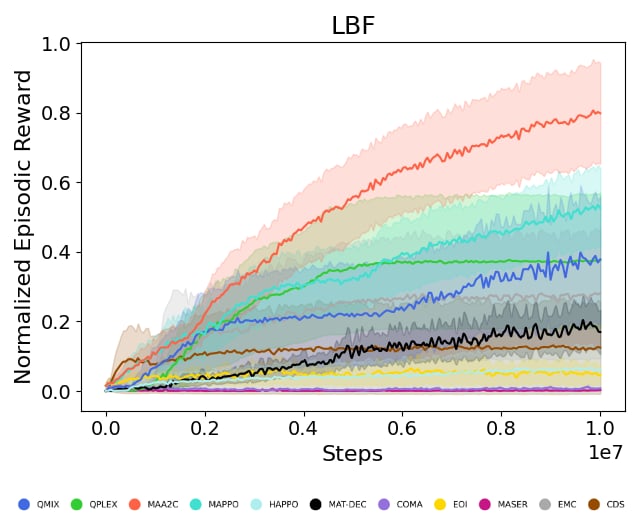
- Support for LBF environment.
- Support for RWARE environment.
- Support for MPE environment.
Algorithms (9) maintained from EPyMARL:
- COMA
- QMIX
- MAA2C
- MAPPO
- VDN
- MADDPG
- IQL
- IPPO
- IA2C
If you find PyMARLzoo+ useful or use PyMARLzoo+ in your research, please cite it in your publications.
@inproceedings{10.5555/3709347.3743796,
author = {Papadopoulos, George and Kontogiannis, Andreas and Papadopoulou, Foteini and Poulianou, Chaido and Koumentis, Ioannis and Vouros, George},
title = {An Extended Benchmarking of Multi-Agent Reinforcement Learning Algorithms in Complex Fully Cooperative Tasks},
year = {2025},
isbn = {9798400714269},
publisher = {International Foundation for Autonomous Agents and Multiagent Systems},
address = {Richland, SC},
abstract = {Multi-Agent Reinforcement Learning (MARL) has recently emerged as a significant area of research. However, MARL evaluation often lacks systematic diversity, hindering a comprehensive understanding of algorithms' capabilities. In particular, cooperative MARL algorithms are predominantly evaluated on benchmarks such as SMAC and GRF, which primarily feature team game scenarios without assessing adequately various aspects of agents' capabilities required in fully cooperative real-world tasks such as multi-robot cooperation and warehouse, resource management, search and rescue, and human-AI cooperation. Moreover, MARL algorithms are mainly evaluated on low dimensional state spaces, and thus their performance on high-dimensional (e.g., image) observations is not well-studied. To fill this gap, this paper highlights the crucial need for expanding systematic evaluation across a wider array of existing benchmarks. To this end, we conduct extensive evaluation and comparisons of well-known MARL algorithms on complex fully cooperative benchmarks, including tasks with images as agents' observations. Interestingly, our analysis shows that many algorithms, hailed as state-of-the-art on SMAC and GRF, may underperform standard MARL baselines on fully cooperative benchmarks. Finally, towards more systematic and better evaluation of cooperative MARL algorithms, we have open-sourced PyMARLzoo+, an extension of the widely used (E)PyMARL libraries, which addresses an open challenge from[46], facilitating seamless integration and support with all benchmarks of PettingZoo, as well as Overcooked, PressurePlate, Capture Target and Box Pushing.},
booktitle = {Proceedings of the 24th International Conference on Autonomous Agents and Multiagent Systems},
pages = {1613–1622},
numpages = {10},
keywords = {benchmarking, fully cooperative multi-agent reinforcement learning, image-based observations, open-source framework},
location = {Detroit, MI, USA},
series = {AAMAS '25}
}
Table of Contents
- Installation
- Run training
- Environment API
- Run a hyperparameter search
- Saving and loading learnt models
- Weights and biases
- Known issues
- Issues
- Future work
- Citing PyMARLzoo+, PyMARL, and EPyMARL
- License
Installation
Install locally
Before installing PyMARLzoo+, we recommend creating a conda environment:
conda create -y -n pymarlzooplus python=3.8.18
conda activate pymarlzooplus
-
To install and use PyMARLzoo+ as a package, run the following commands:
pip install pymarlzooplus
-
To build it from source, run the following commands:
git clone https://github.com/AILabDsUnipi/pymarlzooplus.git
cd pymarlzooplus
pip install -e .
Note that before running an atari environment (from PettingZoo) for the first time, you have to run:
AutoROM -y
Using Docker
The docker image is available at Docker Hub.
How to use the Docker image
Pull the image from Docker Hub with the following command:
docker pull ailabdsunipi/pymarlzooplus:latest
You can run the image with the following command:
docker run -it --rm -v /path/to/your/project:/home ailabdsunipi/pymarlzooplus:latest bash
How to build the Docker image
You can also use the provided Docker files in docker/ to build and run a Docker container with the pymarlzooplus installed as a headless machine.
To build the image, run the container and get into the container, run the following commands after you clone the repository:
docker compose -f docker/docker-compose.yml up --build
docker exec -it $(docker ps | awk 'NR > 1 {print $1}') /bin/bash
Run training
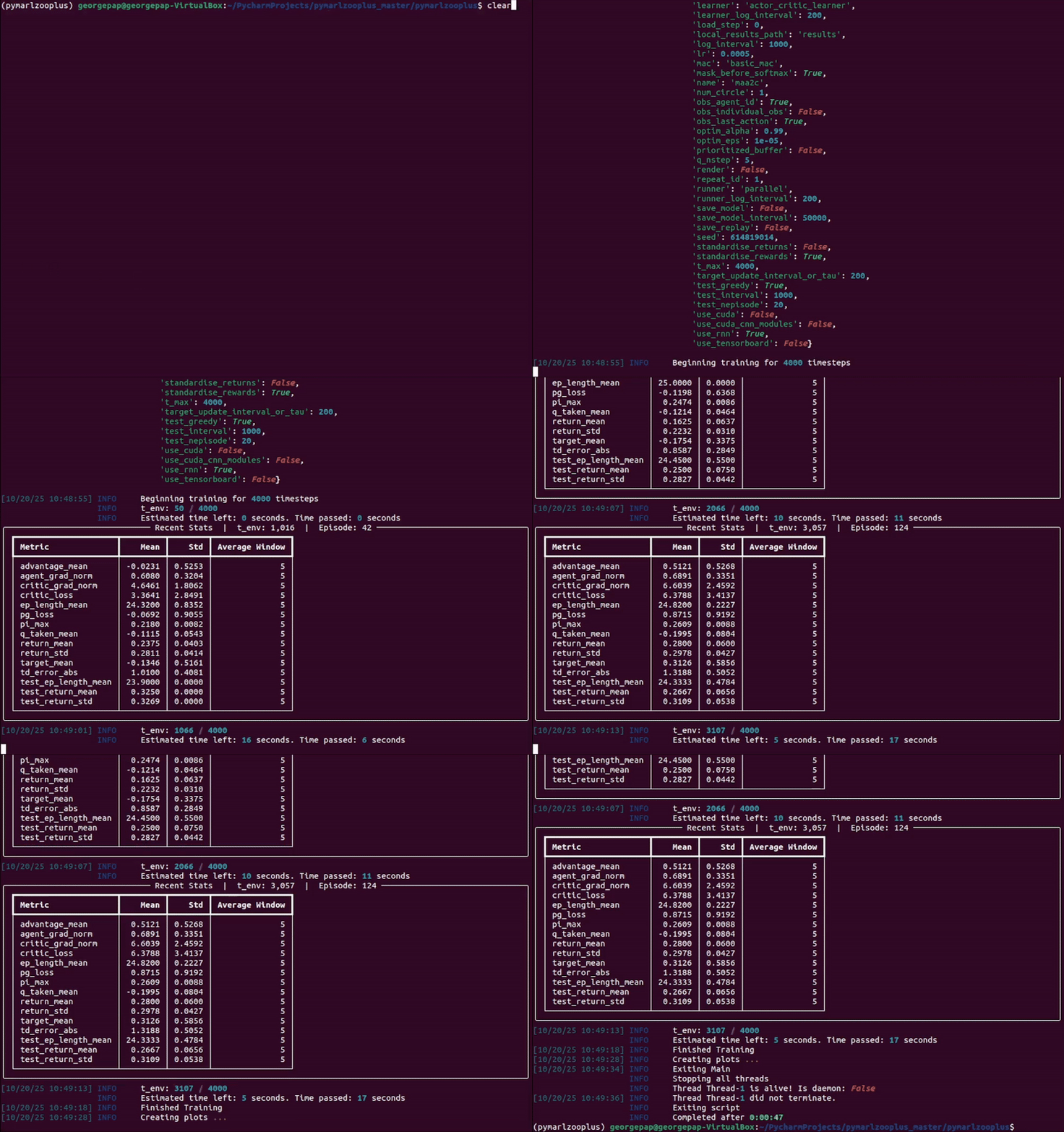
In the following instructions, <algo> (or "algo") can be replaced with one of the following algoriths:
- "coma"
- "qmix"
- "maa2c"
- "mappo"
- "vdn"
- "maddpg"
- "iql"
- "ippo"
- "ia2c"
- "happo"
- "mat-dec"
- "qplex"
- "eoi"
- "emc"
- "maser"
- "cds"
- "maven"
- "commformer"
You can specify the algorithm arguments:
- In case of running experiment from source, you can edit the corresponding configuration file in pymarlzooplus/config/algs/ and the pymarlzooplus/config/default.yaml.
- In case of running experiment as a package, you can specify the algorithm arguments in the dictionary
"algo_args".
LBF
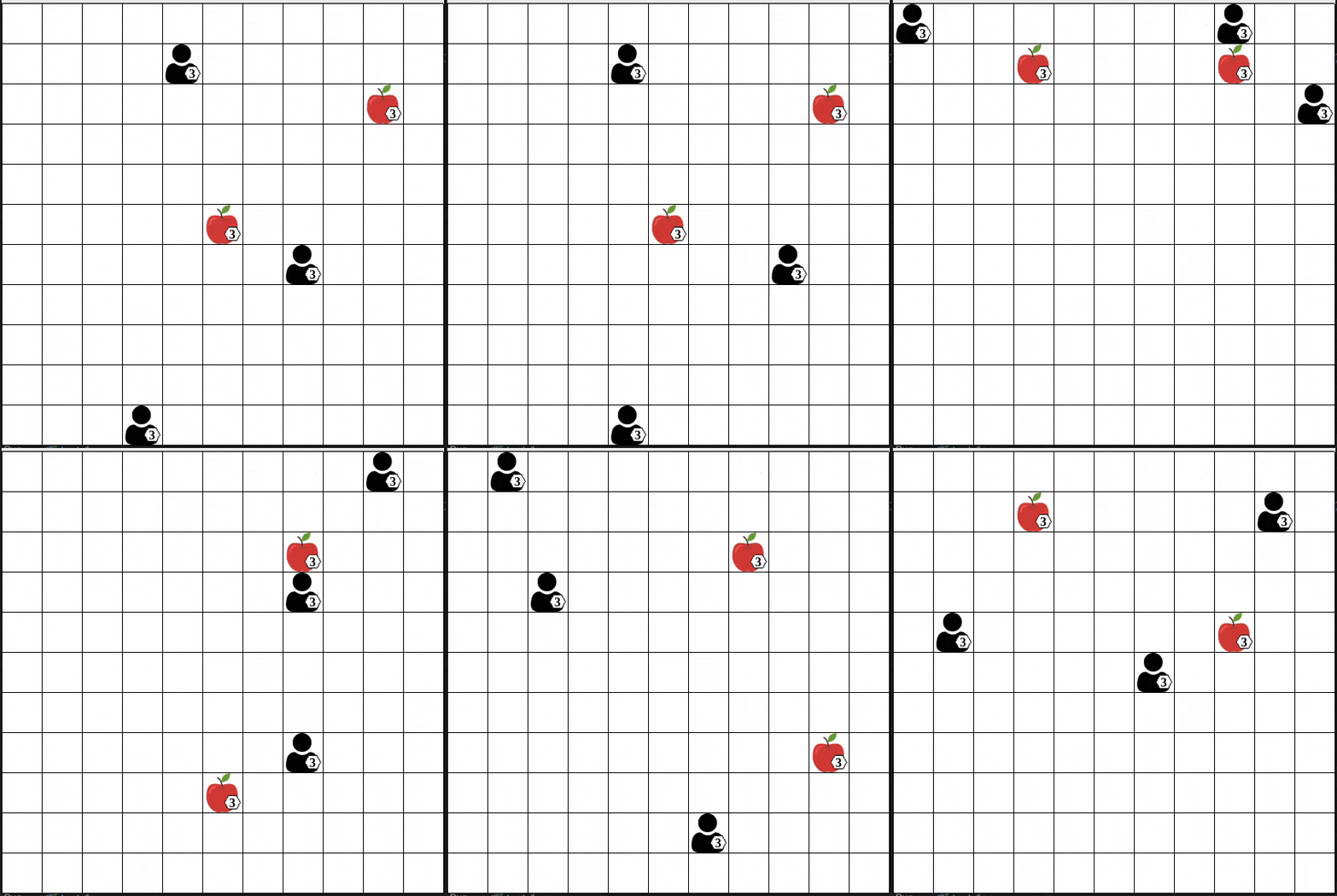
- As a package (replace
"algo"and"scenario"):
  from pymarlzooplus import pymarlzooplus

  params_dict = {
    "config": "algo",
    "algo_args": {},
    "env-config": "gymma",
    "env_args": {
        "key": "scenario",
        "time_limit": 50,
        "seed": 2024
    }
  }

  pymarlzooplus(params_dict)
Find all the LBF arguments in the configuration file pymarlzooplus/config/envs/gymma.yaml.
- From source (replace
<algo>and<scenario>):python pymarlzooplus/main.py --config=<algo> --env-config=gymma with env_args.time_limit=25 env_args.key=<scenario>
Before running an experiment, edit the configuration file in pymarlzooplus/config/envs/gymma.yaml.
Available scenarios (replace "scenario" or <scenario>) we run experiments (our experiments were conducted with v2):
- "lbforaging:Foraging-4s-11x11-3p-2f-coop-v2" / "lbforaging:Foraging-4s-11x11-3p-2f-coop-v3",
- "lbforaging:Foraging-2s-11x11-3p-2f-coop-v2" / "lbforaging:Foraging-2s-11x11-3p-2f-coop-v3",
- "lbforaging:Foraging-2s-8x8-3p-2f-coop-v2" / "lbforaging:Foraging-2s-8x8-3p-2f-coop-v3",
- "lbforaging:Foraging-2s-9x9-3p-2f-coop-v2" / "lbforaging:Foraging-2s-9x9-3p-2f-coop-v3",
- "lbforaging:Foraging-7s-20x20-5p-3f-coop-v2" / "lbforaging:Foraging-7s-20x20-5p-3f-coop-v3",
- "lbforaging:Foraging-2s-12x12-2p-2f-coop-v2" / "lbforaging:Foraging-2s-12x12-2p-2f-coop-v3",
- "lbforaging:Foraging-8s-25x25-8p-5f-coop-v2" / "lbforaging:Foraging-8s-25x25-8p-5f-coop-v3",
- "lbforaging:Foraging-7s-30x30-7p-4f-coop-v2" / "lbforaging:Foraging-7s-30x30-7p-4f-coop-v3"
All the above scenarios are compatible both with our training framework and the environment API.
RWARE
-
As a package (replace
"algo"and"scenario"):from pymarlzooplus import pymarlzooplus params_dict = { "config": "algo", "algo_args": {}, "env-config": "gymma", "env_args": { "key": "scenario", "time_limit": 500, "seed": 2024 } } pymarlzooplus(params_dict)
Find all the RWARE arguments in the configuration file pymarlzooplus/config/envs/gymma.yaml.
-
From source (replace
<algo>and<scenario>):python pymarlzooplus/main.py --config=<algo> --env-config=gymma with env_args.time_limit=500 env_args.key=<scenario>
Before running an experiment, edit the configuration file in pymarlzooplus/config/envs/gymma.yaml.
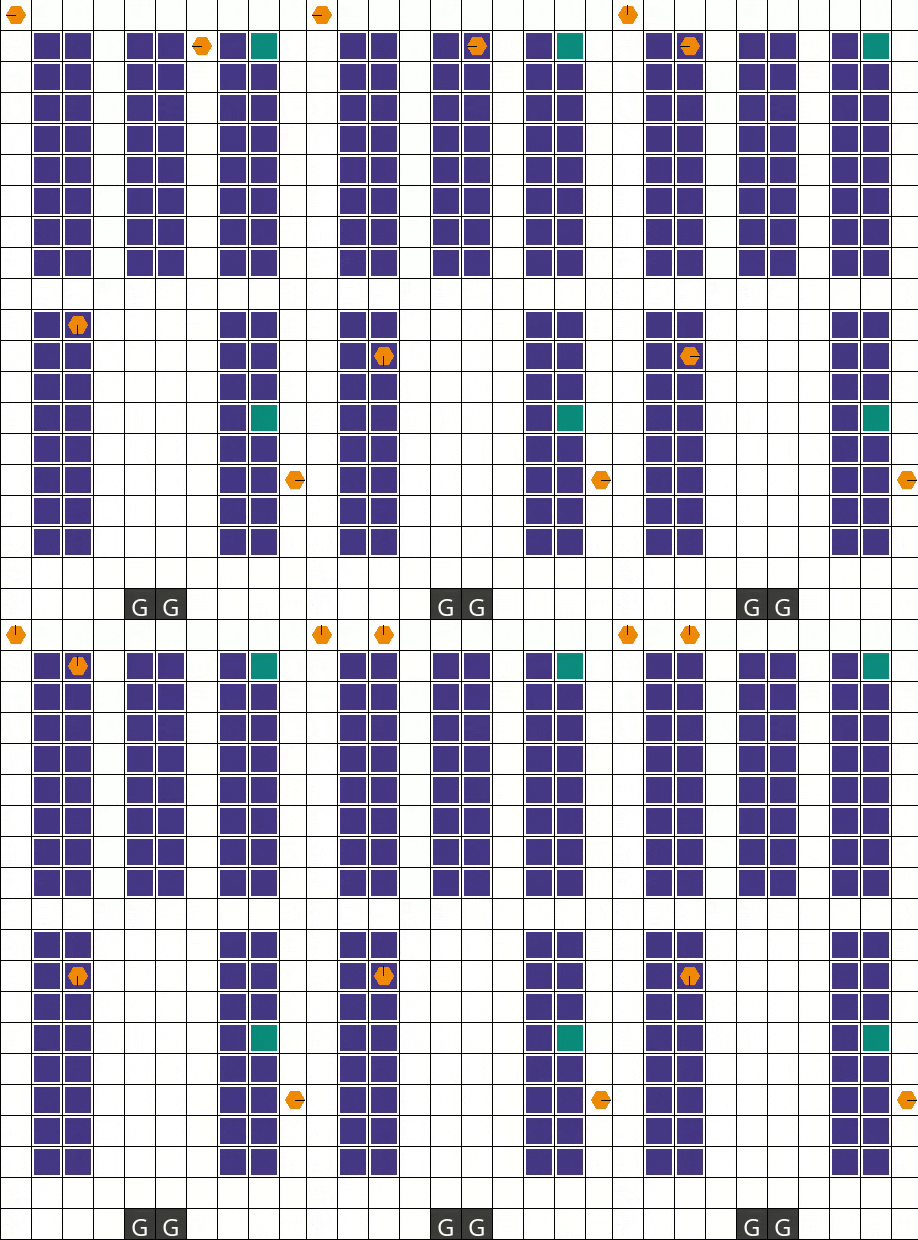
Available scenarios we run experiments (our experiments were conducted with v1):
- "rware:rware-small-4ag-hard-v1" / "rware:rware-small-4ag-hard-v2"
- "rware:rware-tiny-4ag-hard-v1" / "rware:rware-tiny-4ag-hard-v2",
- "rware:rware-tiny-2ag-hard-v1" / "rware:rware-tiny-2ag-hard-v2"
All the above scenarios are compatible both with our training framework and the environment API.
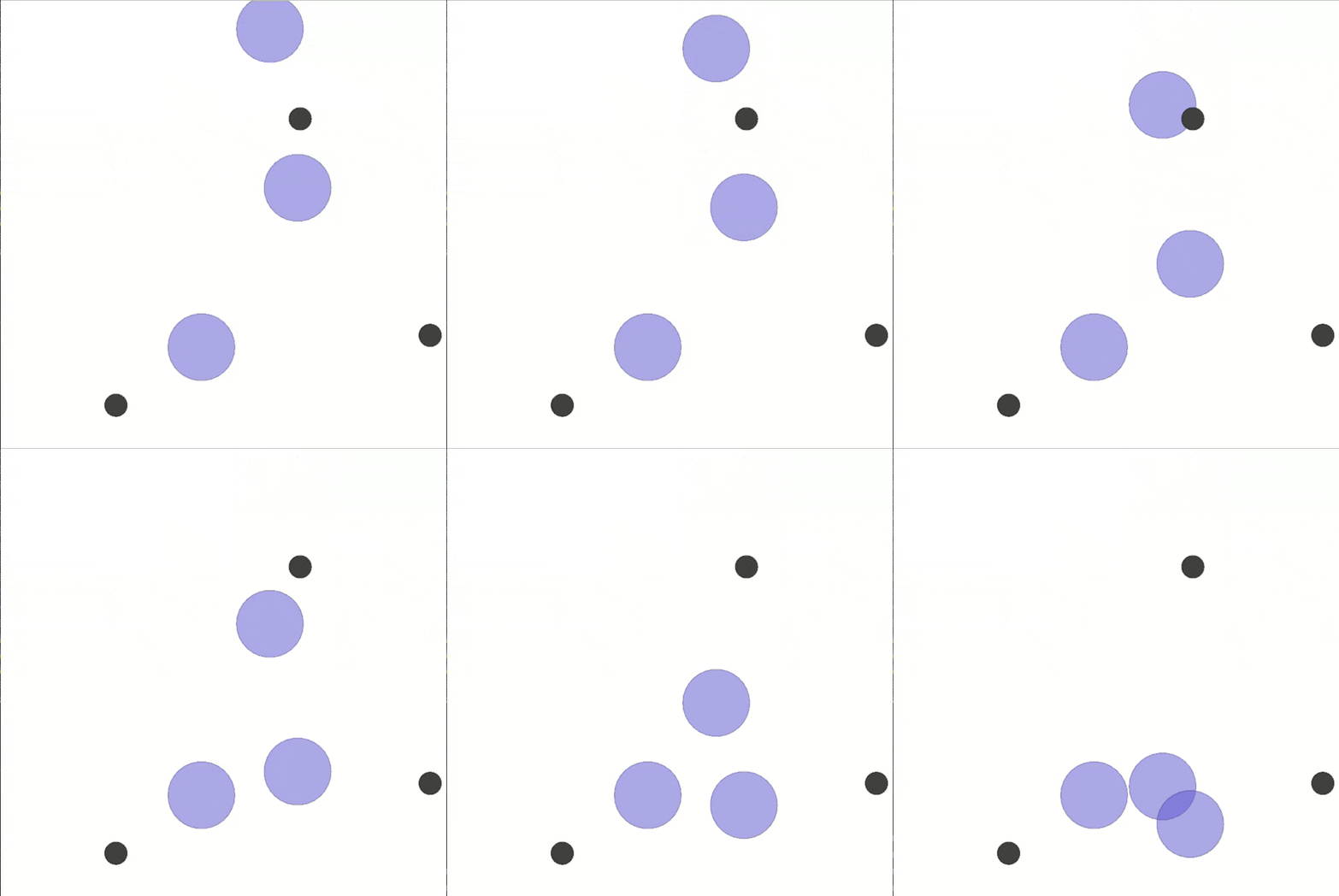
MPE
-
As a package (replace
"algo"and"scenario"):from pymarlzooplus import pymarlzooplus params_dict = { "config": "algo", "algo_args": {}, "env-config": "gymma", "env_args": { "key": "scenario", "time_limit": 25, "seed": 2024 } } pymarlzooplus(params_dict)
Find all the MPE arguments in the configuration file pymarlzooplus/config/envs/gymma.yaml.
-
From source (replace
<algo>and<scenario>):python pymarlzooplus/main.py --config=<algo> --env-config=gymma with env_args.time_limit=25 env_args.key=<scenario>
Before running an experiment, edit the configuration file in pymarlzooplus/config/envs/gymma.yaml.
Available scenarios we run experiments:
- "mpe:SimpleSpeakerListener-v0",
- "mpe:SimpleSpread-3-v0",
- "mpe:SimpleSpread-4-v0",
- "mpe:SimpleSpread-5-v0",
- "mpe:SimpleSpread-8-v0"
More available scenarios:
- "mpe:MultiSpeakerListener-v0",
- "mpe:SimpleAdversary-v0",
- "mpe:SimpleCrypto-v0",
- "mpe:SimplePush-v0",
- "mpe:SimpleReference-v0",
- "mpe:SimpleTag-v0",
- "mpe:SimpleWorldComm-v0",
- "mpe:ClimbingSpread-v0"
All the above scenarios are compatible both with our training framework and the environment API.
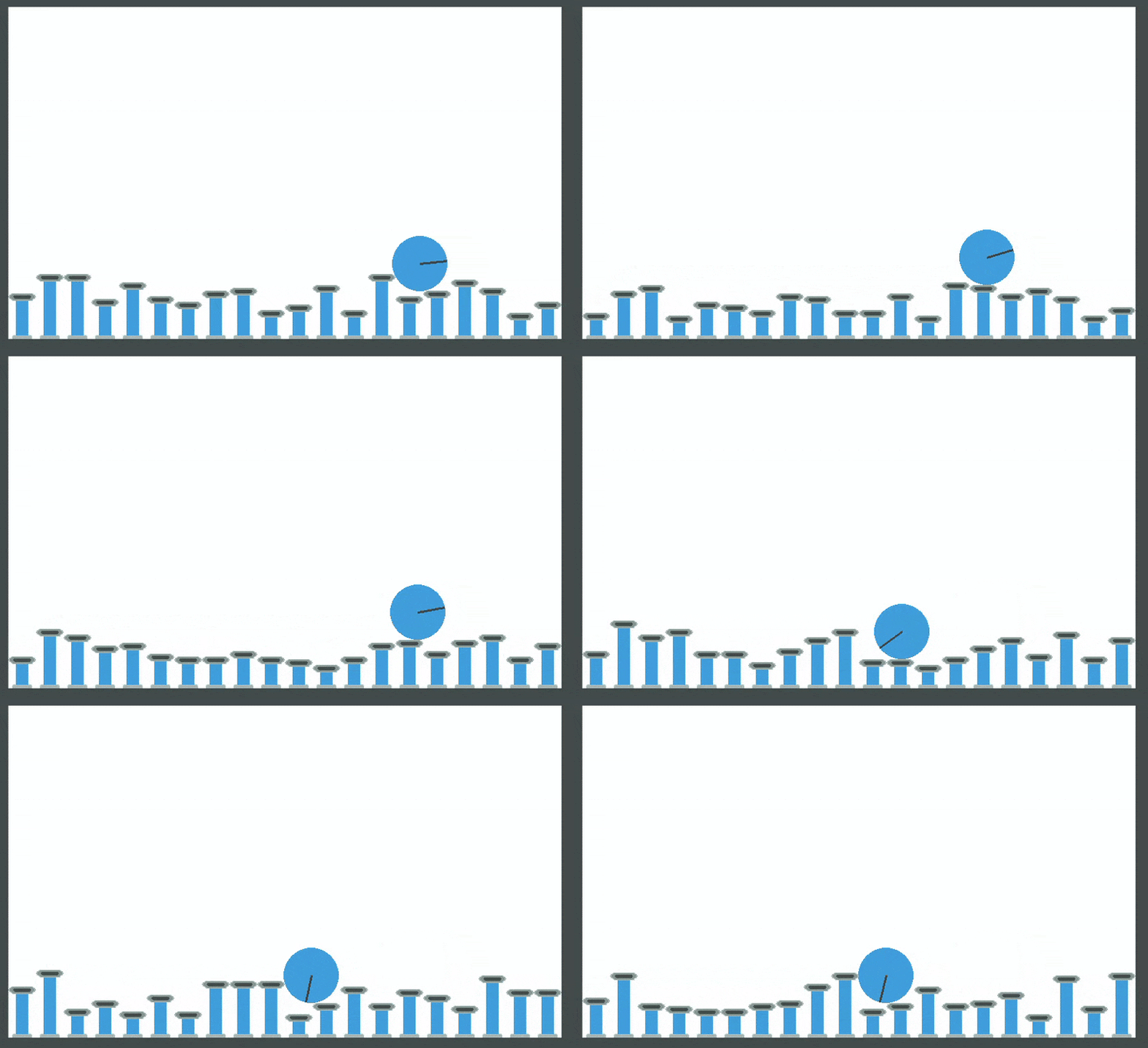
PettingZoo
-
As a package (replace
"algo","task", and0000):from pymarlzooplus import pymarlzooplus params_dict = { "config": "algo", "algo_args": {}, "env-config": "pettingzoo", "env_args": { "key": "task", "time_limit": 0000, "render_mode": "rgb_array", # Options: "human", "rgb_array "image_encoder": "ResNet18", # Options: "ResNet18", "SlimSAM", "CLIP" "image_encoder_use_cuda": True, # Whether to load image-encoder in GPU or not. "image_encoder_batch_size": 10, # How many images to encode in a single pass. "partial_observation": False, # Only for "Emtombed: Cooperative" and "Space Invaders" "trainable_cnn": False, # Specifies whether to return image-observation or the encoded vector-observation "seed": 2024 } } pymarlzooplus(params_dict)
Find all the PettingZoo arguments in the configuration file pymarlzooplus/config/envs/pettingzoo.yaml. Also, there you can find useful comments for each task's arguments.
-
From source (replace
<algo>,<time-limit>, and<task>):python pymarlzooplus/main.py --config=<algo> --env-config=pettingzoo with env_args.time_limit=<time-limit> env_args.key=<task>
Before running an experiment, edit the configuration file in pymarlzooplus/config/envs/pettingzoo.yaml.
Available tasks we run experiments:
- Atari:
- "entombed_cooperative_v3"
- "space_invaders_v2"
- Butterfly:
- "pistonball_v6"
- "cooperative_pong_v5"
The above tasks are compatible both with our training framework and the environment API. Below, we list more tasks which are compatible only with the environment API:
- Atari:
- "basketball_pong_v3"
- "boxing_v2"
- "combat_plane_v2"
- "combat_tank_v2"
- "double_dunk_v3"
- "entombed_competitive_v3"
- "flag_capture_v2"
- "foozpong_v3"
- "ice_hockey_v2"
- "joust_v3"
- "mario_bros_v3"
- "maze_craze_v3"
- "othello_v3"
- "pong_v3"
- "quadrapong_v4"
- "space_war_v2"
- "surround_v2"
- "tennis_v3"
- "video_checkers_v4"
- "volleyball_pong_v3"
- "warlords_v3"
- "wizard_of_wor_v3"
- Butterfly:
- "knights_archers_zombies_v10"
- Classic:
- "chess_v6"
- "connect_four_v3"
- "gin_rummy_v4"
- "go_v5"
- "hanabi_v5"
- "leduc_holdem_v4"
- "rps_v2"
- "texas_holdem_no_limit_v6"
- "texas_holdem_v4"
- "tictactoe_v3"
- MPE
- "simple_v3"
- "simple_adversary_v3"
- "simple_crypto_v3"
- "simple_push_v3"
- "simple_reference_v3"
- "simple_speaker_listener_v4"
- "simple_spread_v3"
- "simple_tag_v3"
- "simple_world_comm_v3"
- SISL
- "multiwalker_v9"
- "pursuit_v4"
- "waterworld_v4"
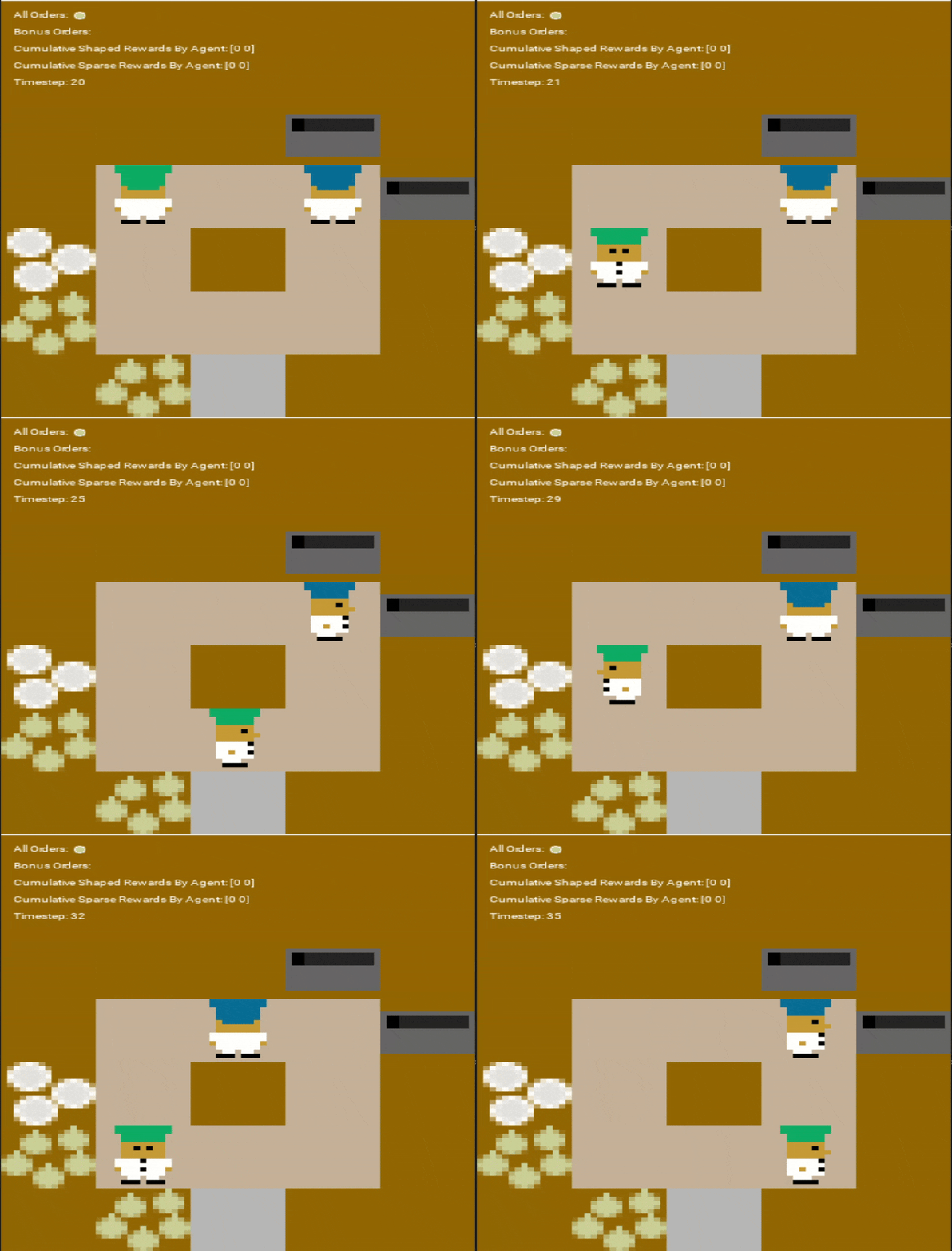
Overcooked
-
As a package (replace
"algo","scenario", and"rewardType"):from pymarlzooplus import pymarlzooplus params_dict = { "config": "algo", "algo_args": {}, "env-config": "overcooked", "env_args": { "time_limit": 500, "key": "scenario", "reward_type": "rewardType", } } pymarlzooplus(params_dict)
Find all the Overcooked arguments in the configuration file pymarlzooplus/config/envs/overcooked.yaml.
-
From source (replace
<algo>,<scenario>, and<reward_type>):python pymarlzooplus/main.py --config=<algo> --env-config=overcooked with env_args.time_limit=500 env_args.key=<scenario> env_args.reward_type=<reward_type>
Before running an experiment, edit the configuration file in pymarlzooplus/config/envs/overcooked.yaml.
Available scenarios we run experiments:
- "cramped_room"
- "asymmetric_advantages"
- "coordination_ring"
More available scenarios:
- "counter_circuit"
- "random3"
- "random0"
- "unident"
- "forced_coordination"
- "soup_coordination"
- "small_corridor"
- "simple_tomato"
- "simple_o_t"
- "simple_o"
- "schelling_s"
- "schelling"
- "m_shaped_s"
- "long_cook_time"
- "large_room"
- "forced_coordination_tomato"
- "cramped_room_tomato"
- "cramped_room_o_3orders"
- "asymmetric_advantages_tomato"
- "bottleneck"
- "cramped_corridor"
- "counter_circuit_o_1order"
Reward types available:
- "sparse" (we used it to run our experiments)
- "shaped"
All the above scenarios are compatible both with our training framework and the environment API.
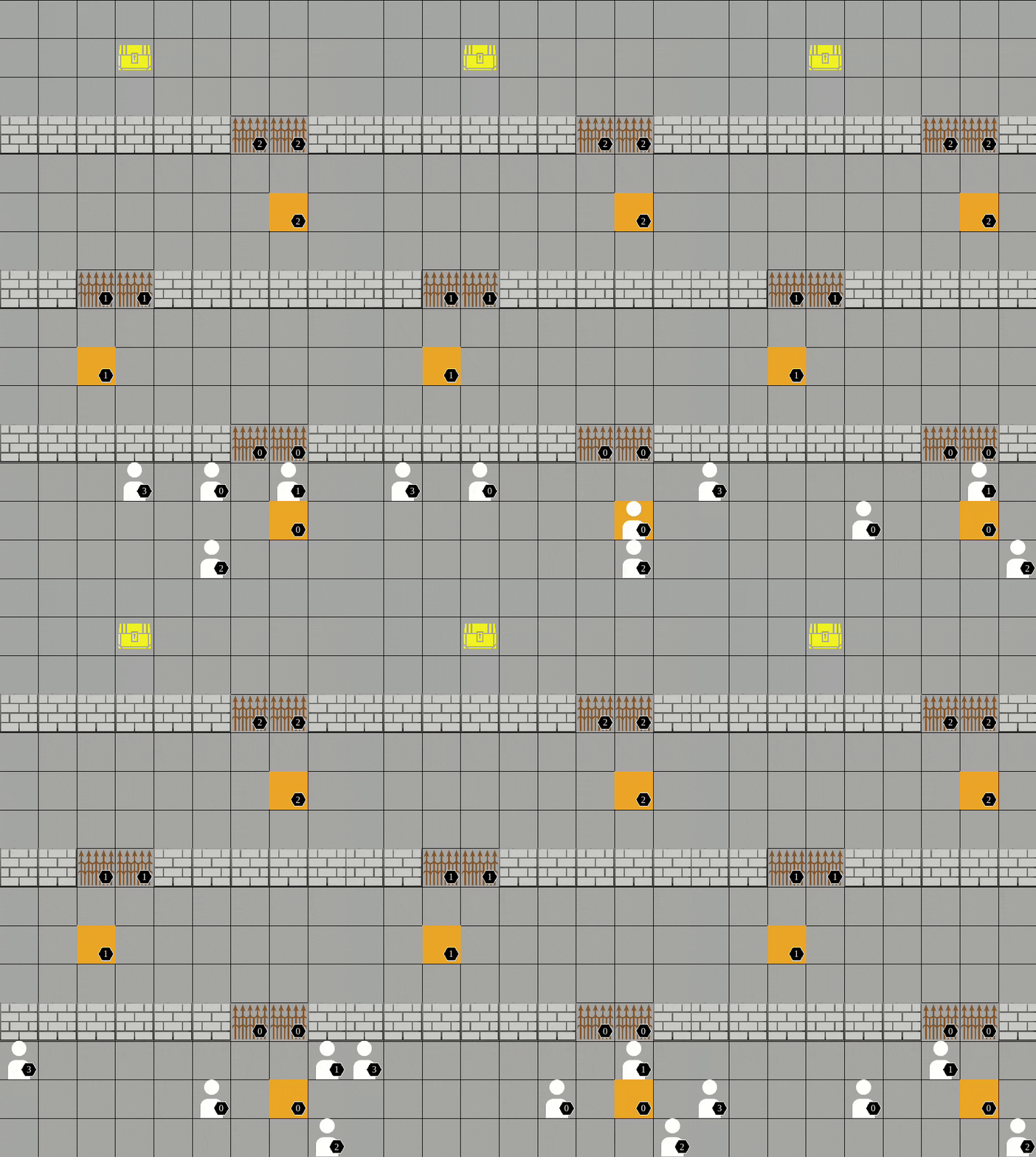
Pressure plate
-
As a package (replace
"algo"and"scenario"):from pymarlzooplus import pymarlzooplus params_dict = { "config": "algo", "algo_args": {}, "env-config": "pressureplate", "env_args": { "key": "scenario", "time_limit": 500, "seed": 2024 } } pymarlzooplus(params_dict)
Find all the Pressure Plate arguments in the configuration file pymarlzooplus/config/envs/pressureplate.yaml.
-
From source (replace
<algo>and<scenario>):python pymarlzooplus/main.py --config=<algo> --env-config=pressureplate with env_args.key=<scenario> env_args.time_limit=500
Before running an experiment, edit the configuration file in pymarlzooplus/config/envs/pressureplate.yaml.
Available scenarios we run experiments:
- "pressureplate-linear-4p-v0"
- "pressureplate-linear-6p-v0"
More available scenarios:
- "pressureplate-linear-5p-v0"
All the above scenarios are compatible both with our training framework and the environment API.
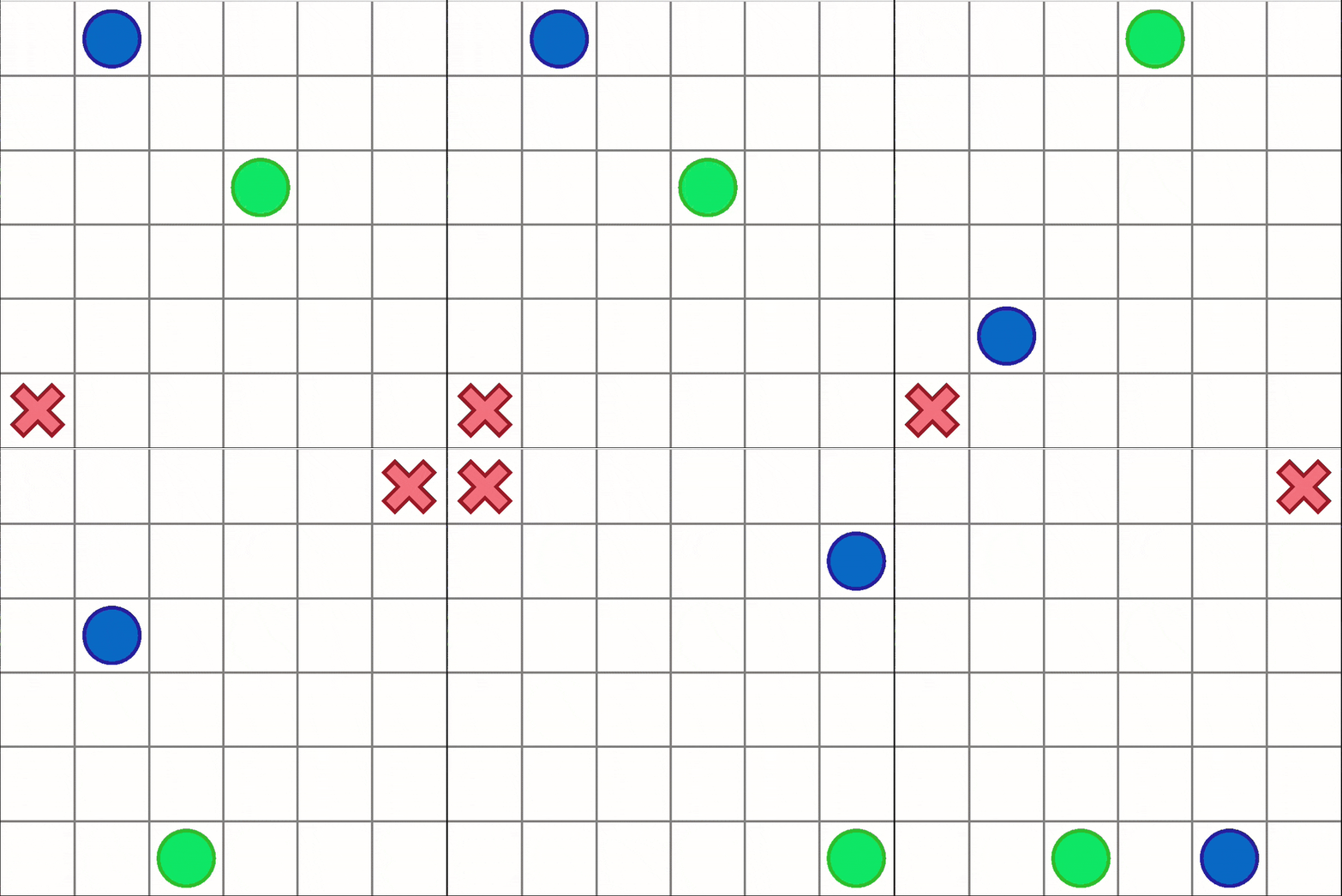
Capture Target
-
As a package (replace
"algo"and"scenario"):from pymarlzooplus import pymarlzooplus params_dict = { "config": "algo", "algo_args": {}, "env-config": "capturetarget", "env_args": { "time_limit": 60, "key" : "scenario", } } pymarlzooplus(params_dict)
Find all the Capture Target arguments in the configuration file pymarlzooplus/config/envs/capturetarget.yaml.
-
From source (replace
<algo>and<scenario>):python pymarlzooplus/main.py --config=<algo> --env-config=capturetarget with env_args.key=<scenario> env_args.time_limit=60
Before running an experiment, edit the configuration file in pymarlzooplus/config/envs/capturetarget.yaml. Also, there you can find useful comments for the rest of arguments.
Available scenario:
- "CaptureTarget-6x6-1t-2a-v0"
The above scenario is compatible both with our training framework and the environment API.
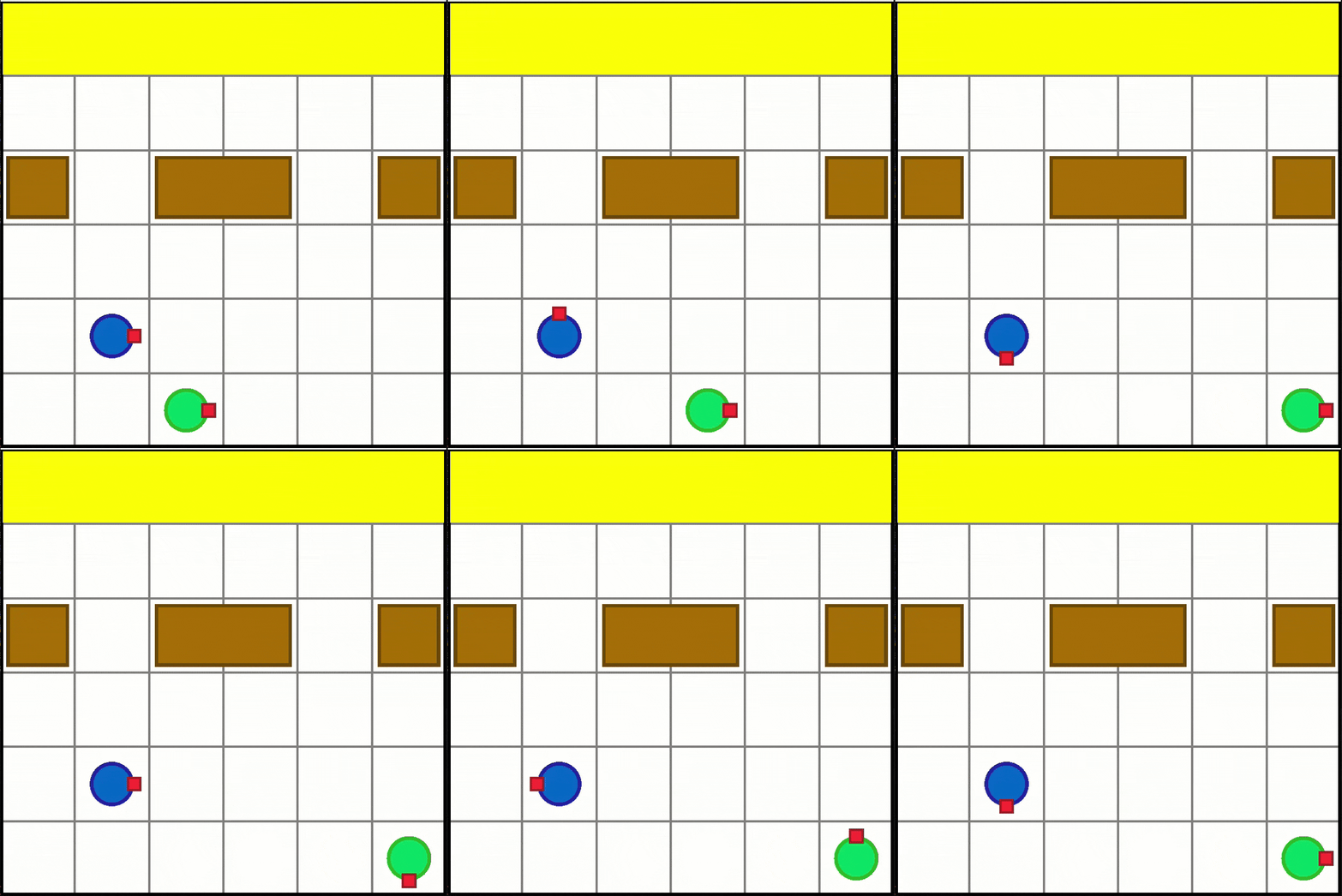
Box Pushing
-
As a package (replace
"algo"and"scenario"):from pymarlzooplus import pymarlzooplus params_dict = { "config": "algo", "algo_args": {}, "env-config": "boxpushing", "env_args": { "key": "scenario", "time_limit": 60, "seed": 2024 } } pymarlzooplus(params_dict)
Find all the Box Pushing arguments in the configuration file pymarlzooplus/config/envs/boxpushing.yaml.
-
From source (replace
<algo>and<scenario>):python pymarlzooplus/main.py --config=<algo> --env-config=boxpushing with env_args.key=<scenario> env_args.time_limit=60
Before running an experiment, edit the configuration file in pymarlzooplus/config/envs/boxpushing.yaml.
Available scenario:
- "BoxPushing-6x6-2a-v0"
The above scenario is compatible both with our training framework and the environment API.
Environment API
Except from using our training framework, you can use PyMARLzoo+ in your custom training pipeline as follows:
# Import package
from pymarlzooplus.envs import REGISTRY as env_REGISTRY

# Example of arguments for PettingZoo
args = {
  "env": "pettingzoo",
  "env_args": {
      "key": "pistonball_v6",
      "time_limit": 900,
      "render_mode": "rgb_array",
      "image_encoder": "ResNet18",
      "image_encoder_use_cuda": True,
      "image_encoder_batch_size": 10,
      "centralized_image_encoding": False,
      "partial_observation": False,
      "trainable_cnn": False,
      "kwargs": "('n_pistons',10),",
      "seed": 2024
  }
}

# Initialize environment
env = env_REGISTRY[args["env"]](**args["env_args"])
n_agns = env.get_n_agents()
n_acts = env.get_total_actions()
# Reset the environment
obs, state = env.reset()
done = False
# Run an episode
while not done:
    # Render the environment (optional)
    env.render()
    # Insert the policy's actions here
    actions = env.sample_actions()
    # Apply an environment step
    reward, done, extra_info = env.step(actions)
    obs = env.get_obs()
    state = env.get_state()
    info = env.get_info()
# Terminate the environment
env.close()
The code above can be used as is (changing the arguments accordingly) with the fully cooperative tasks (see section Run training to find out which tasks are fully cooperative).
Returned values
-
n_agns (int)
Number of agents in the environment. -
n_acts (int)
Number of available actions per agent (all agents share the same action space). -
reward (float)
Sum of all agents’ rewards for the current step. -
done (bool)
Falseif any agent is still active;Trueonly when all agents are done. -
extra_info (dict)
Typically is an empty dictionary. -
info (dict)
Contains a single key,"TimeLimit.truncated", which isFalseif any agent’s time limit has not been exceeded. -
obs (tuple of numpy arrays)
One array per agent.- If using encoding of images, each observation has shape
(cnn_features_dim,)(default128). - If using raw images, each observation has shape
(3, h, w).
- If using encoding of images, each observation has shape
-
state (numpy array)
The global state:- With encoding of images, shape
(cnn_features_dim * n_agns,). - With raw images, shape
(n_agents, 3, h, w).
- With encoding of images, shape
In the file pymarlzooplus/scripts/api_script.py, you can find a complete example for all the supported environments.
For a description of each environment's arguments, please see the corresponding config file in pymarlzooplus/config/envs.
Run a hyperparameter search
We include a script named search.py which reads a search configuration file (e.g. the included search.config.example.yaml) and runs a hyperparameter search in one or more tasks. The script can be run using:
python pymarlzooplus/search.py run --config=pymarlzooplus/config/search.config.example.yaml --seeds 5 locally
In a cluster environment where one run should go to a single process, it can also be called in a batch script like:
python pymarlzooplus/search.py run --config=pymarlzooplus/config/search.config.example.yaml --seeds 5 single 1
where 1 is an index to the particular hyperparameter configuration and can take values from 1 to the number of different combinations.
📈 Generating Plots
To visualize experiment results, use the utils/plot_utils.py . Plots are defined by YAML configs in pymarlzooplus/config/plots/.
Usage
Run plots from the pymarlzooplus root directory.
Command:
python utils/plot_utils.py <mode> --config <path_to_config.yaml>
Modes:
single: Plot a single experiment.multiple: Aggregates multiple seeds/algorithms for one environment.average: Averages results across multiple environments (using .pkl files from multiple mode).
Configuration
- Configs are stored in
config/plots/. If--configis omitted, a default is used based on the mode:single-> config/plots/single.yamlmultiple-> config/plots/multiple.yamlaverage-> config/plots/average.yaml
- Use
~for your home directory in paths (e.g.,~/results/sacred/...).
Example Usage
Run plots from the pymarlzooplus root directory.
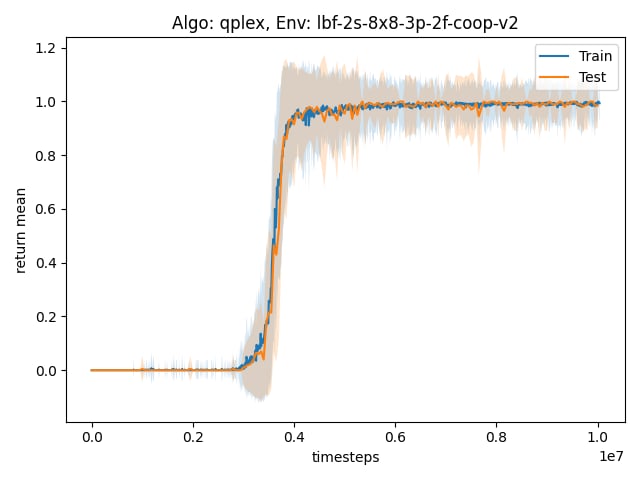
- Single Experiment Plot:
python utils/plot_utils.py single --config config/plots/single.yaml
- Multiple Experiments Plot:
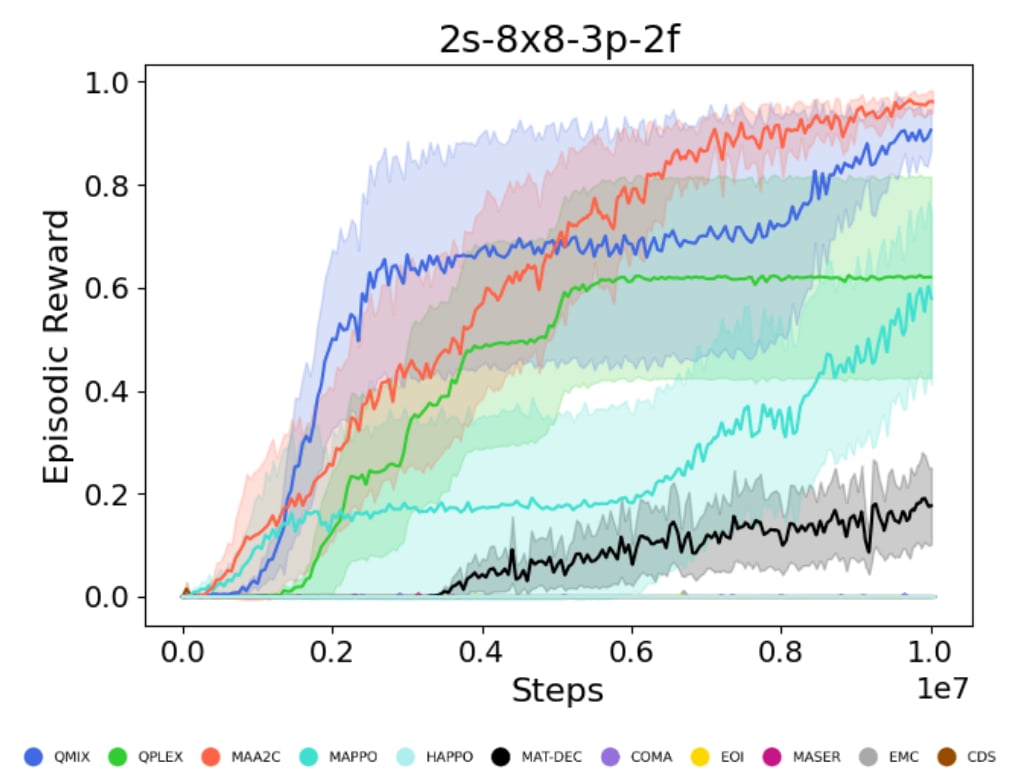
python utils/plot_utils.py multiple --config config/plots/multiple.yaml
- Average Across Environments:
python utils/plot_utils.py average --config config/plots/average.yaml
Saving and loading learnt models
Saving models
You can save the learnt models to disk by setting save_model = True, which is set to False by default. The frequency of saving models can be adjusted using save_model_interval configuration. Models will be saved in the result directory, under the folder called models. The directory corresponding each run will contain models saved throughout the experiment, each within a folder corresponding to the number of timesteps passed since starting the learning process.
Loading models
Learnt models can be loaded using the checkpoint_path parameter, after which the learning will proceed from the corresponding timestep.
Weights and Biases
PyMARLzoo+ supports integration with Weights & Biases (W&B). We thank Aditya Parameshwaran for this contribution. To enable logging to W&B:
- Install wandb in your environment (we already added it to
requirements.txt):
conda run -n pymarlzooplus pip install -U wandb
or check if wandb is already installed:
conda run -n pymarlzooplus pip show wandb
- Login to W&B (if you want online sync):
conda run -n pymarlzooplus wandb login
Alternatively, you can export your API key:
export WANDB_API_KEY=<your_api_key>
- Enable W&B in the config (
pymarlzooplus/config/default.yaml) by settingenable: Trueinside thewandbsection:
wandb:
  enable: True               # set to True to activate W&B logging
  project: "your-project-name"                # W&B project name (e.g. "pymarlzooplus")
  entity: ""                 # W&B entity/user (optional, leave empty for default)
  run_name: null             # if null, an automatic name is built from the env, algorithm and seed
  notes: ""                  # optional notes/description for the run
  tags: []                   # optional list of tags
  save_dir: "results/wandb"  # directory where W&B stores run files
  sync_tensorboard: False
  resume: False              # whether to attempt to resume a previous run
  id: null                   # if provided and resume is True, use this run id
- If you don't want to sync to the W&B cloud during quick tests, run in offline mode:
WANDB_MODE=offline python pymarlzooplus/main.py --config=<algo> --env-config=<env> with env_args.key=<scenario>
or set it in the config:
wandb:
  enable: False
  # ...
Notes:
- The integration is optional and robust: if
wandbisn't installed, the code will continue without failing. - All wandb setup logic (config parsing, run-name generation,
wandb.init) lives inLogger.setup_wandb()(pymarlzooplus/utils/logging_setup.py). - Scalar metrics already logged through the project's
Loggerare automatically forwarded to W&B when enabled.
Known issues
-
Installation error for
box2d-py, run:sudo apt-get install swig
-
In case you get
ImportError: Library "GLU" not found., run:sudo apt-get install python3-opengl
-
In case you get
IndexError: list index out of rangefor pyglet in a non-headless machine usingrender=True, set__GLX_VENDOR_LIBRARY_NAME=nvidiaand__NV_PRIME_RENDER_OFFLOAD=1as environment variables.For example, if you want to run your own file
example.py, run:__GLX_VENDOR_LIBRARY_NAME=nvidia __NV_PRIME_RENDER_OFFLOAD=1 python example.py
-
In case you get
ERROR: Failed building wheel for multi-agent-ale-py, probably the problem is with the compiler (ifcmakeis already installed), so run:sudo apt-get install g++-9 gcc-9 export CC=gcc-9 CXX=g++-9
-
In case you get
SystemError: ffi_prep_closure(): bad user_data (it seems that the version of the libffi library seen at runtime is different from the 'ffi.h' file seen at compile-time), probably for"waterworld_v4"of PettingZoo, run:pip install --upgrade --force-reinstall pymunk cffi
-
In case you get
ImportError: ../bin/../lib/libstdc++.so.6: 'version GLIBCXX_3.4.32' not found, run:conda install -c conda-forge libstdcxx-ng
Issues
If you encounter a bug, have a feature request, or any other questions about the project, we encourage you to open an issue. Please follow these steps:
- Visit the Issues Tab: Navigate to the Issues section of our repository.
- Click on "New Issue": Start a new issue by clicking the "New Issue" button.
- Choose the Correct Label: Select the one that best fits your situation (e.g. bug, question, help needed).
- Provide Details: Include a clear title and a detailed description. For bugs, please describe the steps to reproduce the issue, the expected behavior, and any relevant system information.
- Submit the Issue: Once you've provided all necessary details, click the "Submit new issue" button.
Thank you for contributing to the project and helping us improve!
Future Work
- Add support for raw image input in algorithms:
- CDS
- MASER
- EMC
- EOI
- MAT_DEC
- HAPPO
- QPLEX
- MAVEN
- CommFormer
- Docstrings for all code
- Make the code to be more abstract and modular
Citing PyMARLzoo+, EPyMARL and PyMARL
If you use PyMARLzoo+ in your research, please cite the An Extended Benchmarking of Multi-Agent Reinforcement Learning Algorithms in Complex Fully Cooperative Tasks .
George Papadopoulos, Andreas Kontogiannis, Foteini Papadopoulou, Chaido Poulianou, Ioannis Koumentis, George Vouros. An Extended Benchmarking of Multi-Agent Reinforcement Learning Algorithms in Complex Fully Cooperative Tasks, AAMAS 2025.
@article{papadopoulos2025extended,
  title={An Extended Benchmarking of Multi-Agent Reinforcement Learning Algorithms in Complex Fully Cooperative Tasks},
  author={Papadopoulos, George and Kontogiannis, Andreas and Papadopoulou, Foteini and Poulianou, Chaido and Koumentis, Ioannis and Vouros, George},
  journal={arXiv preprint arXiv:2502.04773},
  year={2025}
}
If you use EPyMARL in your research, please cite the following:
Georgios Papoudakis, Filippos Christianos, Lukas Schäfer, & Stefano V. Albrecht. Benchmarking Multi-Agent Deep Reinforcement Learning Algorithms in Cooperative Tasks, Proceedings of the Neural Information Processing Systems Track on Datasets and Benchmarks (NeurIPS), 2021
@inproceedings{papoudakis2021benchmarking,
   title={Benchmarking Multi-Agent Deep Reinforcement Learning Algorithms in Cooperative Tasks},
   author={Georgios Papoudakis and Filippos Christianos and Lukas Schäfer and Stefano V. Albrecht},
   booktitle = {Proceedings of the Neural Information Processing Systems Track on Datasets and Benchmarks (NeurIPS)},
   year={2021},
   url = {http://arxiv.org/abs/2006.07869},
   openreview = {https://openreview.net/forum?id=cIrPX-Sn5n},
   code = {https://github.com/uoe-agents/epymarl},
}
If you use the original PyMARL in your research, please cite the SMAC paper.
M. Samvelyan, T. Rashid, C. Schroeder de Witt, G. Farquhar, N. Nardelli, T.G.J. Rudner, C.-M. Hung, P.H.S. Torr, J. Foerster, S. Whiteson. The StarCraft Multi-Agent Challenge, CoRR abs/1902.04043, 2019.
In BibTeX format:
@article{samvelyan19smac,
  title = {{The} {StarCraft} {Multi}-{Agent} {Challenge}},
  author = {Mikayel Samvelyan and Tabish Rashid and Christian Schroeder de Witt and Gregory Farquhar and Nantas Nardelli and Tim G. J. Rudner and Chia-Man Hung and Philiph H. S. Torr and Jakob Foerster and Shimon Whiteson},
  journal = {CoRR},
  volume = {abs/1902.04043},
  year = {2019},
}
License
All the source code that has been taken from the EPyMARL and PyMARL repository was licensed (and remains so) under the Apache License v2.0 (included in LICENSE file).
Any new code is also licensed under the Apache License v2.0
2 maintainers


Metadata
2 maintainers
Release files for pymarlzooplus 1.1.0
For a detailed explanation of source distributions (sdists) and built distributions (wheels), please see the package formats documentation.
Source distribution (sdist)
| File | Size | Uploaded | |
|---|---|---|---|
| pymarlzooplus-1.1.0.tar.gz | 1.2 MB | Details |
Built distribution (wheel)
| File | Interpreter | ABI | Platform | Reset |
|---|---|---|---|---|
| pymarlzooplus-1.1.0-py3-none-any.whl | Python 3 | none | any | Details |
Total release size: 2.5 MB
Release files / pymarlzooplus-1.1.0.tar.gz
| Download URL | pymarlzooplus-1.1.0.tar.gz |
|---|---|
| Size | 1.2 MB |
| Tags | Source |
|
SHA-256 checksum How to use checksums |
78dc351993c2177c1834228dfce5c415f4402ff420324880718080b73c2a7ab5
|
|
BLAKE2b-256 checksum How to use checksums |
5f23784ea589d27a12290cdd8f245322da57e9bae5b1fc464d5b2951ac51a0ac
|
| Upload date | |
|
Uploaded using Trusted Publishing? What is trusted publishing? |
Yes |
| Uploaded via |
twine/6.1.0 CPython/3.13.7
|
Provenance
Provenance describes where a file came from. On PyPI, provenance is shared via attestations, which provide a verifiable record of the build or publishing details. View details, limitations and caveats.


PyPI Publish Attestation
PyPI verified that this artifact, at this checksum, originated from the publisher listed below.
Signed by GitHub Actions, verified by PyPI on Mar 3, 2026.
Transparency logRelease files / pymarlzooplus-1.1.0-py3-none-any.whl
| Download URL | pymarlzooplus-1.1.0-py3-none-any.whl |
|---|---|
| Size | 1.3 MB |
| Tags | Python 3 |
|
SHA-256 checksum How to use checksums |
c6da6ed5d0cbff05f6d47f1d8a705ab6a476b84370e2b7e4c2f9cb65c2a94539
|
|
BLAKE2b-256 checksum How to use checksums |
11875ad88af8a477b297c60c96a8ed609ea8f8c5a41c1d9fffd536248643eeb0
|
| Upload date | |
|
Uploaded using Trusted Publishing? What is trusted publishing? |
Yes |
| Uploaded via |
twine/6.1.0 CPython/3.13.7
|
Provenance
Provenance describes where a file came from. On PyPI, provenance is shared via attestations, which provide a verifiable record of the build or publishing details. View details, limitations and caveats.
PyPI Publish Attestation
PyPI verified that this artifact, at this checksum, originated from the publisher listed below.
Signed by GitHub Actions, verified by PyPI on Mar 3, 2026.
Transparency log













