
README
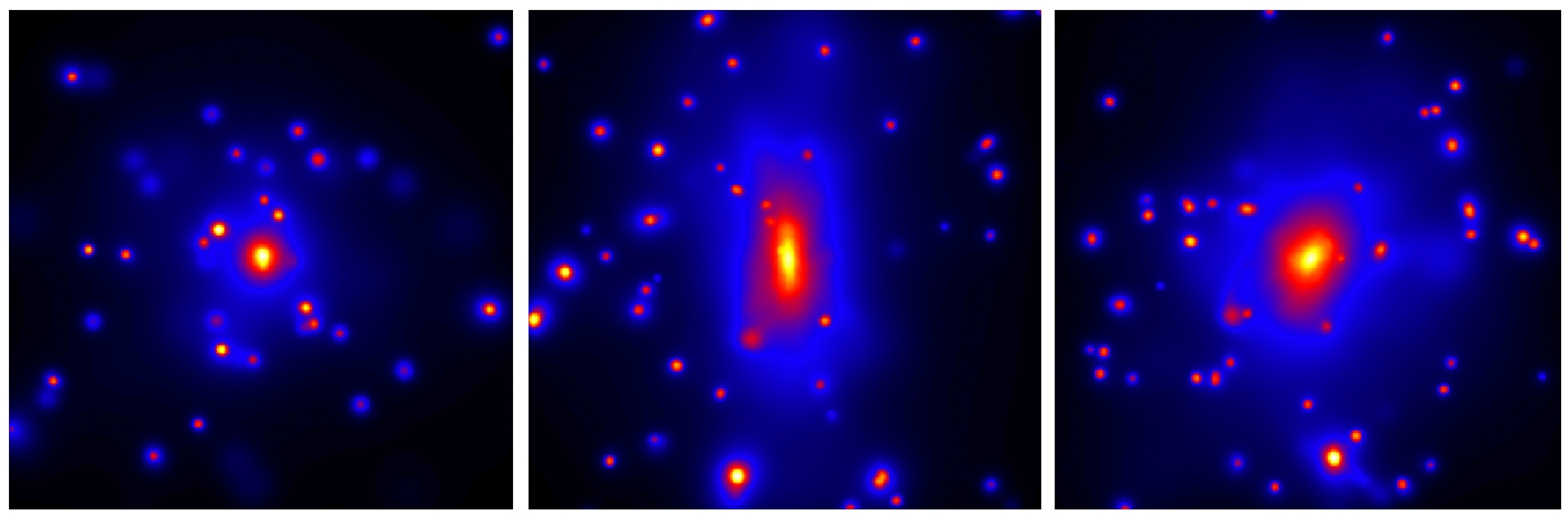
PyMGal is a package that uses simple stellar synthesis models to generate mock observations of galaxies from hydrodynamical simulations. If you want a more detailed explanation of PyMGal than can be provided in a short readme file, see the documentation at https://pymgal.readthedocs.io.
If you're viewing this from the Github page, you may wish to view PyMGal's official page at the Python Package Index (PyPI).
If you're viewing this from the PyPI page, you may want to see the full Github repository.
Installation
Since PyMGal is registered with PyPI, you can simply pip install the latest stable version. Make sure you have all the necessary prerequisites from the requirements.txt file beforehand.
pip install pymgal
Usage
In most cases, the only API needed for PyMGal is the MockObservation object. MockObservation objects require two mandatory parameters: the path to your snapshot file and the coordinates and radius of the region you want to consider. If you don't know the coordinates of your object, you'll probably need to obtain some catalogue data.
Once you initialize the object, you can calculate magnitudes of particles in your preferred output unit using the get_mags() function. You can also save projection files using the project() function. If you call project() before calling get_mags(), the magnitudes will automatically be calculated.
Here is a sample to get you started.
from pymgal import MockObservation

obs = MockObservation("/path/to/snapshot", [x_c, y_c, z_c, r])
obs.params["out_val"] = "luminosity"
obs.get_mags()
obs.project("/path/to/output")
If all goes well, you should see at least one newly formed snap_{XYZ}-{proj_angle}-{filter}.fits file in your output directory.
Modifiable parameters
There are many different parameters you can modify for your magnitude calculations and your projections. Here is a list of them. For more information, see the documentation website.
class MockObservation(object):
   def __init__(self, sim_file, coords, args=None):
           # Default parameter values
           defaults = {
               "model": SSP_models('bc03', IMF='chab', has_masses=True),
               "dustf": None,
               "filters": ["sdss_r"],
               "out_val": "flux",
               "mag_type": "AB",
               "proj_vecs": "z",
               "proj_angs": None,
               "proj_rand": 0,
               "rest_frame": True,
               "AR": 1.2,
               "npx": 512,
               "z_obs": 0.1,
               "ksmooth": 100,
               "g_soft": None,
               "p_thick": None,
               "add_spec": False,
               "spec_res": None,
               "ncpu": 16,
               "noise": None,
               "outmas": True,
               "outage": False,
               "outmet": False
               "quiet": False
           }
- Note: If you're working with data from The Three Hundred Project, we've included a script called pymgal/doc/the300_helper.py which helps you get positions from AHF halos. Open it and read the comments at the top for instructions. Fair warning: PyMGal has been modified quite a bit since this script was written, so you may need to make some modifications.
Who do I talk to?
- Please report any issue to Weiguang Cui (cuiweiguang@gmail.com) or Patrick Janulewicz (patrick.janulewicz@gmail.com).
- Or report a bug through issues.
Acknowledgement
- This package borrowed a lot things from ezgal (http://www.baryons.org/ezgal/). Please make your acknowledgement to their work when you use this package.
2 maintainers


Metadata
2 maintainers
Release files for pymgal 1.1
For a detailed explanation of source distributions (sdists) and built distributions (wheels), please see the package formats documentation.
Source distribution (sdist)
| File | Size | Uploaded | Provenance | |
|---|---|---|---|---|
| pymgal-1.1.tar.gz | 67.1 MB | Without provenance | Details |
Release files / pymgal-1.1.tar.gz
| Download URL | pymgal-1.1.tar.gz |
|---|---|
| Size | 67.1 MB |
| Tags | Source |
|
SHA-256 checksum How to use checksums |
51d062b463f62f9175ec8e7374c0cb2e412b8a81b9dfc541fcbcc72c2c8ca7c6
|
|
BLAKE2b-256 checksum How to use checksums |
55bcd06f5b38aadfe97149ec4146ac877301a10ca7fa5e9ff7f9121723f06e22
|
| Upload date | |
|
Uploaded using Trusted Publishing? What is trusted publishing? |
No |
| Uploaded via |
twine/5.1.1 CPython/3.10.9
|
Security for pymgal 1.1
Provenance
Provenance describes where a file came from. On PyPI, provenance is shared via attestations, which provide a verifiable record of the build or publishing details. View details, limitations and caveats.
No provenance found
None of the files in this release were uploaded with provenance metadata.
A note on package security
PyPI is a repository for distributing packages, not a service for auditing them. While third-party security researchers and our staff do their best to detect and remove malicious packages, PyPI cannot guarantee the quality, security or suitability of any given package.
To learn more about protecting yourself from malicious actors, visit our package security documentation.














