







PyMLpipe
PyMLpipe is a Python library for ease Machine Learning Model monitoring and Deployment.
- Simple
- Intuative
- Easy to use
Please Find the Full documentation here!
Installation
Use the package manager pip to install PyMLpipe.
pip install pymlpipe
or
pip3 install pymlpipe
Frame Work Supports
- Scikit-Learn
- XGBoost
- LightGBM
- Pytorch
- Tensorflow
- Keras
Tutorial (Scikit-Learn|XGBoost|LightGBM)
- Load the python package
from pymlpipe.tabular import PyMLPipe
- Initiate the
PyMLPipeclass
mlp=PyMLPipe()
- Set an Experiment Name
[Optional]-Default experiment name is'0'
mlp.set_experiment("IrisDataV2")
- Set a version
[Optional]-Default there is no version
mlp.set_version(0.1)
- Initiate the context manager - This is create a unique ID for each model run.
- when
.run()is used - Automatic unique ID is generated - you can also provide
runidargument in the.run()this will the use the givenrunidfor next storing.
- when
with mlp.run():
Or
with mlp.run(runid='mlopstest'):
- Set a Tag
[Optional]by usingset_tag()-Default there is no tags
mlp.set_tag('tag')
Or
- Set multiple Tags
[Optional]by usingset_tags()-Default there is no tags
mlp.set_tags(["Classification","test run","logisticRegression"])
- Set Metrics values
[Optional]by usinglog_matric(metric_name,metric_value)-Default there is no metrics This will help in comparing performance of different models and model versions
mlp.log_metric("Accuracy", accuracy_score(testy,predictions))


mlp.log_metric("Accuracy", .92)
- Set multiple Metrics values
[Optional]by usinglog_matrics({metric_name:metric_value})-Default there is no metrics
mlp.log_metrics(
    {
        "Accuracy": accuracy_score(testy,predictions),
        "Precision": precision_score(testy,predictions,average='macro'),
        "Recall", recall_score(testy,predictions,average='macro'),
    }
)


mlp.log_metrics(
    {
        "Accuracy": .92,
        "Precision": .87,
        "Recall", .98,
    }
)
- Save an artifact
[Optional]- You can save training/testing/validation/dev/prod data for monitoring and comparison- This will also help in generating
DATA SCHEMA register_artifact()-takes 3 arguments- name of artifact
- Pandas Dataframe
- type of artifact -
[training, testing, validation, dev, prod]
- You can also use
register_artifact_with_path()- This will save the artifact from the disk.- Path for the file
- type of artifact -
[training, testing, validation, dev, prod]
- This will also help in generating
    mlp.register_artifact("train.csv", trainx)

    mlp.register_artifact("train.csv", trainx)
- Register Model
[Optional]- You can register the model. This will help in Quick deployment
mlp.scikit_learn.register_model("logistic regression", model)
Quick Start (Scikit-Learn|XGBoost|LightGBM)
from sklearn.datasets import  load_iris
import pandas as pd
from sklearn.model_selection import train_test_split
from sklearn.linear_model import LogisticRegression
from sklearn.metrics import accuracy_score,precision_score,recall_score,f1_score
#import PyMLPipe from tabular
from pymlpipe.tabular import PyMLPipe


# Initiate the class
mlp=PyMLPipe()
# Set experiment name
mlp.set_experiment("IrisDataV2")
# Set Version name
mlp.set_version(0.2)

iris_data=load_iris()
data=iris_data["data"]
target=iris_data["target"]
df=pd.DataFrame(data,columns=iris_data["feature_names"])
trainx,testx,trainy,testy=train_test_split(df,target)


# to start monitering use mlp.run()
with mlp.run():
    # set tags
    mlp.set_tags(["Classification","test run","logisticRegression"])
    model=LogisticRegression()
    model.fit(trainx, trainy)
    predictions=model.predict(testx)
    # log performace metrics
    mlp.log_metric("Accuracy", accuracy_score(testy,predictions))
    mlp.log_metric("Precision", precision_score(testy,predictions,average='macro'))
    mlp.log_metric("Recall", recall_score(testy,predictions,average='macro'))
    mlp.log_metric("F1", f1_score(testy,predictions,average='macro'))

    # Save train data and test data
    mlp.register_artifact("train", trainx)
    mlp.register_artifact("test", testx,artifact_type="testing")
    # Save the model
    mlp.scikit_learn.register_model("logistic regression", model)
Launch UI
To start the UI
pymlpipeui
or
from pymlpipe.pymlpipeUI import start_ui


start_ui(host='0.0.0.0', port=8085)
Sample UI
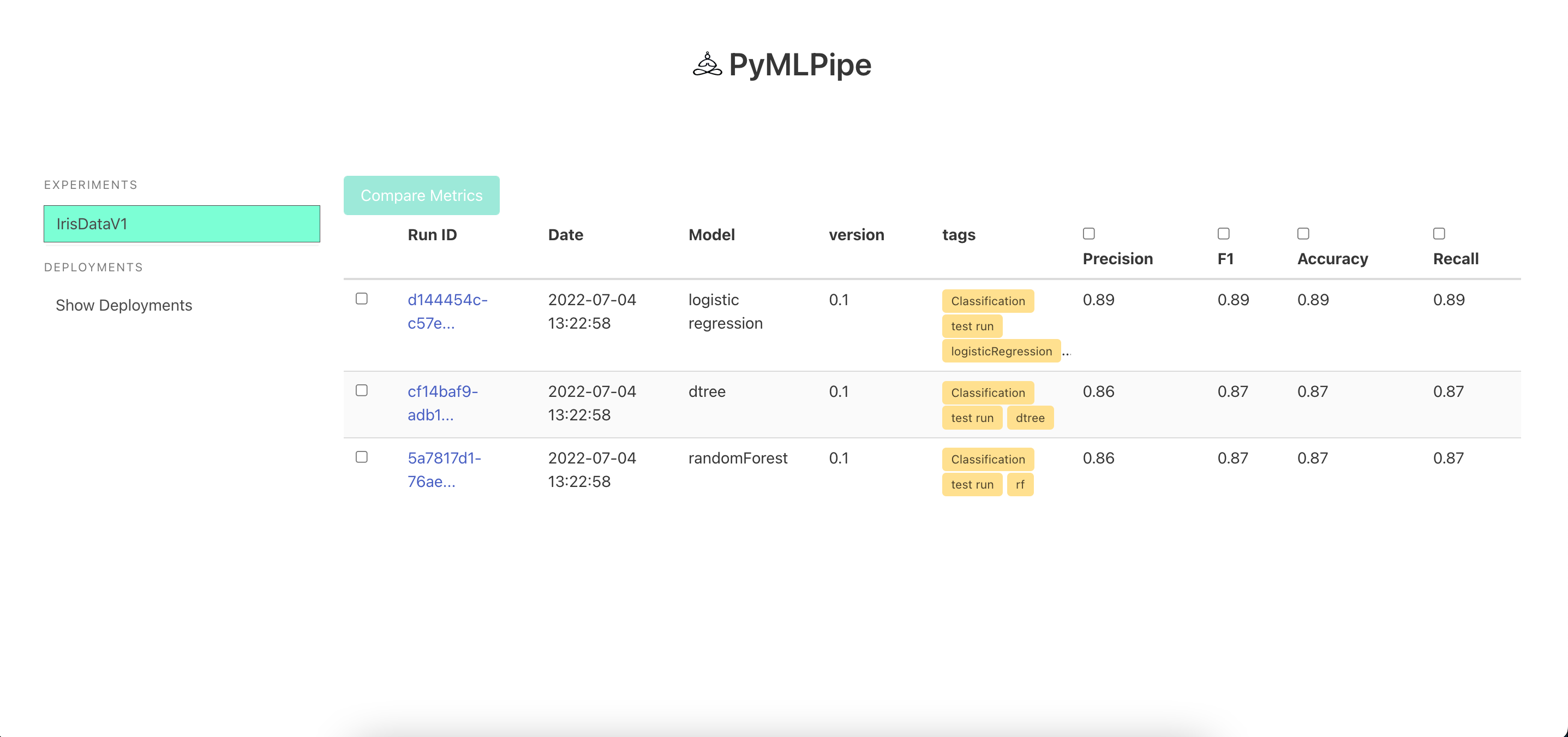
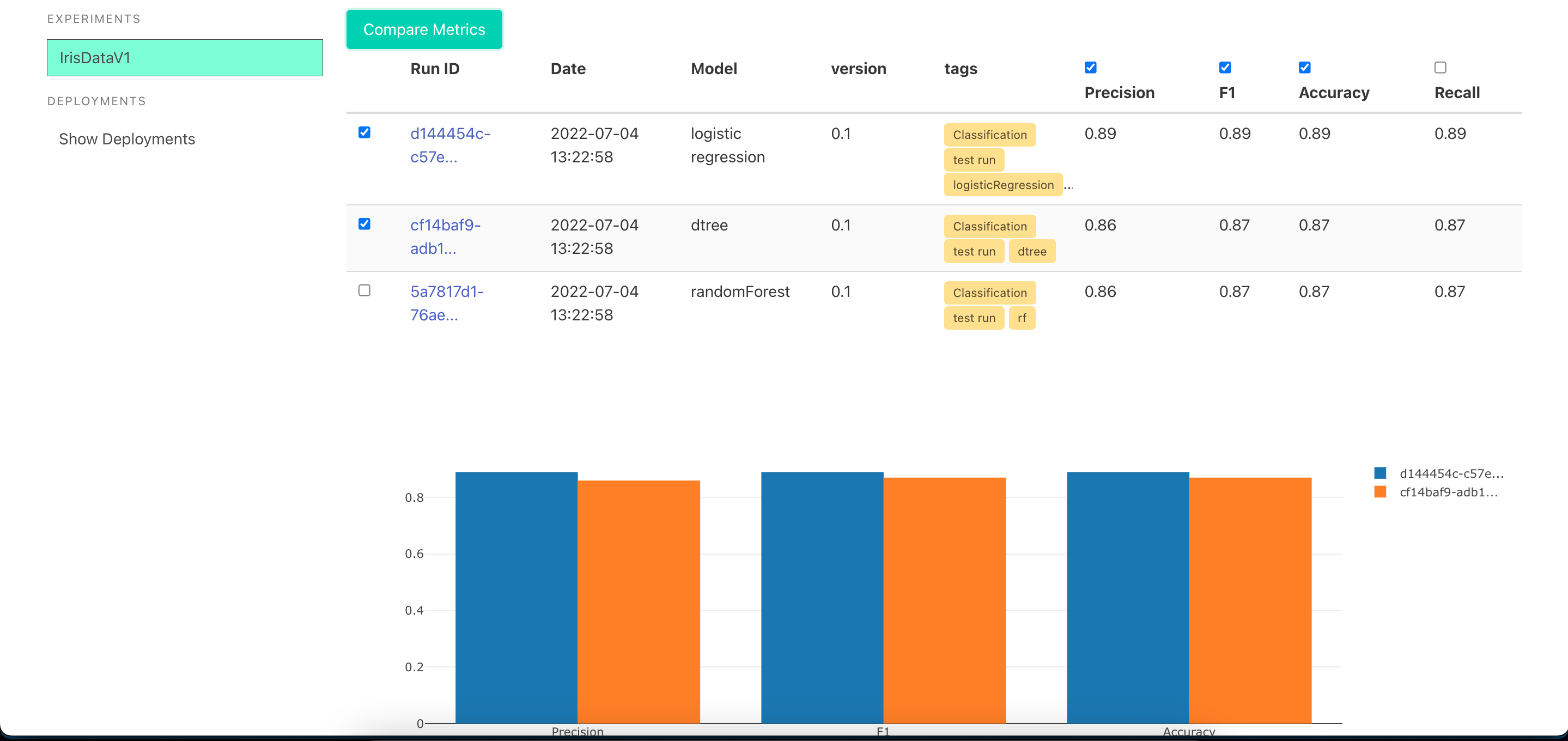
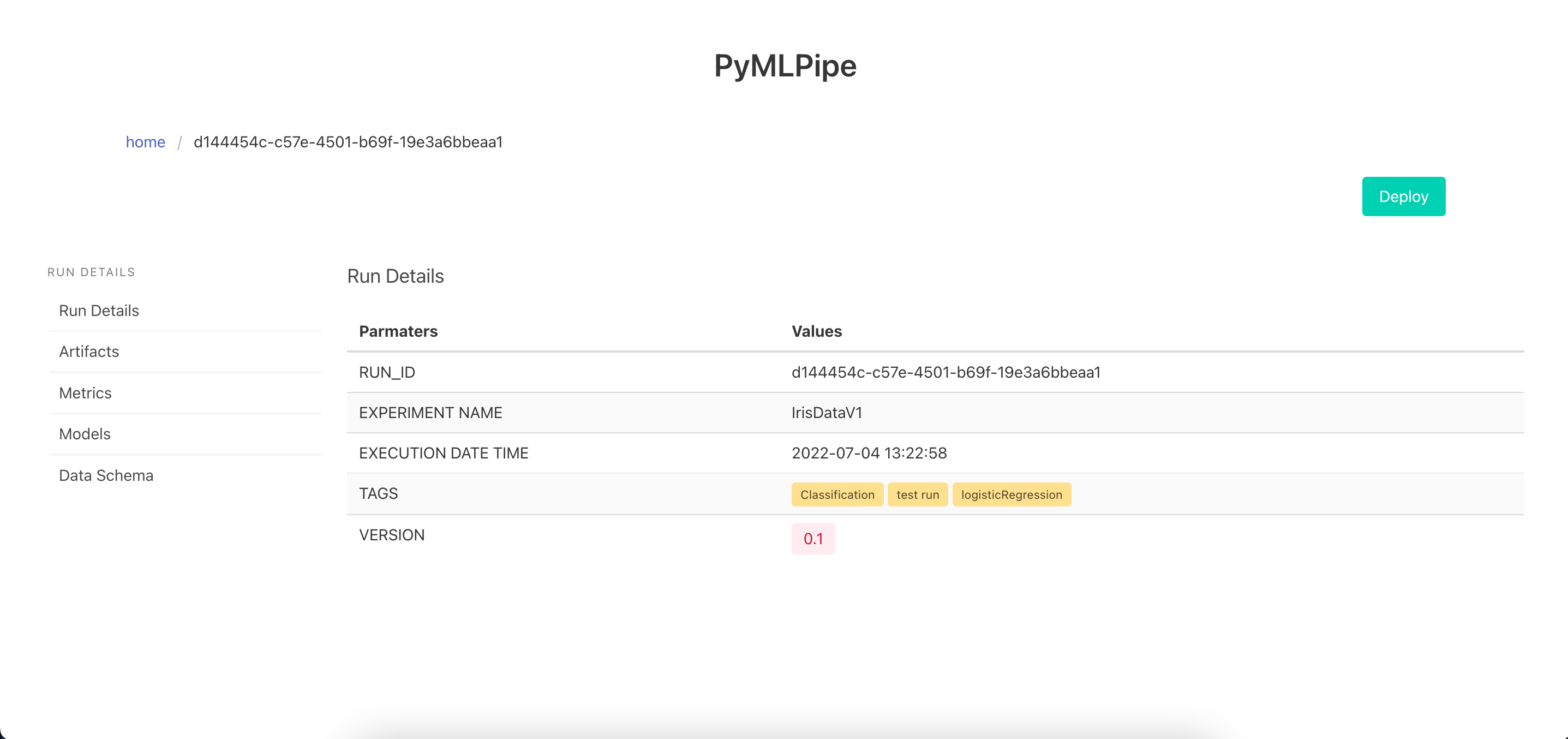
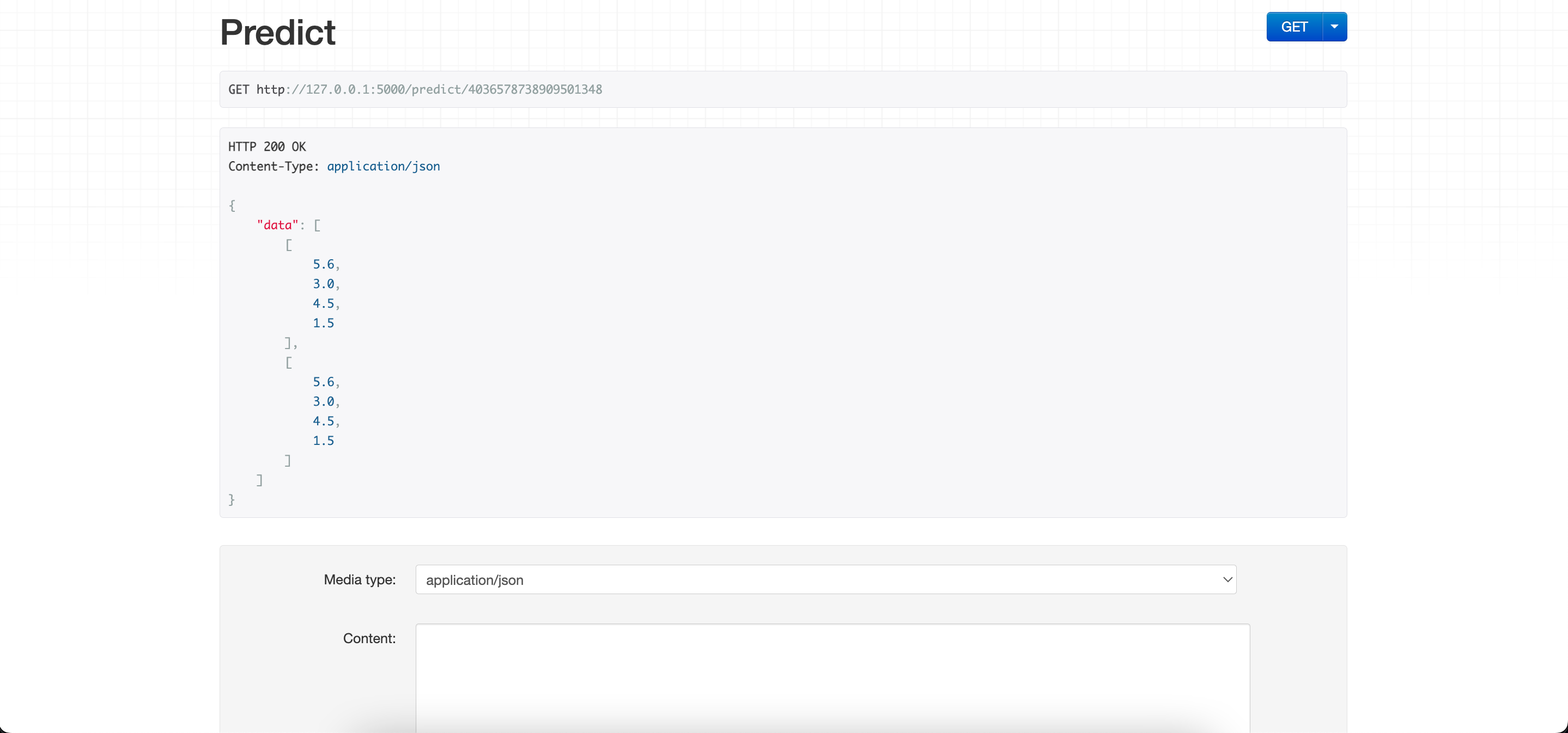
One Click Deployment -click the deploy button to deploy the model and get a endpoint
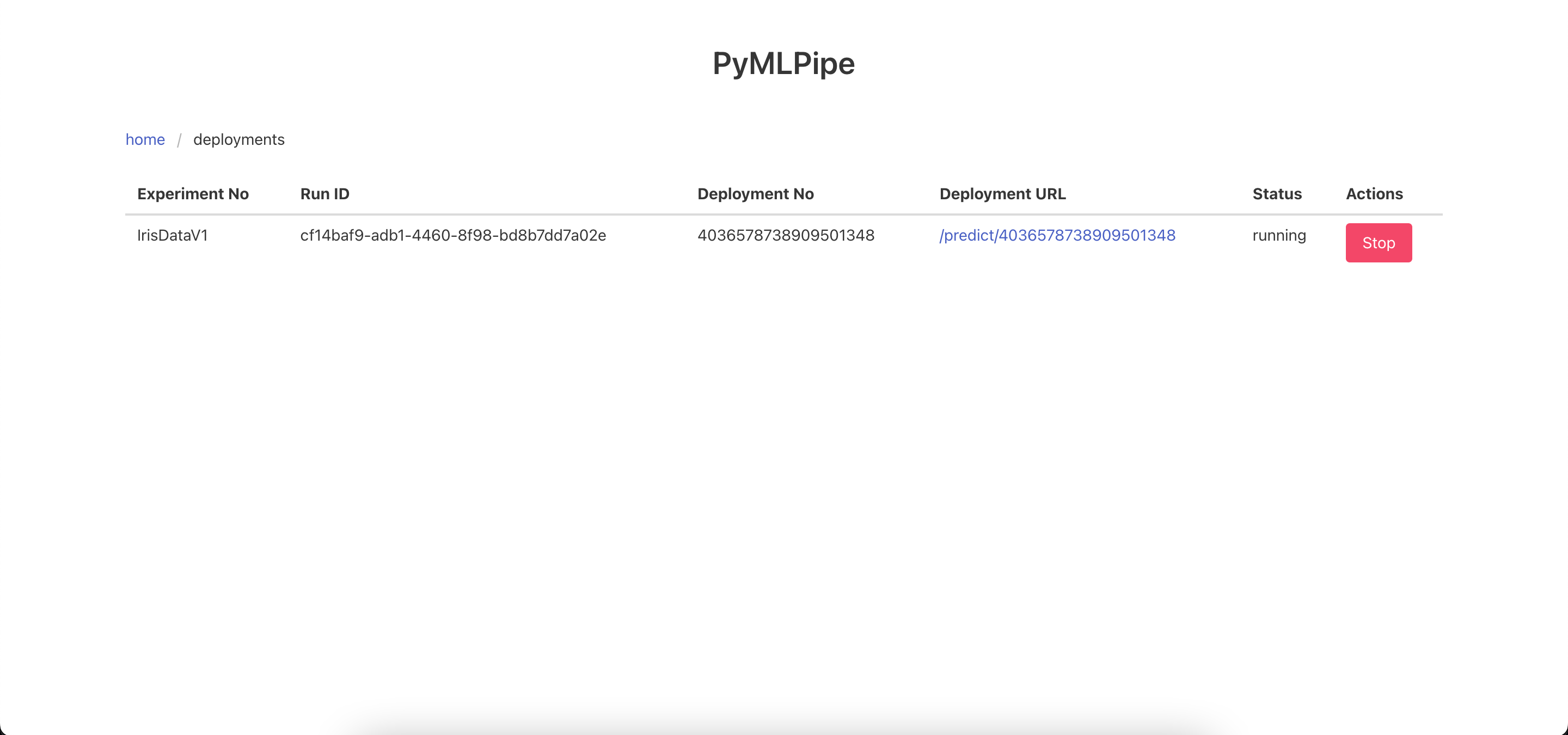
Send the data to the Prediction end point in the format
- Each list is a row of data
{
        "data":[
            [
                5.6,
                3.0,
                4.5,
                1.5
            ],
            [
                5.6,
                3.0,
                4.5,
                1.5
            ]
        ]
    }
Tutorial (Pytorch)
The previous methods can be used as it is. New methods are shown below
- Log continious Metrics
.log_metrics_continious(dict)--> dict of metrics\
- logs the metrics in a continious manner for each epoch
mlp.log_metrics_continious({
    "accuracy": .9,
    "precision": .8,
    "recall": .7
})
- To register a pytorch model use
.pytorch.register_model(modelname, modelobject)- this will Save the model in a .pt file as a
torch.jitformat for serveing and prediction
- this will Save the model in a .pt file as a
mlp.pytorch.register_model("pytorch_example1", model)
-
To register a pytorch model use
.pytorch.register_model_with_runtime(modelname, modelobject, train_data_sample)train_data_sample- is a sample of input data. it can be random numbers but needs tensor dimension- This method is
preferredas infuture releasesthis models can be then converted to other formats as well ex: "onnx", "hd5"
mlp.pytorch.register_model_with_runtime("pytorch_example1", model, train_x)
Quick Start (Pytorch)
import torch
import pandas as pd
from sklearn.preprocessing import LabelEncoder
from sklearn.model_selection import train_test_split
from sklearn.metrics import accuracy_score,f1_score
from pymlpipe.tabular import PyMLPipe
df=pd.read_csv("train.csv")
encoders=["area_code","state","international_plan","voice_mail_plan","churn"]

for i in encoders:
    le=LabelEncoder()
    df[i]=le.fit_transform(df[i])


trainy=df["churn"]
trainx=df[['state', 'account_length', 'area_code', 'international_plan',
       'voice_mail_plan', 'number_vmail_messages', 'total_day_minutes',
       'total_day_calls', 'total_day_charge', 'total_eve_minutes',
       'total_eve_calls', 'total_eve_charge', 'total_night_minutes',
       'total_night_calls', 'total_night_charge', 'total_intl_minutes',
       'total_intl_calls', 'total_intl_charge',
       'number_customer_service_calls']]


class Model(torch.nn.Module):
    def __init__(self,col_size):
        super().__init__()
        # using sequencial
        self.seq=torch.nn.Sequential(
            torch.nn.Linear(col_size,15),
            torch.nn.ReLU(),
            torch.nn.Linear(15,10),
            torch.nn.ReLU(),
            torch.nn.Linear(10,1)
        )
        #using torch layers
        '''
        self.linear_layer_1=torch.nn.Linear(col_size,15)
        self.relu_1=torch.nn.ReLU()
        self.linear_layer_2=torch.nn.Linear(15,10)
        self.relu_2=torch.nn.ReLU()
        self.linear_layer_3=torch.nn.Linear(10,1)

        '''


    def forward(self,x):
        out=self.seq(x)
        '''
        out=self.relu_1(self.linear_layer_1(x))
        out=self.relu_12self.linear_layer_3(out))
        out=self.linear_layer_3(out)
        '''

        return torch.sigmoid(out)

model=Model(len(trainx.columns))

train_x,test_x,train_y,test_y=train_test_split(trainx,trainy)

train_x=torch.from_numpy(train_x.values)
train_x=train_x.type(torch.FloatTensor)
train_y=torch.from_numpy(train_y.values)
train_y=train_y.type(torch.FloatTensor)

test_x=torch.from_numpy(test_x.values)
test_x=test_x.type(torch.FloatTensor)
test_y=torch.from_numpy(test_y.values)
test_y=test_y.type(torch.FloatTensor)


optimizer=torch.optim.SGD(model.parameters(),lr=0.001)

criterion=torch.nn.BCELoss()


def validate(model,testx,testy):
    prediction=model(testx)
    prediction=torch.where(prediction>.5,1,0)
    accu=accuracy_score(prediction.detach().numpy(),test_y.unsqueeze(1).detach().numpy())
    f1=f1_score(prediction.detach().numpy(),test_y.unsqueeze(1).detach().numpy())
    return {"accuracy":accu,"f1":f1}


epochs=100
batch_size=1000

mlp=PyMLPipe()
mlp.set_experiment("Pytorch")
mlp.set_version(0.2)

with mlp.run():
    mlp.register_artifact("churndata.csv",df)
    mlp.log_params({
        "lr":0.01,
        "optimizer":"SGD",
        "loss_fuction":"BCEloss"
    })
    for epoch in range(epochs):
        loss_batch=0
        for batch in range(1000,5000,1000):
            optimizer.zero_grad()
            train_data=train_x[batch-1000:batch]
            output=model(train_data)
            loss=criterion(output,train_y[batch-1000:batch].unsqueeze(1))
            loss.backward()
            optimizer.step()
            loss_batch+=loss.item()

        metrics=validate(model,test_x,test_y)
        metrics["loss"]=loss_batch
        metrics["epoch"]=epoch
        mlp.log_metrics_continious(metrics)
    mlp.pytorch.register_model("pytorch_example1", model)
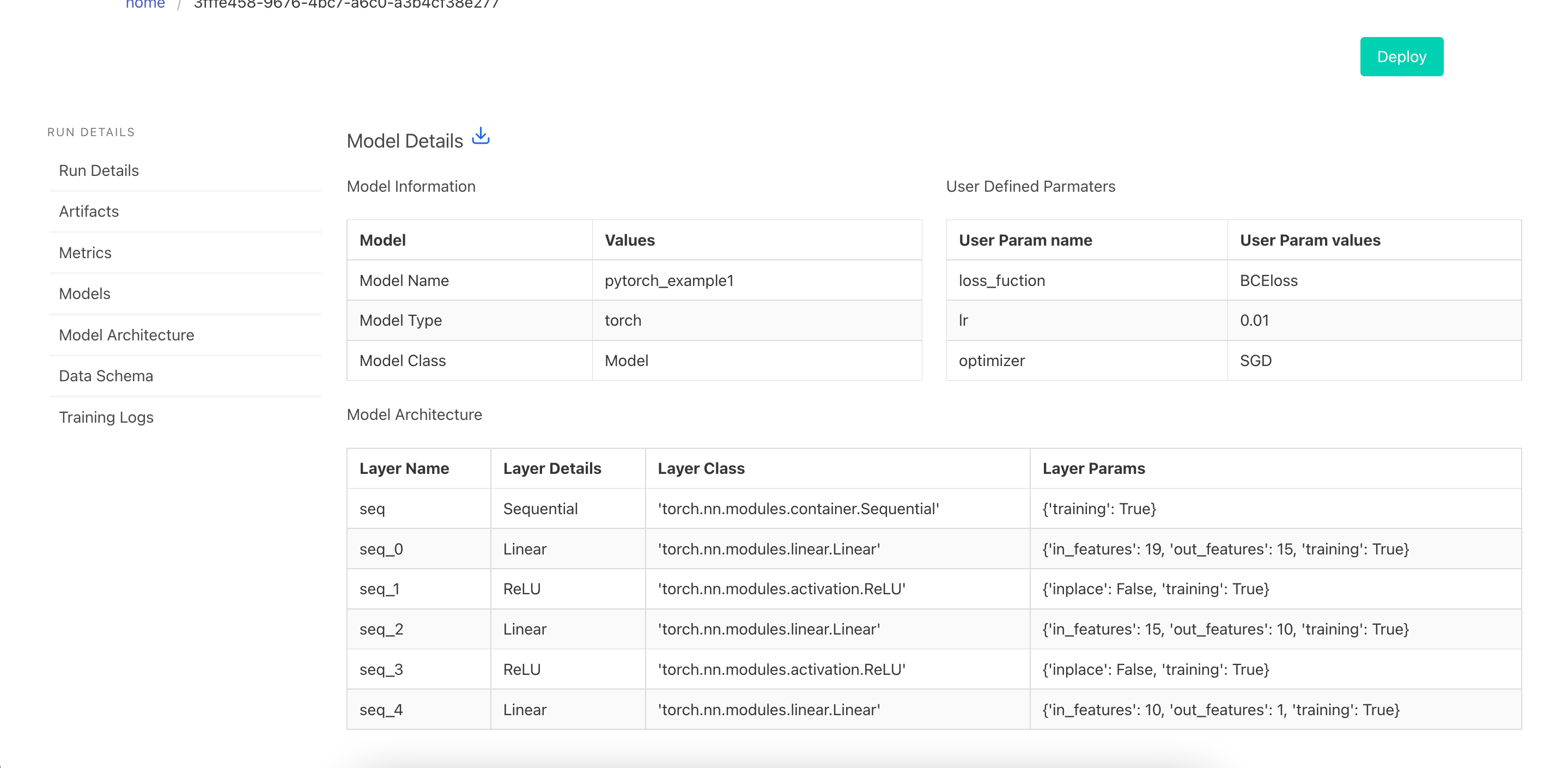
UI for Pytorch Models
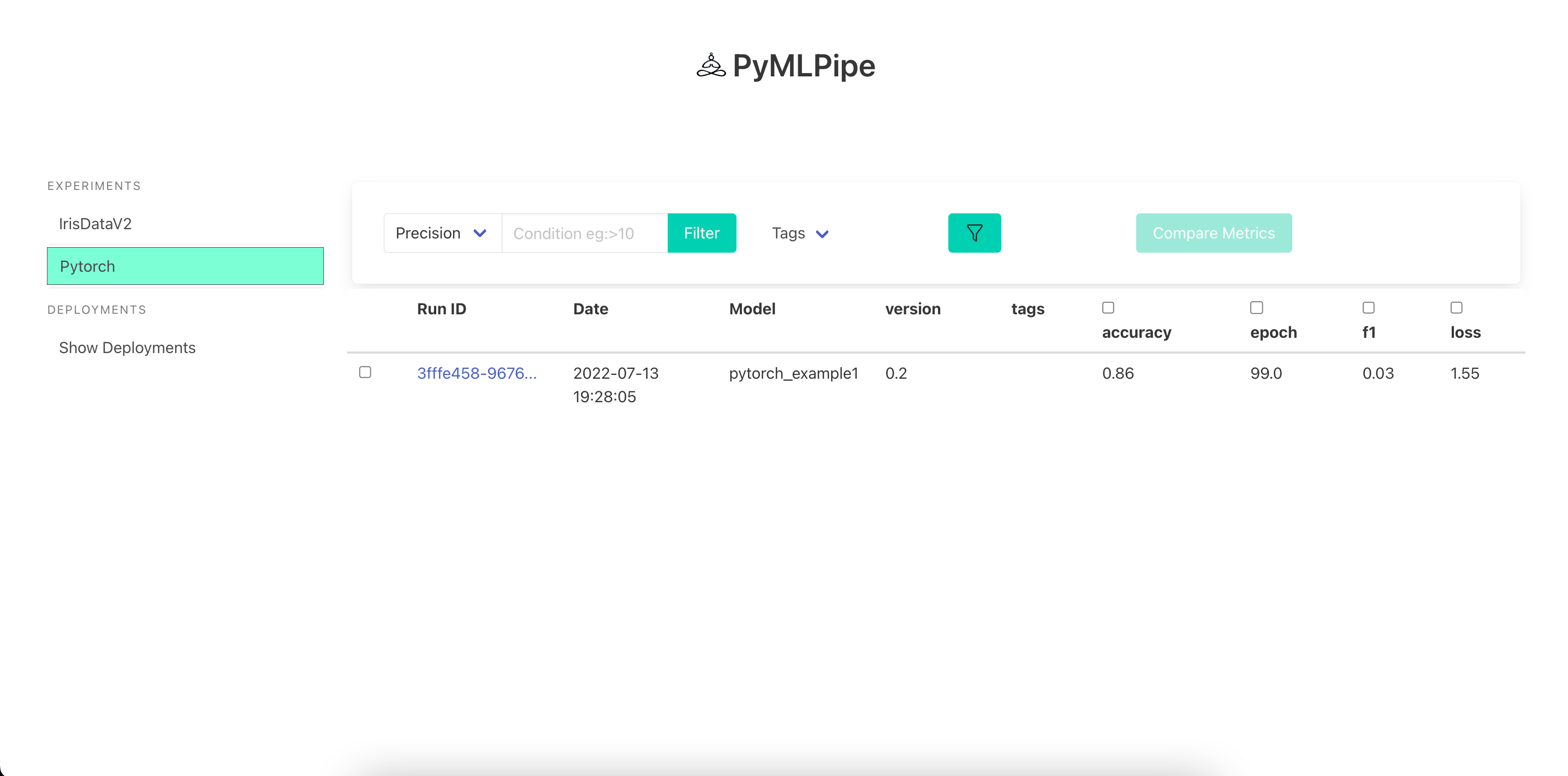
Visualize the Model details
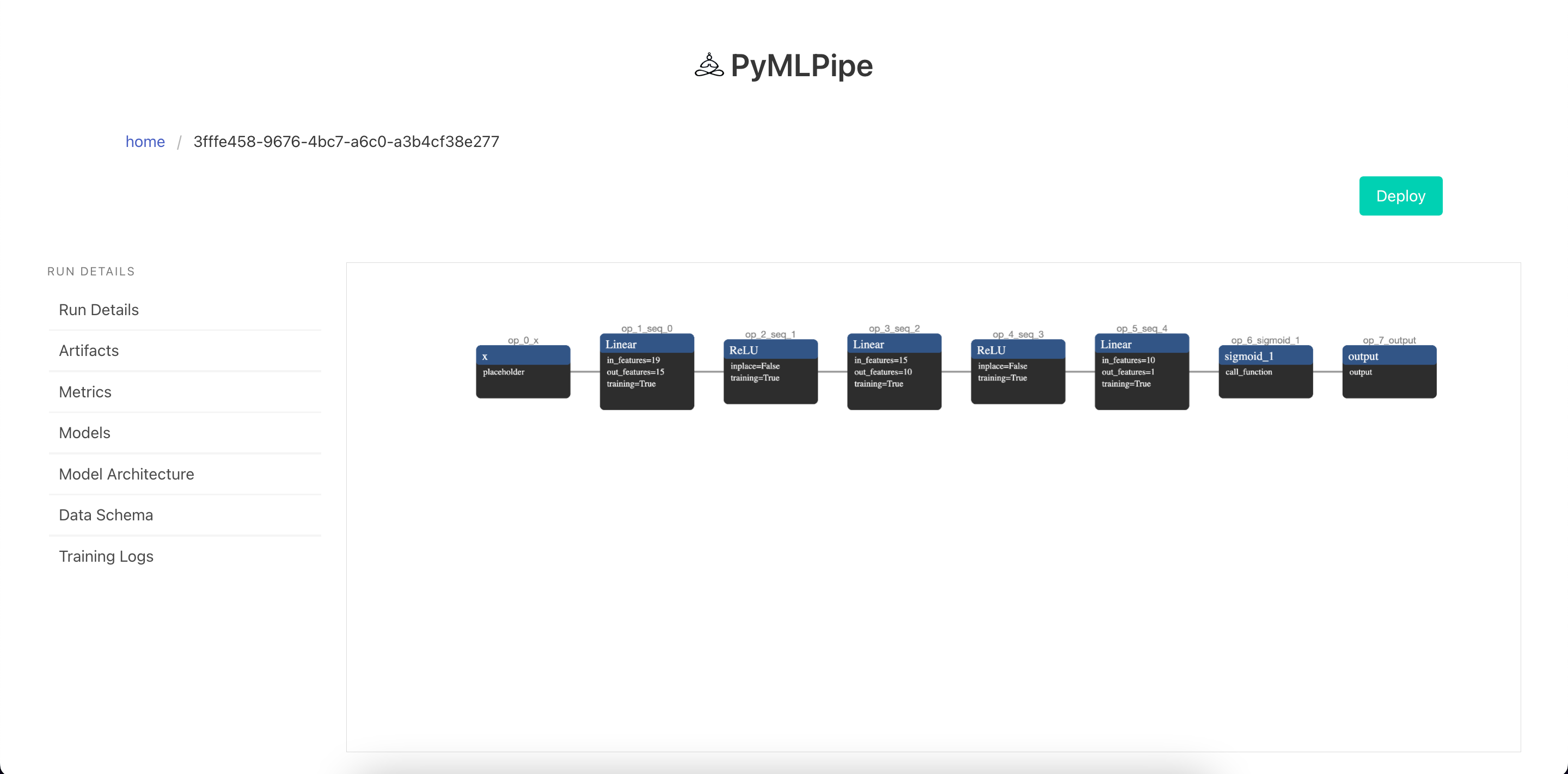
Visualize the Model Architecture
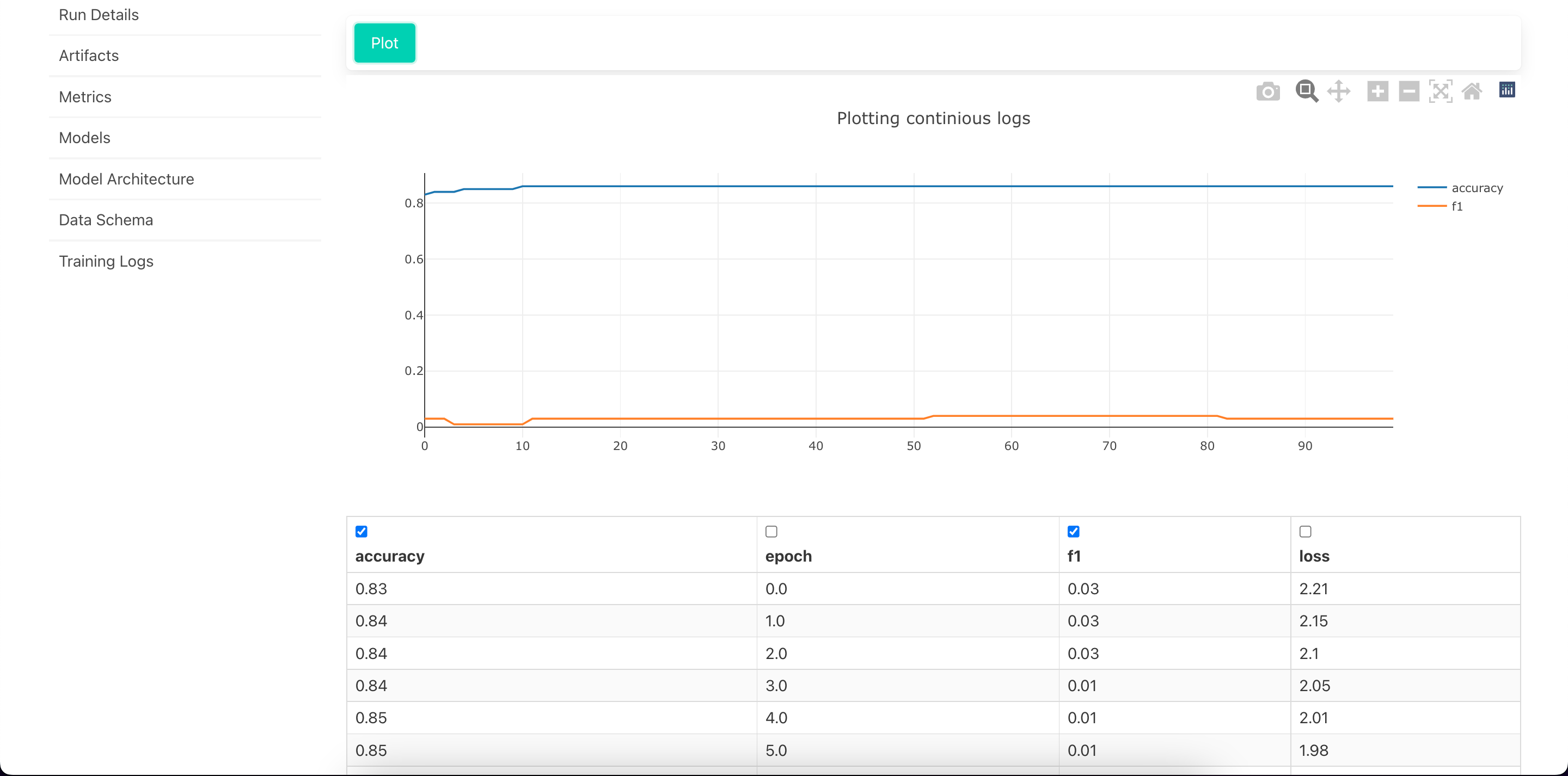
View Training Logs
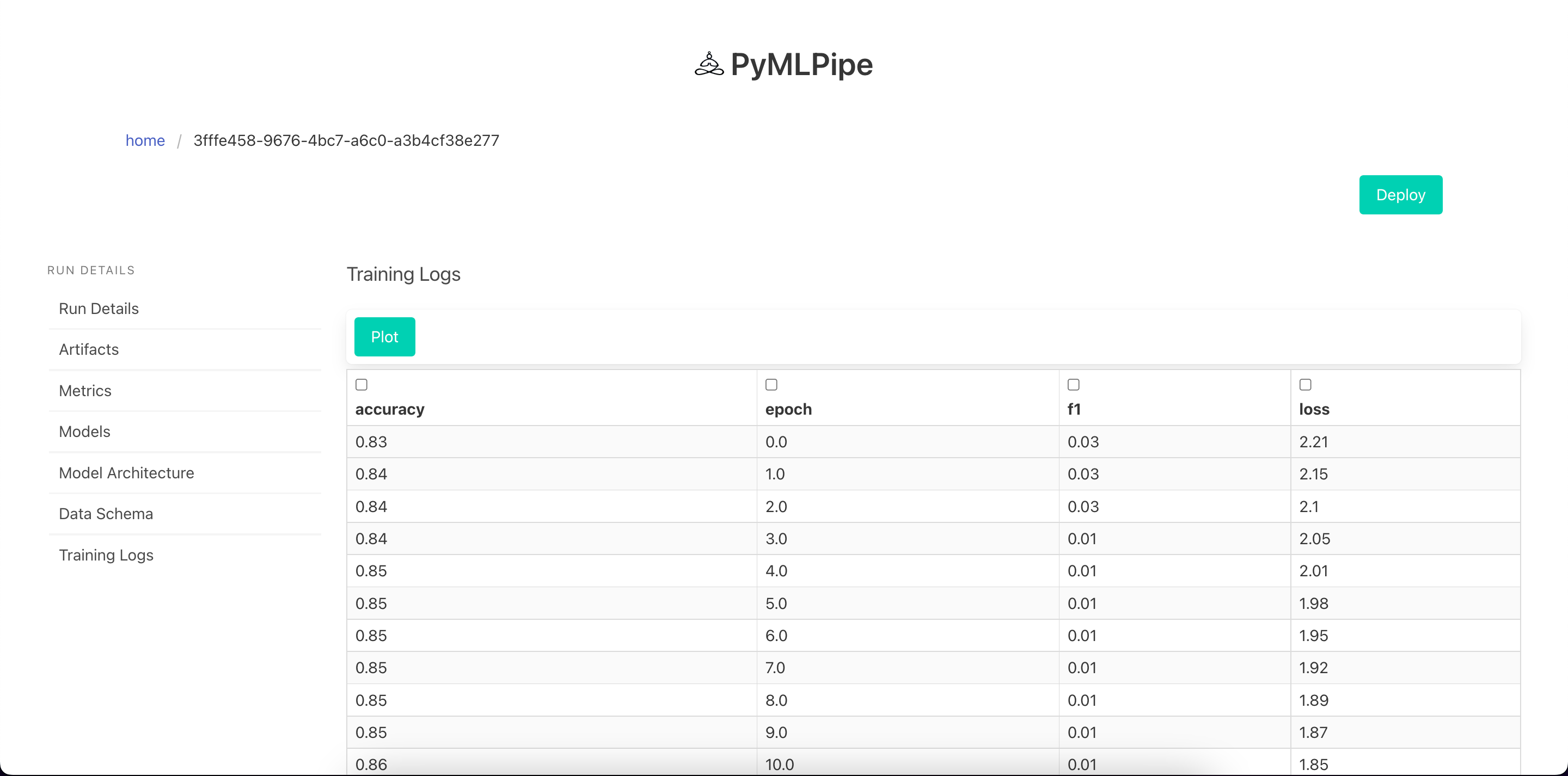
Visualize Training Logs
Sample input for prediction
GET REQUEST - to get info for the model
- info : Contains model information
- request_body: Sample post Request
{
    "info": {
        "experiment_id": "Pytorch",
        "model_deployment_number": "51c186ddd125386c",
        "model_mode": "non_runtime",
        "model_type": "torch",
        "model_url": "/predict/51c186ddd125386c",
        "run_id": "3fffe458-9676-4bc7-a6c0-a3b4cf38e277",
        "status": "running"
    },
    "request_body": {
        "data": [
            [
                42.0,
                120.0,
                1.0,
                0.0,
                0.0,
                0.0,
                185.7,
                133.0,
                31.57,
                235.1,
                149.0,
                19.98,
                256.4,
                78.0,
                11.54,
                16.9,
                6.0,
                4.56,
                0.0
            ]
        ],
        "dtype": "float"
    }
}
For POST REQUEST
-data--> list: contains data rows for prediction supports both batch prediction and single instance ex: data --> [ [ 0,1,2,3],[3,4,56 ] ]
-dtype--> str: for type conversion converts the data into required data type tensor
 {
        "data": [
            [
                42.0,
                120.0,
                1.0,
                0.0,
                0.0,
                0.0,
                185.7,
                133.0,
                31.57,
                235.1,
                149.0,
                19.98,
                256.4,
                78.0,
                11.54,
                16.9,
                6.0,
                4.56,
                0.0
            ]
        ],
        "dtype": "float"
    }
Contributing
Pull requests are welcome. For major changes, please open an issue first to discuss what you would like to change.
Please make sure to update tests as appropriate.
License
1 maintainer

Release files for pymlpipe 0.2.9
For a detailed explanation of source distributions (sdists) and built distributions (wheels), please see the package formats documentation.
Source distribution (sdist)
| File | Size | Uploaded | |
|---|---|---|---|
| pymlpipe-0.2.9.tar.gz | 5.7 MB | Details |
Built distribution (wheel)
| File | Interpreter | ABI | Platform | Reset |
|---|---|---|---|---|
| pymlpipe-0.2.9-py3-none-any.whl | Python 3 | none | any | Details |
Total release size: 11.3 MB
Release files / pymlpipe-0.2.9.tar.gz
| Download URL | pymlpipe-0.2.9.tar.gz |
|---|---|
| Size | 5.7 MB |
| Tags | Source |
|
SHA-256 checksum How to use checksums |
9b2a048a4963fd4566924cb73cd7598cbc847c8ef8c3d442bbe73a284edf1f09
|
|
BLAKE2b-256 checksum How to use checksums |
28d2c2c103f2ad7221840ec74e03734a51686112e0447da98d6b861aa69dbdfc
|
| Upload date | |
|
Uploaded using Trusted Publishing? What is trusted publishing? |
No |
| Uploaded via |
poetry/1.1.13 CPython/3.9.4 Darwin/22.2.0
|
Release files / pymlpipe-0.2.9-py3-none-any.whl
| Download URL | pymlpipe-0.2.9-py3-none-any.whl |
|---|---|
| Size | 5.7 MB |
| Tags | Python 3 |
|
SHA-256 checksum How to use checksums |
8d733463c3b4055025034b3c642dbcd312abf8002c1c87fe6ec63a22c2c7504c
|
|
BLAKE2b-256 checksum How to use checksums |
98792250affef1ab8d0fa87d5c27fda7d688cdab42e1f0e2154c9a905cb56730
|
| Upload date | |
|
Uploaded using Trusted Publishing? What is trusted publishing? |
No |
| Uploaded via |
poetry/1.1.13 CPython/3.9.4 Darwin/22.2.0
|














