
Python binding of the OctoMap library with bundled shared libraries.

Project description
PyOctoMap
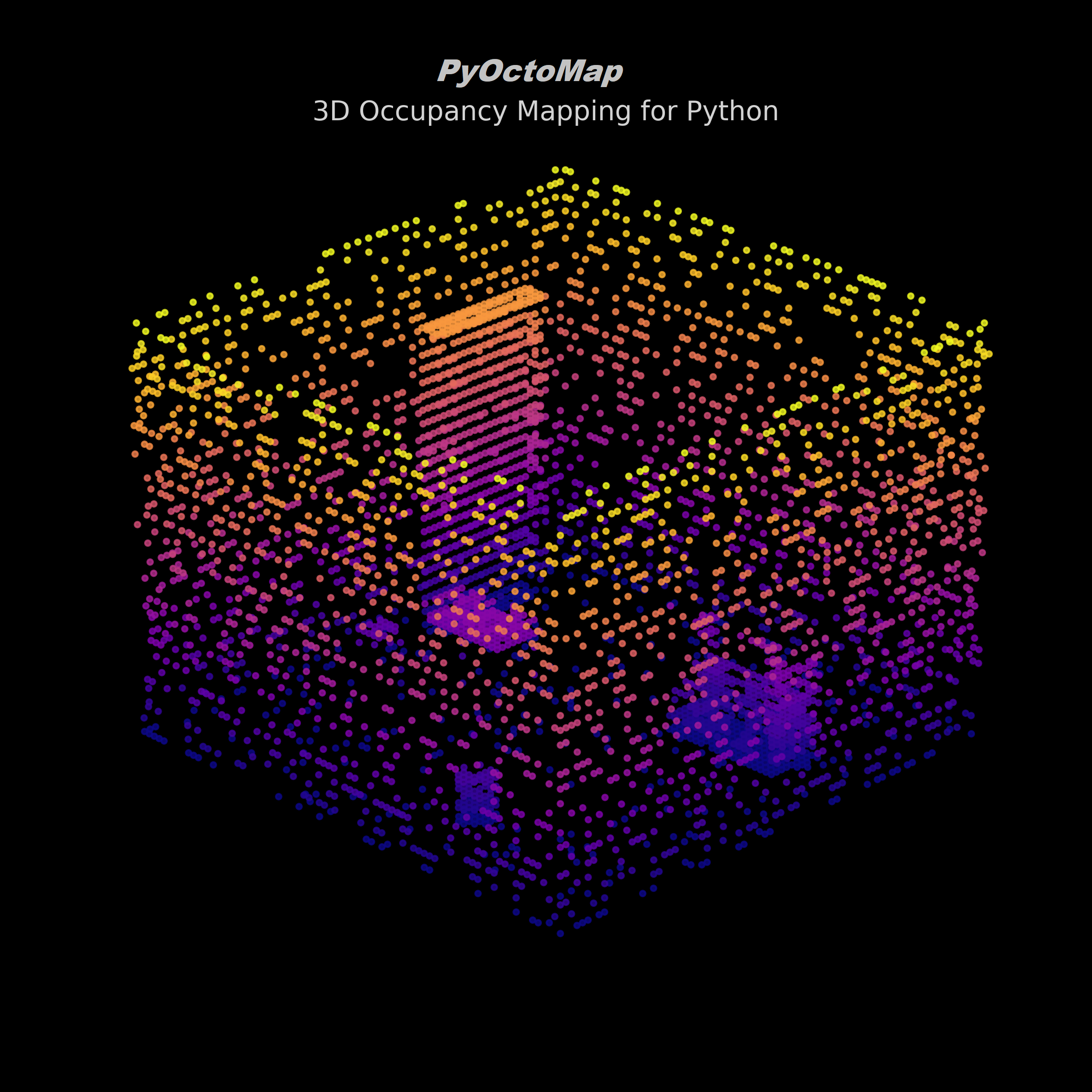
A comprehensive Python wrapper for the OctoMap C++ library, providing efficient 3D occupancy mapping capabilities for robotics and computer vision applications. This modernized binding offers enhanced performance, bundled shared libraries for easy deployment, and seamless integration with the Python scientific ecosystem.
Features
- 3D Occupancy Mapping: Efficient octree-based 3D occupancy mapping
- Probabilistic Updates: Stochastic occupancy updates with uncertainty handling
- Path Planning: Ray casting and collision detection
- File Operations: Save/load octree data in binary format
- Cross-Platform: Pre-built wheels for Linux (
x86_64) and macOS (Apple Siliconarm64), with Windows compatibility via WSL
Installation
Quick Install (Recommended)
Install from PyPI (pre-built manylinux wheel when available):
pip install pyoctomap
🚀 ROS Integration: ROS/ROS2 integration is currently being developed on the
rosbranch, featuring ROS2 message support and real-time point cloud processing.
Building from Source
📋 Prerequisites: See Build System Documentation for detailed system dependencies and troubleshooting guide.
If you need to build from source or create custom wheels locally, we provide a cibuildwheel setup. First, ensure you have the repository cloned:
Linux / WSL / macOS:
# Clone the repository with submodules
git clone --recursive https://github.com/Spinkoo/pyoctomap.git
cd pyoctomap
To build locally using cibuildwheel:
pip install cibuildwheel
cibuildwheel --platform linux  # or macos
The CI build automatically creates wheels for Python 3.8-3.13 (cp38–cp313), properly bundling all required C++ libraries.
📋 Google Colab Users: See Build System Documentation for detailed Colab installation instructions.
Quick Start
Basic Usage
import pyoctomap
import numpy as np

# Create an octree with 0.1m resolution
tree = pyoctomap.OcTree(0.1)

# Add occupied points
tree.updateNode([1.0, 2.0, 3.0], True)
tree.updateNode([1.1, 2.1, 3.1], True)

# Add free space
tree.updateNode([0.5, 0.5, 0.5], False)

# Check occupancy
node = tree.search([1.0, 2.0, 3.0])
if node and tree.isNodeOccupied(node):
    print("Point is occupied!")

# Save to file
tree.write("my_map.bt")
Tree Families Overview
PyOctoMap provides multiple octree variants from a single package:
OcTree– standard probabilistic occupancy tree (most users start here)ColorOcTree– occupancy + RGB color per voxelCountingOcTree– integer hit counters per voxelOcTreeStamped– occupancy with per-node timestamps for temporal mapping
See the API Reference for a detailed comparison table and full method documentation.
Color Occupancy Mapping (ColorOcTree)
import pyoctomap
import numpy as np

tree = pyoctomap.ColorOcTree(0.1)
coord = [1.0, 1.0, 1.0]

tree.updateNode(coord, True)
tree.setNodeColor(coord, 255, 0, 0)  # R, G, B (0-255)
Batch insertion with colors:
# Insert point cloud with colors in a single operation
points = np.array([[1.0, 2.0, 3.0], [4.0, 5.0, 6.0]], dtype=np.float64)
colors = np.array([[1.0, 0.0, 0.0], [0.0, 1.0, 0.0]], dtype=np.float64)  # RGB in [0, 1] range
sensor_origin = np.array([0.0, 0.0, 0.0])  # Optional: for proper ray casting
tree.insertPointCloud(points, sensor_origin=sensor_origin, colors=colors)
Batch Operations (Summary)
For large point clouds, use the unified insertPointCloud method:
OcTree.insertPointCloud(points, origin, max_range=-1.0, lazy_eval=False, discretize=False)ColorOcTree.insertPointCloud(points, sensor_origin=None, ..., colors=colors)— also sets per-point colorsOcTreeStamped.insertPointCloud(points, sensor_origin=None, ..., timestamps=ts)— also sets per-node timestamps
For extremely fast readout of the internal state into NumPy arrays without iteration, use extractPointCloud():
OcTree.extractPointCloud()->(occupied_points, empty_points)ColorOcTree.extractPointCloud()->(occupied_points, empty_points, colors)CountingOcTree.extractPointCloud()->(coords, counts)OcTreeStamped.extractPointCloud()->(occupied_points, empty_points, timestamps)
See the Performance Guide for practical batch sizing and resolution recommendations.
Examples
See runnable demos in examples/:
examples/basic_test.py— smoke test for core APIexamples/demo_occupancy_grid.py— build and visualize a 2D occupancy gridexamples/demo_octomap_open3d.py— visualize octomap data with Open3Dexamples/sequential_occupancy_grid_demo.py— comprehensive sequential occupancy grid with Open3D visualizationexamples/test_sequential_occupancy_grid.py— comprehensive test suite for all occupancy grid methods
Demo Visualizations
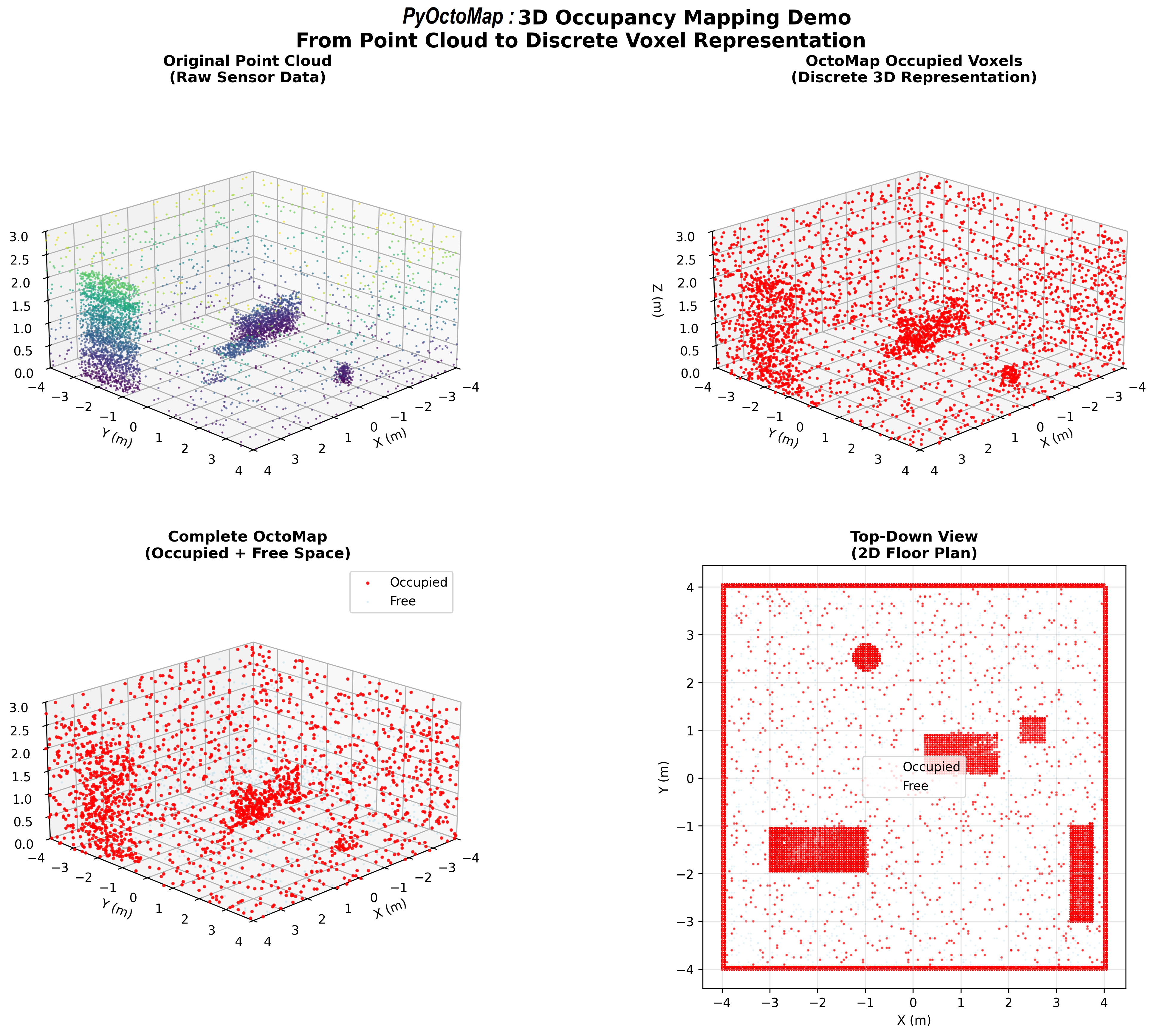
3D OctoMap Scene Visualization:
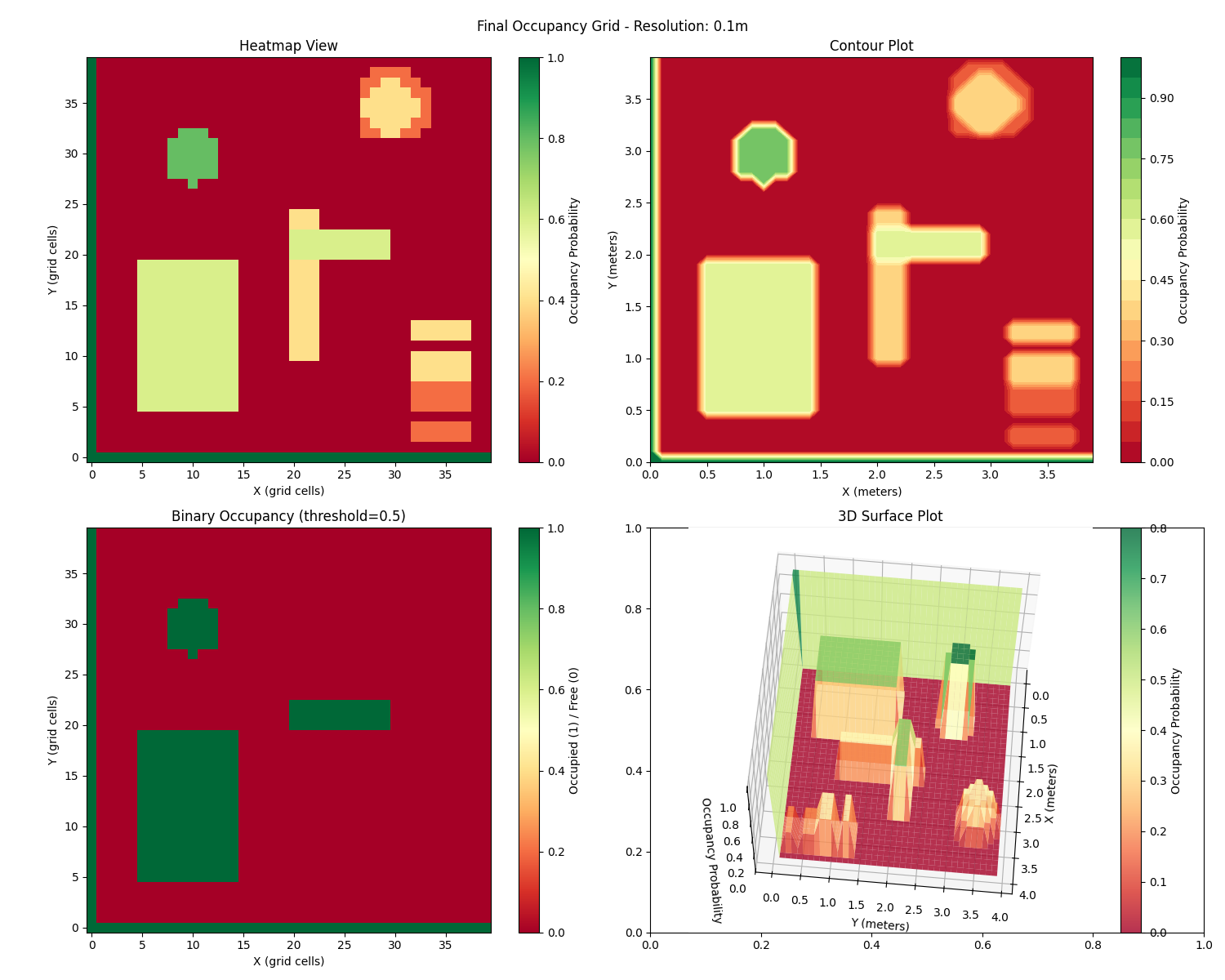
Occupancy Grid Visualization:
Showcase
🎨 Photo to 3D Voxel Scene
pyocto-map-anything - Transform single photos into vibrant 3D voxel scenes using AI depth estimation (Depth Anything 3) and PyOctoMap's ColorOcTree. This showcase demonstrates the power of combining modern depth estimation models with efficient octree-based mapping, enabling instant 3D reconstruction from 2D images.
Features:
- AI-powered depth estimation from single images
- Automatic camera intrinsics estimation (DA3 models)
- Color-integrated voxel mapping with
ColorOcTree - Support for multiple depth models (Depth Anything v3, ZoeDepth, DPT)
- High-resolution 3D reconstruction with configurable voxel resolution
Perfect for exploring PyOctoMap's color mapping capabilities and seeing how it integrates with modern computer vision pipelines.
Advanced Usage
Room Mapping with Ray Casting
import pyoctomap
import numpy as np

# Create octree
tree = pyoctomap.OcTree(0.05)  # 5cm resolution
sensor_origin = np.array([2.0, 2.0, 1.5])

# Add walls with ray casting
wall_points = []
for x in np.arange(0, 4.0, 0.05):
    for y in np.arange(0, 4.0, 0.05):
        wall_points.append([x, y, 0])  # Floor
        wall_points.append([x, y, 3.0])  # Ceiling

# Use batch insertion for better performance
wall_points = np.array(wall_points)
tree.insertPointCloud(wall_points, sensor_origin, lazy_eval=True)
tree.updateInnerOccupancy()

print(f"Tree size: {tree.size()} nodes")
Path Planning
import pyoctomap
import numpy as np

# Create an octree for path planning
tree = pyoctomap.OcTree(0.1)  # 10cm resolution

# Add some obstacles to the map
obstacles = [
    [1.0, 1.0, 0.5],  # Wall at (1,1)
    [1.5, 1.5, 0.5],  # Another obstacle
    [2.0, 1.0, 0.5],  # Wall at (2,1)
]

for obstacle in obstacles:
    tree.updateNode(obstacle, True)

def is_path_clear(start, end, tree):
    """Efficient ray casting for path planning using OctoMap's built-in castRay"""
    start = np.array(start, dtype=np.float64)
    end = np.array(end, dtype=np.float64)

    # Calculate direction vector
    direction = end - start
    ray_length = np.linalg.norm(direction)

    if ray_length == 0:
        return True, None

    # Normalize direction
    direction = direction / ray_length

    # Use OctoMap's efficient castRay method
    end_point = np.zeros(3, dtype=np.float64)
    hit = tree.castRay(start, direction, end_point,
                      ignoreUnknownCells=True,
                      maxRange=ray_length)

    if hit:
        # Ray hit an obstacle - path is blocked
        return False, end_point
    else:
        # No obstacle found - path is clear
        return True, None

# Check if path is clear
start = [0.5, 2.0, 0.5]
end = [2.0, 2.0, 0.5]
clear, obstacle = is_path_clear(start, end, tree)
if clear:
    print("✅ Path is clear!")
else:
    print(f"❌ Path blocked at: {obstacle}")

# Advanced path planning with multiple waypoints
def plan_path(waypoints, tree):
    """Plan a path through multiple waypoints using ray casting"""
    path_clear = True
    obstacles = []

    for i in range(len(waypoints) - 1):
        start = waypoints[i]
        end = waypoints[i + 1]
        clear, obstacle = is_path_clear(start, end, tree)

        if not clear:
            path_clear = False
            obstacles.append((i, i+1, obstacle))

    return path_clear, obstacles

# Example: Plan path through multiple waypoints
waypoints = [
    [0.0, 0.0, 0.5],
    [1.0, 1.0, 0.5],
    [2.0, 2.0, 0.5],
    [3.0, 3.0, 0.5]
]

path_clear, obstacles = plan_path(waypoints, tree)
if path_clear:
    print("✅ Complete path is clear!")
else:
    print(f"❌ Path blocked at segments: {obstacles}")
Dynamic Environment Mapping & Iterators
For more complete examples on:
- dynamic environment mapping,
- iterator usage (
begin_tree,begin_leafs,begin_leafs_bbx),
refer to the API Reference and example scripts in examples/.
Requirements
- Python 3.8+
- NumPy
- Cython (for building from source)
Optional for visualization:
- matplotlib (for 2D plotting)
- open3d (for 3D visualization)
Documentation
- Complete API Reference - Detailed API documentation
- Build System - Prerequisites, build process, and troubleshooting
- File Format Guide - Supported file formats
- Performance Guide - Optimization tips and benchmarks
- Troubleshooting - Common issues and solutions
- Wheel Technology - Library bundling details
License
MIT License - see LICENSE file for details.
Contributing
Contributions are welcome! Please feel free to submit issues and pull requests.
Acknowledgments
- Previous work:
wkentaro/octomap-python- This project builds upon and modernizes the original Python bindings - Core library: OctoMap - An efficient probabilistic 3D mapping framework based on octrees
- Build system: Built with Cython for seamless Python-C++ integration and performance
- Visualization: Open3D - Used for 3D visualization capabilities in demonstration scripts
- Research support: Development of this enhanced Python wrapper was supported by the French National Research Agency (ANR) under the France 2030 program, specifically the IRT Nanoelec project (ANR-10-AIRT-05), advancing robotics and 3D mapping research capabilities.
Release history Release notifications | RSS feed


Download files
Download the file for your platform. If you're not sure which to choose, learn more about installing packages.
Source Distributions
Built Distributions
Filter files by name, interpreter, ABI, and platform.
If you're not sure about the file name format, learn more about wheel file names.
Copy a direct link to the current filters
File details
Details for the file pyoctomap-1.1.1-cp313-cp313-win_amd64.whl.
File metadata
- Download URL: pyoctomap-1.1.1-cp313-cp313-win_amd64.whl
- Upload date:
- Size: 2.2 MB
- Tags: CPython 3.13, Windows x86-64
- Uploaded using Trusted Publishing? No
- Uploaded via: twine/6.1.0 CPython/3.13.12
File hashes
| Algorithm | Hash digest | |
|---|---|---|
| SHA256 |
01f097c54a7cdb83bb837695158cb08ef4a30207fb7f3b456098e9d5c66212e9
|
|
| MD5 |
cd50e69985208a1d852f46064c8cc025
|
|
| BLAKE2b-256 |
258a412b1e1c43939d8594bd13c26695839d636d5e0039109dc99c524af98817
|
File details
Details for the file pyoctomap-1.1.1-cp313-cp313-manylinux_2_28_x86_64.whl.
File metadata
- Download URL: pyoctomap-1.1.1-cp313-cp313-manylinux_2_28_x86_64.whl
- Upload date:
- Size: 7.9 MB
- Tags: CPython 3.13, manylinux: glibc 2.28+ x86-64
- Uploaded using Trusted Publishing? No
- Uploaded via: twine/6.1.0 CPython/3.13.12
File hashes
| Algorithm | Hash digest | |
|---|---|---|
| SHA256 |
457748f8ec6944fac984dcec66fb9c1ca7e2271ebe1c33c8eb31d3a84897250c
|
|
| MD5 |
3f8c9e1dbdef4fa1cbf5ffd72b4736da
|
|
| BLAKE2b-256 |
d18fd202a2169110bb45f4284dec08bd84d01c6e6337c1f254246df7da6063eb
|
File details
Details for the file pyoctomap-1.1.1-cp313-cp313-macosx_11_0_arm64.whl.
File metadata
- Download URL: pyoctomap-1.1.1-cp313-cp313-macosx_11_0_arm64.whl
- Upload date:
- Size: 2.6 MB
- Tags: CPython 3.13, macOS 11.0+ ARM64
- Uploaded using Trusted Publishing? No
- Uploaded via: twine/6.1.0 CPython/3.13.12
File hashes
| Algorithm | Hash digest | |
|---|---|---|
| SHA256 |
03072b72dfca162e5fb7189ce1f74638b9f79bda4ce87be3ca1036587e8e5746
|
|
| MD5 |
76632396b3dc1e48f55592f0ad548325
|
|
| BLAKE2b-256 |
8a4d1480c28792f2fdfe9327a7089b7ea7ee1f0cb37370363e00189dd418eb99
|
File details
Details for the file pyoctomap-1.1.1-cp312-cp312-win_amd64.whl.
File metadata
- Download URL: pyoctomap-1.1.1-cp312-cp312-win_amd64.whl
- Upload date:
- Size: 2.2 MB
- Tags: CPython 3.12, Windows x86-64
- Uploaded using Trusted Publishing? No
- Uploaded via: twine/6.1.0 CPython/3.13.12
File hashes
| Algorithm | Hash digest | |
|---|---|---|
| SHA256 |
f77c08f006cff7419ffd190a30a5785b4797f49e1d3f8db106d80503349e28b9
|
|
| MD5 |
a3dd8b10106089392e6358801f86c38b
|
|
| BLAKE2b-256 |
68193bdfe83c313f06ac884ce46a45f6df870a307bc8c0d7ea6a6016855e2af6
|
File details
Details for the file pyoctomap-1.1.1-cp312-cp312-manylinux_2_28_x86_64.whl.
File metadata
- Download URL: pyoctomap-1.1.1-cp312-cp312-manylinux_2_28_x86_64.whl
- Upload date:
- Size: 7.9 MB
- Tags: CPython 3.12, manylinux: glibc 2.28+ x86-64
- Uploaded using Trusted Publishing? No
- Uploaded via: twine/6.1.0 CPython/3.13.12
File hashes
| Algorithm | Hash digest | |
|---|---|---|
| SHA256 |
6f8f8ee632f403d7036d829618cf8db125121000ea568729228b77740ab55f50
|
|
| MD5 |
6b613747a99b6cbd8381c0742202bca5
|
|
| BLAKE2b-256 |
5f08211f120d2b224374ce7599a13650392cc4c62882b7fe2a09f81116de9113
|
File details
Details for the file pyoctomap-1.1.1-cp312-cp312-macosx_11_0_arm64.whl.
File metadata
- Download URL: pyoctomap-1.1.1-cp312-cp312-macosx_11_0_arm64.whl
- Upload date:
- Size: 2.6 MB
- Tags: CPython 3.12, macOS 11.0+ ARM64
- Uploaded using Trusted Publishing? No
- Uploaded via: twine/6.1.0 CPython/3.13.12
File hashes
| Algorithm | Hash digest | |
|---|---|---|
| SHA256 |
57cb2e61108864f16c0ea3fbd14440f196b7dd76665c5d2e43c748e4ff42c469
|
|
| MD5 |
593f64768dc2566ad996ba532fc2d28f
|
|
| BLAKE2b-256 |
d428397ff1e1bf30f903a1dde6294370e7f76dafe395d63448fed058da30ead2
|
File details
Details for the file pyoctomap-1.1.1-cp311-cp311-win_amd64.whl.
File metadata
- Download URL: pyoctomap-1.1.1-cp311-cp311-win_amd64.whl
- Upload date:
- Size: 2.2 MB
- Tags: CPython 3.11, Windows x86-64
- Uploaded using Trusted Publishing? No
- Uploaded via: twine/6.1.0 CPython/3.13.12
File hashes
| Algorithm | Hash digest | |
|---|---|---|
| SHA256 |
69f4ecc541a247aa301f2f82b758d6a6cd05c75412f7f44a8cf381ad9b340e62
|
|
| MD5 |
2cfe6d7236367609bde11929dd1e1dd9
|
|
| BLAKE2b-256 |
c6749e8cdc7fd096c2cff780a57c7c50d23e1c8a3bec36eeb0b8963557ef5f0b
|
File details
Details for the file pyoctomap-1.1.1-cp311-cp311-manylinux_2_28_x86_64.whl.
File metadata
- Download URL: pyoctomap-1.1.1-cp311-cp311-manylinux_2_28_x86_64.whl
- Upload date:
- Size: 7.7 MB
- Tags: CPython 3.11, manylinux: glibc 2.28+ x86-64
- Uploaded using Trusted Publishing? No
- Uploaded via: twine/6.1.0 CPython/3.13.12
File hashes
| Algorithm | Hash digest | |
|---|---|---|
| SHA256 |
cd0c3af38e8b5a30c00ac53873662b51358c11c4483d96ac569cb2bdf3643bda
|
|
| MD5 |
7d41cf5003e856a11313a8344fb0a4c4
|
|
| BLAKE2b-256 |
f19ab682651677d1f14d95da006c32b9a82e26a866fc5d9879089832ff4d7ee1
|
File details
Details for the file pyoctomap-1.1.1-cp311-cp311-macosx_11_0_arm64.whl.
File metadata
- Download URL: pyoctomap-1.1.1-cp311-cp311-macosx_11_0_arm64.whl
- Upload date:
- Size: 2.6 MB
- Tags: CPython 3.11, macOS 11.0+ ARM64
- Uploaded using Trusted Publishing? No
- Uploaded via: twine/6.1.0 CPython/3.13.12
File hashes
| Algorithm | Hash digest | |
|---|---|---|
| SHA256 |
8692fe57aa1d12a30ee874ec1b8ff801b0fd5044836b9d7818bec06625c80245
|
|
| MD5 |
8548134a47a820fb0d33d0c2824b678e
|
|
| BLAKE2b-256 |
f5ac20eb56ce8925211417d46f94744aec1c3fd126cae87365d645721c805732
|
File details
Details for the file pyoctomap-1.1.1-cp310-cp310-win_amd64.whl.
File metadata
- Download URL: pyoctomap-1.1.1-cp310-cp310-win_amd64.whl
- Upload date:
- Size: 2.2 MB
- Tags: CPython 3.10, Windows x86-64
- Uploaded using Trusted Publishing? No
- Uploaded via: twine/6.1.0 CPython/3.13.12
File hashes
| Algorithm | Hash digest | |
|---|---|---|
| SHA256 |
450f15fa4cb30b32084f155b5cbf7be26af79060eaba80e20952dc15cb3d8c05
|
|
| MD5 |
be2f7d3487133a1de79a826594a72e2a
|
|
| BLAKE2b-256 |
8c615ac180ff4b24b406a8e866d286b9eed6d8e5dfbe13176620f02e90eb88ee
|
File details
Details for the file pyoctomap-1.1.1-cp310-cp310-manylinux_2_28_x86_64.whl.
File metadata
- Download URL: pyoctomap-1.1.1-cp310-cp310-manylinux_2_28_x86_64.whl
- Upload date:
- Size: 7.5 MB
- Tags: CPython 3.10, manylinux: glibc 2.28+ x86-64
- Uploaded using Trusted Publishing? No
- Uploaded via: twine/6.1.0 CPython/3.13.12
File hashes
| Algorithm | Hash digest | |
|---|---|---|
| SHA256 |
c38e06d4fed06fcfae766e581debeb12c5eb43998012e4cf4a9885f345cc489c
|
|
| MD5 |
1ea7bba778c12c58551aef5300cdeb47
|
|
| BLAKE2b-256 |
f69cf76da236b1776e0fb290ad4f4ef78d72b5e06e0260382cb7eddcc132bd90
|
File details
Details for the file pyoctomap-1.1.1-cp310-cp310-macosx_11_0_arm64.whl.
File metadata
- Download URL: pyoctomap-1.1.1-cp310-cp310-macosx_11_0_arm64.whl
- Upload date:
- Size: 2.6 MB
- Tags: CPython 3.10, macOS 11.0+ ARM64
- Uploaded using Trusted Publishing? No
- Uploaded via: twine/6.1.0 CPython/3.13.12
File hashes
| Algorithm | Hash digest | |
|---|---|---|
| SHA256 |
bb3d42f61ec4f182fe4ab2262e1dd5867c3a68397cd0f6b96df3f3774bc9a100
|
|
| MD5 |
601feb27823ddc0c776b2dadcfae5bfc
|
|
| BLAKE2b-256 |
f1c8c9333c0b53a90a1c795d2f0d3b87c99c8307654b0d7f3a35059ce5f3944c
|
File details
Details for the file pyoctomap-1.1.1-cp39-cp39-win_amd64.whl.
File metadata
- Download URL: pyoctomap-1.1.1-cp39-cp39-win_amd64.whl
- Upload date:
- Size: 2.2 MB
- Tags: CPython 3.9, Windows x86-64
- Uploaded using Trusted Publishing? No
- Uploaded via: twine/6.1.0 CPython/3.13.12
File hashes
| Algorithm | Hash digest | |
|---|---|---|
| SHA256 |
e5eee5bb360e323f63b635ce6010cb5f1ef9662d77293e4a8c7311f6531539a2
|
|
| MD5 |
131d4b230da2ff0943a9f93c8330d169
|
|
| BLAKE2b-256 |
771f4f0b2eada16b3df0de71e43c94e18a575555deec891f945ed39d971a1091
|
File details
Details for the file pyoctomap-1.1.1-cp39-cp39-manylinux_2_28_x86_64.whl.
File metadata
- Download URL: pyoctomap-1.1.1-cp39-cp39-manylinux_2_28_x86_64.whl
- Upload date:
- Size: 7.5 MB
- Tags: CPython 3.9, manylinux: glibc 2.28+ x86-64
- Uploaded using Trusted Publishing? No
- Uploaded via: twine/6.1.0 CPython/3.13.12
File hashes
| Algorithm | Hash digest | |
|---|---|---|
| SHA256 |
1104f2ace82b9734598cd98da6e39caff0277ab75666f90149524b9485539c72
|
|
| MD5 |
2ec5a5b88e94e33b84ef1e2b122f7944
|
|
| BLAKE2b-256 |
63c3aed4193e8c6279c1a3a93a15be57c558c92051bccdcf1160c5f50a2d6f86
|
File details
Details for the file pyoctomap-1.1.1-cp39-cp39-macosx_11_0_arm64.whl.
File metadata
- Download URL: pyoctomap-1.1.1-cp39-cp39-macosx_11_0_arm64.whl
- Upload date:
- Size: 2.6 MB
- Tags: CPython 3.9, macOS 11.0+ ARM64
- Uploaded using Trusted Publishing? No
- Uploaded via: twine/6.1.0 CPython/3.13.12
File hashes
| Algorithm | Hash digest | |
|---|---|---|
| SHA256 |
02f4ef3e4d652a157a833ec1d8074e64ee97958ec9c90b5cc3e7812a20bc33b0
|
|
| MD5 |
380fd0792f582f77e1c938be1effab41
|
|
| BLAKE2b-256 |
578e0b1ab1160bcd94a913b3a7796806d43e0d3eab9c6de4c3157d7f14b9a180
|
File details
Details for the file pyoctomap-1.1.1-cp38-cp38-win_amd64.whl.
File metadata
- Download URL: pyoctomap-1.1.1-cp38-cp38-win_amd64.whl
- Upload date:
- Size: 2.2 MB
- Tags: CPython 3.8, Windows x86-64
- Uploaded using Trusted Publishing? No
- Uploaded via: twine/6.1.0 CPython/3.13.12
File hashes
| Algorithm | Hash digest | |
|---|---|---|
| SHA256 |
5f0ed053e215f7aa50a686ba804fcb8d6df2fa02ec89bee51827f4ff30cf3996
|
|
| MD5 |
9c54796f3f037a17077f2c81f3a9e498
|
|
| BLAKE2b-256 |
1961da2f76e2daa13befea301de30f002fd1cec75521117e53e018565028ceea
|
File details
Details for the file pyoctomap-1.1.1-cp38-cp38-manylinux_2_28_x86_64.whl.
File metadata
- Download URL: pyoctomap-1.1.1-cp38-cp38-manylinux_2_28_x86_64.whl
- Upload date:
- Size: 7.7 MB
- Tags: CPython 3.8, manylinux: glibc 2.28+ x86-64
- Uploaded using Trusted Publishing? No
- Uploaded via: twine/6.1.0 CPython/3.13.12
File hashes
| Algorithm | Hash digest | |
|---|---|---|
| SHA256 |
80ad13a654acc09648dd3c5005df5a0de425ab9992e167c667f04e6d3e2d84ce
|
|
| MD5 |
92ba4a764969f28ab69823c43ddf0b0f
|
|
| BLAKE2b-256 |
eae1a467d6c5242fc049e89bf4918566a3b415cff53583207bc08653dff41e91
|
File details
Details for the file pyoctomap-1.1.1-cp38-cp38-macosx_11_0_arm64.whl.
File metadata
- Download URL: pyoctomap-1.1.1-cp38-cp38-macosx_11_0_arm64.whl
- Upload date:
- Size: 2.6 MB
- Tags: CPython 3.8, macOS 11.0+ ARM64
- Uploaded using Trusted Publishing? No
- Uploaded via: twine/6.1.0 CPython/3.13.12
File hashes
| Algorithm | Hash digest | |
|---|---|---|
| SHA256 |
1fe47d649d904733d25c1da64e3a05b8841c92bad926e5b74fda2a16838adc7d
|
|
| MD5 |
ae3b5d35abb0c78ec5d3bf7aecd391c8
|
|
| BLAKE2b-256 |
87d6c1faaef71a9407db7cef663d6c8bcbf9c2f9e9d0c8f3207727b70102f7a0
|






