
PyoMyo
Python module for the Thalmic Labs Myo armband.
Cross platform and multithreaded and works without the Myo SDK.
pip install pyomyo
Documentation is in the Wiki, see Getting Started.
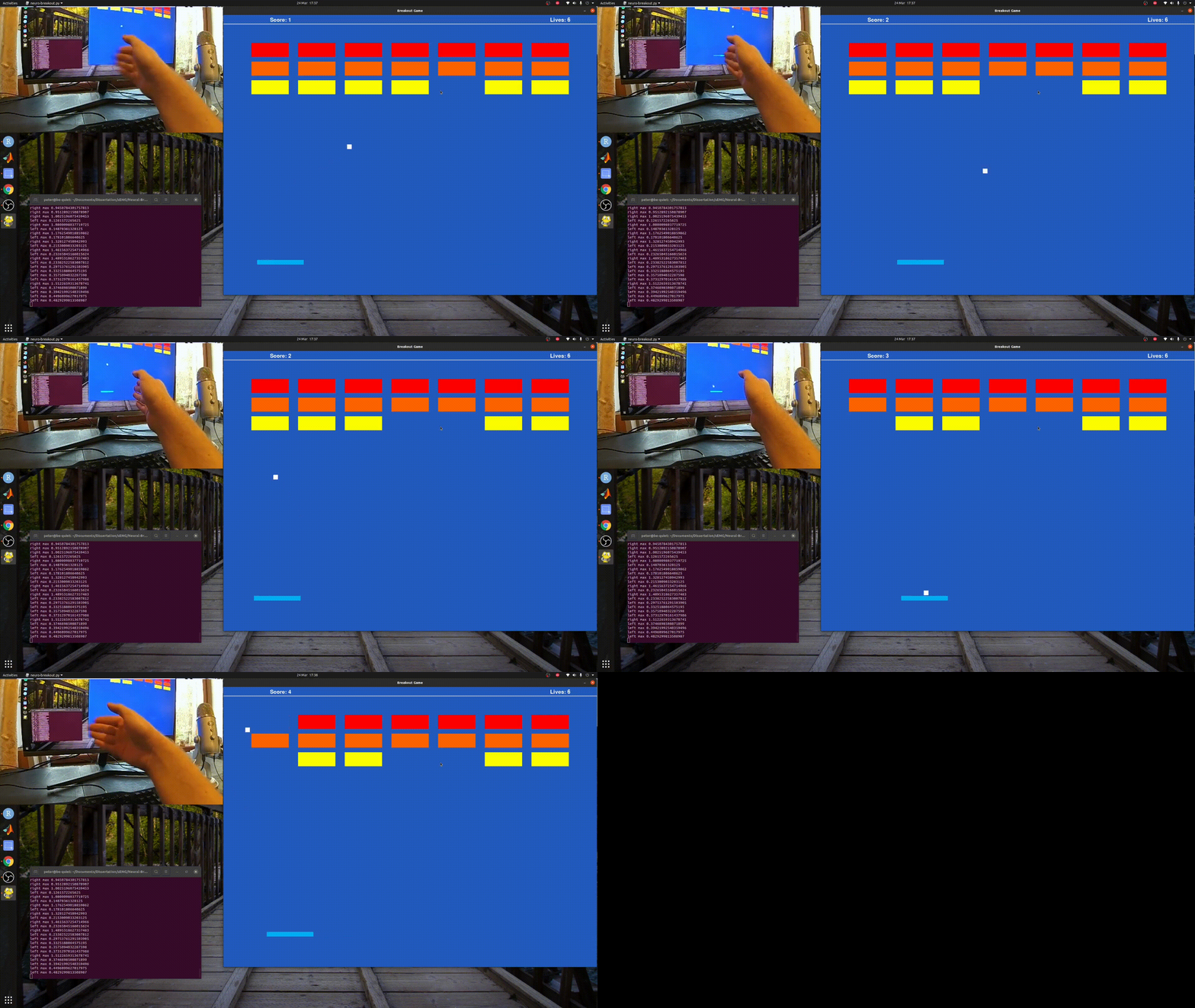
PyoMyo Documentation
Home
Getting started
Common Problems
Myo Placement
The big picture
Why should you care?
Basics of EMG Design
Python Open-source Myo library
This library was made from a fork of the MIT licensed dhzu/myo-raw. Bug fixes from Alvipe/myo-raw were also added to stop crashes and also add essential features.
This code was then updated to Python3, multithreading support was added then more bug fixes and other features were added, including support for all 3 EMG modes the Myo can use.
Note that sEMG data, the same kind gathered by the Myo is thought to be uniquely identifiable. Do not share this data without careful consideration of the future implications.
Also note, the Myo is outdated hardware, over the last year I have noticed a steady incline in the cost of second hand Myos. Both of my Myo's were bought for under £100, I do not recommend spending more than that to acquire one. Instead of buying one you should join the discord to create an open hardware alternative!
Included Example Code
The examples sub-folder contains some different ways of using the pyomyo library.
git clone https://github.com/PerlinWarp/pyomyo
plot_emgs_mat.py
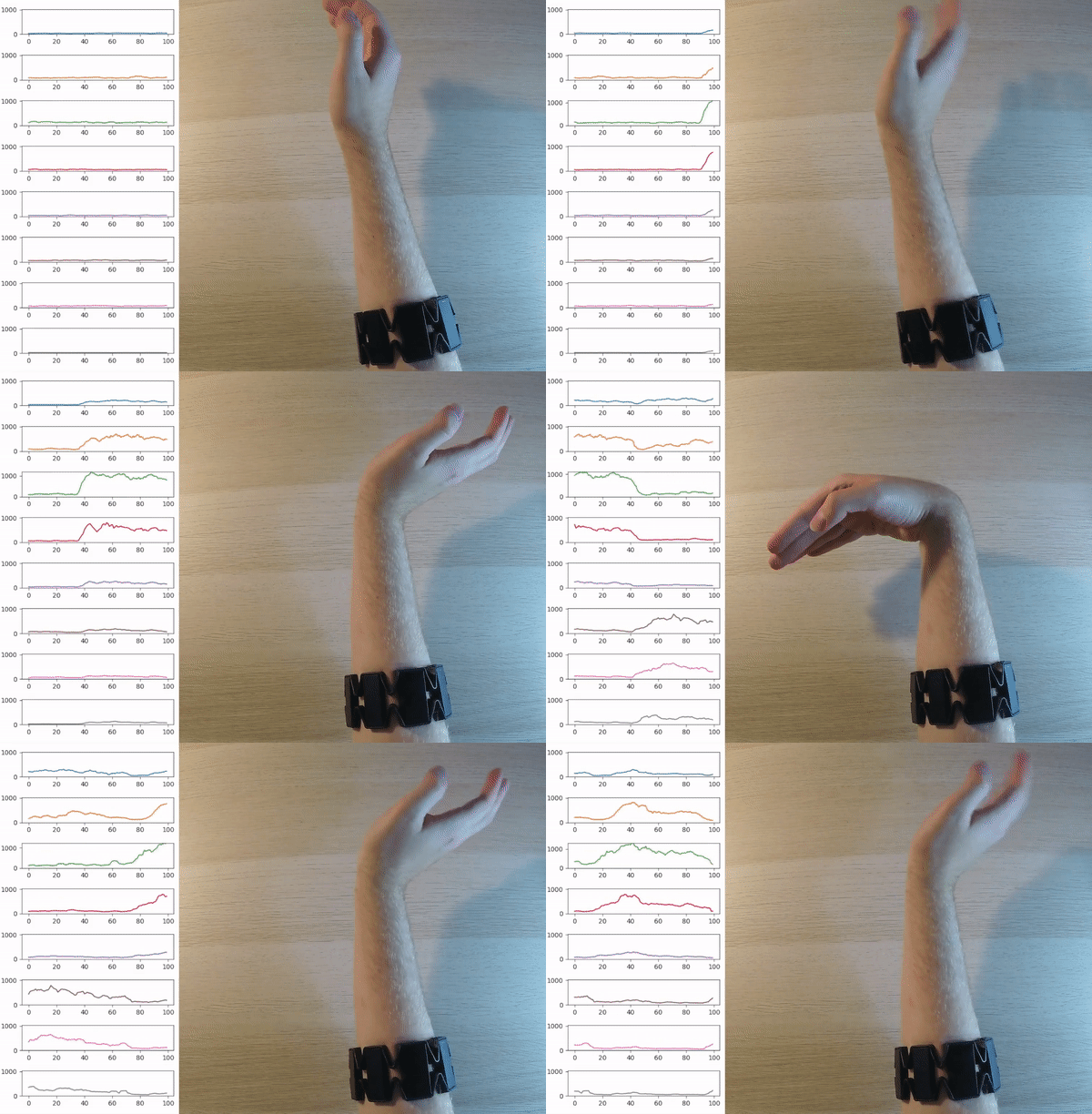
Starts the Myo in mode 0x01 which provides data that's already preprocessed (bandpass filter + rectified).
This data is then plotted in Matplotlib and is a good first step to see how the Myo works.
Sliding your finger under each sensor on the Myo will help identify which plot is for sensor.
dino_jump.py
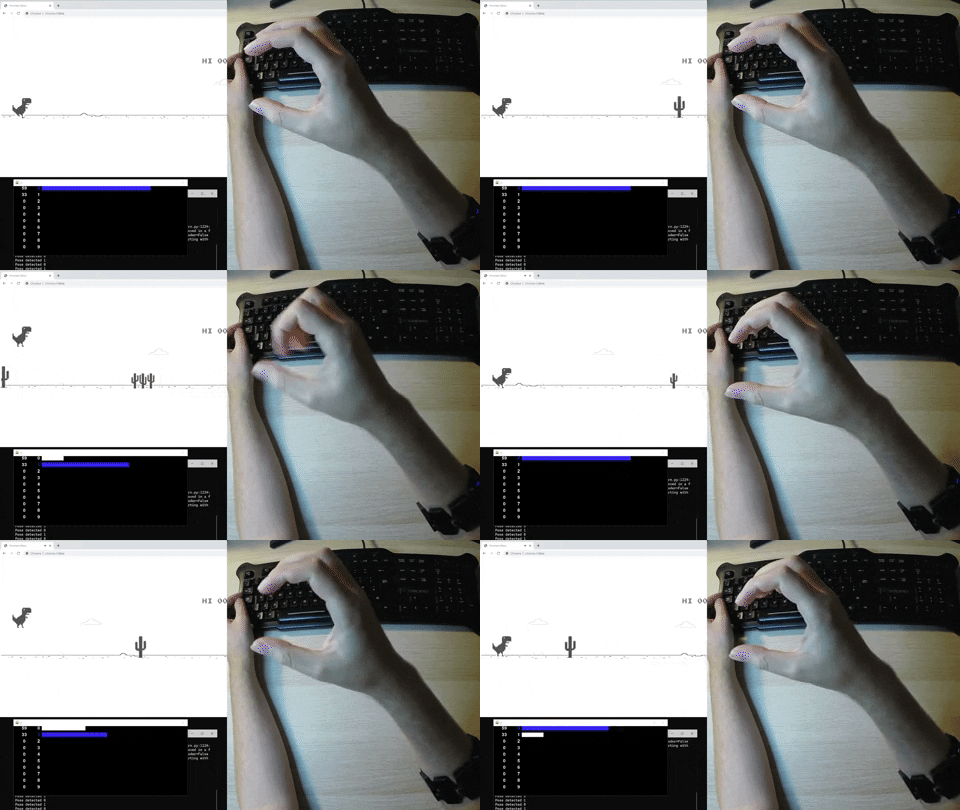
An example showing how to use the live classifier built into pyomyo, see Getting Started for more info.
myo_multithreading_examp.py
Devs start here.
This file shows how to use the library and get Myo data in a seperate thread.
Myo Modes Explained
To communicate with the Myo, I used dzhu's myo-raw. Then added some functions from Alvipe to allow changing of the Myo's LED.
emg_mode.PREPROCESSED (0x01)
By default myo-raw sends 50Hz data that has been rectified and filtered, using a hidden 0x01 mode.
emg_mode.FILTERED (0x02)
Alvipe added the ability to also get filtered non-rectified sEMG (thanks Alvipe).
emg_mode.RAW (0x03)
Then I further added the ability to get true raw non-filtered data at 200Hz.
This data is unrectified but scales from -128 and 127.
Sample data and a comparison between data captured in these modes can be found in MyoEMGPreprocessing.ipynb
The library
pyomyo.py
Prints sEMG readings at 200Hz straight from the Myo's ADC using the raw EMG mode.
Each EMG readings is between -128 and 127, it is the most "raw" the Myo can provide, however it's unlikely to be useful without extra processing.
This file is also where the Myo driver is implemented, which uses Serial commands which are then sent over Bluetooth to interact with the Myo.
Classifier.py
Implements a live classifier using the k-nearest neighbors algorithm.
Press a number from 0-9 to label incoming data as the class represented by the number.
Press e to delete all the data you have gathered.
Once two classes have been made new data is automatically classified. Labelled data is stored as a numpy array in the data\ directory.
1 maintainer

Metadata
1 maintainer
Release files for pyomyo 0.0.5
For a detailed explanation of source distributions (sdists) and built distributions (wheels), please see the package formats documentation.
Source distribution (sdist)
| File | Size | Uploaded | |
|---|---|---|---|
| pyomyo-0.0.5.tar.gz | 14.0 kB | Details |
Built distribution (wheel)
| File | Interpreter | ABI | Platform | Reset |
|---|---|---|---|---|
| pyomyo-0.0.5-py3-none-any.whl | Python 3 | none | any | Details |
Total release size: 27.6 kB
Release files / pyomyo-0.0.5.tar.gz
| Download URL | pyomyo-0.0.5.tar.gz |
|---|---|
| Size | 14.0 kB |
| Tags | Source |
|
SHA-256 checksum How to use checksums |
3c215e91cb97522a26a5cc95a4909d69044a58c1d4a4d0b3654b5aead8f9bd41
|
|
BLAKE2b-256 checksum How to use checksums |
ac93167814679f7e214f0cec90830fe3c5cc887f29008bb9130d851986124982
|
| Upload date | |
|
Uploaded using Trusted Publishing? What is trusted publishing? |
No |
| Uploaded via |
twine/3.4.2 importlib_metadata/4.8.1 pkginfo/1.7.1 requests/2.26.0 requests-toolbelt/0.9.1 tqdm/4.62.2 CPython/3.9.2
|
Release files / pyomyo-0.0.5-py3-none-any.whl
| Download URL | pyomyo-0.0.5-py3-none-any.whl |
|---|---|
| Size | 13.6 kB |
| Tags | Python 3 |
|
SHA-256 checksum How to use checksums |
aafe63b09f5a5732a8d2933a5ea0c8851bce01078ceec1a0a70f5fd731cb8d70
|
|
BLAKE2b-256 checksum How to use checksums |
9ab18b7455b2e368cd3d1c6e4c634daa53c9fa9417181460e9ba8b25bceb169a
|
| Upload date | |
|
Uploaded using Trusted Publishing? What is trusted publishing? |
No |
| Uploaded via |
twine/3.4.2 importlib_metadata/4.8.1 pkginfo/1.7.1 requests/2.26.0 requests-toolbelt/0.9.1 tqdm/4.62.2 CPython/3.9.2
|














