





PyOrganoid is the world's first* Python package for the simulation of organoids for the purpose of studying Organoid Intelligence (OI) and Organoid Learning (OL). It is designed to be simple to use and easy to extend with support for standard machine learning libraries such as TensorFlow, PyTorch, and Scikit-Learn (as well as ONNX-format models).
- Documentation: https://danielathome19.github.io/pyorganoid
- Source code: https://github.com/danielathome19/pyorganoid
- Bug reports: https://github.com/danielathome19/pyorganoid/issues
- Contributing: CONTRIBUTING.md
It provides:
- a simple and intuitive API
- support for standard machine learning libraries
- a growing library of organoid models
- visualization tools for organoid simulation
- numerous simulation environments and scheduling algorithms
- TODO: support for parallel/distributed computing, bio/cheminformatics libraries, logging, and more
PyOrganoid is currently in development and may not yet be ready for production use. We are actively seeking contributors to help us improve the package and expand its capabilities. If you are interested in contributing, please see our contributing guide.
*As of July 6th, 2024, to the best of our knowledge :)

Installation
Pip
PyOrganoid can be installed (without built-in support for machine learning libraries) using pip:
pip install pyorganoid
To include support for all machine learning libraries, use:
pip install pyorganoid[all]
Or, to include support for a specific library (TensorFlow, PyTorch, Scikit-Learn, or ONNX), use:
pip install pyorganoid[tensorflow]
pip install pyorganoid[torch]
pip install pyorganoid[sklearn]
pip install pyorganoid[onnx]
Conda
PyOrganoid can also be installed using conda:
conda install -c danielathome19 pyorganoid
To include support for extras, use pip as described above.
Quickstart
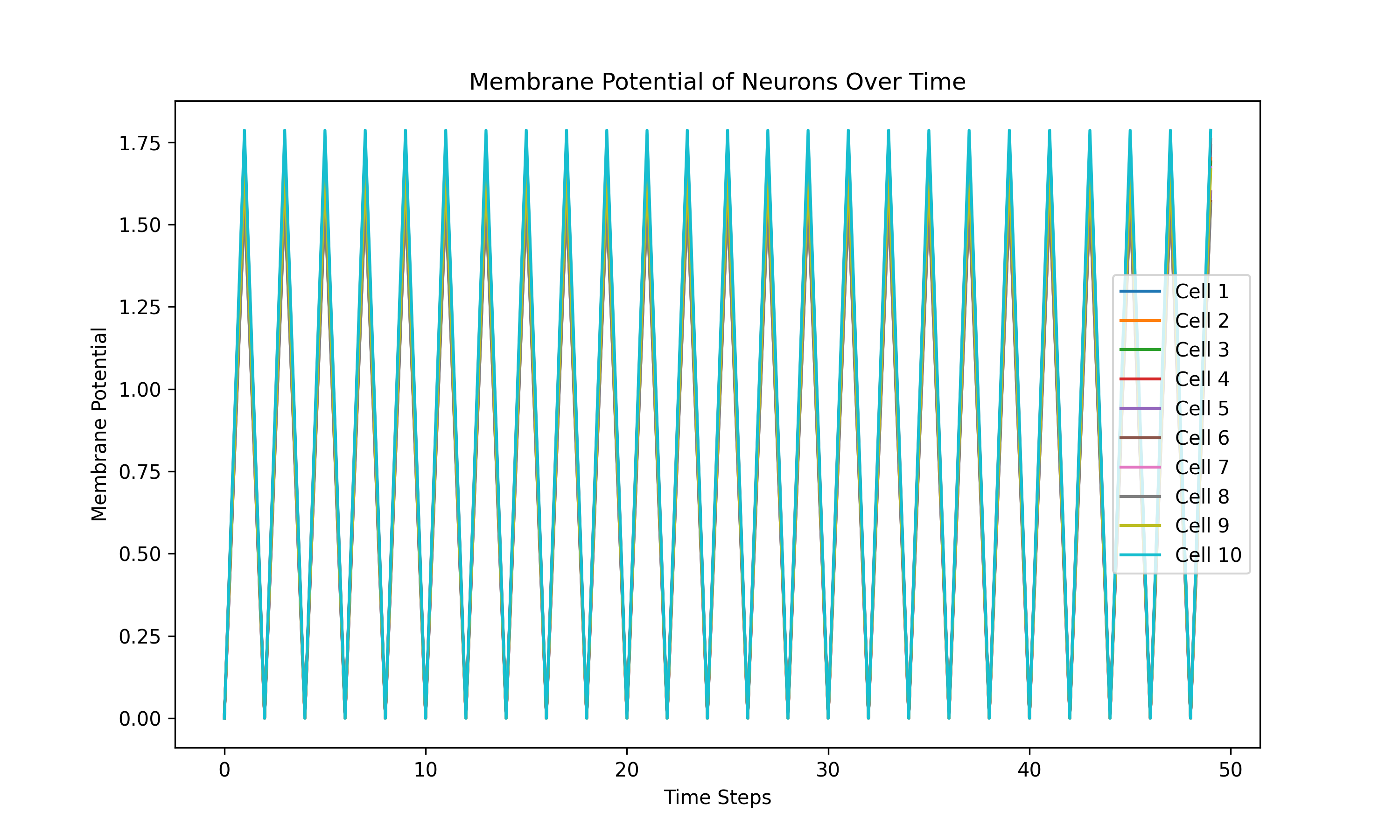
For a quick introduction to PyOrganoid, see the Spiking Neuron Test in the test directory.
This test demonstrates the creation of a simple spiking neuron organoid running a binary classification Multi-Layer
Perceptron (MLP) model using TensorFlow.
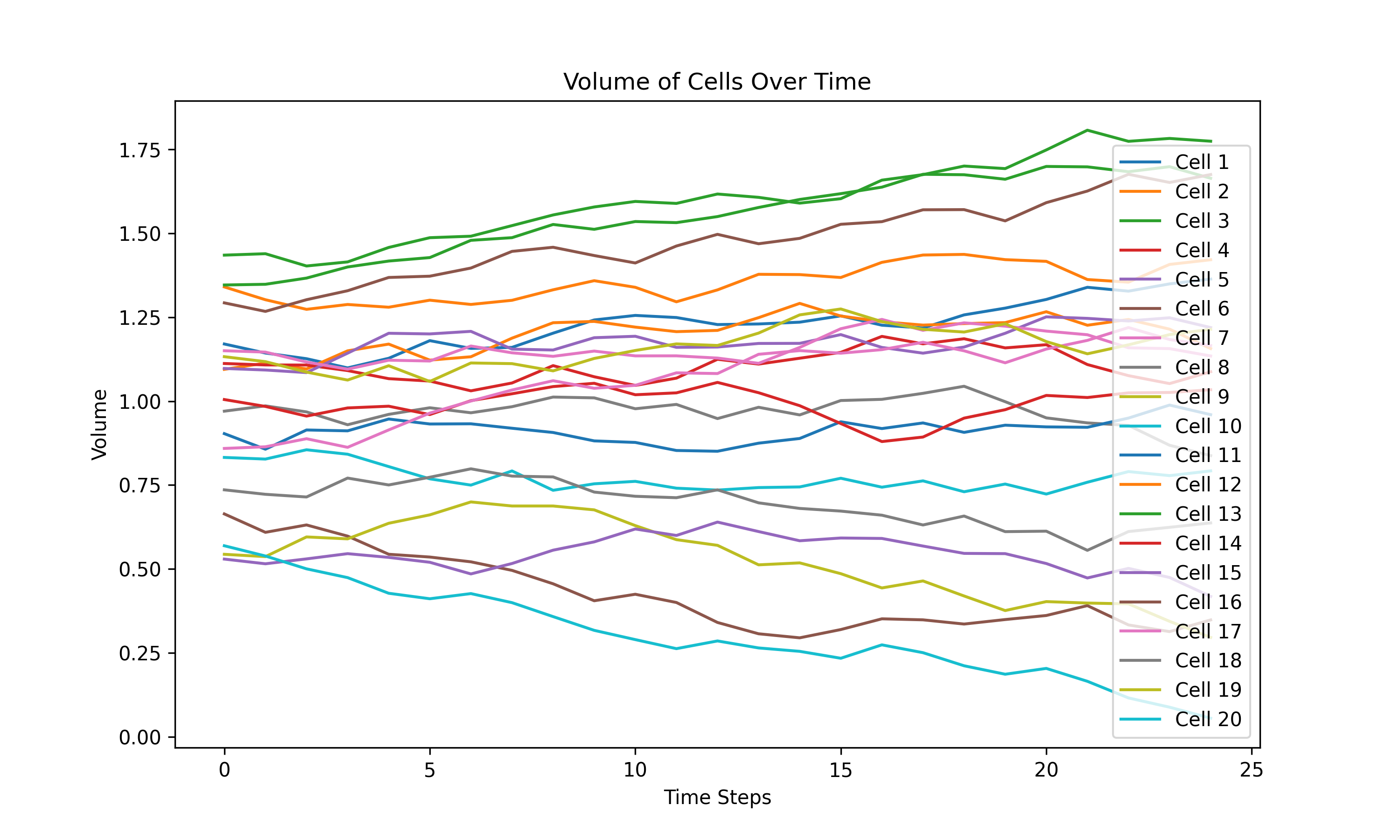
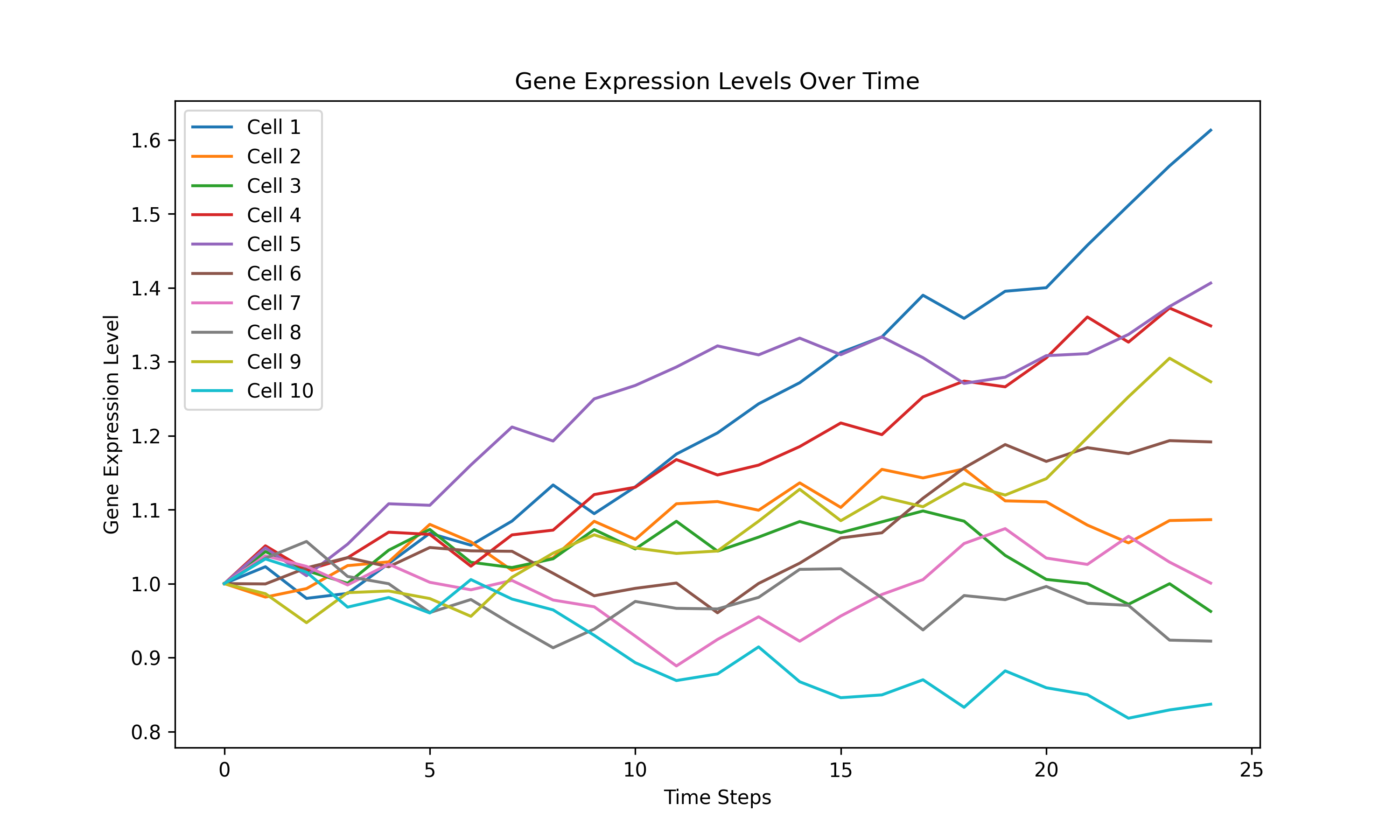
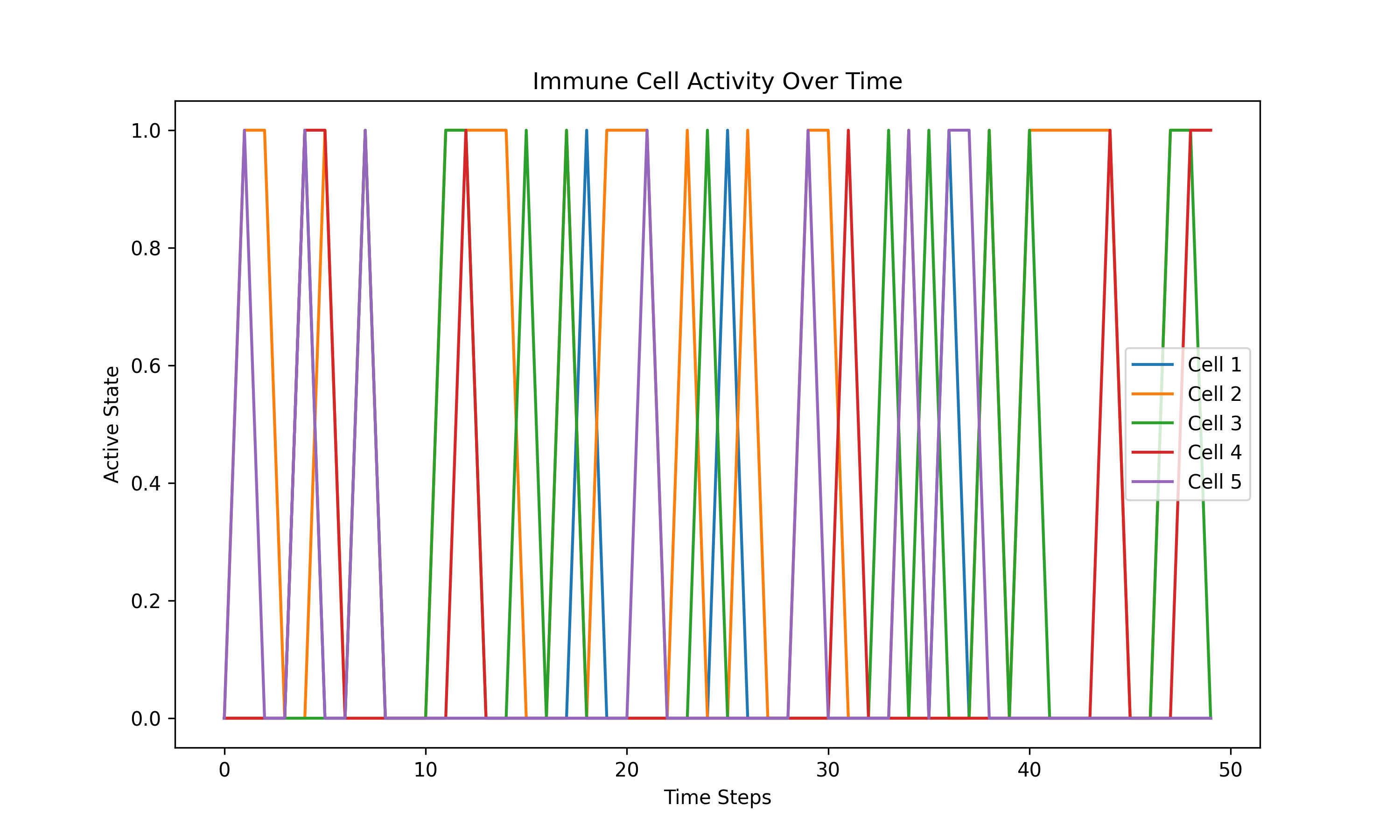
If you prefer Scikit-Learn, PyTorch, or ONNX models, see the Volumetric Organoid Test (Scikit-Learn), the Gene Regulation Organoid Test (PyTorch), or the Immune Response Organoid Test (ONNX), respectively.
For example:
import pyorganoid as po

model = po.tf_module.TFModel("model.h5")
env = po.environments.Environment()
organoid = po.organoids.SpikingNeuronOrganoid(env, model, num_cells=50)
organoid.plot_organoid(show_properties=True)

scheduler = po.simulation.Scheduler(organoid)
scheduler.simulate(steps=100)

organoid.plot_simulation_history(title="Spiking Neuron Organoid Simulation",
                                 y_label="Membrane Potential (mV)", dpi=600)
|
|
|
|
License
PyOrganoid is licensed under the BSD-3 License. See the LICENSE file for more information.
1 maintainer

Metadata
1 maintainer
Release files for pyorganoid 0.1.5
For a detailed explanation of source distributions (sdists) and built distributions (wheels), please see the package formats documentation.
Source distribution (sdist)
| File | Size | Uploaded | |
|---|---|---|---|
| pyorganoid-0.1.5.tar.gz | 19.8 kB | Details |
Built distribution (wheel)
| File | Interpreter | ABI | Platform | Reset |
|---|---|---|---|---|
| pyorganoid-0.1.5-py3-none-any.whl | Python 3 | none | any | Details |
Total release size: 44.1 kB
Release files / pyorganoid-0.1.5.tar.gz
| Download URL | pyorganoid-0.1.5.tar.gz |
|---|---|
| Size | 19.8 kB |
| Tags | Source |
|
SHA-256 checksum How to use checksums |
551c60aca39bbb70ab3dcf41ea09141242e1ee22e528fc8c43d23f7313fa1b81
|
|
BLAKE2b-256 checksum How to use checksums |
d3f814ee2740a0e24cc34398718dc82323e10eb08d67bdcb8c258a381837ef26
|
| Upload date | |
|
Uploaded using Trusted Publishing? What is trusted publishing? |
No |
| Uploaded via |
twine/5.1.1 CPython/3.11.9
|
Release files / pyorganoid-0.1.5-py3-none-any.whl
| Download URL | pyorganoid-0.1.5-py3-none-any.whl |
|---|---|
| Size | 24.3 kB |
| Tags | Python 3 |
|
SHA-256 checksum How to use checksums |
5af403487b726e84af4d8128dc037e775e39ec92a42dfd9828ca3a86e963f05c
|
|
BLAKE2b-256 checksum How to use checksums |
0e65a82d2dba1f9b57c361b6261e6d72f70fda8173fb8f206f75a7bda13a685c
|
| Upload date | |
|
Uploaded using Trusted Publishing? What is trusted publishing? |
No |
| Uploaded via |
twine/5.1.1 CPython/3.11.9
|














