
pypci, a pciutils-like library for fetching system PCI/PCI-E information but written mostly in python.

Project description
pypci-ng




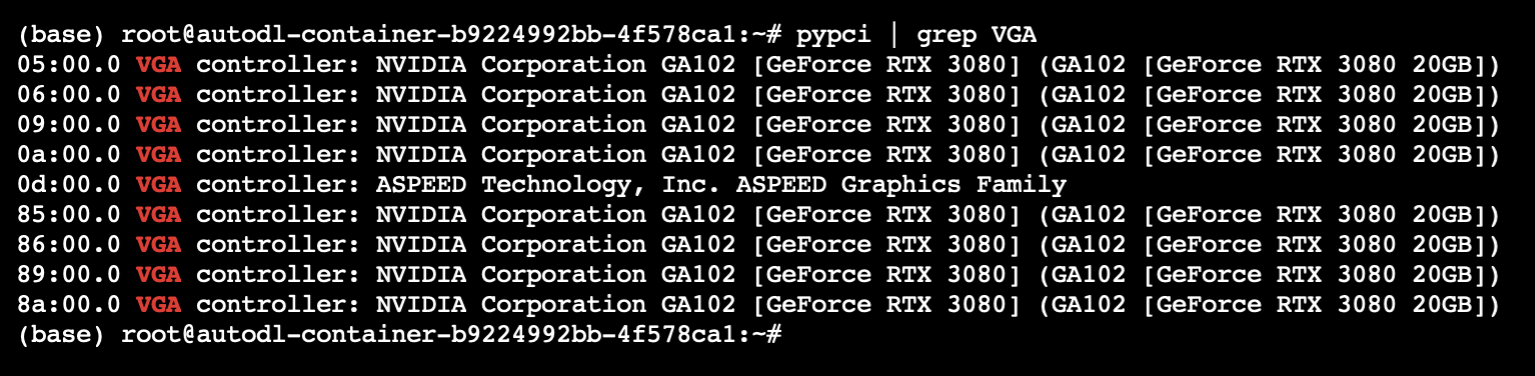
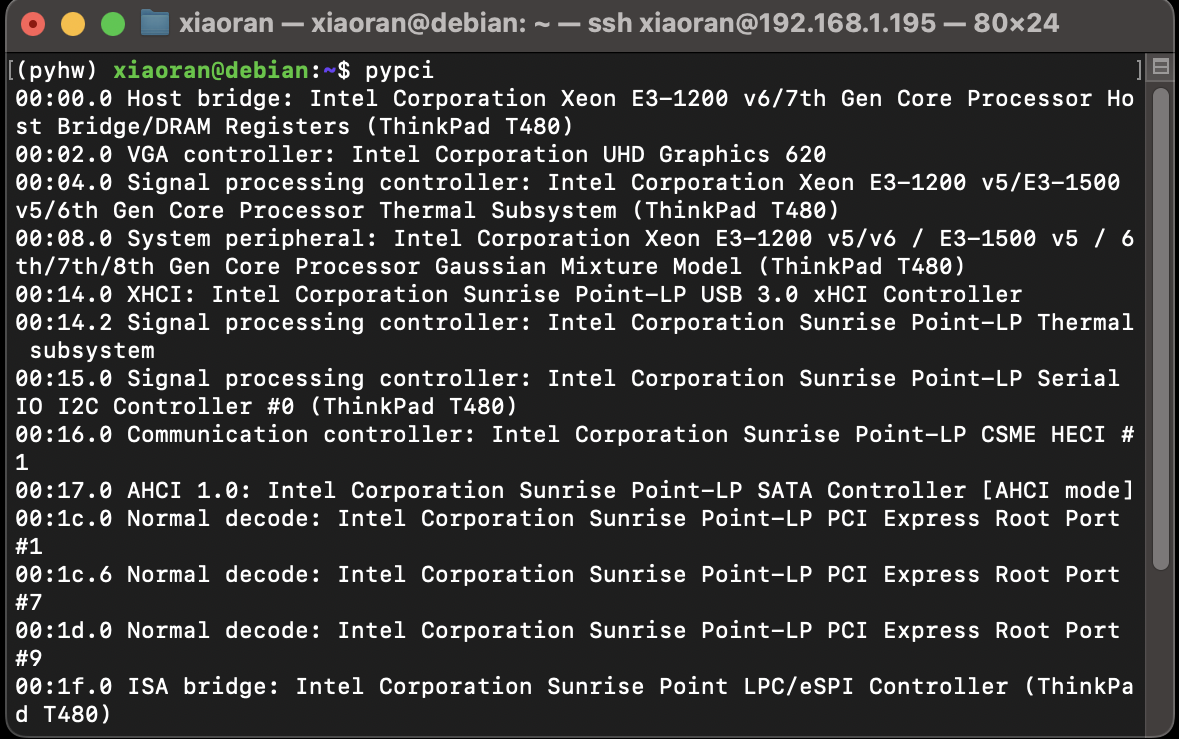
pypci-ng, a pciutils-like library for fetching system PCI/PCI-E devices but written mostly in python. Currently, this package ONLY implements the same functionality as lspci, i.e. scanning and listing all PCI/PCI-E devices. More functionalities are under development.
Install
Just install it directly by pip.
pip install pypci-ng
To upgrade pypci:
pip install pypci-ng --upgrade
Usage
Use as a command line tool
You can use this tool directly from the command line with the following command, just like lspci.
pypci
Or use -d flag to print driver information.
pypci -d
For more command line flags, see:
pypci -h
Please note that the command line entry for pypci is created by pip, and depending on the user, this entry may not in the system PATH. If you encounter this problem, pip will give you a prompt, follow the prompts to add entry to the system PATH.
Use as a Python Package
You can also use this package in Python, here is the demo:
import pypci
pci = pypci.PCI()
vga_devices = pci.FindAllVGA()
nic_devices = pci.FindAllNIC()
More functionalities are under development.
Supported (Tested) OS
- Linux
- Windows 10 and above
Build from source
Build tools
Make sure the following Python build tools are already installed.
- setuptools
- build
- twine
Build package
clone the project, and run:
python -m build
After the build process, the source package and the binary whl package can be found in the dist folder.
Release history Release notifications | RSS feed


Download files
Download the file for your platform. If you're not sure which to choose, learn more about installing packages.
Source Distribution
Built Distribution
Filter files by name, interpreter, ABI, and platform.
If you're not sure about the file name format, learn more about wheel file names.
Copy a direct link to the current filters
File details
Details for the file pypci_ng-0.2.2.tar.gz.
File metadata
- Download URL: pypci_ng-0.2.2.tar.gz
- Upload date:
- Size: 1.0 MB
- Tags: Source
- Uploaded using Trusted Publishing? No
- Uploaded via: twine/5.1.1 CPython/3.9.19
File hashes
| Algorithm | Hash digest | |
|---|---|---|
| SHA256 |
80f25a2a5139bae7d8da3595a1811eae9f778afe5089390e7050c9aa3b4f982f
|
|
| MD5 |
7f4e9b66d6886534366f0525775eb443
|
|
| BLAKE2b-256 |
335504eb9a6bb0251d268e53d01032b11a7659d6b4309ad04fb988c6723b9c72
|
File details
Details for the file pypci_ng-0.2.2-py3-none-any.whl.
File metadata
- Download URL: pypci_ng-0.2.2-py3-none-any.whl
- Upload date:
- Size: 1.0 MB
- Tags: Python 3
- Uploaded using Trusted Publishing? No
- Uploaded via: twine/5.1.1 CPython/3.9.19
File hashes
| Algorithm | Hash digest | |
|---|---|---|
| SHA256 |
b9a0af2e5c5e0298dc71538263f01be2c96bf8ec26c3bc69ba3b384337bc5b0a
|
|
| MD5 |
936990e4f3c58c6906ff9b5700e415f2
|
|
| BLAKE2b-256 |
52a0fb0e56ba76808ff2167e0049428e9523ad7ec6a59dbe6d4de91350152adf
|






