
Python + HTML desktop app framework

Project description
Pype
Fast and Simple GUI framework for Python
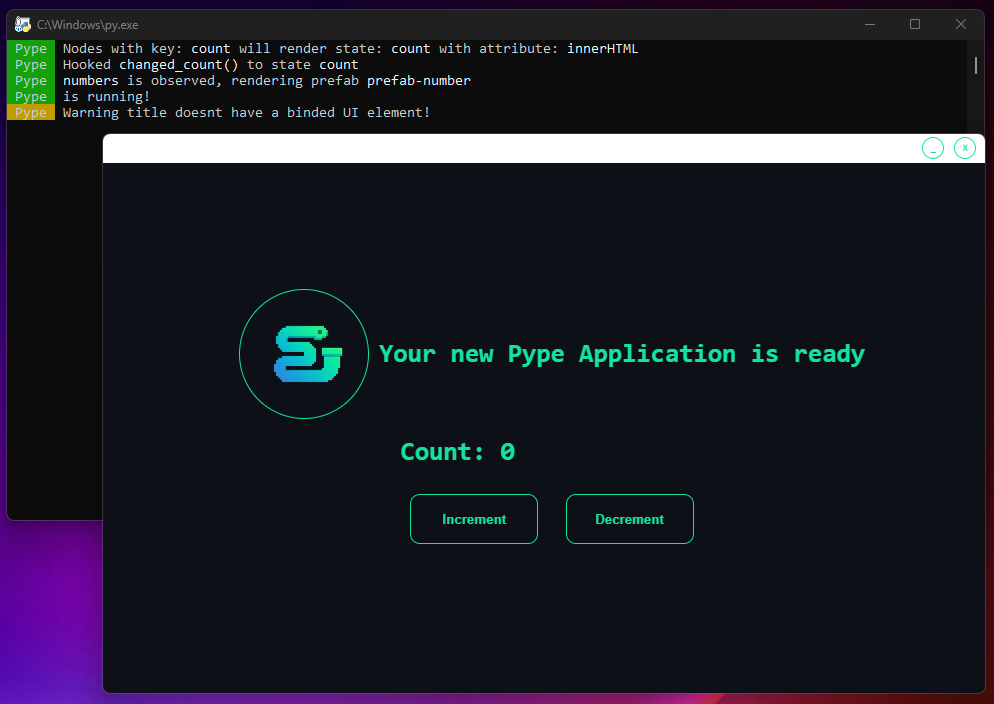
Render Python computed values and interact them via HTML in a webview application
Good for fast visualization or lightweight applications
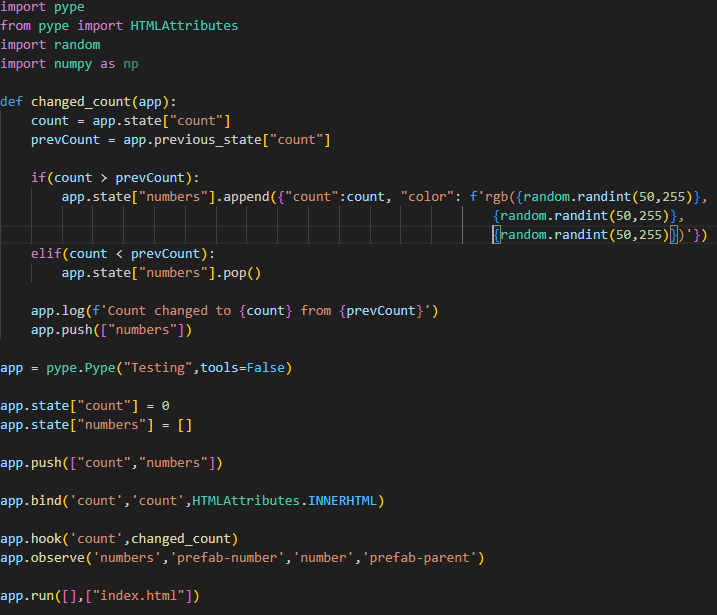
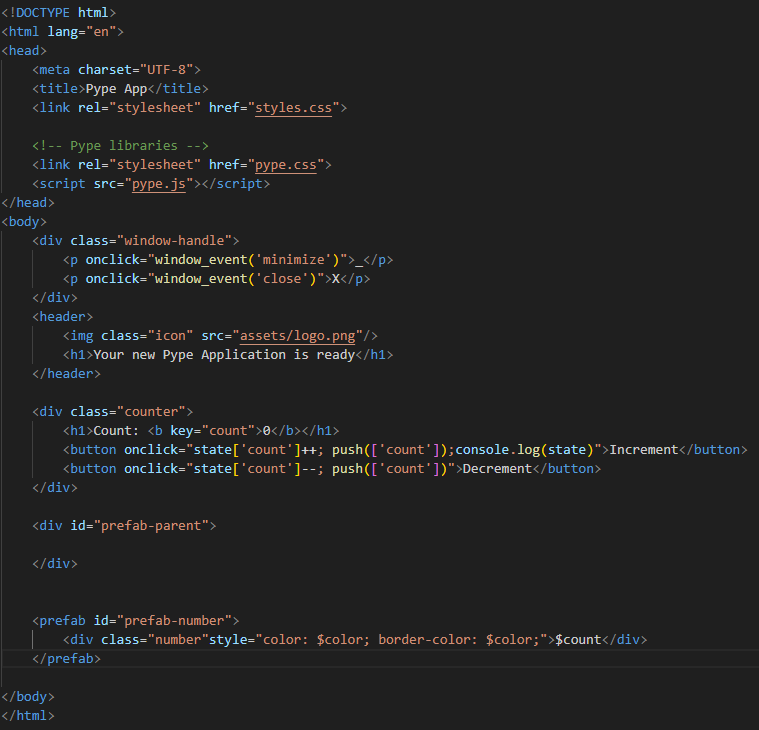
| The application | The backend | The frontend |
|---|---|---|
 |
 |
 |
Documentation
Project creation
Generates the project with all needed files.
Project-Name
├── frontend - HTML, CSS, Pype frontend library.
│ └── assets - Any asset file.
└── app.py
plumber new project-name
Project build
Generates an .exe executable file from the given project.
The project should follow the generated structure.
plumber build project-name
Expose
Description:
Exposes a function to the frontend side to be called
Example:
app.expose(functionFromPython)
Call
Description:
Calls an exposed function from the frontend
Example:
onclick="call('functionFromPython')"
State Management
Push
Applies and finalizes state changes by triggering observers and hooks. Updates are batched for efficiency, ensuring cleaner and more controlled state management. It offers on-demand state updates, reducing unnecessary processing.
Python:
app.state["numbers"].append(value)

app.push(["numbers","some other key","...another"]) #finalizes state change
JavaScript:
onclick="state['count']++; push(['count'])"
Pull
Gets a state values deep copied value, for other usage then just immidietly setting state.
Python:
app.pull("count")
JavaScript:
onclick="alert(pull('count'))"
Binds
Description:
Binds a state to an element via its key attribute and specifies which attribute should be updated upon a state change.
Example:
app.bind('state-key', 'element-key', HTMLAttributes.INNERHTML)
Hooks
Description:
Attaches a function to a specific state change. When the state updates, the hooked function is called.
Example:
app.hook('state-key', hooked_function)
Prefabs
Creation
Description:
Users can create prefabs that can be instantiated or destroyed by the app. Attributes are passed as Python dictionaries.
Example (HTML):
<prefab id="prefab-name">
    <div class="number" style="color: $attribute-name-2; border-color: $attribute-name-2;">$attribute-name</div>
</prefab>
Instantiate
Description:
Instantiates a prefab with a unique key under a specified parent element, passing attributes to customize its content.
Example:
app.instantiate("prefab-name", f"key-prefix-{count}", "prefab-parent-id", {"attribute1": 'something', "attribute2": 0})
Destroy
Description:
Destroys a prefab with the specified ID and key. During destruction, the prefab enters its destruction phase and receives the .destroyed class for exit animations.
Example:
app.destroy("prefab-name", f"key-prefix-{prevCount}")
Observer
Description:
Observes a state array that contains attributes for prefabs, upon its change automatically instantiates or destroys prefabs.
Example:
app.observe('state-key','prefab-id','key-prefix','prefab-parent-id')
Load Page
Description:
Loads a given page exposed to the run function. .unloaded class for the current page for exit animations.
Example:
app.run([updatingFunc],["index.html","new-page.html"]) #Expose pages to app

app.load_page(1)
Custom Window Handle
Description:
All pages has a .window-handle div at top. This area is customizable too for making it fit with your app.
Release history Release notifications | RSS feed


Download files
Download the file for your platform. If you're not sure which to choose, learn more about installing packages.
Source Distribution
Built Distribution
Filter files by name, interpreter, ABI, and platform.
If you're not sure about the file name format, learn more about wheel file names.
Copy a direct link to the current filters
File details
Details for the file pype_framework-1.0.5.tar.gz.
File metadata
- Download URL: pype_framework-1.0.5.tar.gz
- Upload date:
- Size: 42.4 kB
- Tags: Source
- Uploaded using Trusted Publishing? No
- Uploaded via: twine/6.0.1 CPython/3.10.6
File hashes
| Algorithm | Hash digest | |
|---|---|---|
| SHA256 |
be1159fec074517bf859e1702f4dac37234c99cc58188fb81193abd59b58cd3f
|
|
| MD5 |
fa48ac183a8216100c3b781ce2405507
|
|
| BLAKE2b-256 |
e3a51d38ba81121aec1c34055ce8663b338d85d097ec33f535c39930a81b64ff
|
File details
Details for the file pype_framework-1.0.5-py3-none-any.whl.
File metadata
- Download URL: pype_framework-1.0.5-py3-none-any.whl
- Upload date:
- Size: 40.8 kB
- Tags: Python 3
- Uploaded using Trusted Publishing? No
- Uploaded via: twine/6.0.1 CPython/3.10.6
File hashes
| Algorithm | Hash digest | |
|---|---|---|
| SHA256 |
b85cbf6bc0185171240b9299216590cde66f951f7a8679aaa018ead5875a5dfc
|
|
| MD5 |
89422149e9aa542b326512017c19d448
|
|
| BLAKE2b-256 |
4b9ad82acc3bf09bcb920e53c5f50fd79e189d0e13a5e887b1e44596248fead3
|






