

A Python Terminal-based P2P Messaging Application.
pypeer is a lightweight TUI application that enables direct, encrypted communication between peers. It leverages WebRTC for decentralized data transfer and Firebase RTDB as an ephemeral signaling server.


Start Screen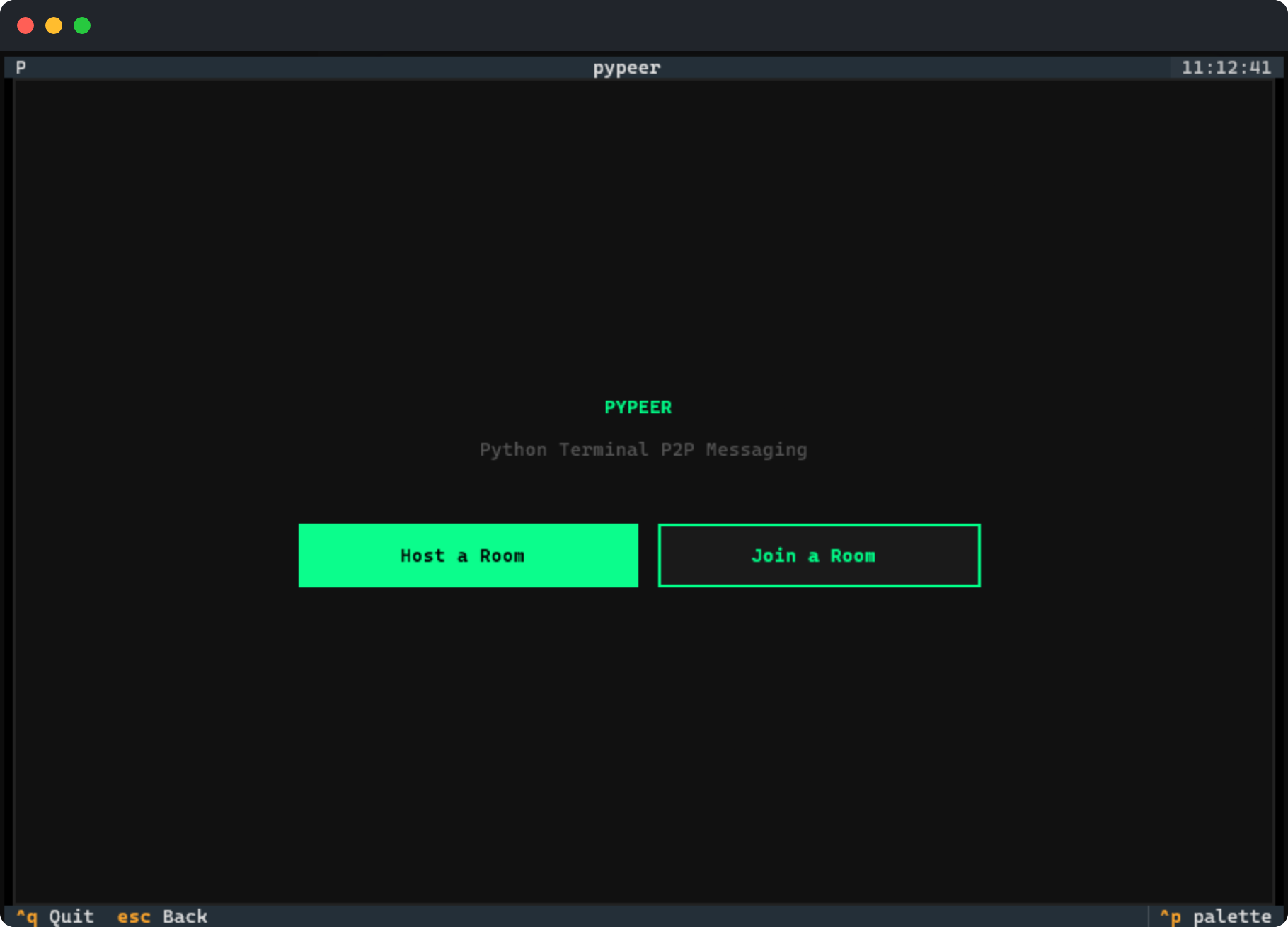
|
Host Setup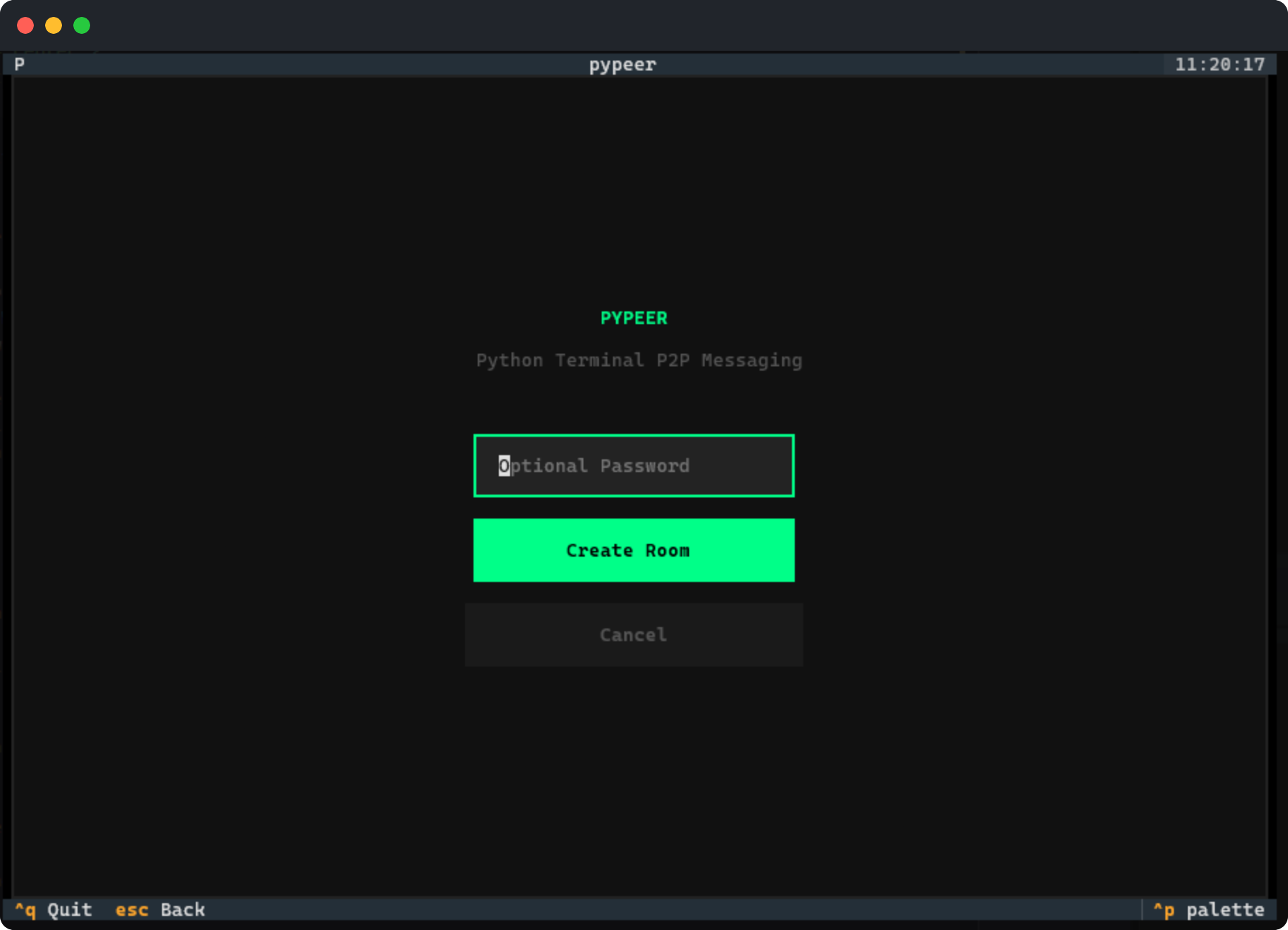
|
Join Room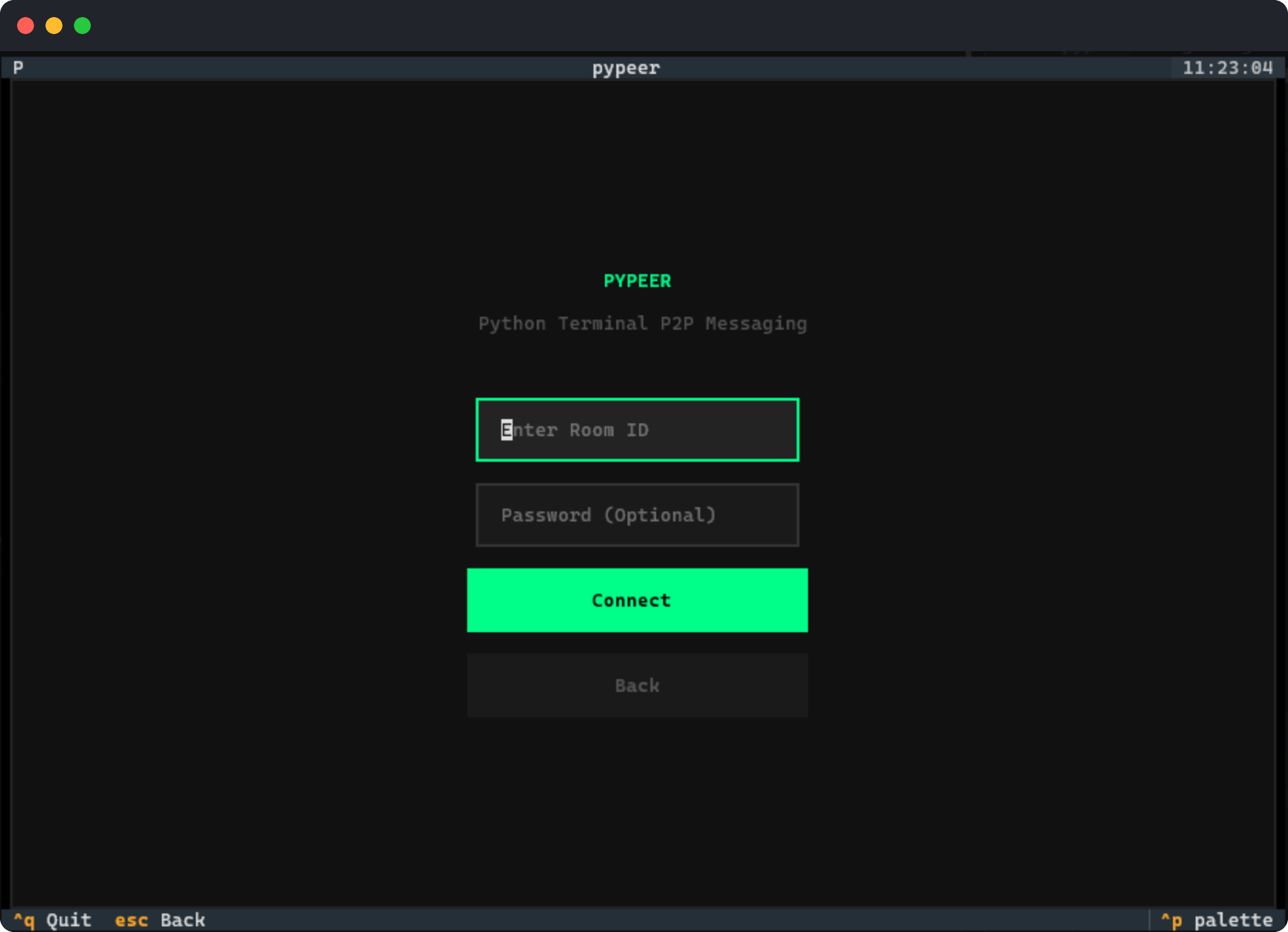
|
Messaging Screen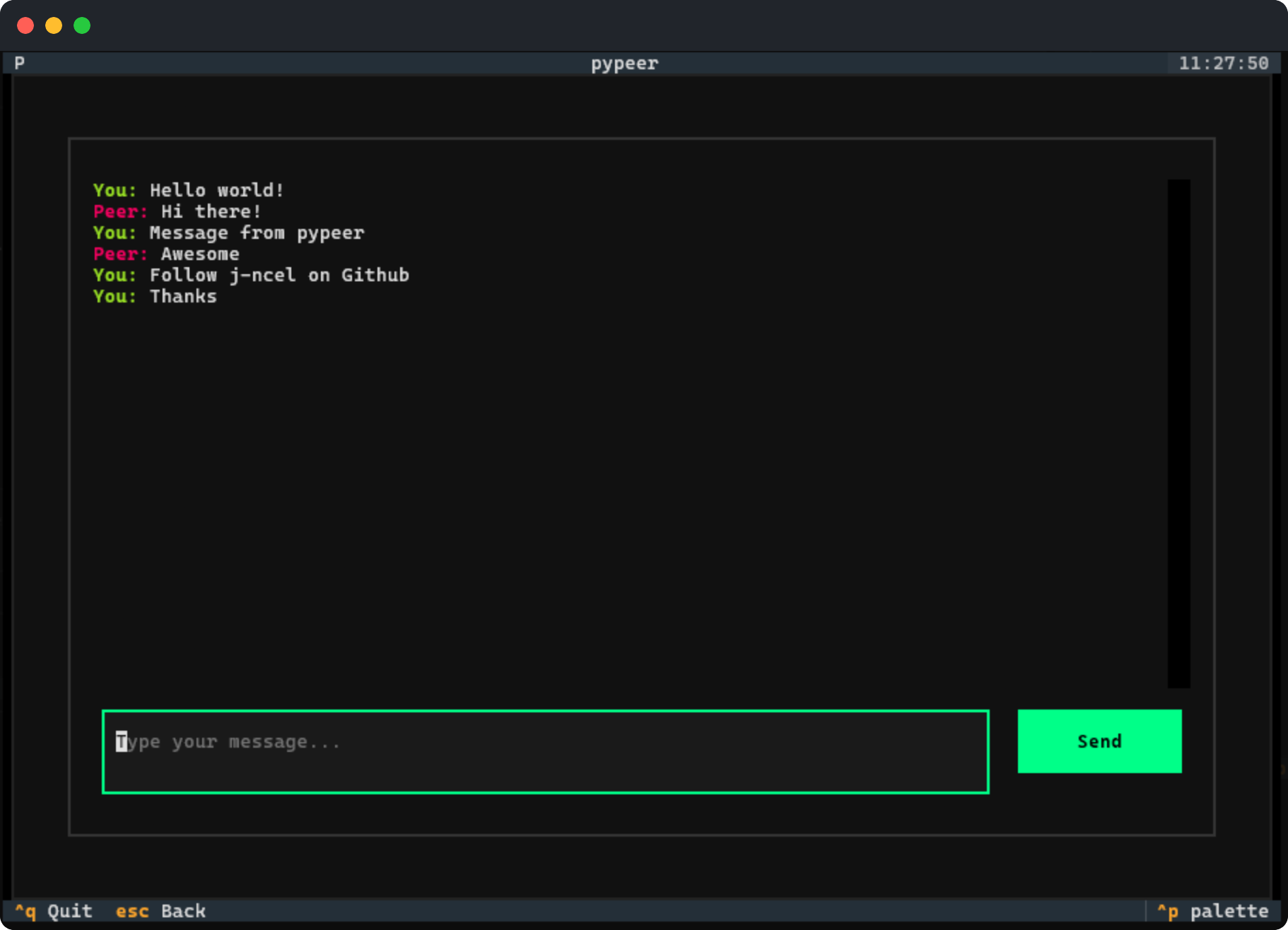
|
Installation & Usage
| ● ● ● |
| $ pip install pypeer |
After installation launch the application by simply typing:
| ● ● ● |
| $ pypeer |
How to use:
- Host a Room: Click "Host", set a password, and share the generated 6-character Room ID.
- Join a Room: Click "Join", enter the Room ID and the password.
- Chat: Once connected, start messaging.
How it Works
-
Encrypted Signaling: Before a direct connection is established, peers must exchange handshake metadata (SDP and ICE candidates).
pypeerusesFirebase RTDBas an ephemeral signaling server that acts as a temporary bulletin board.- Key Derivation: A 32-byte key is derived using
SHA-256from a combination of theRoom IDand theUser Password. - Layered Security: The connection metadata is cryptographically unreadable to anyone even the data provider that do not have the specific Room ID and Password.
- Compression: Raw SDP strings are compressed using
zlibto reduce payload size and obfuscate data structure. - Encryption: Compressed data is encrypted via AES-128 (Fernet),ensuring that only the intended peer can decrypt the handshake.
- Compression: Raw SDP strings are compressed using
- Key Derivation: A 32-byte key is derived using
-
The WebRTC Handshake: Once the encrypted metadata is exchanged, the terminals move from "talking to the cloud" to "talking to each other":
- Firewall Navigation: The app uses Google's STUN servers to navigate through home routers and firewalls and determine the best route between peers.
- Encrypted DataChannel: A dedicated tunnel is established between peers. Unlike traditional TCP sockets, SCTP over WebRTC provides native encryption, reliability, and ordered delivery without the need for a central server.
-
Secure Direct Messaging: Once connected, the chat enters a serverless state:
- Zero-Trace Handshake: The signaling data on Firebase RTDB is deleted. The peers remain connected directly, ensuring that no trace of the handshake remains on the cloud.
- P2P Memory-to-Memory: Messages are sent directly between terminal memories. No history is stored on any server, and no middleman can intercept the traffic once the P2P tunnel is established.
- Volatile Sessions: Your messages exist only as long as your terminal window is open. Once you quit, the session is wiped from your RAM.
-
Automated Cleanup: To maintain a a clean and secure signaling bridge,
pypeeremploys a two-tier cleanup strategy:- Host-Led Deletion: Under normal conditions, the host cleans up the signaling metadata as soon as the handshake is complete.
- GitHub Action Janitor: As a failsafe, a scheduled GitHub Action acts as a "Janitor," running every hour to automatically purge any stale or abandoned rooms left behind by interrupted connections.
Tech Stack
| Core Components | Implementation | Purpose |
|---|---|---|
| TUI Engine | Textual | Powers the modern, responsive terminal interface. |
| P2P Protocol | aiortc | Handles WebRTC stack, ICE gathering, and DataChannels. |
| Signaling | Firebase RTDB | Used as a temporary, real-time bridge for handshakes. |
| Encryption | Fernet (AES) | Encrypts signaling payloads so metadata never leaks. |
| Async Core | asyncio |
Manages concurrent networking and UI updates. |
License
This project is licensed under the MIT License.
1 maintainer

Download files
Download the file for your platform. If you're not sure which to choose, learn more about installing packages.
Source Distribution
Built Distribution
Filter files by name, interpreter, ABI, and platform.
If you're not sure about the file name format, learn more about wheel file names.
Copy a direct link to the current filters
File details
Details for the file pypeer-0.1.0.tar.gz.
File metadata
- Download URL: pypeer-0.1.0.tar.gz
- Upload date:
- Size: 16.7 kB
- Tags: Source
- Uploaded using Trusted Publishing? No
- Uploaded via:
twine/6.2.0 CPython/3.14.3
File hashes
| Algorithm | Hash digest | |
|---|---|---|
| SHA256 |
426bfdf3377b8f0659e81241c0b29bef62e13e306d6058410c984bb9c33d73e4
|
|
| MD5 |
8f0e53ae16b05d43bbb4805cf3736581
|
|
| BLAKE2b-256 |
cd9216dee343cfc98f82d53df8576981b87dfe52ba3d8ec17195142e0187fdce
|
File details
Details for the file pypeer-0.1.0-py3-none-any.whl.
File metadata
- Download URL: pypeer-0.1.0-py3-none-any.whl
- Upload date:
- Size: 15.0 kB
- Tags: Python 3
- Uploaded using Trusted Publishing? No
- Uploaded via:
twine/6.2.0 CPython/3.14.3
File hashes
| Algorithm | Hash digest | |
|---|---|---|
| SHA256 |
8ea771c6753ae4f488c6f39b535a0c3aea7e4c55dcbdb89f1d19a9aed6cb4eb9
|
|
| MD5 |
5605c86f6447b968ab2be1bd621c4f87
|
|
| BLAKE2b-256 |
3bd924473ebba1c49970c46ebc24633a3cbe518eec3b19bca2558871ec3798f6
|













