
Build my first PyPI package

Project description
pypi
Build My first PyPI package PyPI : the Python Package Index
tags: Python PyPI
Steps-by-Steps
-
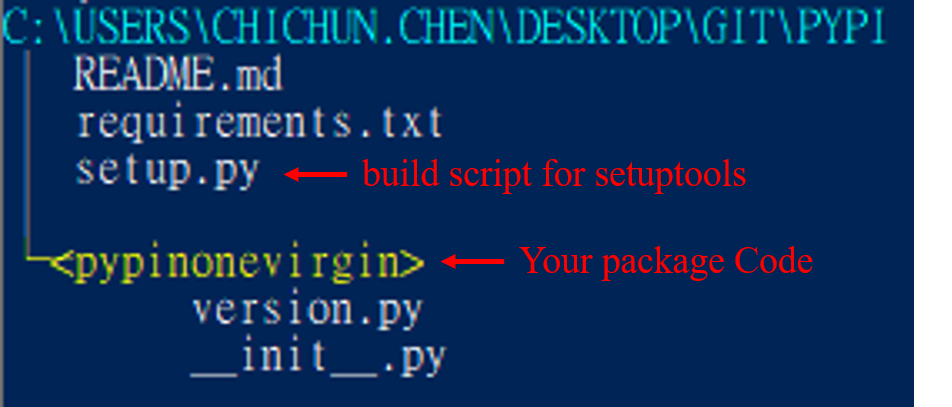
準備好要上傳 PyPI 的套件
:memo:
- 資料夾結構
- 資料夾結構
-
進入該層目錄 :
cd C:\Users\chichun.chen\Desktop\git\pypi -
打包檢查 :
python setup.py check -
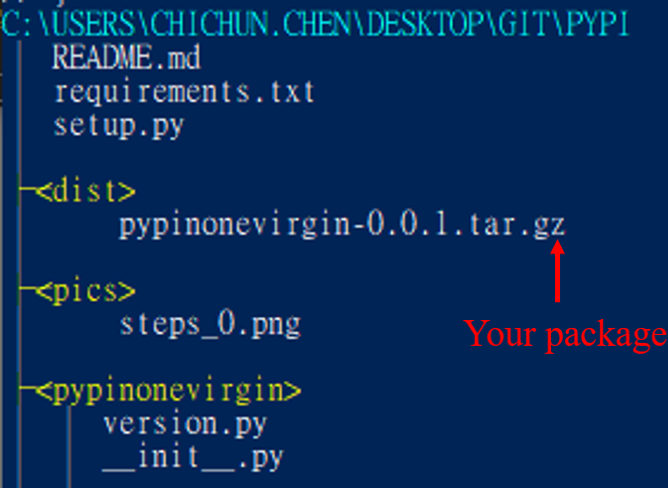
打包 :
python setup.py sdist:memo:
-
sdist : 較常用,支持 pip 安裝
-
bdist_egg : 支持 easy_install 安装
-
打包好的檔案會在
/dist底下 -
使用
pip install pypinonevirgin-0.0.1.tar.gz測試打包完的檔案是否能正確執行
-
-
安裝 twine 作為後續上傳 PyPI 用 :
pip install twine -
註冊 PyPI
-
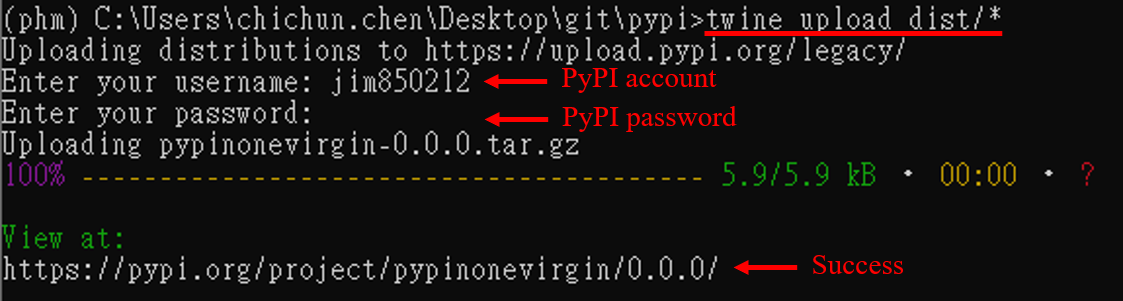
上傳 :
twine upload dist/*:memo:
- 需註冊 PyPI 帳號密碼
- 需註冊 PyPI 帳號密碼
FAQ
-
Register Fail:
- Command :
python setup.py register - ErrorMsg : Server response (410): Project pre-registration is no longer required or supported, upload your files instead.
- Explain : PyPI 因為 HTTP 安全性認證的問題,不再支援 register、upload 等指令
- Solution : 改用
twine upload(官方建議)
- Command :
-
Upload Fail :
- Command :
twine upload dist/* - ErrorMsg : HTTPError: 400 Bad Request: This filename has already been used, use a different version.
- Explain : PyPI 上已經存在相同名稱的套件/版號
- Solution : 更改套件名稱 or 調整版號
- Command :
-
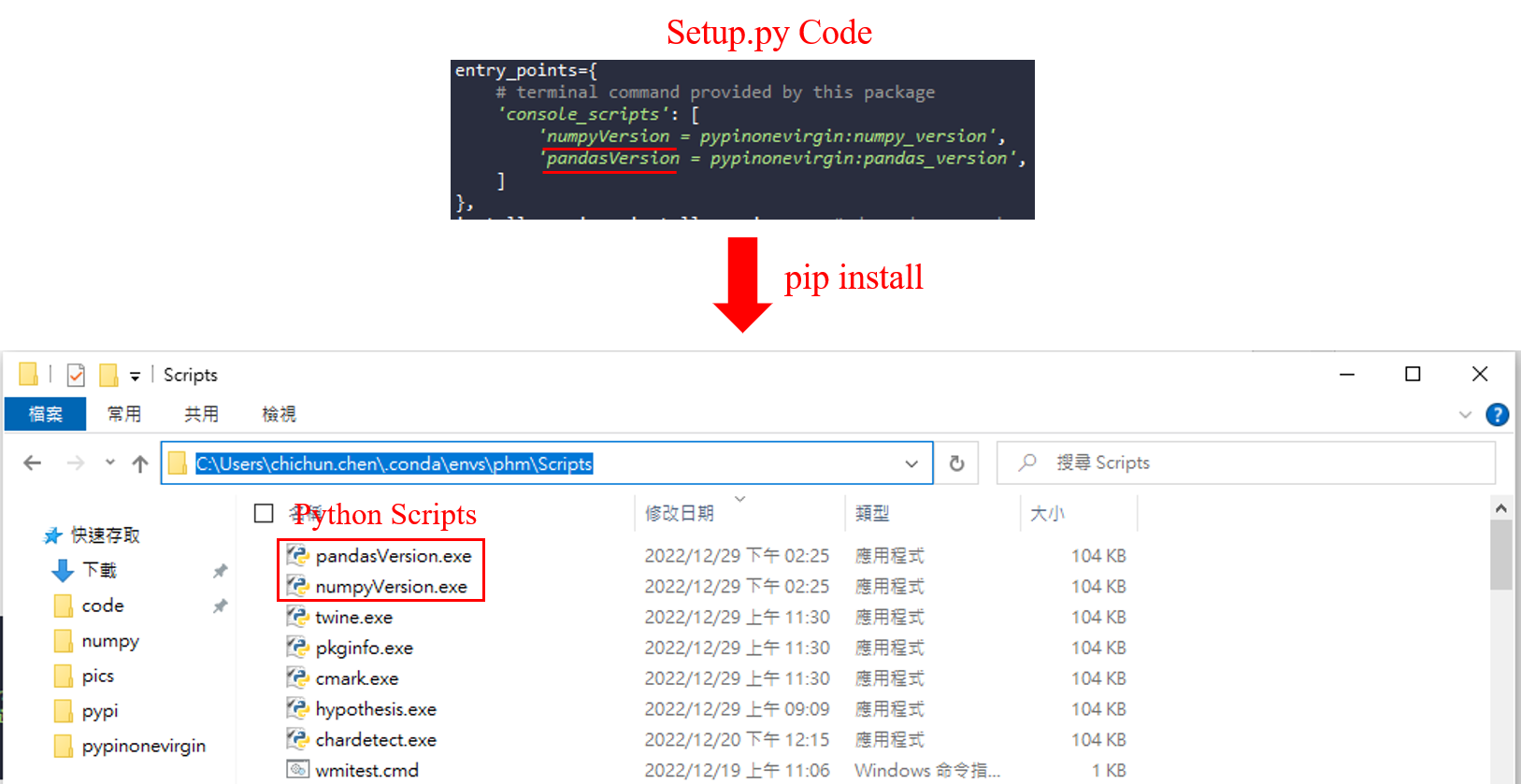
console_scripts :
:memo:
- Build python scripts automatically
- Build python scripts automatically
Windows 打印資料夾結構的小工具
tree <yourPath> /f | Select-Object -Skip 2 | ForEach-Object {
	if ($_.Contains(':\')) {
		Write-Host $_ -ForegroundColor Cyan
	}
	elseif ($_.Contains('─')) {
		Write-Host "$($_.Replace('─', '─<'))>" -ForegroundColor Yellow
	}
	else{
		Write-Host $_ -ForegroundColor White
	}
}
Reference
Release history Release notifications | RSS feed


Download files
Download the file for your platform. If you're not sure which to choose, learn more about installing packages.
Source Distribution
pypinonevirgin-0.0.2.tar.gz
(3.4 kB
view details)
File details
Details for the file pypinonevirgin-0.0.2.tar.gz.
File metadata
- Download URL: pypinonevirgin-0.0.2.tar.gz
- Upload date:
- Size: 3.4 kB
- Tags: Source
- Uploaded using Trusted Publishing? No
- Uploaded via: twine/4.0.2 CPython/3.7.3
File hashes
| Algorithm | Hash digest | |
|---|---|---|
| SHA256 |
df00d3b3cc2915e45fe6604158e412b046e7f9abd3c9708beb7c5ac841d7300a
|
|
| MD5 |
a78dc6fd1b90ab05f3d0d59c7073e8b2
|
|
| BLAKE2b-256 |
b2a38a6242bbe2986592d1fb784f619dbf2cd23b9900d552ecd3665f2f0a86b2
|






