
Developer Tools for Fixed-wing

Project description
Getting Started
Planekit helps you create powerful apps for fixed-wing UAVs. These apps run on a UAV’s Companion Computer, and augment the autopilot by performing tasks that are both computationally intensive and require a low-latency link.
This documentation provides everything you need to get started with Planekit, including an overview of the API, quick start, guide material, a number of demos and examples, and API Reference.
Install Planekit
pip install planekit
Start simulation anywhere or connect UAV:
Plankit does not include any built-in simulation. Therefore, you must connect the planekit still or an arduplane installed UAV.
A simple example of starting a still with Mission planar
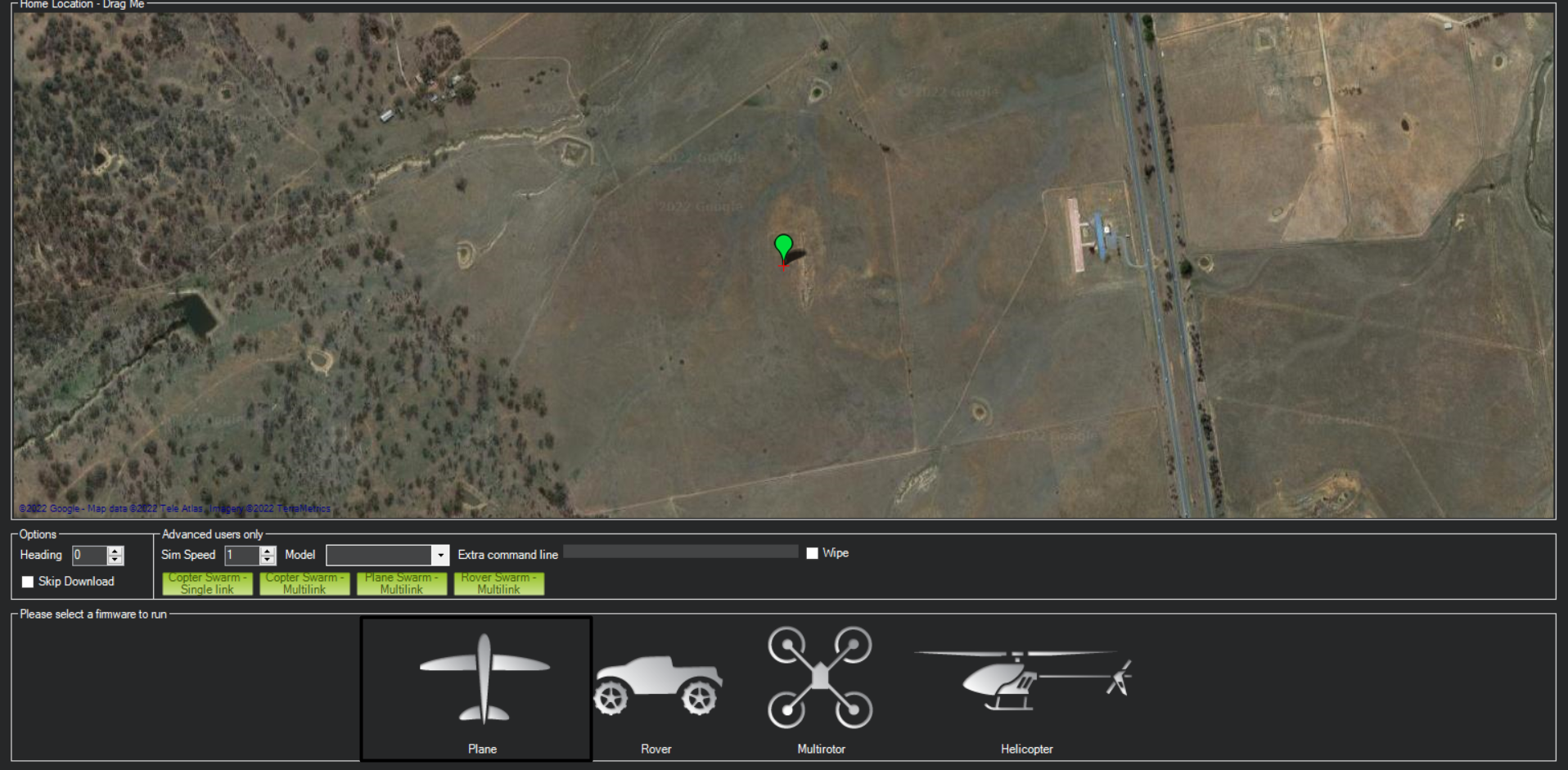
Planekit supports other alternatives. (Mavproxy etc.)
First connection
You can see the first connection example below.
import time

import planekit

vehicle = planekit.Connection("tcp:127.0.0.1:5762")
vehicle.wait_heartbeat()
print("connection is successful")
See Docs
Release history Release notifications | RSS feed

Download files
Download the file for your platform. If you're not sure which to choose, learn more about installing packages.
Source Distribution
File details
Details for the file pyplanekit-0.1.0.tar.gz.
File metadata
- Download URL: pyplanekit-0.1.0.tar.gz
- Upload date:
- Size: 9.5 kB
- Tags: Source
- Uploaded using Trusted Publishing? No
- Uploaded via: twine/4.0.1 CPython/3.10.2
File hashes
| Algorithm | Hash digest | |
|---|---|---|
| SHA256 |
12202887646ed3f5363c27287567510df835df03cfbdf198eac16800772eeec6
|
|
| MD5 |
6417f7d9d8888173cb4d4ad9912876e7
|
|
| BLAKE2b-256 |
8c17f0ad70af23cf686879eb55f926ba687e96f171e1c65335f51530cf65d1c9
|






