

pypura








A Python package for interacting with Pura smart fragrance diffusers over the cloud, and with Pura Car diffusers over Bluetooth. Used in the Pura for Home Assistant integration.
📦 Installation
pip install pypura
pypura needs Python 3.11 or newer.
🚀 Usage
Signing in
Sign in with the email and password of a Pura account, then keep the tokens so later sessions don't need the password:
from pypura import Pura

pura = Pura(username="you@example.com")
pura.authenticate("your-password")
tokens = pura.get_tokens()  # access_token, id_token and refresh_token

# Later
pura = Pura(username="you@example.com", **tokens)
pypura refreshes expired tokens as it makes requests, so call get_tokens() again now and then to keep the latest ones. logout() signs the account out everywhere, the Pura app included.
The Pura methods make blocking HTTP requests. In async code, run them in an executor, for example with asyncio.to_thread.
Devices
get_devices() returns every device on the account, keyed by device ID, as the Pura API describes them. Each device also gets a modelType: "wall", "plus", "mini" or "luxe" for home diffusers, or "car".
from pypura.utils import get_device_name, get_fragrance_name, get_fragrance_remaining

for device_id, device in pura.get_devices().items():
    print(device_id, device["modelType"], get_device_name(device))
    print("  bay 1:", get_fragrance_name(device, 1), get_fragrance_remaining(device, 1))
pypura.utils has more helpers for reading device data, such as get_model_name, has_fragrance and dig (e.g. dig(device, "bay1.code")). get_fragrance(code, fragrance_format) looks up a fragrance by its code, which is useful when a bay has a code but no details yet.
Controlling a home diffuser
Each setter takes the device ID and returns True once the change is accepted:
| Method | What it does |
|---|---|
set_intensity(device_id, bay=, controller=, intensity=) |
Set a bay's intensity, 1 to 10 |
set_timer(device_id, bay=, intensity=, end=) |
Run a bay until end (a datetime, a timedelta or a timestamp; 30 minutes by default) |
set_always_on(device_id, bay=) |
Keep a bay running |
stop_all(device_id) |
Stop diffusing |
set_diffusion_mode(device_id, mode=) |
Switch between "standard" and "oscillation-multi-bay" |
set_ambient_mode(device_id, ambient_mode=) |
Turn ambient mode on or off |
set_nightlight(device_id, active=, brightness=, color=, controller=) |
Set the nightlight |
set_away_mode(device_id, away_mode=, latitude=, longitude=, radius=) |
Turn away mode on with a geofence, or off |
from datetime import timedelta

pura.set_intensity(device_id, bay=1, controller="default", intensity=5)
pura.set_timer(device_id, bay=2, intensity=7, end=timedelta(hours=1))
pura.stop_all(device_id)
Cars can't be controlled through the cloud. They only sync with it through a phone, or by reporting a Bluetooth reading (see Pura Car over Bluetooth).
Firmware updates
get_latest_firmware_details(device_id, device_type, device_version) returns the newest firmware for a device, and request_ota_update(...) asks a device to install it. A device's ota field shows an update's progress.
Live updates
subscribe_for_updates(on_message) opens a websocket that pushes changes as they happen. It needs a running event loop. merge_websocket_update applies a message to the devices from get_devices():
import asyncio

from pypura.utils import merge_websocket_update


async def main() -> None:
    devices = await asyncio.to_thread(pura.get_devices)

    async def on_message(message: dict) -> None:
        if merge_websocket_update(devices, message):
            print("Updated:", message)

    subscriber = pura.subscribe_for_updates(on_message)
    await asyncio.sleep(3600)
    await subscriber.stop()


asyncio.run(main())
Pura Car over Bluetooth
A car only syncs with the cloud when someone opens the Pura app, so its cloud data can be days old. While it's on, a car can be read directly over Bluetooth, without pairing, using Bleak:
import asyncio
import time

from bleak import BleakScanner

from pypura.car_ble import CAR_SERVICE_UUID, read_car_status


async def read_car():
    device = await BleakScanner.find_device_by_filter(
        lambda _, advertisement: CAR_SERVICE_UUID in advertisement.service_uuids
    )
    return device, await read_car_status(device), time.time()


device, status, read_at = asyncio.run(read_car())
print(status.intensity, status.fragrance_code, status.runtime, status.battery_level)
PuraCarStatus has the car's firmware, battery (None on a Car v1, which has none), intensity, pod (fragrance_code, cartridge_id and runtime) and whether the pod is one the car can't read (unknown_pod).
To update the cloud, and the Pura app, with a reading, report it as the app does after connecting. A car's cloud device ID is its Bluetooth address without separators:
from pypura.car_ble import car_status_events, cloud_fragrance_code

device_id = device.address.replace(":", "").upper()
car = pura.get_devices()[device_id]
pod_changed = (car.get("bay1") or {}).get("code") != cloud_fragrance_code(status)
response = pura.send_car_events(
    device_id, car_status_events(status, read_at, pod_changed=pod_changed)
)
car |= response["device"]  # the car as the cloud now has it
On macOS, Bleak gives each device a UUID instead of its address, so match the car another way there.
For a car you keep reading, car_change_events(before, after, read_at) reports only what changed since the previous reading. The runtime grows the whole time a car diffuses, so pass runtime_step to report it less often, along with reported_runtime, the runtime last reported:
events = car_change_events(
    previous, status, read_at, runtime_step=300, reported_runtime=reported_runtime
)
if events:
    pura.send_car_events(device_id, events)
    if any(event["eventType"] in ("changedFruck", "connect") for event in events):
        reported_runtime = status.runtime
previous = status
Errors
PuraApiException is raised when a request fails, with the HTTP status in status_code when there is one. PuraAuthenticationError, a subclass, means the sign-in failed or the tokens are no longer valid. PuraBluetoothError means a car couldn't be reached or read over Bluetooth.
❤️ Support Me
I maintain this python project in my spare time. If you find it useful, consider supporting development:
- 💜 Sponsor me on GitHub
- ☕ Buy me a coffee / beer
- 💸 PayPal (direct support)
- ⭐ Star this project
- 📦 If you’d like to support in other ways, such as donating hardware for testing, feel free to reach out to me
If you don't already own a Pura diffuser, please consider using my referral code (JG5JN31) to get $20 off your first order of $50+ (as well as a tip to me in appreciation)!
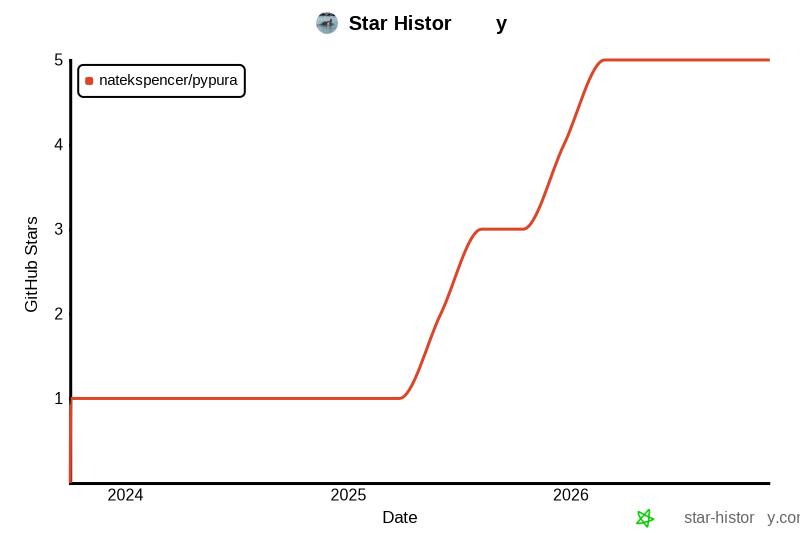
📈 Star History
1 maintainer

Metadata
1 maintainer
Release files for pypura 4.3.0
For a detailed explanation of source distributions (sdists) and built distributions (wheels), please see the package formats documentation.
Source distribution (sdist)
| File | Size | Uploaded | Provenance | Actions |
|---|---|---|---|---|
| pypura-4.3.0.tar.gz | 20.5 kB | Without provenance | Details for pypura-4.3.0.tar.gz |
Built distribution (wheel)
| File | Interpreter | ABI | Platform | Actions Reset |
|---|---|---|---|---|
| pypura-4.3.0-py3-none-any.whl | Python 3 | none | any | Details for pypura-4.3.0-py3-none-any.whl |
Total release size: 43.7 kB
Release files / pypura-4.3.0.tar.gz
| Download URL | pypura-4.3.0.tar.gz |
|---|---|
| Size | 20.5 kB |
| Tags | Source |
|
SHA-256 checksum How to use checksums |
6628f69d4bff8eeec692aa0172f5a52c46893bd7a538af099c0140b9b4fe5471
|
|
BLAKE2b-256 checksum How to use checksums |
28456c98f30a50bc8ac0e342d0c1e699f3355fa441e20d080a9e060284609c87
|
| Upload date | |
|
Uploaded using Trusted Publishing? What is trusted publishing? |
Yes |
| Uploaded via |
uv/0.13.0 {"installer":{"name":"uv","version":"0.13.0","subcommand":["publish"]},"python":null,"implementation":{"name":null,"version":null},"distro":{"name":"Ubuntu","version":"26.04","id":"resolute","libc":null},"system":{"name":null,"release":null},"cpu":null,"openssl_version":null,"setuptools_version":null,"rustc_version":null,"ci":true}
|
Release files / pypura-4.3.0-py3-none-any.whl
| Download URL | pypura-4.3.0-py3-none-any.whl |
|---|---|
| Size | 23.3 kB |
| Tags | Python 3 |
|
SHA-256 checksum How to use checksums |
d0b011a249de896003b047912bd11da9ebac5b96ba7aaec7200da3dbe5fecdca
|
|
BLAKE2b-256 checksum How to use checksums |
e8b4cb776dab08a259ef30b1c65dd1ec4783cb7a5693f52502619e26160c368a
|
| Upload date | |
|
Uploaded using Trusted Publishing? What is trusted publishing? |
Yes |
| Uploaded via |
uv/0.13.0 {"installer":{"name":"uv","version":"0.13.0","subcommand":["publish"]},"python":null,"implementation":{"name":null,"version":null},"distro":{"name":"Ubuntu","version":"26.04","id":"resolute","libc":null},"system":{"name":null,"release":null},"cpu":null,"openssl_version":null,"setuptools_version":null,"rustc_version":null,"ci":true}
|
Security for pypura 4.3.0
Provenance
Provenance describes where a file came from. On PyPI, provenance is shared via attestations, which provide a verifiable record of the build or publishing details. View details, limitations and caveats.
No provenance found
None of the files in this release were uploaded with provenance metadata.
A note on package security
PyPI is a repository for distributing packages, not a service for auditing them. While third-party security researchers and our staff do their best to detect and remove malicious packages, PyPI cannot guarantee the quality, security or suitability of any given package.
To learn more about protecting yourself from malicious actors, visit our package security documentation.














