
pyqt-custom-titlebar-setter
PyQt custom titlebar setter.
This is movable/resizable.
When resizing, cursor shape will be automatically changed depends on the direction of edge where the cursor is hovering over.
For example, you want to resize the window horizontally, cursor shape will be changed like "⇿".
You can set the title, and icon which should be SVG type.
You can set the min/max/close buttons separately.
This package supports full-screen. If your app has full screen, this custom titlebar can perfectly deal with it. So there's no need to do another chore for full-screen.
This also makes the application's font look better by setting the font family to 'Arial'(which looks modern and commonly used), antialiasing.
The range of font size is set to 12~30 which is not too big, not too small.
Requirements
- PyQt5 >= 5.15 - This package is using startSystemMove, startSystemResize which were both introduced in Qt 5.15.
Setup
python -m pip install pyqt-custom-titlebar-setter
Included Packages
Usage
CustomTitlebarSetter.getCustomTitleBarWindow(main_window: QWidget,

                                             title: str = '',

                                             icon_filename: str = '',

                                             font: QFont = QFont('Arial', 14),

                                             hint: list = ['min', 'max', 'close'],

                                             align=Qt.AlignCenter,

                                             bottom_separator: bool = False

                                             ) -> CustomTitlebarWindow
-
main_windowis your widget. -
titleis windows title. If you set this by default (empty string), title is based of the title you set withsetWindowTitle. -
icon_filenameis title bar's icon. Icon file should be svg file. If it is not set, then there is no icon. -
fontis font of the title. Font size should be at least 14. -
hintis hint of the button on the title bar. For example, if you give the value such as ['min', 'close'], the title bar buttons will contain minimize and close buttons only. -
alignis alignment of the title. You can give Qt.AlignLeft, Qt.AlignCenter, Qt.AlignRight. Some of these are not recommended depending on the title bar button's position. -
bottom_separatordecides whether you want to put the separator(horizontal line) at the bottom of the title bar. If it is set to True, line will be shown between title bar and main widget.
Example
0. Simple way for people who clone this package
test.py is included in package just for people who cloned this for testing.
python test.py
1. Very basic text editor
Code Sample
from PyQt5.QtWidgets import QApplication, QWidget, QGridLayout, QTextEdit

from pyqt_custom_titlebar_setter import CustomTitlebarSetter


class TextEditor(QWidget):

    def __init__(self):

        super().__init__()

        self.__initUi()


    def __initUi(self):

        self.setWindowTitle('Text Editor')

        lay = QGridLayout()

        lay.addWidget(QTextEdit())

        self.setLayout(lay)


if __name__ == "__main__":

    import sys


    app = QApplication(sys.argv)

    widget = TextEditor()

    window = CustomTitlebarSetter.getCustomTitleBarWindow(main_window=widget, icon_filename='dark-notepad.svg')

    window.show()

    sys.exit(app.exec_())
Result
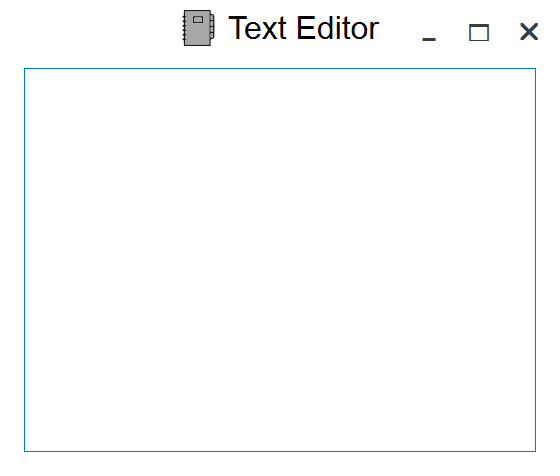
How about dark theme?
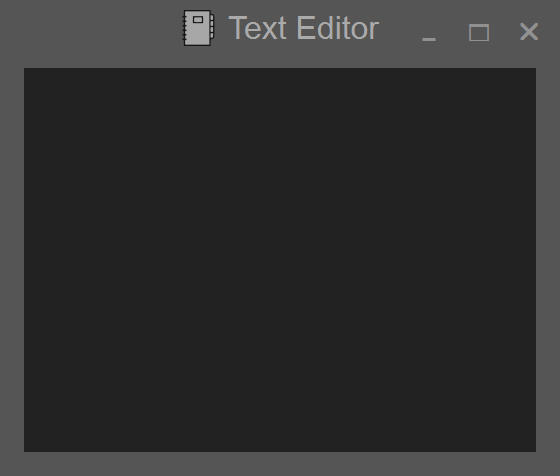
If you want to set dark theme, install the pyqt-style-setter, then write code like this.
...

widget = TextEditor()

StyleSetter.setWindowStyle(widget, theme='dark') # write it at this spot, BEFORE calling getCustomTitleBarWindow.

window = CustomTitlebarSetter.getCustomTitleBarWindow(main_window=widget, icon_filename='dark-notepad.svg')

...
By the way, you can clearly see the title label and min/max/close button color changed based on background's color automatically.
Now let's apply this to some of the applications.
※ From now on, examples below are using dark theme. Of course, you don't have to use this.
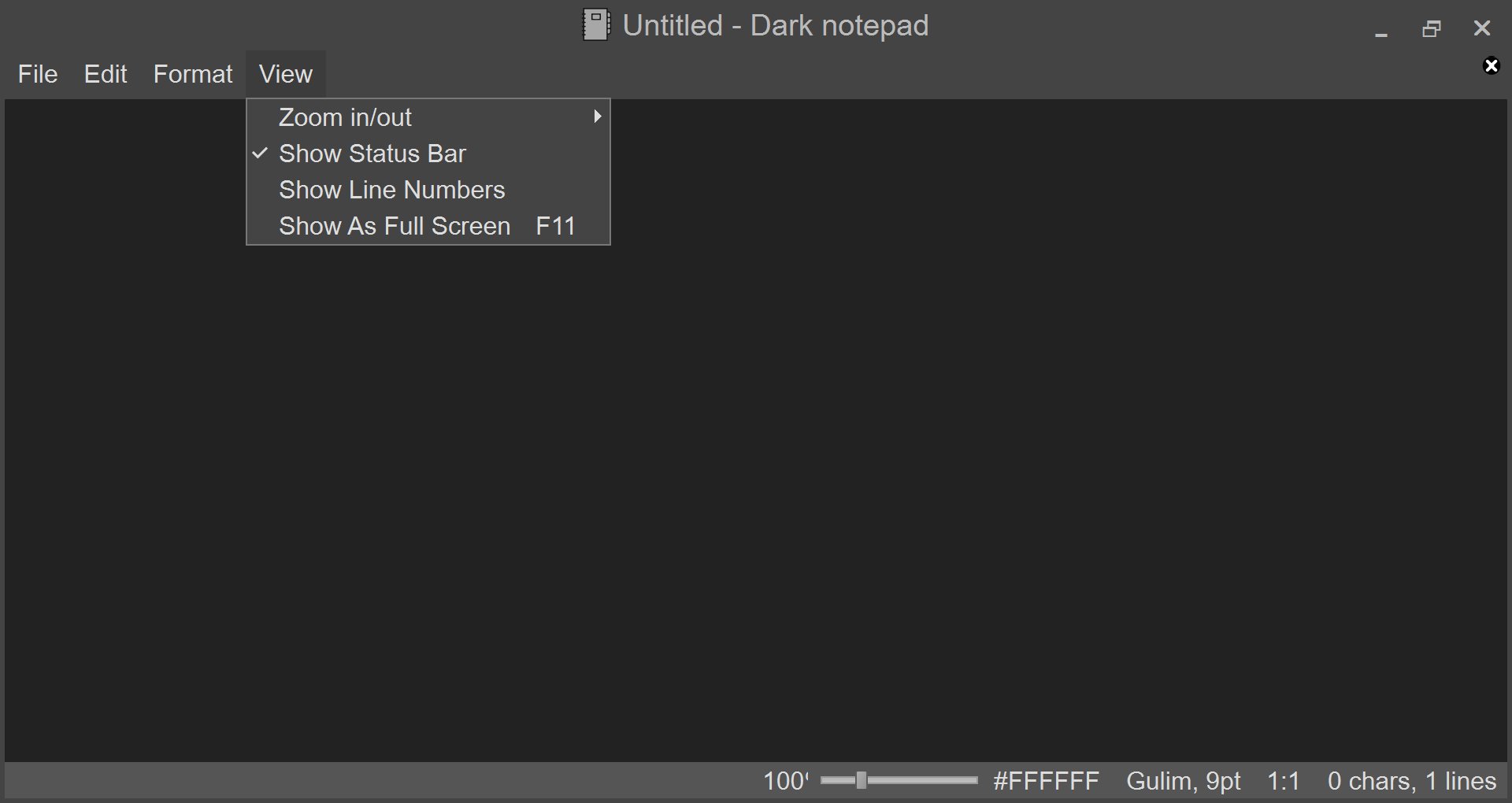
2. pyqt-dark-notepad - DarkNotepadApp class
Code Sample
from PyQt5.QtWidgets import QApplication

from pyqt_dark_gray_theme.darkGrayTheme import *

from pyqt_dark_notepad import DarkNotepad


from pyqt_style_setter import StyleSetter

from pyqt_custom_titlebar_setter import CustomTitlebarSetter


class DarkNotepadApp(QApplication):

    def __init__(self, *args, **kwargs):

        super().__init__(*args, **kwargs)

        mainWindow = DarkNotepad()

        StyleSetter.setWindowStyle(mainWindow, theme='dark')  # you don't need this. this is just for adding style.

        self.__titleBarWindow = CustomTitlebarSetter.getCustomTitleBarWindow(mainWindow,

                                                                             icon_filename='ico/dark-notepad.svg')

        self.__titleBarWindow.show()
Result
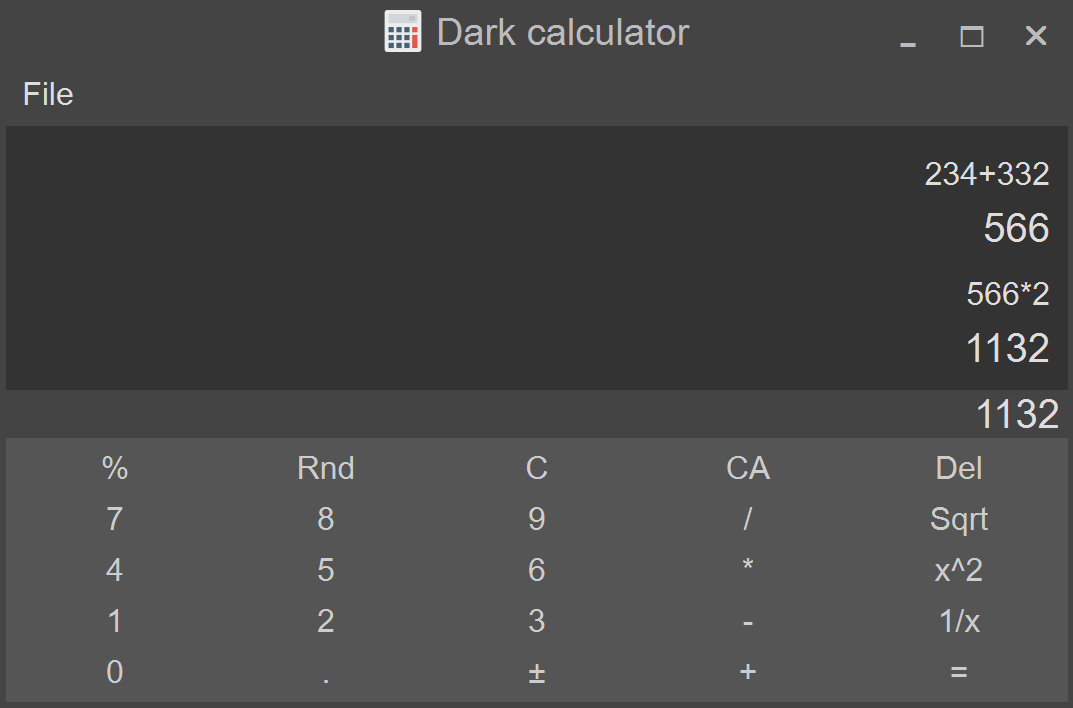
3. pyqt-dark-calculator - CalculatorApp class
Code Sample
from PyQt5.QtWidgets import QApplication, QAbstractButton

from pyqt_dark_gray_theme.darkGrayTheme import *

from pyqt_dark_calculator.calculator import Calculator


from pyqt_style_setter import StyleSetter

from pyqt_custom_titlebar_setter import CustomTitlebarSetter


class CalculatorApp(QApplication):

    def __init__(self, *args, **kwargs):

        super().__init__(*args, **kwargs)

        mainWindow = Calculator()

        StyleSetter.setWindowStyle(mainWindow, theme='dark', exclude_type_lst=[QAbstractButton])

        self.__titleBarWindow = CustomTitlebarSetter.getCustomTitleBarWindow(mainWindow,

                                                                             icon_filename='ico/calculator.svg')

        self.__titleBarWindow.show()
Result
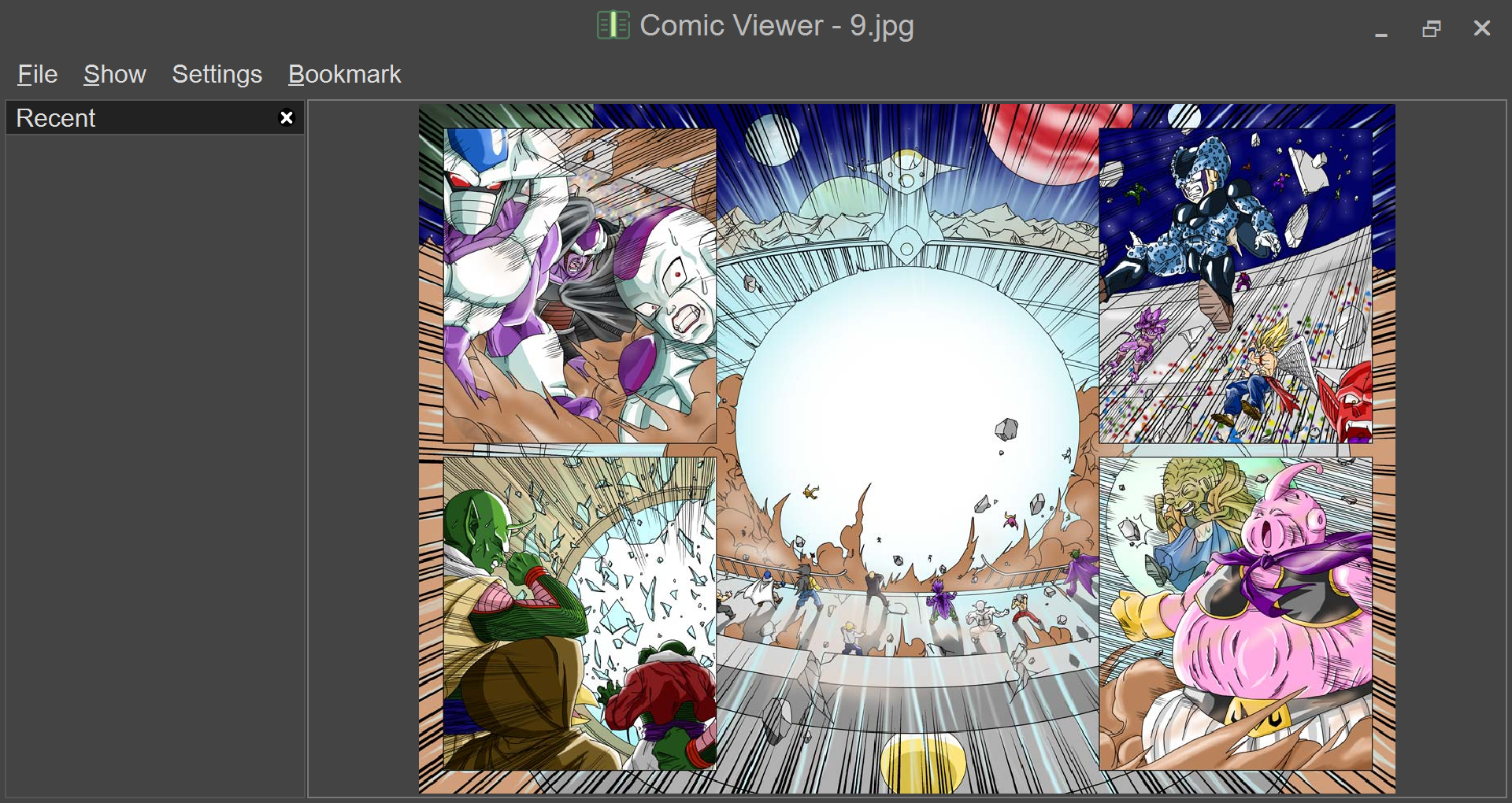
4. pyqt-comic-viewer - ComicBookViewerApp class
Code Sample
from PyQt5.QtWidgets import QApplication

from pyqt_dark_gray_theme.darkGrayTheme import *

from pyqt_comic_viewer.comicBookViewer import ComicBookViewer


from pyqt_style_setter import StyleSetter

from pyqt_custom_titlebar_setter import CustomTitlebarSetter


class ComicBookViewerApp(QApplication):

    def __init__(self, *args, **kwargs):

        super().__init__(*args, **kwargs)

        mainWindow = ComicBookViewer()

        StyleSetter.setWindowStyle(mainWindow, theme='dark')

        self.__titleBarWindow = CustomTitlebarSetter.getCustomTitleBarWindow(mainWindow, icon_filename='ico/book.svg')

        self.__titleBarWindow.show()
Result
1 maintainer

Metadata
1 maintainer
Release files for pyqt-custom-titlebar-setter 0.1.0
For a detailed explanation of source distributions (sdists) and built distributions (wheels), please see the package formats documentation.
Source distribution (sdist)
| File | Size | Uploaded | |
|---|---|---|---|
| pyqt_custom_titlebar_setter-0.1.0.tar.gz | 5.1 kB | Details |
Built distribution (wheel)
| File | Interpreter | ABI | Platform | Reset |
|---|---|---|---|---|
| pyqt_custom_titlebar_setter-0.1.0-py3-none-any.whl | Python 3 | none | any | Details |
Total release size: 10.5 kB
Release files / pyqt_custom_titlebar_setter-0.1.0.tar.gz
| Download URL | pyqt_custom_titlebar_setter-0.1.0.tar.gz |
|---|---|
| Size | 5.1 kB |
| Tags | Source |
|
SHA-256 checksum How to use checksums |
d854c8101bbe23a64775bd11405d18847bd0e2a9de60948550156aeb780a65bc
|
|
BLAKE2b-256 checksum How to use checksums |
77a3425ad329be27508fa60a4393f0a07a1a6a2416ff043314932b0d45d42c7c
|
| Upload date | |
|
Uploaded using Trusted Publishing? What is trusted publishing? |
No |
| Uploaded via |
twine/5.1.1 CPython/3.12.2
|
Release files / pyqt_custom_titlebar_setter-0.1.0-py3-none-any.whl
| Download URL | pyqt_custom_titlebar_setter-0.1.0-py3-none-any.whl |
|---|---|
| Size | 5.4 kB |
| Tags | Python 3 |
|
SHA-256 checksum How to use checksums |
275a310d517c18428b1f5e7d8b8b5734bcd21524e8c8a1d23fafb5691f4314f4
|
|
BLAKE2b-256 checksum How to use checksums |
79e42cb777ec5bd98cd8d6494690f92618e367309d4a93d8c947707329fdd93c
|
| Upload date | |
|
Uploaded using Trusted Publishing? What is trusted publishing? |
No |
| Uploaded via |
twine/5.1.1 CPython/3.12.2
|














