
pyqt-popup-graphics-view
PyQt Popup QGraphicsView (Image will pop up when move the mouse cursor inside the QGraphicsView, follow the cursor if you move it inside of the window)
Requirements
PyQt5 >= 5.8
Setup
python -m pip install pyqt-popup-graphics-view
Example
Code Example
from PyQt5.QtWidgets import QApplication

from pyqt_popup_graphics_view.popupGraphicsView import PopupGraphicsView


if __name__ == "__main__":

    import sys


    app = QApplication(sys.argv)

    popupGraphicsView = PopupGraphicsView()

    popupGraphicsView.setFileName('nico_bellic.png')

    popupGraphicsView.show()

    app.exec_()
Result
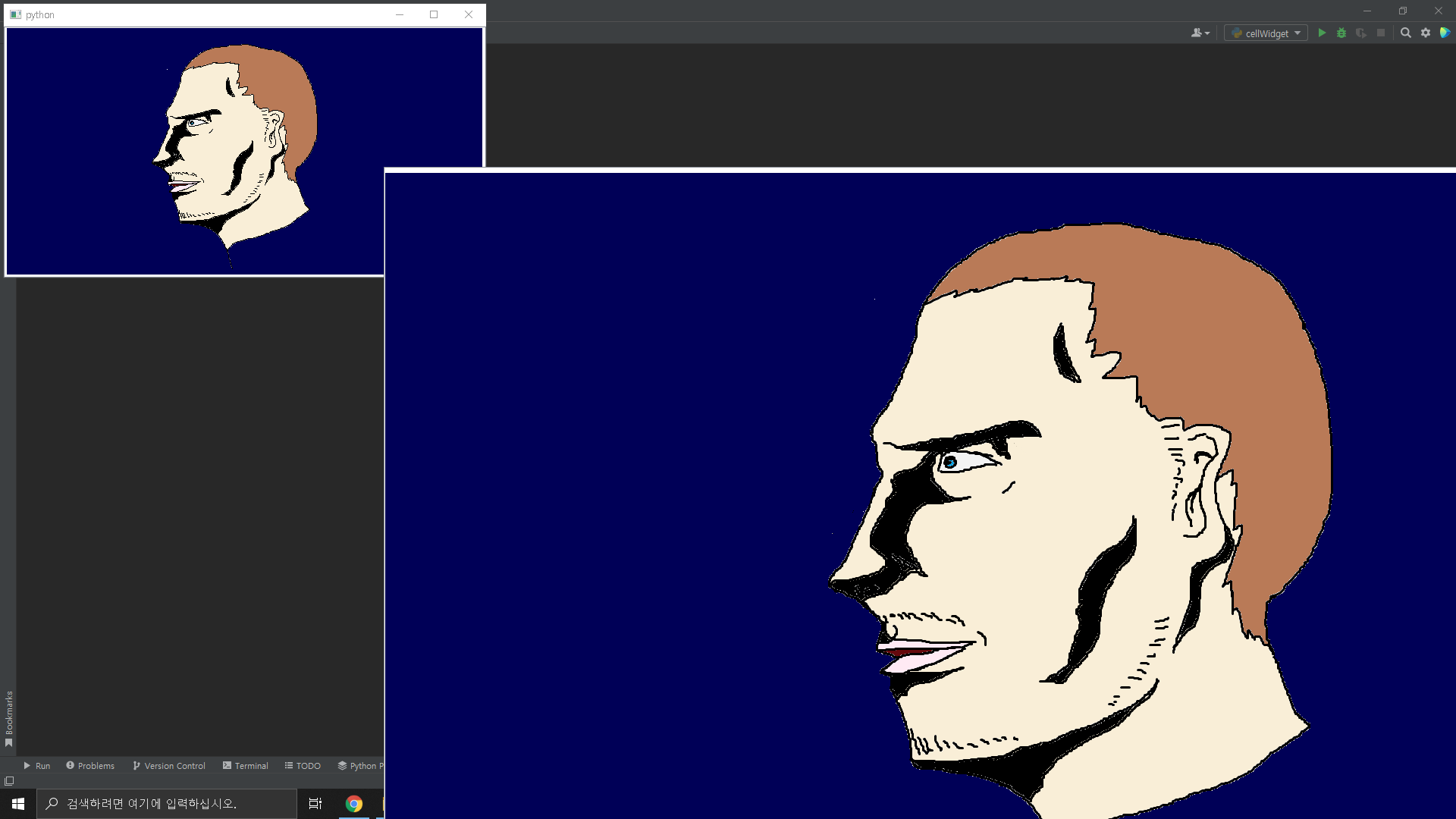
Note: Mouse cursor should've been top left of the image. Windows capture feature doesn't include the mouse cursor in the screenshot.
1 maintainer

Metadata
1 maintainer
Release files for pyqt-popup-graphics-view 0.0.1
For a detailed explanation of source distributions (sdists) and built distributions (wheels), please see the package formats documentation.
Source distribution (sdist)
| File | Size | Uploaded | |
|---|---|---|---|
| pyqt-popup-graphics-view-0.0.1.tar.gz | 14.9 kB | Details |
Built distribution (wheel)
| File | Interpreter | ABI | Platform | Reset |
|---|---|---|---|---|
| pyqt_popup_graphics_view-0.0.1-py3-none-any.whl | Python 3 | none | any | Details |
Total release size: 30.9 kB
Release files / pyqt-popup-graphics-view-0.0.1.tar.gz
| Download URL | pyqt-popup-graphics-view-0.0.1.tar.gz |
|---|---|
| Size | 14.9 kB |
| Tags | Source |
|
SHA-256 checksum How to use checksums |
00d692d5666730219c3db88e39f075c5c3344b15907d3d31b6bf33703a73bd50
|
|
BLAKE2b-256 checksum How to use checksums |
5d45ef6022d61b76d9d258c0fd379f689501cabf0b21136828c4d894ee42af8e
|
| Upload date | |
|
Uploaded using Trusted Publishing? What is trusted publishing? |
No |
| Uploaded via |
twine/0.0.0 CPython/3.7.6
|
Release files / pyqt_popup_graphics_view-0.0.1-py3-none-any.whl
| Download URL | pyqt_popup_graphics_view-0.0.1-py3-none-any.whl |
|---|---|
| Size | 16.0 kB |
| Tags | Python 3 |
|
SHA-256 checksum How to use checksums |
bd9ef9cd294cef2bd3e082b9b27e5e9e738bde173e792476517d49fa54149fdf
|
|
BLAKE2b-256 checksum How to use checksums |
d0f148212e092d5394773a7b2bc6058a6cd56a6a6a90281a1645f1faf0b75831
|
| Upload date | |
|
Uploaded using Trusted Publishing? What is trusted publishing? |
No |
| Uploaded via |
twine/0.0.0 CPython/3.7.6
|













