
pyqt-top-left-right-file-list-widget
Simple PyQt widget which contains QListWidget and add, delete QPushButton to add and delete file in the list
Requirements
PyQt5 >= 5.8
Setup
python -m pip install pyqt-top-left-right-file-list-widget
Included packages
Detailed Description
-
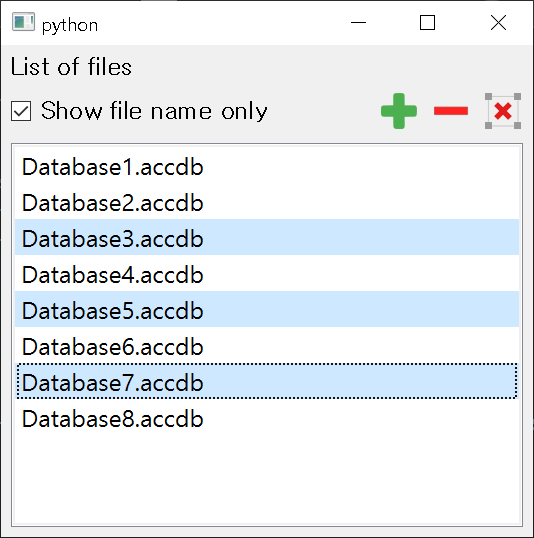
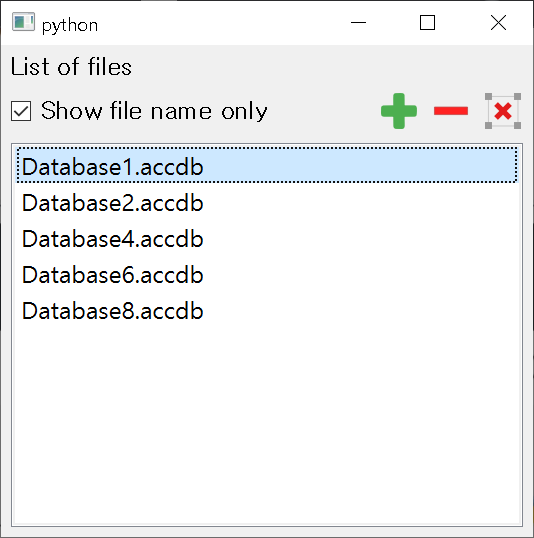
Being able to add files to list, select multiple files on the list to delete, clear list.
-
Being able to drop the files to the list
-
Check the duplicated files' name
-
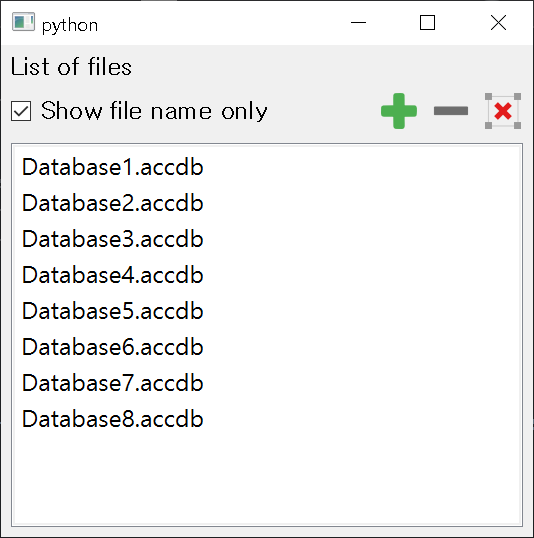
User can able to choose the option to show files' name as absolute name or base name with "Show file name only" checkbox.
-
setLabel(text: str)- Set the label at the left side. -
setExtensions(ext_lst: list)- Define the specific extensions to add. -
setDuplicateEnabled(f: bool)- Allow to add duplicate name to list. -
isDuplicateEnabled() -> bool
Example
Code Example
from PyQt5.QtWidgets import QApplication

from pyqt_top_left_right_file_list_widget.topLeftRightFileListWidget import TopLeftRightFileListWidget


if __name__ == "__main__":

    import sys


    app = QApplication(sys.argv)

    topLeftRightFileListWidget = TopLeftRightFileListWidget()

    topLeftRightFileListWidget.show()

    app.exec_()
Result
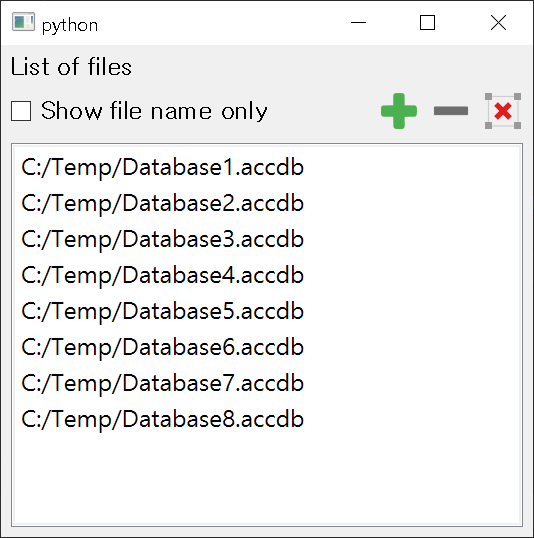
Show file name only
You can select multiple files on the list. If at least one file is selected, delete button(red dash icon) will be clickable.
Click it and selected ones will be removed from the list.
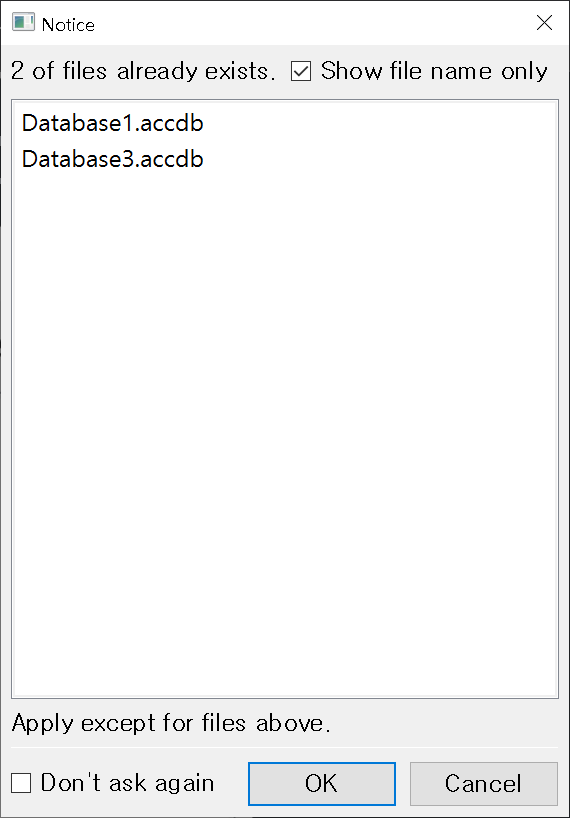
If some of files you want to add already exist in the list, Notice dialog will pop up to show you which files exist in the list. If you click OK, it will add files which are not duplicated. Otherwise none of files you want to add will be on the list.
Note
I'm currently working with "Don't ask again" feature. Hope you don't mind.
1 maintainer

Metadata
1 maintainer
Release files for pyqt-top-left-right-file-list-widget 0.0.1
For a detailed explanation of source distributions (sdists) and built distributions (wheels), please see the package formats documentation.
Source distribution (sdist)
| File | Size | Uploaded | |
|---|---|---|---|
| pyqt-top-left-right-file-list-widget-0.0.1.tar.gz | 5.6 kB | Details |
Built distribution (wheel)
| File | Interpreter | ABI | Platform | Reset |
|---|---|---|---|---|
| pyqt_top_left_right_file_list_widget-0.0.1-py3-none-any.whl | Python 3 | none | any | Details |
Total release size: 12.9 kB
Release files / pyqt-top-left-right-file-list-widget-0.0.1.tar.gz
| Download URL | pyqt-top-left-right-file-list-widget-0.0.1.tar.gz |
|---|---|
| Size | 5.6 kB |
| Tags | Source |
|
SHA-256 checksum How to use checksums |
717e10bdd58fda944922f47e48eee60a5ccdbbb6e568f3d9a4784f803eb77dea
|
|
BLAKE2b-256 checksum How to use checksums |
0f9e3a4327c30a407faffa96efe6617daf6b2b9c5e75a956ad953cab2f09a2c7
|
| Upload date | |
|
Uploaded using Trusted Publishing? What is trusted publishing? |
No |
| Uploaded via |
twine/0.0.0 CPython/3.7.6
|
Release files / pyqt_top_left_right_file_list_widget-0.0.1-py3-none-any.whl
| Download URL | pyqt_top_left_right_file_list_widget-0.0.1-py3-none-any.whl |
|---|---|
| Size | 7.3 kB |
| Tags | Python 3 |
|
SHA-256 checksum How to use checksums |
5a4476b47b56ee88e59e2c1d41657b9fdeb2de0aaf668015cb159fe3ef28f157
|
|
BLAKE2b-256 checksum How to use checksums |
48cac2e2baf4e3943cf5a7b52ce8f3fcdf9cd93a519b21c2bc327bd9e2ad502e
|
| Upload date | |
|
Uploaded using Trusted Publishing? What is trusted publishing? |
No |
| Uploaded via |
twine/0.0.0 CPython/3.7.6
|













