
pyqtermx
A modern terminal emulator in Python, rendered with PyQt6 — targeting ECMA-48, VT102, and xterm compatibility (the de facto modern standard).
The emulation pipeline is implemented from scratch — parser, screen
model, PTY layer, renderer — with xterm.js as a behavioral reference,
not a code source. The result is a terminal you
can actually type into: python -m pyqtermx spawns your shell.
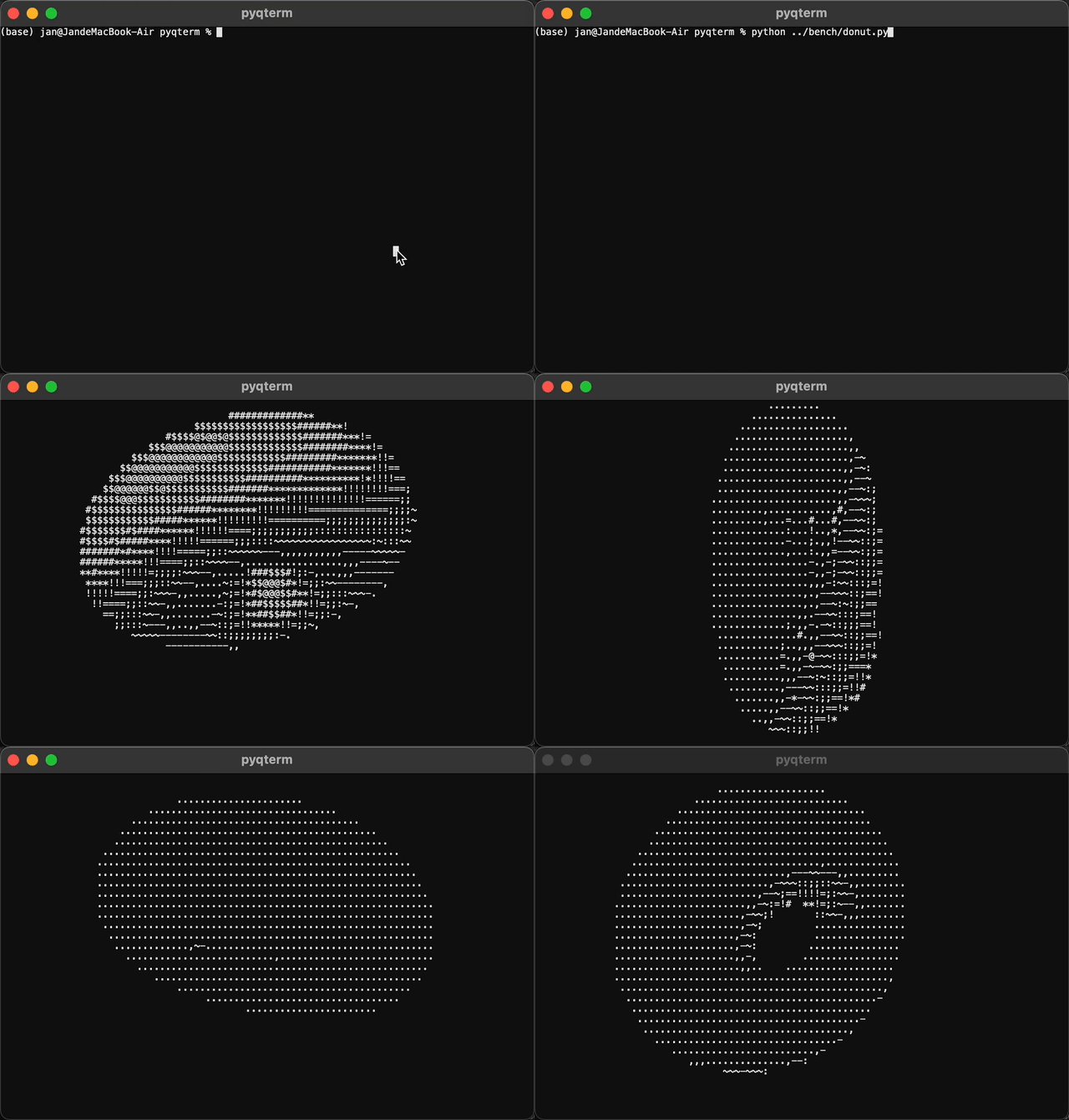
Screenshots
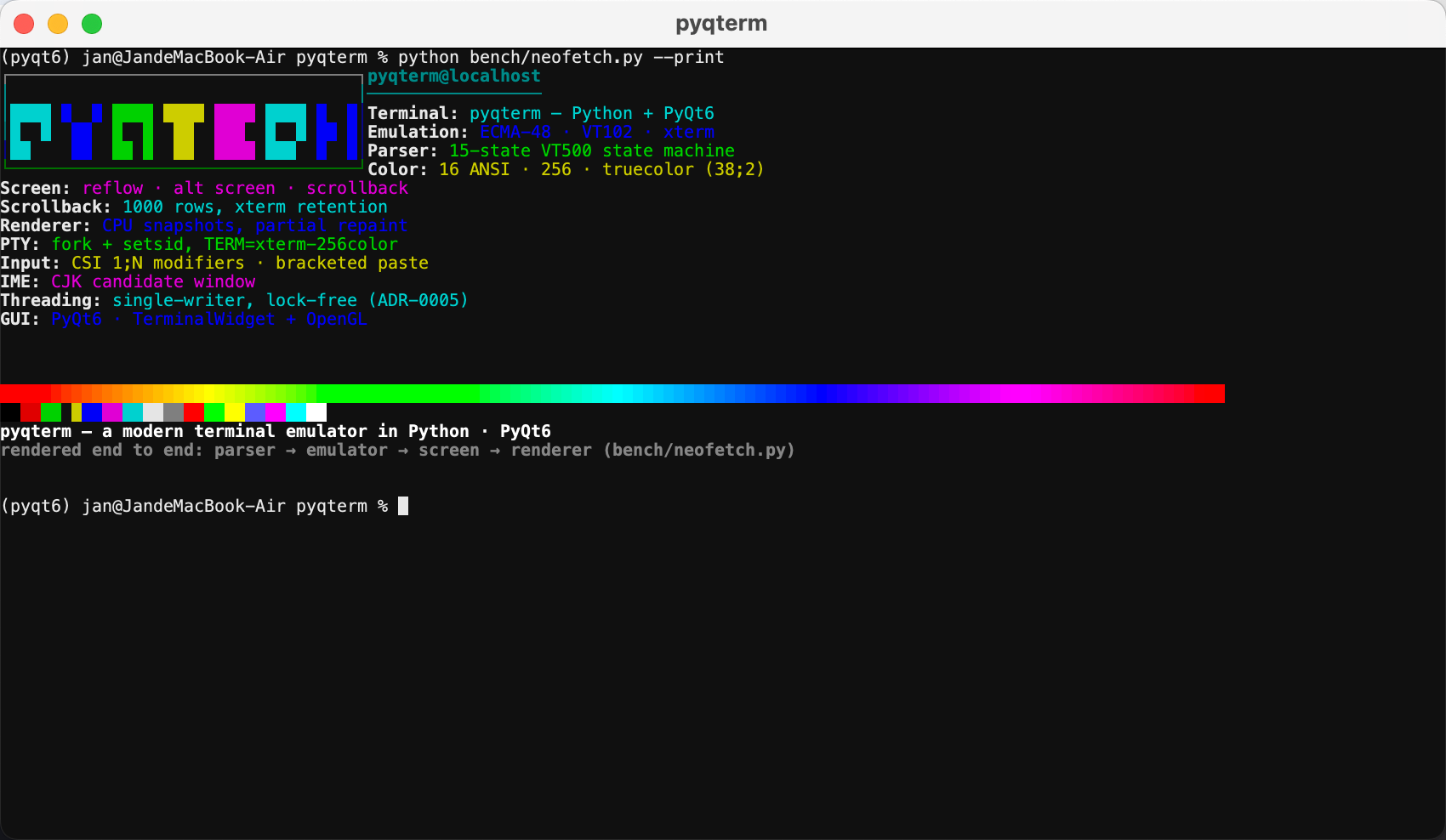
A neofetch-style snapshot rendered entirely by pyqtermx's own pipeline —
parser → emulator → screen → renderer — with the feature set as the
info panel and the block-letter banner and box frame drawn as vectors
(bench/neofetch.py).
Features
Emulation core
- Full byte-stream parser: the 15-state VT500 state machine with DCS/APC/SOS/PM parse-and-ignore, so the stream never desyncs. Input can be split mid-sequence arbitrarily — it is never line-based.
- Incremental UTF-8 decoding upstream of the parser; C1 controls
(e.g.
0x9B= CSI) arrive directly. - Complete text-mode CSI: cursor motion (CUU/CUD/CUF/CUB/CUP/CHA/VPA, CNL/CPL), erase (ED/EL/ECH), insert/delete (ICH/DCH/IL/DL), scroll (SU/SD, DECSTBM scroll regions), SGR rendition (bold, dim, italic, underline, blink, reverse, hidden, strike, overline), tab stops.
- 256-color and truecolor cell model (
38;2;r;g;b/48;2), with a documented clamp-to-255 deviation. - Deferred (pending) wrap, wrapped-row tracking, and resize reflow — lines re-wrap at the new width instead of clipping.
- Wide and combining characters (explicit continuation cells).
- DEC special graphics (line-drawing) charset, G0–G3 designation and
shifting —
manandlsboxes render correctly. - Alternate screen (
?47/?1047/?1049) with xterm.js semantics: per-screen state, erase-fill entry, cursor carry. - DECALN, DECSCNM reverse video, DECSC/DECRC save/restore, application cursor keys (DECCKM), insert/origin/newline modes.
- Scrollback: bounded history (1000 rows default), xterm retention contract (full-screen scrolls only, ED3 erases), and a viewport that the GUI scrolls with PgUp/PgDn, the mouse wheel, or a scrollbar.
Rendering (Qt)
TerminalWidget— the shipping CPU backend: snapshots render into a persistentQImage, andpaintEventblits only the damaged region (partial rendering end to end).- Retina-aware (device-pixel-ratio) backing store; crisp font-smoothed glyphs; bold-as-bright applied at render time.
- Box-drawing and block characters drawn as vectors, so adjacent cells
join seamlessly — no font seams in
htoportmux.
Input
- Full key encoding: control codes derived from the key (Ctrl+C is
always SIGINT, even on macOS where text-less events carry no text),
modifiers as xterm
CSI 1;Ncodes, F1–F12, Shift+Tab back-tab, Alt+key = ESC-prefix, Insert/Delete. - Bracketed paste (
?2004), clipboard paste via Ctrl+Shift+V / Shift+Insert, IME (Chinese/Japanese/…) with a cursor-anchored candidate window. - Signals flow through the tty line discipline: Ctrl+C/Z/\ deliver real SIGINT/SIGTSTP/SIGQUIT — the child gets a controlling terminal.
Session & PTY
- Qt-free
Ptylayer: fork +setsid, controlling terminal and foreground process group,TERM=xterm-256colorandCOLUMNS/LINESforced for the child,TIOCSWINSZresize propagation, graceful close (EOF → SIGTERM → SIGKILL with bounded waits). - Single-writer threading (ADR-0005): one reader thread owns the parser and screen; the GUI never touches the model. All mutations flow through a command queue; state changes cross the thread boundary as immutable snapshots over queued signals — lock-free and race-free by construction.
Performance
Headless benchmarks from bench/run.py (80×24 reference grid,
macOS-15.6 arm64, Python 3.11.4, PyQt 6.11.0 — env stamp and full
numbers in bench/results/baseline.json):
| Workload | Metric | Result |
|---|---|---|
| scroll-flood (10k lines) | throughput | 2.45 MB/s · ~416k lines/s |
| htop (10 Hz incremental frames) | rasterize | 0.48 ms/frame · 27% rows damaged per frame |
| paste-burst (1 MB bracketed paste) | elapsed | 74 ms · 13.2 MB/s |
Re-measure after an optimization round with:
python bench/run.py            # re-run all workloads, refresh baseline
python bench/run.py --compare  # % change vs the stored baseline
Requirements
- Python ≥ 3.11
- PyQt6 — imported at runtime
(install it alongside; the project itself depends on
wcwidthfor cell-width measurement) - A POSIX platform (developed on macOS; the PTY layer carries Linux fallbacks)
Install
Requires Python ≥ 3.11 on a POSIX platform. Recommended setup:
python -m venv .venv
source .venv/bin/activate

pip install -e ".[dev]"   # project + PyQt6/wcwidth + pytest/pytest-qt/mypy
PyQt6 ships prebuilt wheels for macOS, Windows, and Linux and is declared as a project dependency.
Run
python -m pyqtermx
Starts your $SHELL (or /bin/zsh as a fallback) in an
xterm-256color session. Pass a command to run something else:
python -m pyqtermx bash
python -m pyqtermx ssh user@host
Close the window to shut the session down cleanly (EOF/SIGHUP to the child, then SIGTERM/SIGKILL escalation).
Architecture
A terminal emulator is not "a window that shows text" — it is a pipeline with four layers:
PTY (shell) → ① byte parser  → ② screen model (grid)  → ③ renderer (Qt)
                  (state machine)   (cells, cursor, modes)   (glyphs → pixels)
                        ←────────────────────────────────────  input path (keys → escape sequences)
The seam between ② and ③ is the snapshot: the reader thread emits immutable bundles of dirty rows, the cursor, the viewport offset, and the input-path mode flags. The GUI renders snapshots and posts commands back; it never reads the model (ADR-0005).
Project layout
| Module | Layer | Role |
|---|---|---|
pyqtermx/parser.py |
① | Byte-stream state machine (VT500 table), OSC collection |
pyqtermx/dispatcher.py |
① | The parser→emulator event protocol |
pyqtermx/emulator.py |
② | CSI/ESC dispatch tables; turns parse events into screen ops |
pyqtermx/screen.py |
② | The dumb model: cells, cursor, modes, scroll regions, alt screen, scrollback, viewport |
pyqtermx/ptyspawn.py |
0 | Qt-free PTY spawn: fork/setsid/winsize/lifecycle |
pyqtermx/session.py |
glue | Reader thread, command queue, snapshot emission |
pyqtermx/render.py |
③ | Snapshot → pixels: glyphs, vector box/block chars, cursor |
pyqtermx/widget.py |
③ | TerminalWidget (CPU), input bridge |
pyqtermx/input.py |
③ | QKeyEvent → terminal bytes, paste encoding |
pyqtermx/__main__.py |
app | Thin glue: window + session lifecycle |
Compatibility & status
The implementation follows the ECMA-48 → DEC private (?) sequences →
xterm extensions strategy (see ROADMAP.md):
| Layer | Status |
|---|---|
| Phase 1 — parser + core pipeline | done |
| Phase 2 — text-mode CSI | done |
| Phase 3 — full-screen apps & color | done |
| Phase 4 — PTY, scrollback, GUI | done (a real shell you can type into) |
| Phase 5 — dialogue & conformance | next: DA/DSR queries, OSC dispatch (title, hyperlinks, clipboard), mouse tracking, vttest |
OSC payloads are collected by the parser today; dispatch lands in Phase 5.
Development
pytest                      # 700+ tests across parser, screen, emulator, pty, input, GUI
mypy pyqtermx                # strict type checking
python bench/run.py         # perf harness (see bench/results/baseline.json)
- Testing strategy: unit tests per sequence family, plus the xterm
fixture corpus (
references/xterm.js/) as the conformance oracle — the.in/.textpairs captured from real xterm feed through the full pipeline and diff againstrender(). - Design decisions live in
docs/adr/(0001–0006): code-point parsing, the full-state parser skeleton, reflow-on-resize, alt screen and color, single-writer threading, scrollback retention.
Further reading
ECMA-48.md— the grammar and repertoire specROADMAP.md— phase-by-phase implementation plandocs/adr/— architectural decision recordsreferences/— pyte and xterm.js vendored as behavioral references
License
MIT — see LICENSE. Copyright (c) 2018-2026 Connet Information Technology Company, Shanghai.
1 maintainer

Download files
Download the file for your platform. If you're not sure which to choose, learn more about installing packages.
Source Distribution
File details
Details for the file pyqtermx-0.1.1.tar.gz.
File metadata
- Download URL: pyqtermx-0.1.1.tar.gz
- Upload date:
- Size: 139.8 kB
- Tags: Source
- Uploaded using Trusted Publishing? No
- Uploaded via:
twine/6.2.0 CPython/3.11.4
File hashes
| Algorithm | Hash digest | |
|---|---|---|
| SHA256 |
df81d2abe19e74f8b163ed617857d25f5663430bff552d2bc6ac3a7d325f354e
|
|
| MD5 |
1a3dbd4b4372e9ea89b08ab8eb268e52
|
|
| BLAKE2b-256 |
0e70f63347a4fafa858af221864f803df6ed4653036869cac0b2950c591b3051
|














