
3D visualization library for rapid prototyping of 3D algorithms

Project description

Iridescence is a light-weight visualization library for rapid prototyping of 3D algorithms. This library is designed for accelerating personal research and development projects (mainly focusing on point-cloud-related algorithms) and is NOT intended to be a general-purpose visualization library with rich rendering capabilities.

Features
What this library provides:
- An easy-to-use 3D visualization framework (inpaticular suitable for rendering point clouds)
- Tightly integrated Dear ImGui interfaces for rapid UI design
What this library does NOT provide:
- Realistic rendering and shading
- Rich textured 3D mesh rendering
See documentation for details.
Dependencies
- GLFW (zlib/libpng license)
- gl3w (Public domain)
- Dear ImGui (MIT license)
- ImGuizmo (MIT license)
- implot (MIT license)
- Eigen (MPL2 license)
- portable-file-dialogs (WTFPL license)
Installation
Install from source
# Install dependencies
sudo apt-get install -y libglm-dev libglfw3-dev libpng-dev libjpeg-dev libeigen3-dev

# Build and install Iridescence
git clone https://github.com/koide3/iridescence --recursive
mkdir iridescence/build && cd iridescence/build
cmake ..
make -j
sudo make install

# [Optional] Build and install python bindings
cd ..
pip install .

# [Optional2] Install stubs for autocomplete
pip install pybind11-stubgen

cd ~/.local/lib/python3.12/site-packages
# If you are using a virtual environment, you can find the path with:
# cd $(dirname $(which python))/../lib/python3.12/site-packages

pybind11-stubgen -o . pyridescence
Install from PPA [AMD64, ARM64]
Ubuntu 24.04
curl -s --compressed "https://koide3.github.io/ppa/ubuntu2404/KEY.gpg" | gpg --dearmor | sudo tee /etc/apt/trusted.gpg.d/koide3_ppa.gpg >/dev/null
echo "deb [signed-by=/etc/apt/trusted.gpg.d/koide3_ppa.gpg] https://koide3.github.io/ppa/ubuntu2404 ./" | sudo tee /etc/apt/sources.list.d/koide3_ppa.list

sudo apt update && sudo apt install -y libiridescence-dev
Ubuntu 22.04
curl -s --compressed "https://koide3.github.io/ppa/ubuntu2204/KEY.gpg" | gpg --dearmor | sudo tee /etc/apt/trusted.gpg.d/koide3_ppa.gpg >/dev/null
echo "deb [signed-by=/etc/apt/trusted.gpg.d/koide3_ppa.gpg] https://koide3.github.io/ppa/ubuntu2204 ./" | sudo tee /etc/apt/sources.list.d/koide3_ppa.list

sudo apt update && sudo apt install -y libiridescence-dev
Ubuntu 20.04
curl -s --compressed "https://koide3.github.io/ppa/ubuntu2004/KEY.gpg" | gpg --dearmor | sudo tee /etc/apt/trusted.gpg.d/koide3_ppa.gpg >/dev/null
echo "deb [signed-by=/etc/apt/trusted.gpg.d/koide3_ppa.gpg] https://koide3.github.io/ppa/ubuntu2004 ./" | sudo tee /etc/apt/sources.list.d/koide3_ppa.list

sudo apt update && sudo apt install -y libiridescence-dev
Use Iridescence in your cmake project
# Find package
find_package(Iridescence REQUIRED)

# Add include dirs and link libraries
add_executable(your_program
  src/your_program.cpp
)
target_link_libraries(your_program
  Iridescence::Iridescence
)
Minimum example
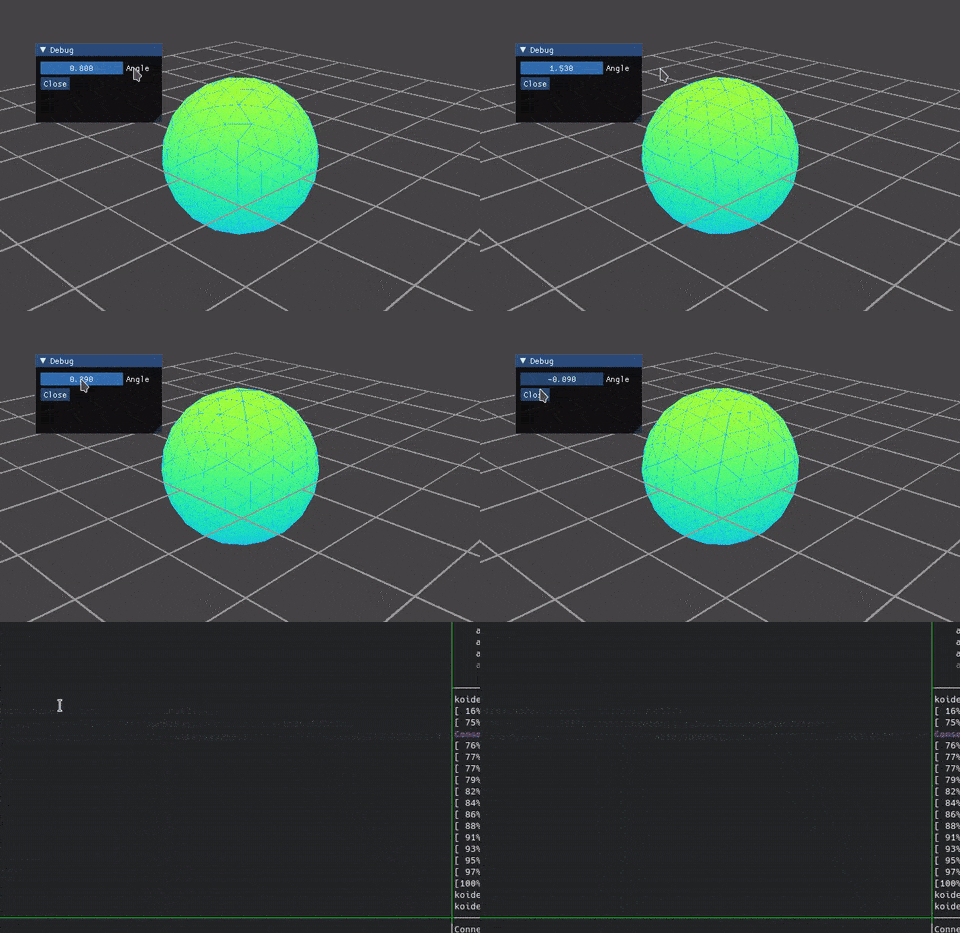
C++:
#include <glk/primitives/primitives.hpp>
#include <guik/viewer/light_viewer.hpp>

int main(int argc, char** argv) {
  // Create a viewer instance (global singleton)
  auto viewer = guik::LightViewer::instance();

  float angle = 0.0f;

  // Register a callback for UI rendering
  viewer->register_ui_callback("ui", [&]() {
    // In the callback, you can call ImGui commands to create your UI.
    // Here, we use "DragFloat" and "Button" to create a simple UI.
    ImGui::DragFloat("Angle", &angle, 0.01f);

    if (ImGui::Button("Close")) {
      viewer->close();
    }
  });

  // Spin the viewer until it gets closed
  while (viewer->spin_once()) {
    // Objects to be rendered are called "drawables" and managed with unique names.
    // Here, solid and wire spheres are registered to the viewer respectively with the "Rainbow" and "FlatColor" coloring schemes.
    // The "Rainbow" coloring scheme encodes the height of each fragment using the turbo colormap by default.
    Eigen::AngleAxisf transform(angle, Eigen::Vector3f::UnitZ());
    viewer->update_drawable("sphere", glk::Primitives::sphere(), guik::Rainbow(transform));
    viewer->update_drawable("wire_sphere", glk::Primitives::wire_sphere(), guik::FlatColor({0.1f, 0.7f, 1.0f, 1.0f}, transform));
  }

  return 0;
}
Python version
#!/usr/bin/python3
import numpy
from scipy.spatial.transform import Rotation

from pyridescence import *

# Create a viewer instance (global singleton)
viewer = guik.LightViewer.instance()

angle = 0.0

# Define a callback for UI rendering
def ui_callback():
  # In the callback, you can call ImGui commands to create your UI.
  # Here, we use "DragFloat" and "Button" to create a simple UI.

  global angle
  _, angle = imgui.drag_float('angle', angle, 0.01)

  if imgui.button('close'):
    viewer.close()

# Register a callback for UI rendering
viewer.register_ui_callback('ui', ui_callback)

# Spin the viewer until it gets closed
while viewer.spin_once():
  # Objects to be rendered are called "drawables" and managed with unique names.
  # Here, solid and wire spheres are registered to the viewer respectively with the "Rainbow" and "FlatColor" coloring schemes.
  # The "Rainbow" coloring scheme encodes the height of each fragment using the turbo colormap by default.
  transform = numpy.identity(4)
  transform[:3, :3] = Rotation.from_rotvec([0.0, 0.0, angle]).as_matrix()
  viewer.update_drawable('sphere', glk.primitives.sphere(), guik.Rainbow(transform))
  viewer.update_drawable('wire_sphere', glk.primitives.wire_sphere(), guik.FlatColor(0.1, 0.7, 1.0, 1.0, transform))
See documentation for details.
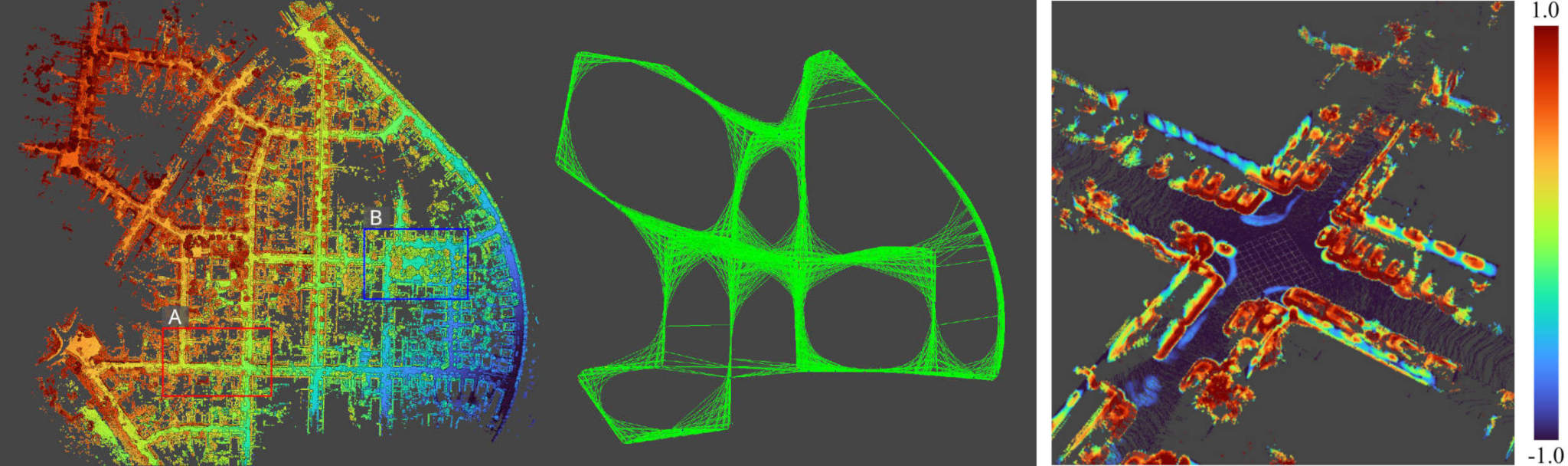
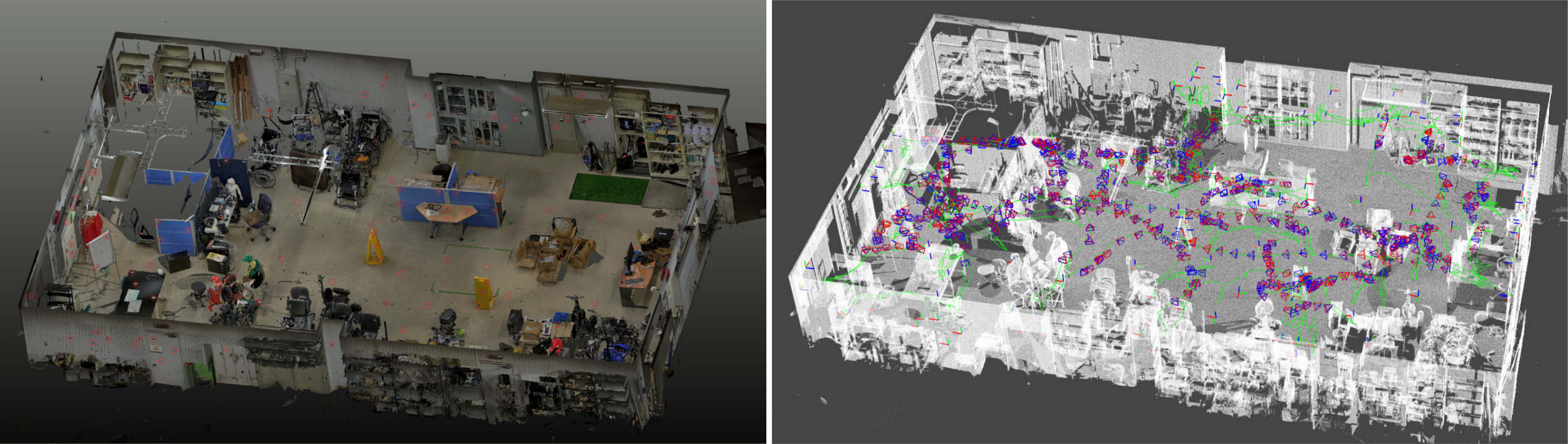
Some use examples in my academic works
License
This package is released under the MIT license.


Download files
Download the file for your platform. If you're not sure which to choose, learn more about installing packages.
Source Distribution
Built Distribution
Filter files by name, interpreter, ABI, and platform.
If you're not sure about the file name format, learn more about wheel file names.
Copy a direct link to the current filters
File details
Details for the file pyridescence-0.1.6.tar.gz.
File metadata
- Download URL: pyridescence-0.1.6.tar.gz
- Upload date:
- Size: 1.2 MB
- Tags: Source
- Uploaded using Trusted Publishing? No
- Uploaded via: twine/6.2.0 CPython/3.12.3
File hashes
| Algorithm | Hash digest | |
|---|---|---|
| SHA256 |
190b0d1ed80987b448276356a84fc70c7b5bd0421530503758089943f4206ba7
|
|
| MD5 |
dda8636471dc0e9b83732ca09ac696f4
|
|
| BLAKE2b-256 |
b5bb14a6b7395c70961993fb8bbc494a28ac618dc21ae64a361e778dfb1417fe
|
File details
Details for the file pyridescence-0.1.6-py3-none-any.whl.
File metadata
- Download URL: pyridescence-0.1.6-py3-none-any.whl
- Upload date:
- Size: 1.2 MB
- Tags: Python 3
- Uploaded using Trusted Publishing? No
- Uploaded via: twine/6.2.0 CPython/3.12.3
File hashes
| Algorithm | Hash digest | |
|---|---|---|
| SHA256 |
6745a1fd9b5fe52ae47c7d89452075970d6465a4a6c1ee83601861838244b5e5
|
|
| MD5 |
abcc61602c7b4591db978d469ef32d0b
|
|
| BLAKE2b-256 |
1b9271b9045dc03ace8c7b65b5dde82f8a44f12f53c9c32d1ef974cc6b4633c0
|






