
A powerful pagination library for Pyrogram bots

Project description
Helpo 📚
A powerful and flexible pagination library for Pyrogram bots that automatically handles help commands and module organization.



Features ✨
- 🔄 Automatic module discovery and help text organization
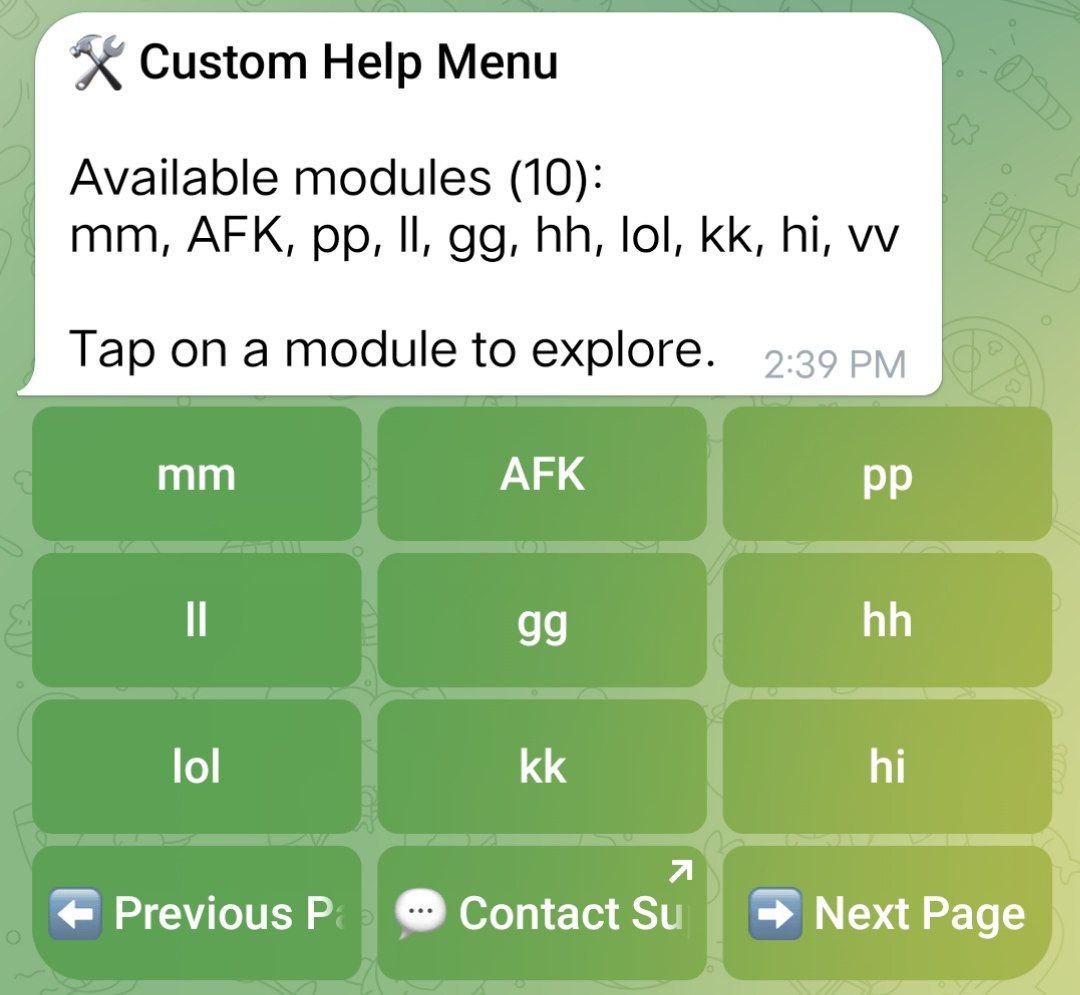
- 📱 Beautiful paginated help menus with inline buttons
- 🎯 Support for both command-based and button-based help
- 🎨 Customizable button layouts and texts
- 🔌 Easy integration with existing Pyrogram bots
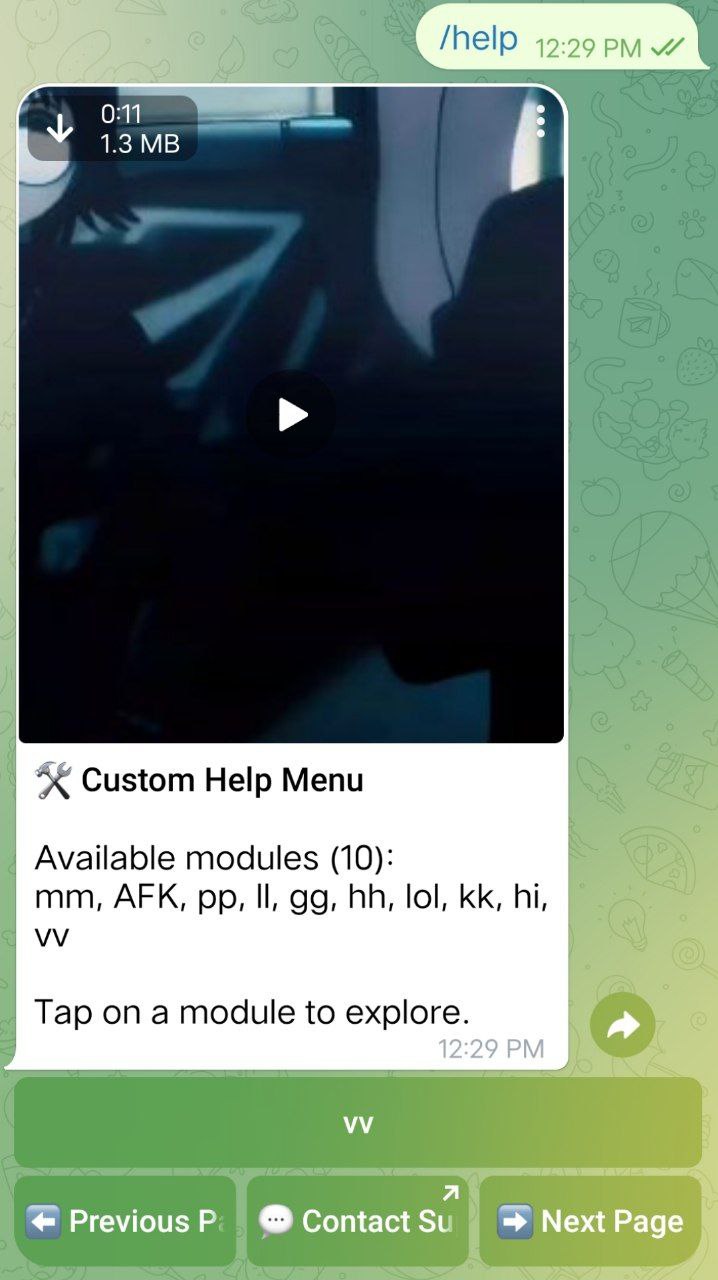
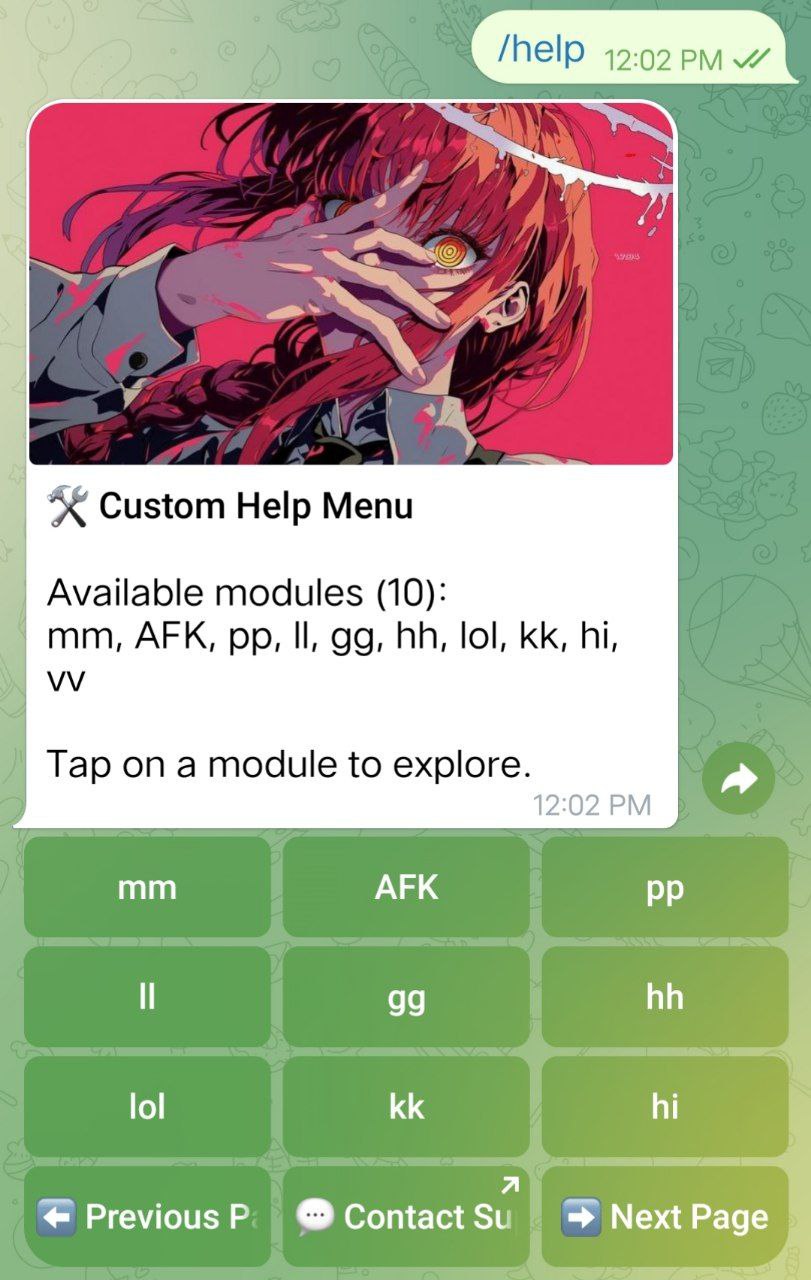
- 📝 Support for rich media in help messages (photos, videos)
- 🔗 Deep linking support for direct access to help menus
Installation 🚀
pip install pyrohelpo
Usage ⚙️
Initialize the Helpo instance
from Helpo import Helpo

custom_texts = {
    "help_menu_title": "**🛠 Custom Help Menu**",
    "help_menu_intro": "Available modules ({count}):\n{modules}\n\nTap on a module to explore.",
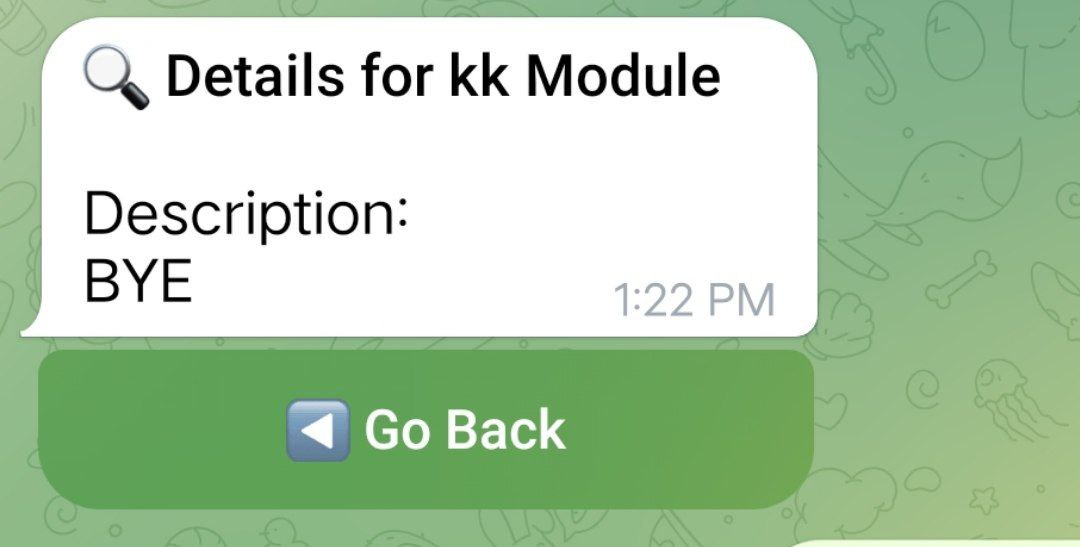
    "module_help_title": "**🔍 Details for {module_name} Module**",
    "module_help_intro": "Description:\n{help_text}",
    "no_modules_loaded": "⚠️ No modules available at the moment.",
    "back_button": "◀️ Go Back",
    "prev_button": "⬅️ Previous Page",
    "next_button": "➡️ Next Page",
    "support_button": "💬 Contact Support",
    "support_url": "https://t.me/YourSupportBot",
}

pagination = Helpo(
    client=bot,
    modules_path="fwd/plugins",
    buttons_per_page=9,
    texts=custom_texts,
    help_var="HELP",
    module_var="MODULE",
)
Set up help and module for each Python file in the modules path
MODULE = "HELPO"

HELP = "GO GOA GONE"  # You can use docstrings too
Using a custom class
from pyrogram import Client
from Helpo import Helpo

class Bot(Client):
    def __init__(self):
        super().__init__(
            "Hoshi-new",
            api_id=API_ID,
            api_hash=API_HASH,
            bot_token=TOKEN,
            plugins=dict(root="shivu"),
        )
        self.helpo = Helpo(
            client=self,
            modules_path="shivu/modules",
            buttons_per_page=6,
            texts=custom_texts,
        )

    async def start(self):
        await super().start()
        print("Pyro Bot Started")
        print(f"Helpo Initialized with Modules: {', '.join(self.helpo.modules.keys())}")

    async def stop(self):
        await super().stop()
        print("Pyro Bot Stopped")
Deep linking support
@bot.on_message(filters.command("start"))
async def start_command(client, message):
    if len(message.text.split()) > 1:
        name = message.text.split(None, 1)[1]
        if name.startswith("help"):
            await bot.show_help_menu(message.chat.id, page=1)
Adding a help button anywhere without callback query
from pyrogram.types import InlineKeyboardMarkup, InlineKeyboardButton
from . import pagination  # Import your Helpo instance

@bot.on_message(filters.command("start"))
async def start_command(client, message):
    keyboard = InlineKeyboardMarkup([
        [InlineKeyboardButton("Help", callback_data="global_help")]
    ])
    await message.reply("Welcome! Click the button below for help.", reply_markup=keyboard)
Customization Options 🎨
Helpo offers various customization options to tailor the help menu to your bot's needs:
buttons_per_page: Set the number of buttons displayed per page (default: 6)texts: Customize all text messages and button labelshelp_varandmodule_var: Set custom variable names for help text and module namesphotoandvideo: Add rich media to your help messagesparse_mode: Set the parse mode for help messages (default: ParseMode.MARKDOWN)disable_web_page_preview: Enable or disable web page previews in help messages
Image Gallery
Help menu using video
Help menu using only text
Help menu using photo
Help menu of a module
Methods and Attributes 📚
Helpo Class
Attributes:
client: The Pyrogram Client instancemodules_path: Path to the modules directorybuttons_per_page: Number of buttons per page in the help menuhelp_var: Variable name for help text in modulesmodule_var: Variable name for module name in modulesphoto: Optional photo to be used in help messagesvideo: Optional video to be used in help messagesparse_mode: Parse mode for help messagesdisable_web_page_preview: Whether to disable web page previews in help messagestexts: Dictionary of customizable text strings
Error Handling
Helpo includes error handling for various scenarios:
- Invalid module files
- Missing required attributes in modules
- Failed module loading
- Message sending failures
Contributors 👥
License 📄
This project is licensed under the MIT License - see the LICENSE file for details.
Support 🤝
If you encounter any issues or have questions, please open an issue on the GitHub repository or join our support chat.
Acknowledgements 🙏
- Pyrogram - The awesome MTProto library for Python
- All contributors who have helped this project grow
Made with ❤️ by the Helpo team
Release history Release notifications | RSS feed


Download files
Download the file for your platform. If you're not sure which to choose, learn more about installing packages.
Source Distribution
Built Distribution
Filter files by name, interpreter, ABI, and platform.
If you're not sure about the file name format, learn more about wheel file names.
Copy a direct link to the current filters
File details
Details for the file pyrohelpo-2.3.1.tar.gz.
File metadata
- Download URL: pyrohelpo-2.3.1.tar.gz
- Upload date:
- Size: 6.7 kB
- Tags: Source
- Uploaded using Trusted Publishing? Yes
- Uploaded via: twine/5.1.1 CPython/3.12.7
File hashes
| Algorithm | Hash digest | |
|---|---|---|
| SHA256 |
83b504f63d415827c6c72c51db9310ac1052020c9d1e5ffef166af5537d851cd
|
|
| MD5 |
8d0488b0b4dc3045a5d2ebf8ca361dc7
|
|
| BLAKE2b-256 |
af566868fc9e7a3e8ab3d0c5fe727e29d5aa60db9344f24e4b8581d9fc584a05
|
Provenance
The following attestation bundles were made for pyrohelpo-2.3.1.tar.gz:
Publisher:
publish.yml on Vishal-1756/pyrohelpo
-
Statement:
-
Statement type:
https://in-toto.io/Statement/v1 -
Predicate type:
https://docs.pypi.org/attestations/publish/v1 -
Subject name:
pyrohelpo-2.3.1.tar.gz -
Subject digest:
83b504f63d415827c6c72c51db9310ac1052020c9d1e5ffef166af5537d851cd - Sigstore transparency entry: 149246415
- Sigstore integration time:
-
Permalink:
Vishal-1756/pyrohelpo@9f691f684b8afa12838adc4abf864a903fc432ae -
Branch / Tag:
refs/tags/v2.3.1 - Owner: https://github.com/Vishal-1756
-
Access:
public
-
Token Issuer:
https://token.actions.githubusercontent.com -
Runner Environment:
github-hosted -
Publication workflow:
publish.yml@9f691f684b8afa12838adc4abf864a903fc432ae -
Trigger Event:
release
-
Statement type:
File details
Details for the file pyrohelpo-2.3.1-py3-none-any.whl.
File metadata
- Download URL: pyrohelpo-2.3.1-py3-none-any.whl
- Upload date:
- Size: 7.7 kB
- Tags: Python 3
- Uploaded using Trusted Publishing? Yes
- Uploaded via: twine/5.1.1 CPython/3.12.7
File hashes
| Algorithm | Hash digest | |
|---|---|---|
| SHA256 |
72f7e6d226170a313c5eea59f2333920a54ea9a6514d16404e64b02d73ef7f95
|
|
| MD5 |
e3b63acaf3f0402cd0ea22e52ad47231
|
|
| BLAKE2b-256 |
e46d4ad0bf4076d70bb5aa9b5c6c87e8d08f4b57c263fce9c20a7871a4e5f213
|
Provenance
The following attestation bundles were made for pyrohelpo-2.3.1-py3-none-any.whl:
Publisher:
publish.yml on Vishal-1756/pyrohelpo
-
Statement:
-
Statement type:
https://in-toto.io/Statement/v1 -
Predicate type:
https://docs.pypi.org/attestations/publish/v1 -
Subject name:
pyrohelpo-2.3.1-py3-none-any.whl -
Subject digest:
72f7e6d226170a313c5eea59f2333920a54ea9a6514d16404e64b02d73ef7f95 - Sigstore transparency entry: 149246416
- Sigstore integration time:
-
Permalink:
Vishal-1756/pyrohelpo@9f691f684b8afa12838adc4abf864a903fc432ae -
Branch / Tag:
refs/tags/v2.3.1 - Owner: https://github.com/Vishal-1756
-
Access:
public
-
Token Issuer:
https://token.actions.githubusercontent.com -
Runner Environment:
github-hosted -
Publication workflow:
publish.yml@9f691f684b8afa12838adc4abf864a903fc432ae -
Trigger Event:
release
-
Statement type:






