
PyRoombaAdapter
A Python library for Roomba Open Interface



What is this?
This is a python library for Roomba Open Interface(ROI)
This module is based on the document:
It aims to control a Roomba easily.
This module is only tested on Roomba 690 model.
Install
You can use pip to install it.
$ pip install pyroombaadapter
Requirements
-
Python 3.6.x or higher (2.7 is not supported)
Documentation
Please check the document for all API and usages.
Usage examples
All examples are in examples directory.
Click each image to see each example movie.
Go and back example
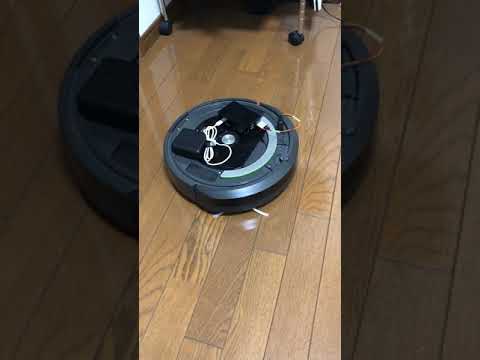
This example uses "move" API.
"""
    Go and back example with roomba
"""
from time import sleep
import math
from pyroombaadapter import PyRoombaAdapter

PORT = "/dev/ttyUSB0"
adapter = PyRoombaAdapter(PORT)
adapter.move(0.2, math.radians(0.0))  # go straight
sleep(1.0)
adapter.move(0, math.radians(-20))  # turn right
sleep(6.0)
adapter.move(0.2, math.radians(0.0))  # go straight
sleep(1.0)
adapter.move(0, math.radians(20))  # turn left
sleep(6.0)

#Print the total distance traveled
print(f"distance: {adapter.request_distance()} mm, angle: {adapter.request_angle()} rad")
Play song1
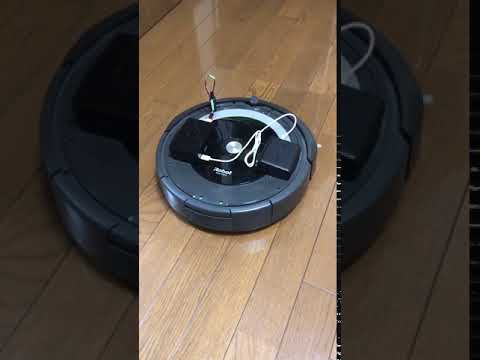
This example uses "send_song_cmd" and "send_play_cmd" API.
"""
    Play Darth Vader song
"""
from time import sleep

from pyroombaadapter import PyRoombaAdapter

PORT = "/dev/ttyUSB0"
adapter = PyRoombaAdapter(PORT)

adapter.send_song_cmd(0, 9,
                      [69, 69, 69, 65, 72, 69, 65, 72, 69],
                      [40, 40, 40, 30, 10, 40, 30, 10, 80])
adapter.send_play_cmd(0)
sleep(10.0)
Play song2
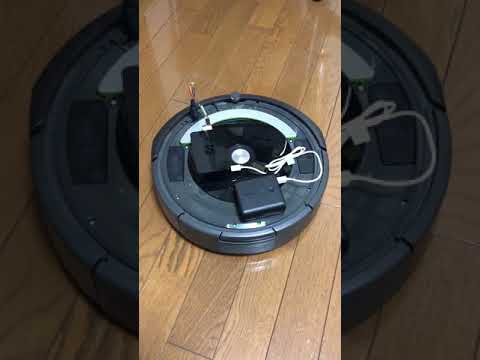
This example uses "send_song_cmd" and "send_play_cmd" API.
"""
    Play namidaga kirari by spitz
"""
from time import sleep

from pyroombaadapter import PyRoombaAdapter

PORT = "/dev/ttyUSB0"
adapter = PyRoombaAdapter(PORT)

adapter.send_song_cmd(0, 10,
                      [66, 67, 69, 67, 66, 62, 64, 66, 67, 66],
                      [16, 16, 16, 32, 32, 16, 16, 16, 16, 64])

sleep(1.0)
adapter.send_song_cmd(1, 9,
                      [66, 67, 69, 67, 66, 71, 59, 62, 61],
                      [16, 16, 16, 32, 32, 32, 16, 16, 64])

sleep(1.0)
adapter.send_song_cmd(2, 13,
                      [62, 64, 61, 62, 64, 66, 62, 64, 66, 67, 64, 66, 71],
                      [16, 16, 16, 16, 16, 16, 16, 16, 16, 16, 16, 16, 16])
sleep(1.0)
adapter.send_song_cmd(3, 7,
                      [71, 67, 64, 62, 61, 62, 62],
                      [16, 16, 16, 16, 48, 16, 64])

sleep(3.0)
adapter.send_play_cmd(0)
sleep(4.0)
adapter.send_play_cmd(1)
sleep(4.0)
adapter.send_play_cmd(0)
sleep(4.0)
adapter.send_play_cmd(1)
sleep(4.0)
adapter.send_play_cmd(2)
sleep(4.0)
adapter.send_play_cmd(3)
sleep(4.0)
Read sensors
There are two ways how to read sensor values. Request manually on demand:
"""
    Read Roomba sensors
"""
from time import sleep
from pyroombaadapter import PyRoombaAdapter

PORT = "/dev/ttyUSB0"
adapter = PyRoombaAdapter(PORT)
adapter.change_mode_to_passive()

# Request sensor value manually
print(adapter.request_charging_state())
print(adapter.request_voltage())
print(adapter.request_current())
print(adapter.request_temperature())
print(adapter.request_charge())
print(adapter.request_capacity())
print(adapter.request_oi_mode())
print(adapter.request_distance())
print(adapter.request_angle())
Start a data stream:
"""
    Read Roomba sensors
"""
from time import sleep
from pyroombaadapter import PyRoombaAdapter

PORT = "/dev/ttyUSB0"
adapter = PyRoombaAdapter(PORT)
adapter.change_mode_to_passive()

# Read sensor value from data stream
adapter.data_stream_start(
    ["Charging State", "Voltage", "Current", "Temperature", "Battery Charge", "Battery Capacity", "OI Mode"])
sleep(1)
print(adapter.data_stream_read())
sleep(1)
print(adapter.data_stream_read())
sleep(1)
print(adapter.data_stream_read())
sleep(1)
adapter.data_stream_stop()
Contribution
Any contributions to this project are welcome!
Feel free to make an issue and a PR to improve this OSS.
License
MIT
Authors
1 maintainer

Metadata
1 maintainer
Release files for pyroombaadapter 0.3.0
For a detailed explanation of source distributions (sdists) and built distributions (wheels), please see the package formats documentation.
Source distribution (sdist)
| File | Size | Uploaded | Provenance | |
|---|---|---|---|---|
| pyroombaadapter-0.3.0.tar.gz | 277.4 kB | Without provenance | Details |
Release files / pyroombaadapter-0.3.0.tar.gz
| Download URL | pyroombaadapter-0.3.0.tar.gz |
|---|---|
| Size | 277.4 kB |
| Tags | Source |
|
SHA-256 checksum How to use checksums |
ac74c9052013ef5aef759924dd374567b73eedb8de74ca8c4dbe679962026017
|
|
BLAKE2b-256 checksum How to use checksums |
5a49cf35fec9abaf8186726abf7d141933aba055d5462b6bd79c844c5196ac27
|
| Upload date | |
|
Uploaded using Trusted Publishing? What is trusted publishing? |
No |
| Uploaded via |
twine/5.0.0 CPython/3.12.0
|
Security for pyroombaadapter 0.3.0
Provenance
Provenance describes where a file came from. On PyPI, provenance is shared via attestations, which provide a verifiable record of the build or publishing details. View details, limitations and caveats.
No provenance found
None of the files in this release were uploaded with provenance metadata.
A note on package security
PyPI is a repository for distributing packages, not a service for auditing them. While third-party security researchers and our staff do their best to detect and remove malicious packages, PyPI cannot guarantee the quality, security or suitability of any given package.
To learn more about protecting yourself from malicious actors, visit our package security documentation.














