
pyscopegui






Oscilloscopes and logic analysers in one view: analog and logic channels from separate instruments, on one time axis.
This is an early version.
Install and run
To install it:
pip install pyscopegui
To run it:
pyscopegui
To update it:
pip install --upgrade pyscopegui
Python 3.12 or newer, on Windows or Linux. python -m pyscopegui starts it too.
On Linux, Qt needs a system library to draw the window, and Debian, Ubuntu, Linux Mint and the like often leave it out:
sudo apt install libxcb-cursor0
What it does
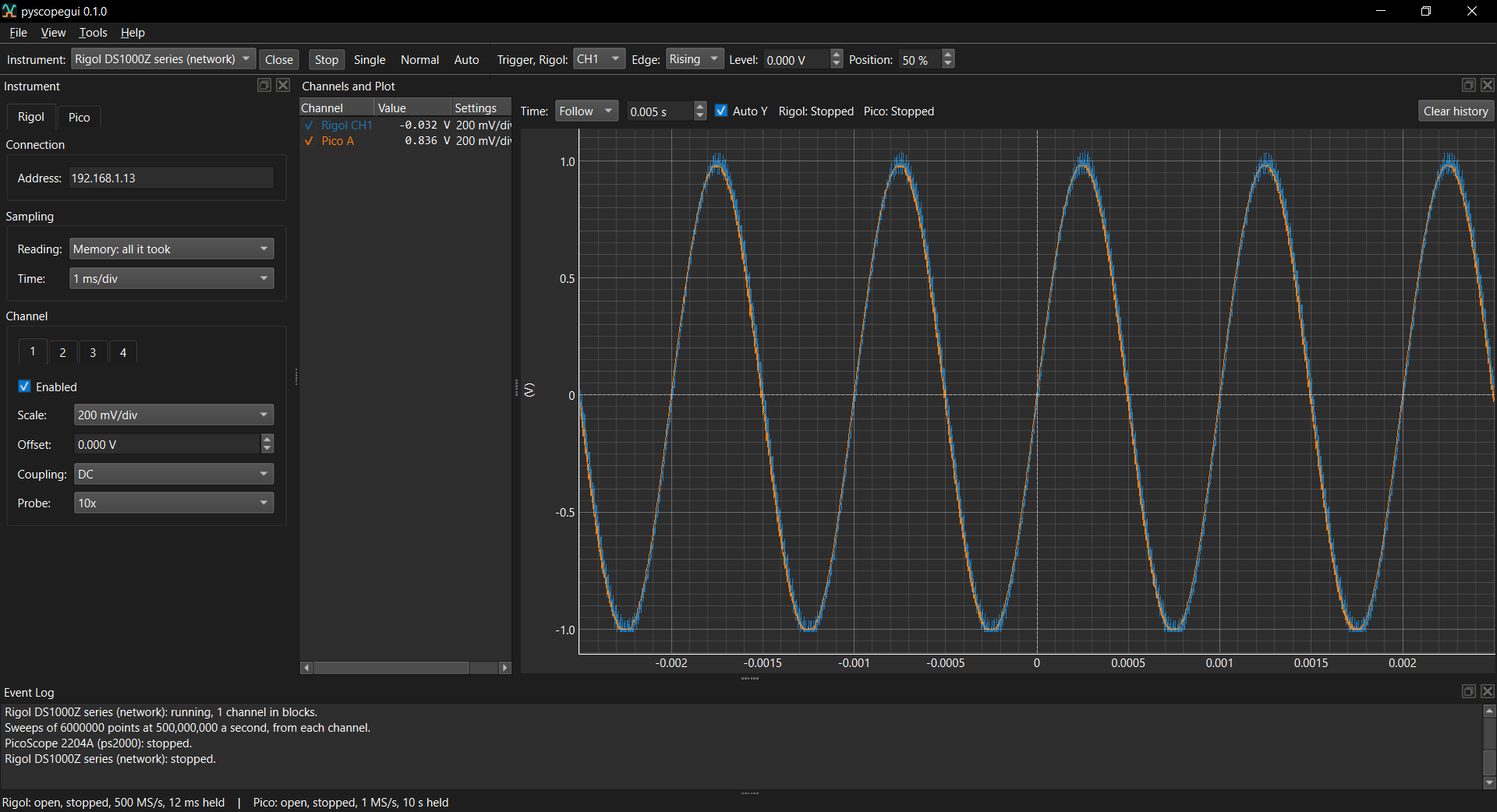
- Channels and Plot: analog channels on one plot and digital channels in lanes under it, on the same time axis. Drag or zoom either and both move.
- Several instruments at once: open one, choose another and open that too. Each has its own trigger, and nought on the time axis is each one's trigger, so two instruments triggered by the same edge line up.
- The same settings on every scope: volts a division, probe and coupling, whichever maker's it is.
- Open and Close, and a scope's own Stop, Single, Normal and Auto, with a trigger on any channel: rising or falling, at a level, placed anywhere in the plot.
- Deep captures stay quick: what is drawn is cut down to a lowest and a highest per column of the screen, so a spike narrower than a pixel is still drawn.
- Panes that dock, float, detach into windows of their own and pin on top, with the arrangement remembered.
- Light and dark themes, or whichever the system is set to.
The manual covers each of these, and is also under Help > Documentation in the application.
Instruments
- Demo signals: two analog and four digital channels, with no hardware.
- PicoScope 2204A, and the other scopes on Pico's
ps2000driver (2202, 2203, 2204, 2205, 2205A): both channels, streamed continuously at up to 1 MS/s, or read in short blocks at up to 100 MS/s around the scope's own trigger, and the scope's signal generator. Pico's library is not included: install the PicoSDK from picotech.com/downloads. - Rigol DS1000Z series (DS1054Z, DS1074Z, DS1104Z, and the Plus, -S and MSO models), over the network: the four analog channels, a sweep at a time around the scope's own trigger, read from its screen or its whole memory. Nothing of Rigol's needs installing.
More
Safety notice and licence
pyscopegui shows what instruments connected to real equipment measure. A scope's ground clip is connected to the computer's ground unless the scope or its USB connection is isolated, and clipping it to a point that is not at ground can damage the equipment, the scope and the computer. Know what you are connecting to before you connect.
pyscopegui is provided under the Apache License 2.0, without warranty of any kind.
1 maintainer

Metadata
1 maintainer
Release files for pyscopegui 0.1.0
For a detailed explanation of source distributions (sdists) and built distributions (wheels), please see the package formats documentation.
Source distribution (sdist)
| File | Size | Uploaded | |
|---|---|---|---|
| pyscopegui-0.1.0.tar.gz | 343.1 kB | Details |
Built distribution (wheel)
| File | Interpreter | ABI | Platform | Reset |
|---|---|---|---|---|
| pyscopegui-0.1.0-py3-none-any.whl | Python 3 | none | any | Details |
Total release size: 658.5 kB
Release files / pyscopegui-0.1.0.tar.gz
| Download URL | pyscopegui-0.1.0.tar.gz |
|---|---|
| Size | 343.1 kB |
| Tags | Source |
|
SHA-256 checksum How to use checksums |
b5e5a299989cfef0e37cdf5873af86bd2e4bee87a37f69dd5b4be3f801510c21
|
|
BLAKE2b-256 checksum How to use checksums |
b984729777adde924e946122952277b4e48371a6441b25c98488759abe734131
|
| Upload date | |
|
Uploaded using Trusted Publishing? What is trusted publishing? |
Yes |
| Uploaded via |
twine/7.0.0 CPython/3.13.14
|
Provenance
Provenance describes where a file came from. On PyPI, provenance is shared via attestations, which provide a verifiable record of the build or publishing details. View details, limitations and caveats.


PyPI Publish Attestation
PyPI verified that this artifact, at this checksum, originated from the publisher listed below.
Signed by GitHub Actions, verified by PyPI on Oct 11, 2026.
Transparency logRelease files / pyscopegui-0.1.0-py3-none-any.whl
| Download URL | pyscopegui-0.1.0-py3-none-any.whl |
|---|---|
| Size | 315.4 kB |
| Tags | Python 3 |
|
SHA-256 checksum How to use checksums |
a4702037e749d1eb731c6f269d96858e6c7158ba6546c35b8a8634e029a0ac67
|
|
BLAKE2b-256 checksum How to use checksums |
7c377ca7afedc9b6fb54f03c3d55c859ddb9e1aac7a753df8bcbc1a8ccfdd203
|
| Upload date | |
|
Uploaded using Trusted Publishing? What is trusted publishing? |
Yes |
| Uploaded via |
twine/7.0.0 CPython/3.13.14
|
Provenance
Provenance describes where a file came from. On PyPI, provenance is shared via attestations, which provide a verifiable record of the build or publishing details. View details, limitations and caveats.
PyPI Publish Attestation
PyPI verified that this artifact, at this checksum, originated from the publisher listed below.
Signed by GitHub Actions, verified by PyPI on Oct 11, 2026.
Transparency log












